

Yes, Bizzabo is polished. 💅 Its event websites look good, its mobile app creates a cohesive attendee experience, and Klik SmartBadges bring genuinely interesting networking and engagement data into the mix.
For the right event team, that package makes a lot of sense.
But polished doesn’t always mean flexible. Once your team needs more complex registration paths, deeper customization, or access to CRM integrations and APIs without paying for yet another add-on, it may be time to look around.
That’s where this guide comes in. Below, you’ll find six solid Bizzabo alternatives to help you build a smarter shortlist of products to demo. We’ll cover where each platform shines, where it may frustrate you, and what its pricing model could mean for your event program.
👀 Quick disclaimer: Yep, Swoogo is on this list! We spend every day working with event teams, and we know no platform is right for everyone. This is our honest take on where Swoogo shines, where other Bizzabo alternatives may be a better fit, and what each tool is actually best at.
What to look for in a Bizzabo alternative
The best alternative is not necessarily the platform with the longest feature list. It’s the one that fits how your team actually works on a regular ol’ Tuesday. As you compare, keep these five points in mind. 👇
- Ease of use and time to implement: Can your team create a branded website, configure registration, build emails, and launch without weeks of training or having to bring in professional services? Remember, power is useful, but power that your team can actually use is so much better.
- Pricing transparency: When comparing event planning software, a funny thing tends to happen: the lowest starting price doesn’t always lead to the lowest total cost. It depends on whether the platform charges per user, per event, per registration, per feature, or somehow, per everything. Before you choose, get clear on your actual budget and which pricing model won’t devour it before registration even closes.
- Registration flexibility and customization depth: Simple registration is simple almost everywhere. The real test comes when you need different experiences for customers, employees, partners, speakers, sponsors, and VIPs. And in a world where “you can use conditional logic” can mean anything from near-unlimited flexibility to “you get three
looksrules, and that’s it,” it pays to read the fine print before you commit. - CRM and MarTech integrations: Your event data needs to flow back into the rest of your systems so you can measure impact, prove ROI, and make the next event better. Check whether your CRM and marketing automation integrations are native, included in your plan, and capable of syncing the data your revenue team needs.
- Support model: Every support model sounds great when your event is eight months away. The real test is what happens when check-in opens in 20 minutes, and something stops working. 😬 Find out whether support is in-house or outsourced, what response times look like, and whether every customer gets the same level of help.
The best Bizzabo alternatives: quick summary
| Platform | G2 rating | Best for | Time to implement | Easy to use | Customer support | Pricing |
| Bizzabo | 4.3/5 | Brand-forward events | Not listed | ✅ | Tiered customer support | Flat, predictable |
| Swoogo | 4.9/5 | Scaling, flexible event teams | 1 month | ✅ | First response within 15 minutes or less on all plans | Flat, predictable |
| Cvent | 4.3/5 | Legacy enterprise orgs | 3 months | ❌ | AI chatbots, outsourced support center | Custom quote only |
| Whova | 4.8/5 | Event networking apps | 2 months | ✅ | Response within 30 minutes on business days | Custom quote only |
| vFairs | 4.7/5 | Virtual expos & fairs | 2 months | ⚠️ | Dedicated project manager on all plans | Custom quote only |
| EventMobi | 4.6/5 | Budget-conscious teams with smaller events | 2 months | ✅ | Tiered customer support | Pricing scales based on # of attendees |
| Accelevents | 4.7/5 | Hybrid event planning | Not listed | ✅ | 24/7 live support on all plans | Set # of registrants included in each plan |
Deeper dive into Bizzabo
Bizzabo is built for teams that care a lot about how an event looks and feels. The platform covers the core event journey—from registration and websites to email, mobile, reporting, and onsite engagement—then lets teams layer on tools like Klik SmartBadge, CRM integrations, networking, speaker management, API access, and premium branding.
Why teams choose Bizzabo
Here’s a bite-sized rundown of why event teams choose Bizzabo:
- Design-forward event websites: Bizzabo makes it easy to build modern, branded event pages without starting from a blank screen. That’s a big plus for customer conferences and marketing events where presentation matters.
- Klik SmartBadge: Klik is one of Bizzabo’s clearest differentiators! Attendees can tap their Bluetooth-enabled badges to exchange contact info, while event teams use the same tech for lead capture, gamification, attendance tracking, and onsite engagement.
- Built-in room block management: Attendees can book their hotel rooms while event teams keep an eye on inventory, availability, and pickup from the same place.
- Marketing dashboards: Bizzabo brings registration, campaign, app, onsite, and engagement data together, giving marketing teams a clearer view of what happened.
Why teams switch from Bizzabo
Teams usually begin comparing alternatives when they run into a few common tradeoffs:
- Pricing: Bizzabo’s Event Experience OS starts at $17,999 per year. The keyword there is starts, because virtual event experiences, advanced onsite, MarTech + CRM integrations, sponsor portals, speaker portals, Klik SmartBadges, networking, API access, custom-branded apps, organizer + attendee SSO, and more are all priced separately as add-ons or custom quotes.
- Limited registration logic: Bizzabo caps its conditional logic, which pushes teams with complex registration rules or highly customized workflows (think multiple attendee paths, approvals, personalized agendas) to search for better event registration platforms.
- Less suited to high-volume programs: Bizzabo is generally a better fit for fewer, bigger events. Teams running lots of roadshows, dinners, webinars, regional events, or internal programs switch tools in favor of faster cloning, repeatable workflows, and more predictable pricing.
1. Swoogo: Best Bizzabo alternative for teams that need true flexibility and customization
Swoogo is event management software for teams running multiple events, audiences, and formats: conferences, roadshows, field events, webinars, internal events, hybrid programs, and everything in between.
The key differentiator? Compared with Bizzabo, Swoogo gives event teams more room to customize registration, attendee journeys, integrations, and event workflows. Complex setups can also be handled with less reliance on add-ons or professional services—a major plus for teams that need to move quickly, stay on budget, and still manage multiple attendee types, approval steps, session rules, and pricing tiers.
Swoogo also includes more than 30 pre-built integrations and API access in its flat pricing, while Bizzabo treats CRM integrations and API access as premium add-ons. In other words, with Swoogo, connecting your event data to Salesforce, HubSpot, or Marketo doesn’t have to trigger yet another pricing conversation.
| Pros ✅ | Cons ❌ |
| • Predictable user-based pricing, without fees tied to every registration or event • Fast setup with reusable templates, event cloning, and drag-and-drop widgets • Strong in-house support for all users | • No native room block management |
Features users love
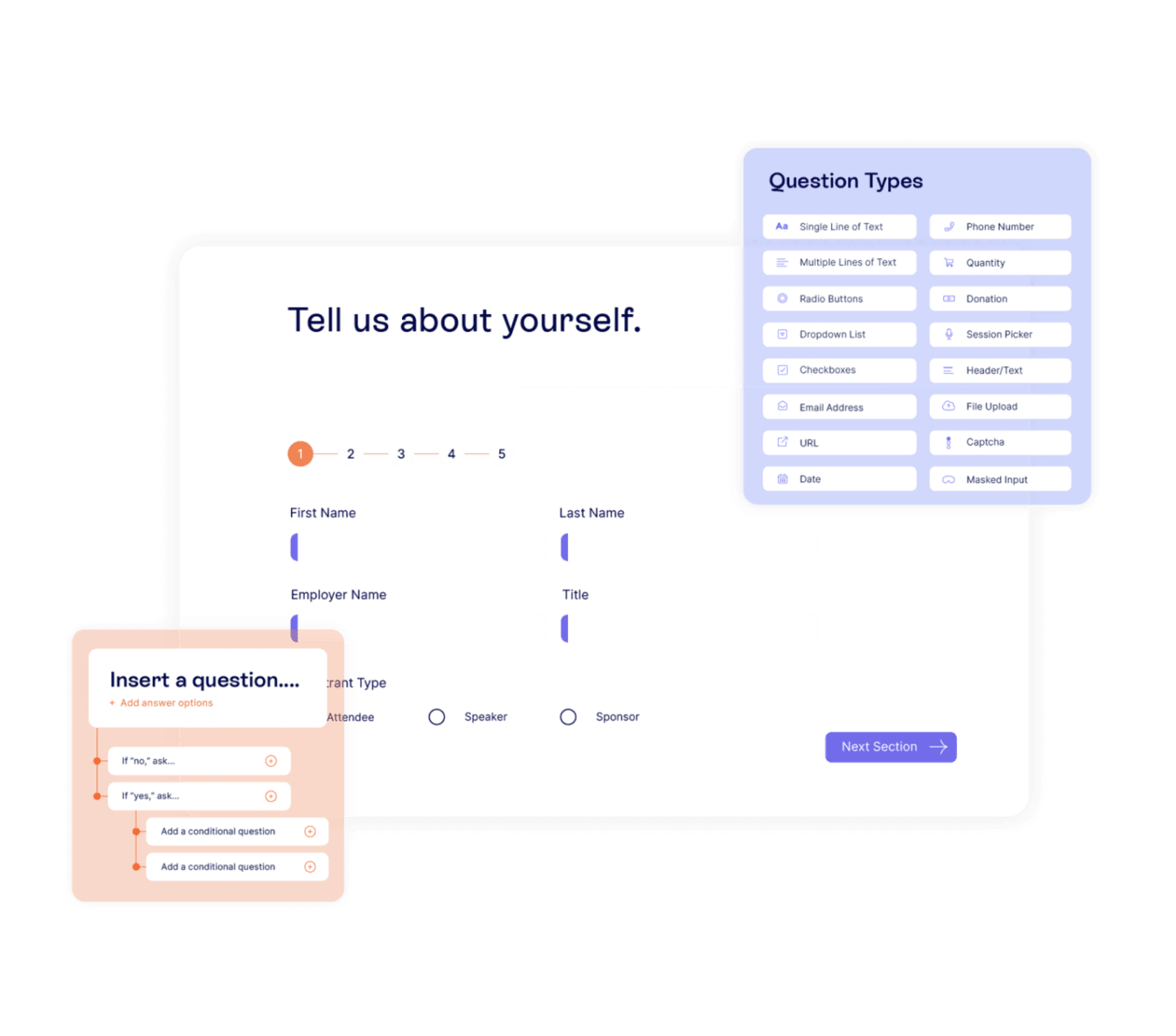
1. Flexible registration and attendee journeys
Swoogo gives event teams full control to create branded, personalized paths for different audiences without custom development. Unlimited conditional logic automatically guides each person to the right questions, pricing, agenda, and experience based on who they are and what they click.
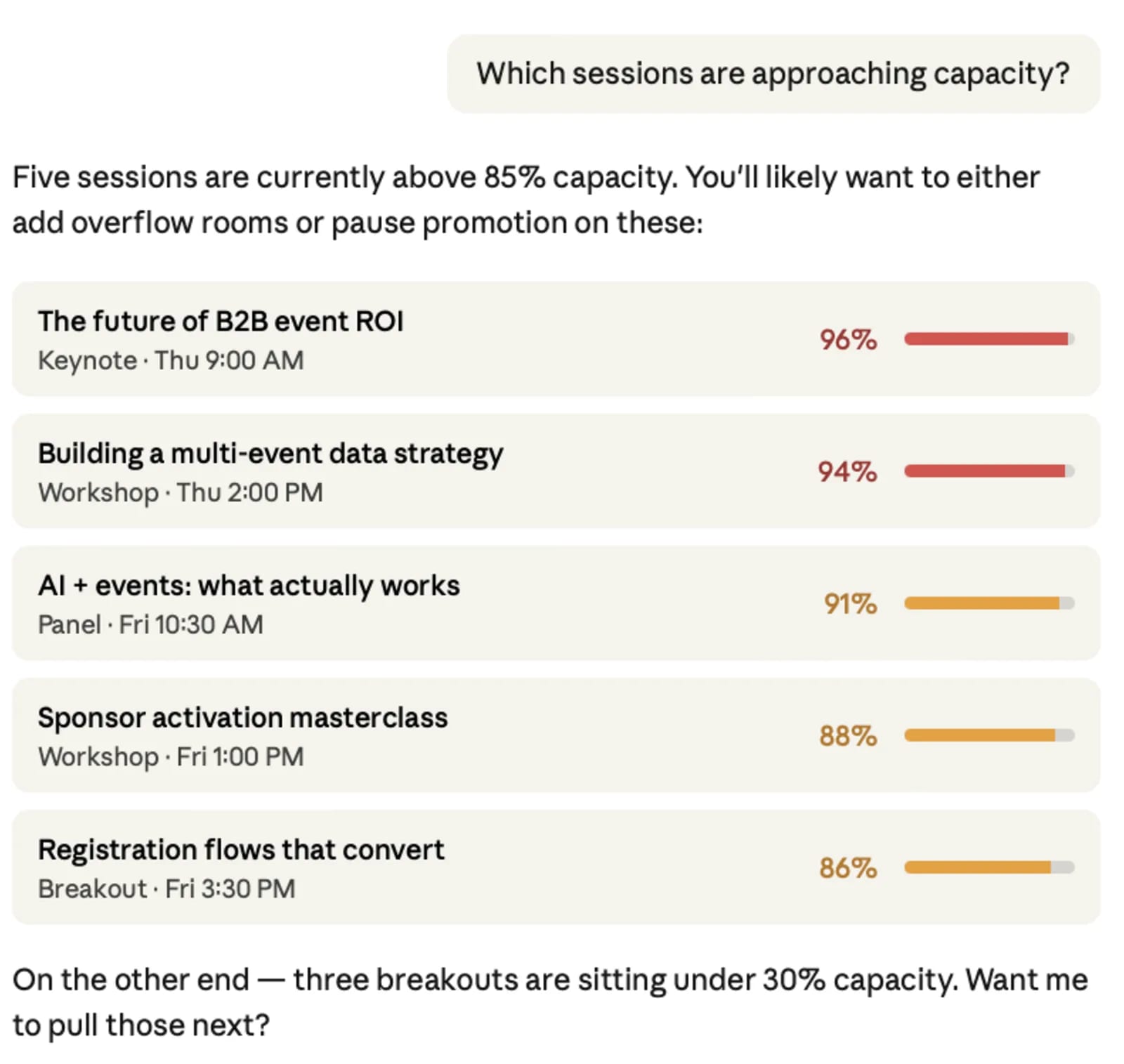
2. MCP server for AI workflows
Swoogo’s native MCP server lets your team ask whatever AI tool you use, like ChatGPT or Claude, questions about registrations, sessions, speakers, and sponsors, then get answers without digging through reports or exporting spreadsheets. It takes about five minutes to set up with no code, so your team can spot trends, answer stakeholder questions, and make faster decisions using the AI tools they already work in.
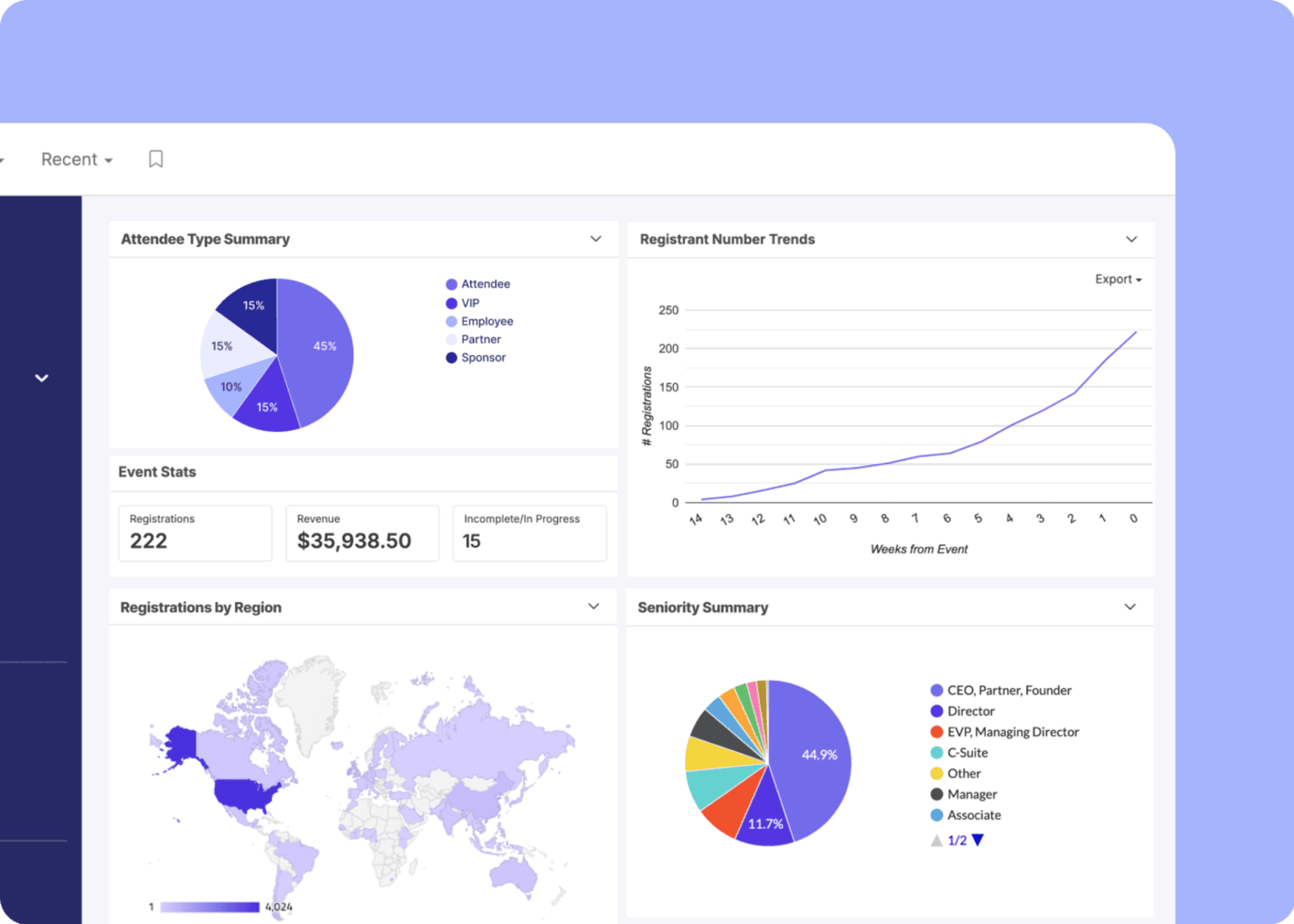
3. Connected event data
Swoogo connects registration, check-in, attendee activity, and CRM data in real time, so your team always knows what’s happening—not just after the event is over. You can spot issues sooner, follow up smarter, and see what’s working across your whole event program.
What customers say
“Swoogo’s features make our lives easier when we’re implementing new functionalities and building new paths across our 100+ events throughout the year. The support team is truly amazing—our questions are usually answered within minutes, and the documentation covers almost everything most of the time. The app is easy to use and understand, and it consistently releases new features every month.”
- Anabell R., Internal Projects Manager
“I've been using Swoogo as my primary virtual/hybrid event platform since discovering it in February 2021. Before using Swoogo, I used and demoed dozens of other LMS and Event Platforms, including EventMobi, Bizzabo, Memberclicks LMS, Brushfire, and more. Even after switching to Swoogo I've continued to demo other systems, and I haven't seen one that comes anywhere close to what Swoogo offers.”
- Gabe S., Production Manager
Choose Swoogo if:
- You run a portfolio of conferences, field events, dinners, webinars, internal events, or partner programs.
- You want predictable costs as event and registration volume grows.
- You need different registration journeys for different attendees.
- You want your team to build complex events themselves, without needing professional services at every step.
Pricing:
Swoogo offers two plans:
- Professional: $11,800 per year for unlimited events and unlimited registrations
- Enterprise: Custom pricing for teams that need everything in Professional, plus more advanced tools for personalization, security and compliance, and higher-volume API.
Optional add-ons include extra custom domains, check-in app Go Onsite Pro, and a mobile event app for attendees, so teams can build the package around the way they actually run events.
2. Cvent: Best Bizzabo alternative for enterprise-scale conferences
Cvent is one of the longest-running names in event tech, and it’s built for large organizations running major conferences, global programs, and events with plenty of stakeholders, attendee types, approval layers, and reporting demands.
The tradeoff? That much power can feel like a lot. Setup tends to take longer, and even relatively simple changes may require more training, more digging through settings, or more help from professional services. For highly structured enterprise conferences, that investment may be worth it. For teams trying to move quickly, Cvent can feel like buying an aircraft carrier when you really need a speedboat.
Implementation timelines tell part of the story. Take Swoogo vs. Cvent as an example: Cvent takes around three months to implement, compared with about one month for Swoogo.
| Pros ✅ | Cons ❌ |
| • 24/7 support and global scalability • Extremely broad end-to-end functionality • Deep reporting and governance controls | • Expensive and complex • Steep learning curve |
Features users love
1. Global venue marketplace
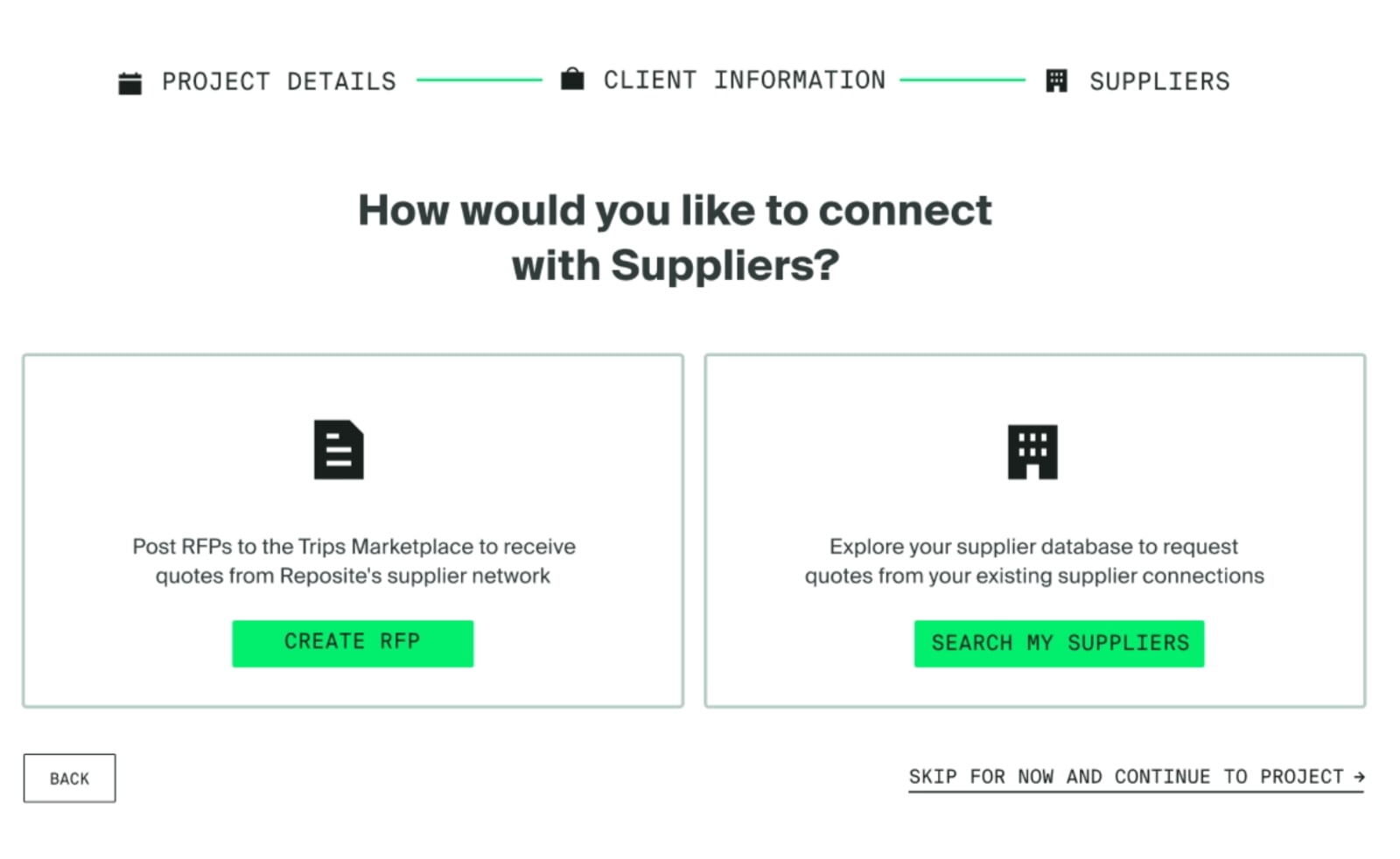
Cvent gives teams access to more than 340,000 hotels and destinations, plus tools to send RFPs and compare responses in one place. That can save a lot of time when you’re sourcing venues across multiple cities, regions, or countries.
2. Enterprise reporting
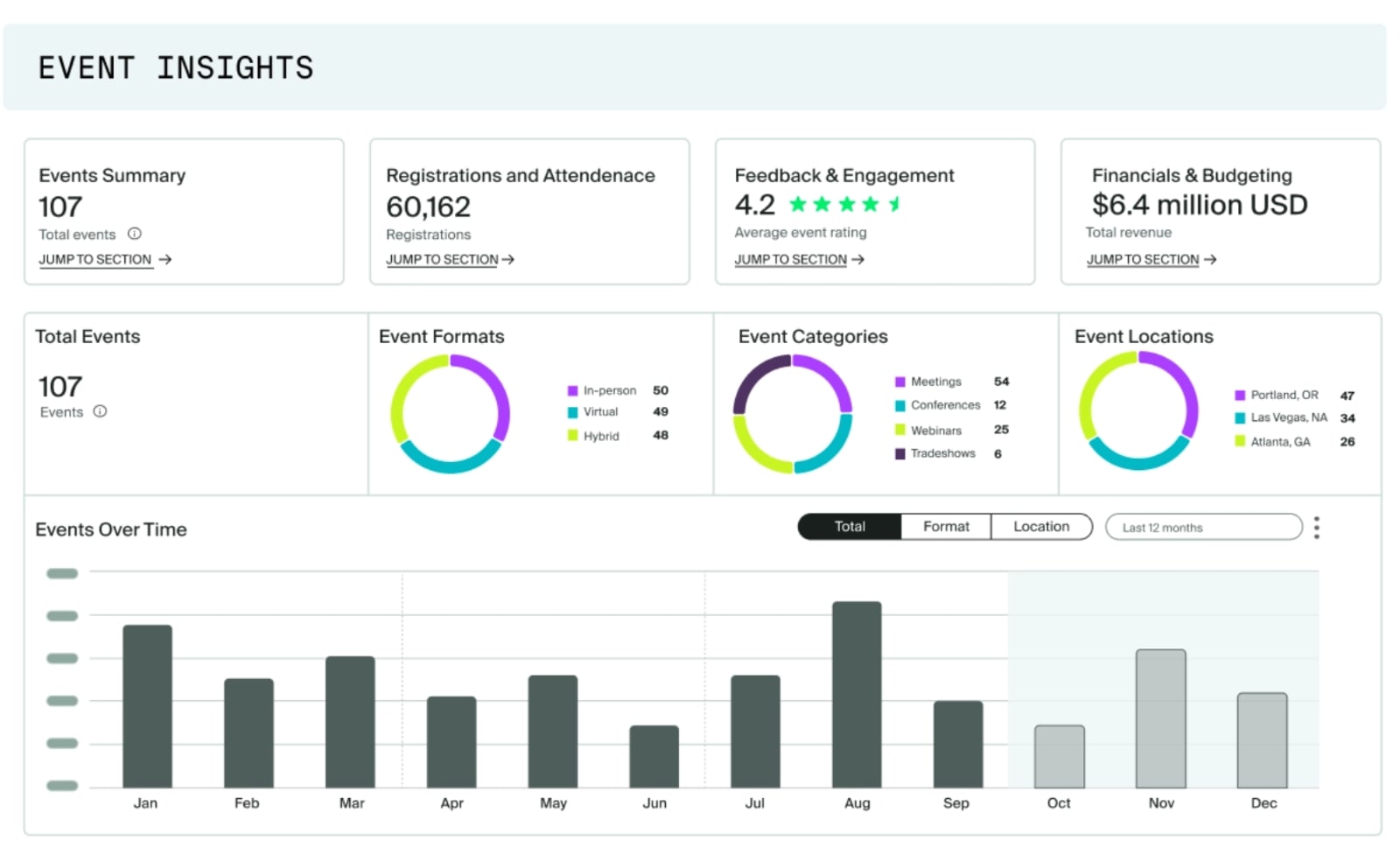
Cvent pulls registration, attendance, engagement, and performance data into detailed reports across your event program. It’s useful for teams that need to prove ROI, compare results, and answer stakeholder questions without cobbling together another spreadsheet.
3. CventIQ AI tools
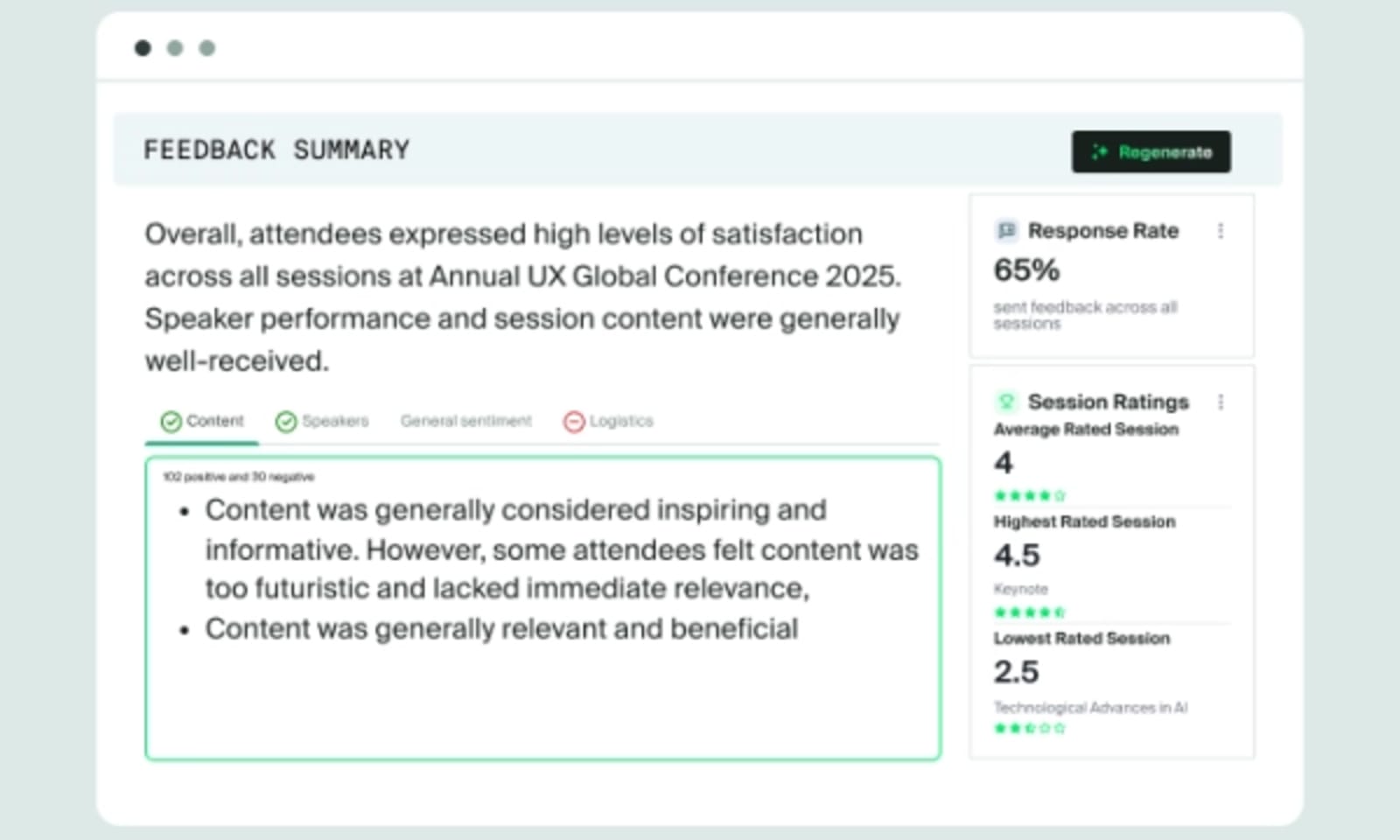
CventIQ helps teams draft event content, personalize attendee recommendations, and pull useful insights from event data. In other words, less time staring at a blank page or digging through reports, and more time acting on what the data is telling you.
What customers say
“I like how almost all of your event needs are located in Cvent. Badge scanning, badge creation, agenda/session management, location sourcing attendee management and event app. Can all be created inside of the event…I personally dislike the cost and how you have to continue to add on services/features which are an additional cost. However, the service you get with the cost is priceless.”
- Verified User in Semiconductors
“With all of the features available that continue to be enhanced and aligned with each other, the platform is becoming increasingly viable as a single ecosystem that more easily supports an SMMP. Our event planning team is in and out of Cvent on a daily basis, and it's hard to imagine how we would manage large conference registrations without it. Our stakeholders and attendees have particularly been impressed by the ease and positive experience of onsite check-in using OnArrival...Cost is still a major barrier to entry for many budget-strapped organizations. At times, the promotions and pitches for additional modules can feel heavy-handed and like being ‘nickeled and dimed.’”
- Verified User in Financial Services
Choose Cvent if:
- You regularly run large, complex, global events.
- You have the budget, team, and time to get full value from a heavyweight platform.
- You need venue sourcing, housing, and travel management in your event software.
Pricing:
Cvent doesn’t publicly list their pricing, meaning you’ll have to reach out for a custom quote.
Here’s what we do know: Cvent offers two plans, Professional and Enterprise, plus a long list of separately priced add-ons—22 at the time of writing.
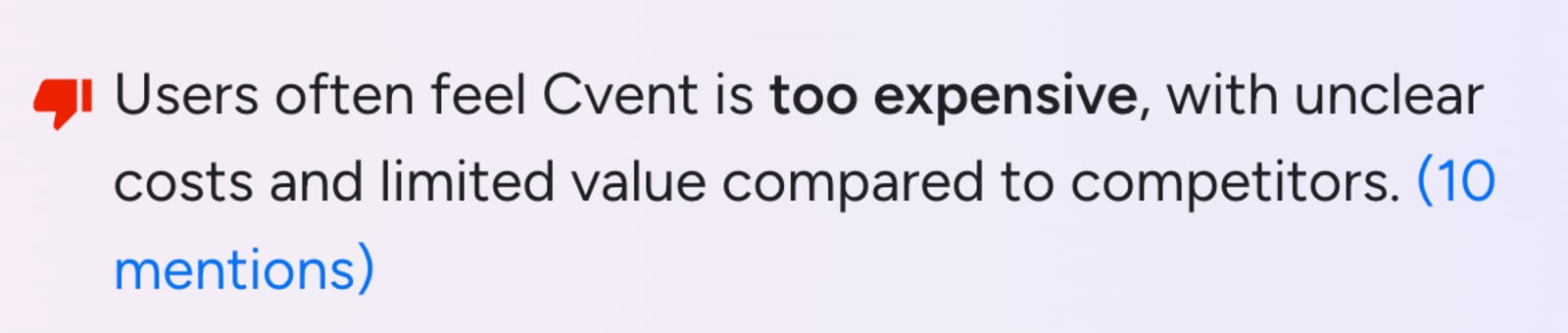
Although we don’t know the exact number, pricing comes up frequently in G2 reviews, with many users describing it as “too expensive,” especially when compared to Cvent alternatives.
3. Whova: Best Bizzabo alternative for association conferences and attendee networking
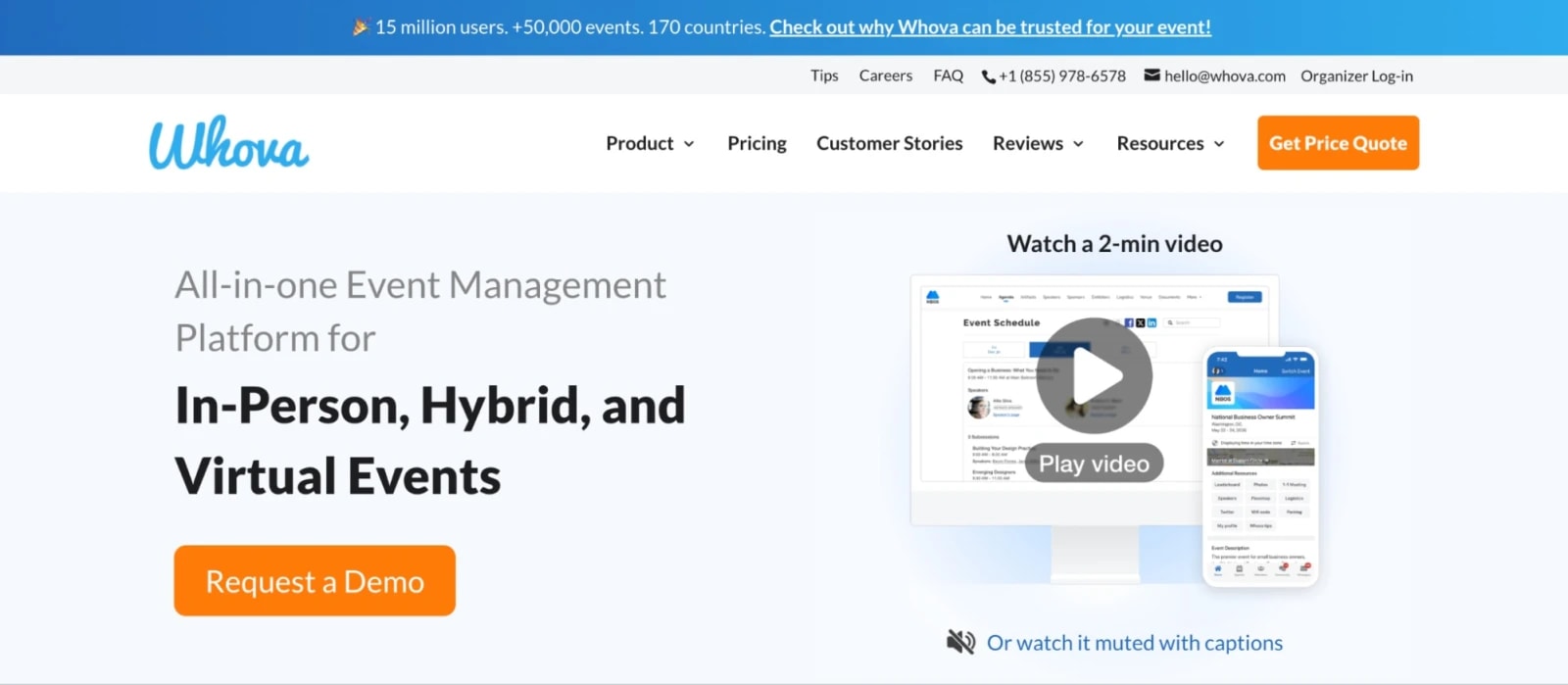
Whova is a strong Bizzabo alternative for teams that want attendees to actually talk to each other—not just collect tote bags and quietly leave after the keynote. It’s especially popular with associations, universities, nonprofits, and academic conference organizers.
The platform pairs online registration with a mobile app built around connection, including attendee profiles, direct messaging, discussion boards, meetups, gamification, and personalized attendee experiences.
The tradeoff is what happens behind the scenes. Whova is a good fit for fairly straightforward event setups, but teams with complex registration rules, approval flows, or highly personalized attendee journeys may start to feel the limits.
| Pros ✅ | Cons ❌ |
| • Strong networking, messaging, and community features • Easy-to-use mobile event app • Built-in gamification and attendee participation tools | • Limited control over advanced registration rules • In-app notifications can become distracting or overwhelming |
Features users love
1. Attendee networking tools
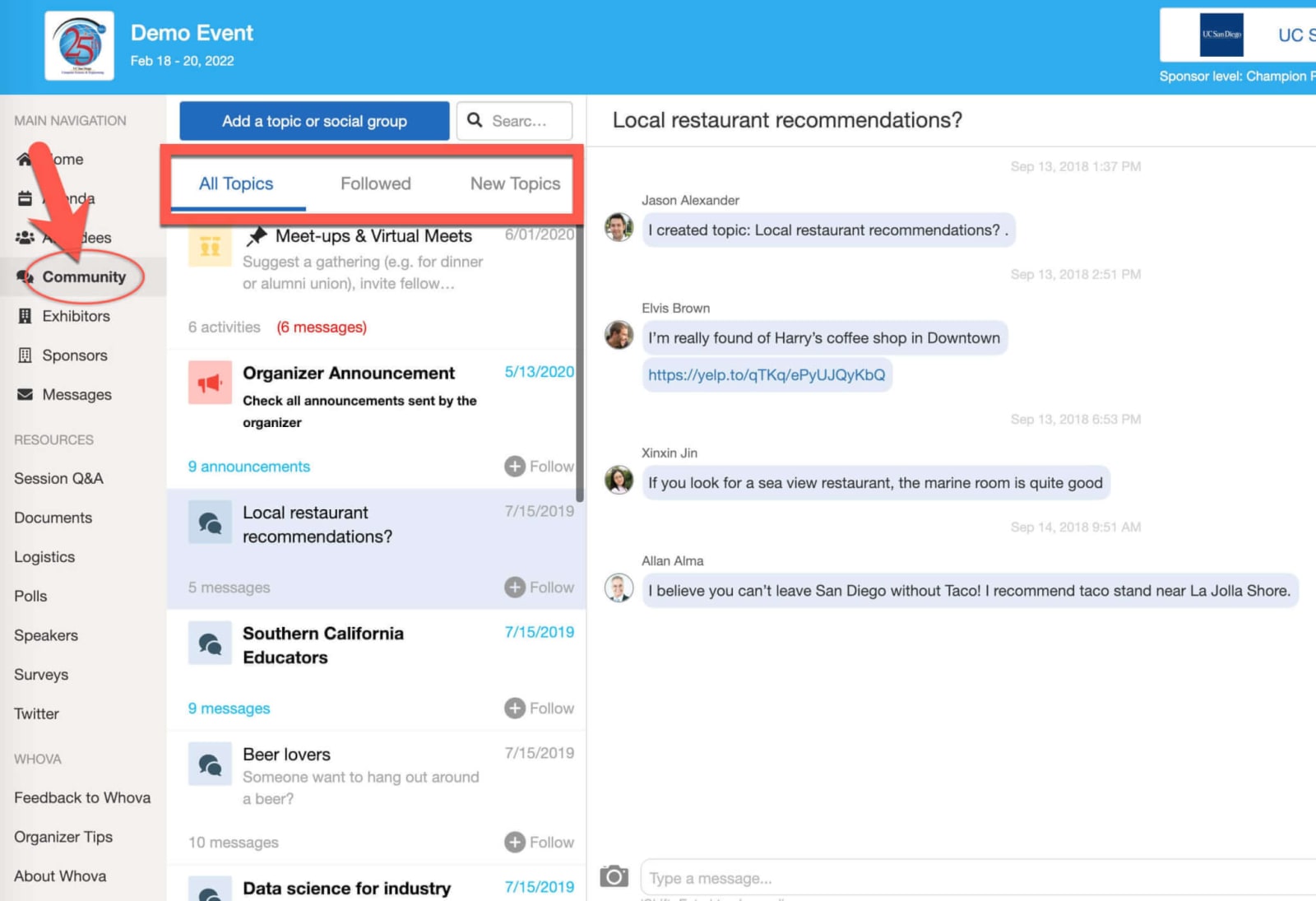
Whova makes it easy for attendees to find and connect with the right people through searchable profiles, direct messaging, discussion boards, and meetup coordination. Conversations can start before the event and keep going after.
2. Interactive mobile app
The mobile app brings agendas, announcements, session details, event documents, and networking tools into one place. That means attendees spend less time hunting for information and more time actually participating.
3. Gamification and engagement features
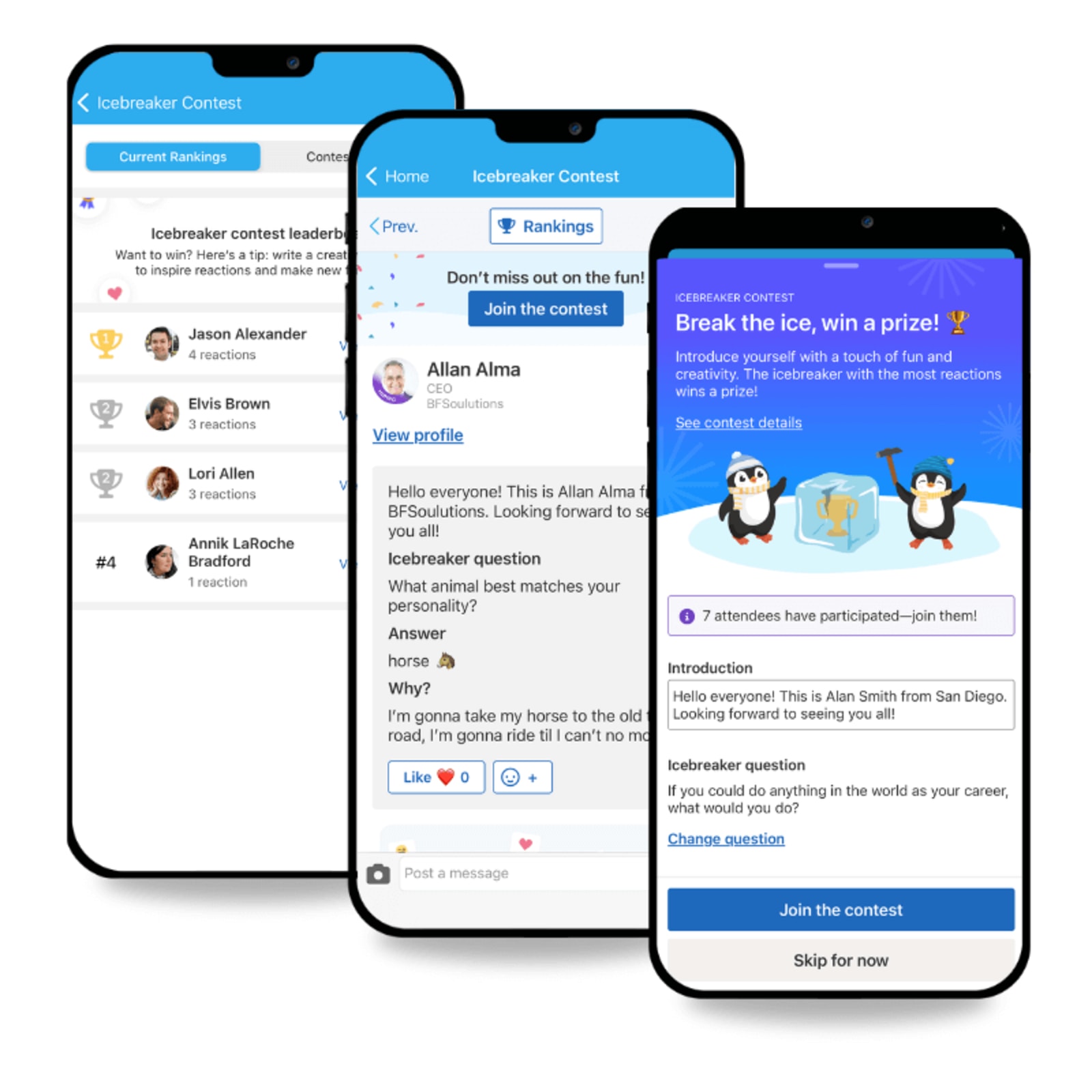
Leaderboards, challenges, polls, and other interactive features give attendees more reasons to join in. They can be especially useful when you need a little extra help keeping energy up between sessions.
What customers say
“Everything is available in one place, you can (as a participant) add as many polls, photos, information as you like, you already get a fun factor on this app even before the event got started. Every communication from the organizer gets into the app (if there is a new message, it is indicated) and we also got notifications from the app into our mailbox, so we didn’t miss any information.”
- Tine D., Executive Assistant CFO and IR coordinator
“Having all of the attendees in one place and searchable by key tags such as interests or job titles. Huge benefit for speakers to be able to market themselves to a target audience. The amount of notifications made it difficult to know when a notification was from someone trying to make contact or just an announcement from the app developer or a ‘canned’ message from the event directors. It became difficult to navigate person to person discussions.”
- Brian G., Owner
Choose Whova if:
- You want attendees to connect before, during, and after the event.
- Your registration setup is relatively straightforward.
- A strong mobile app is key to your experience.
- You want a conference-focused product rather than a large enterprise operating system.
Pricing:
Whova is unfortunately yet another event platform that doesn’t publicly disclose its pricing. I did find a few pages mentioning a 3.0% + $0.99 fee per ticket though, so per-ticket charges are part of its pricing model.
4. vFairs: Best Bizzabo alternative for virtual expos and fairs
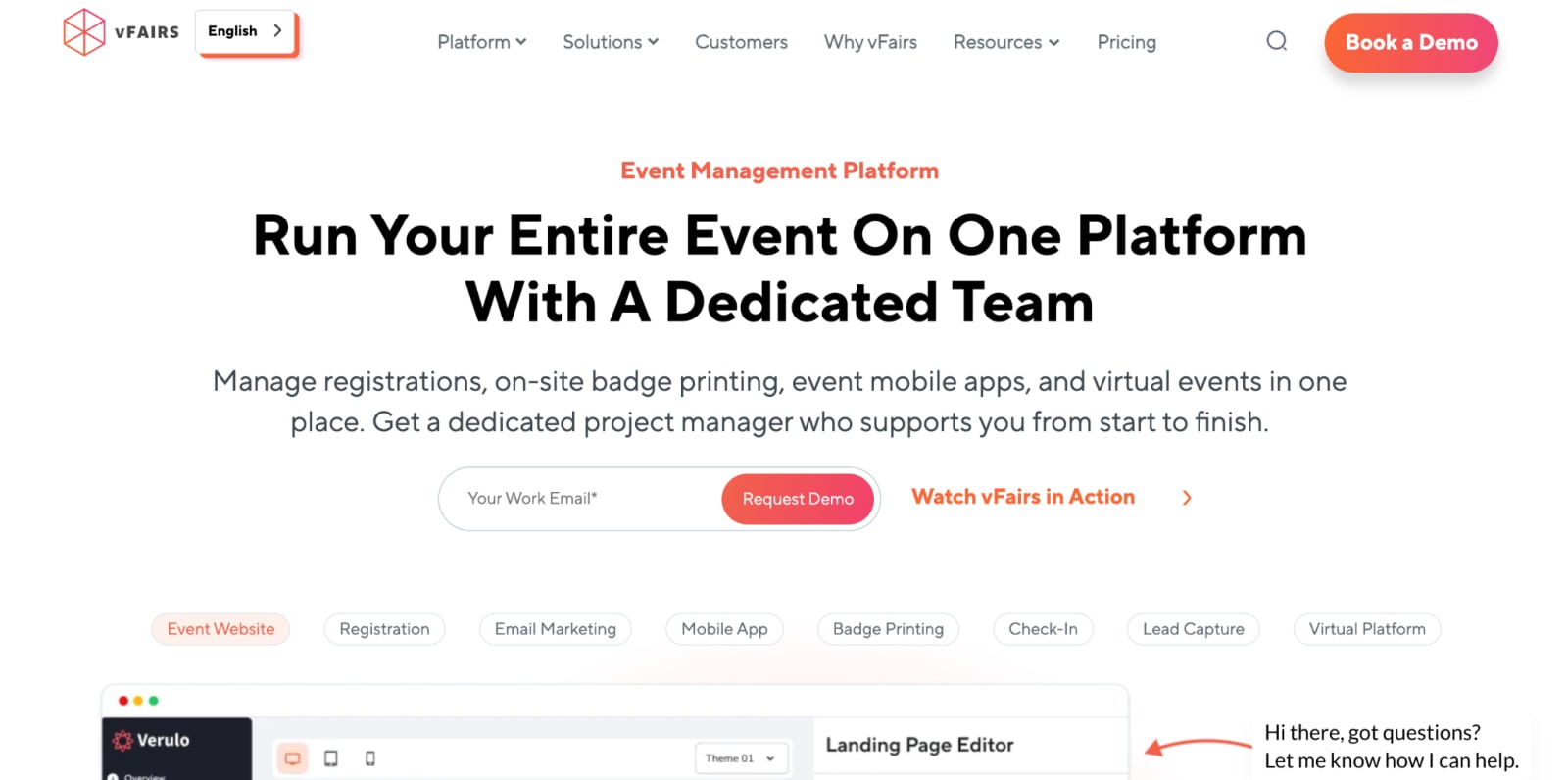
Although vFairs supports in-person and hybrid event management, it remains best known for large virtual expos, conferences, job fairs, university fairs, and recruitment events.
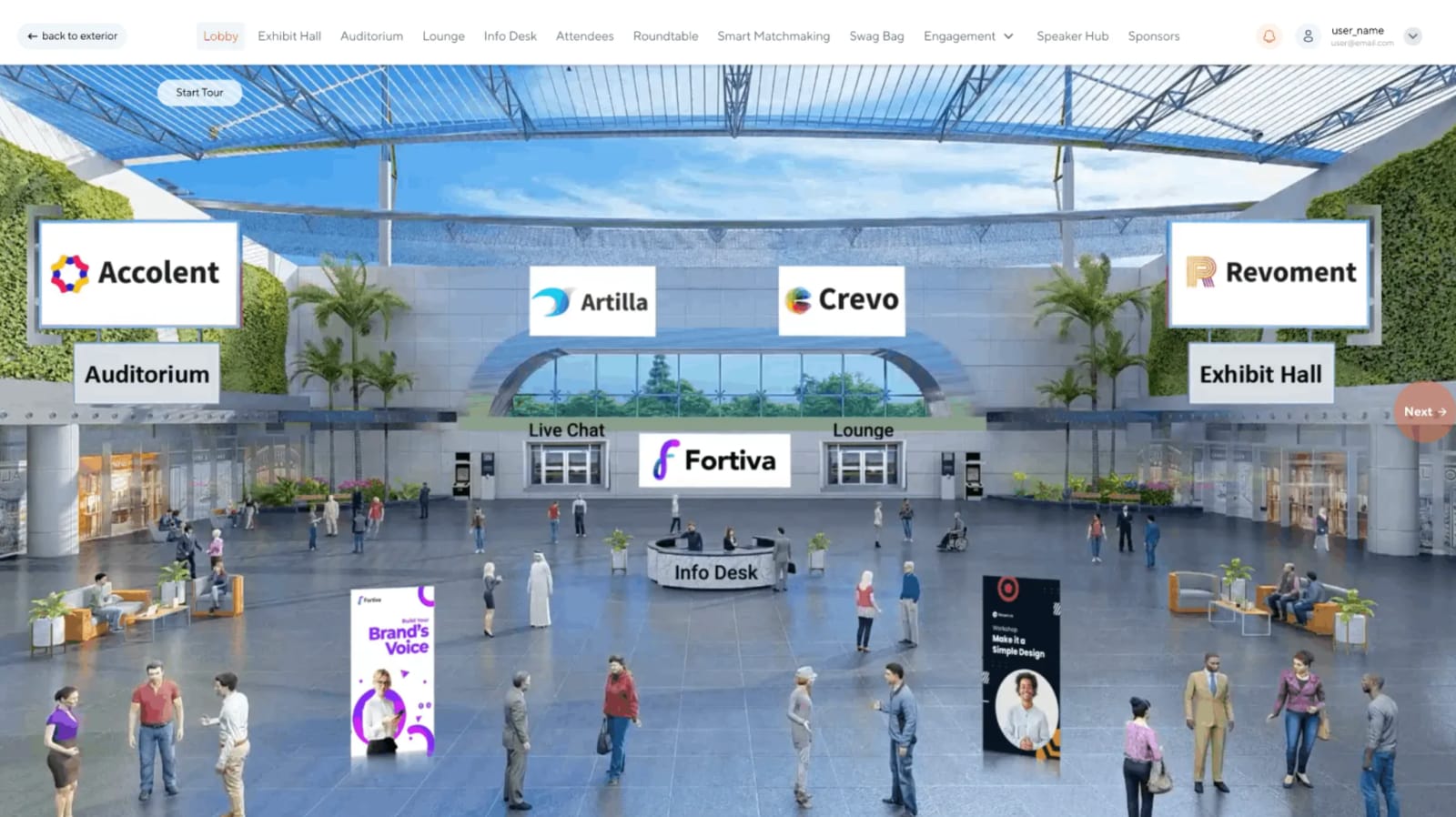
VFairs makes your virtual event feel like a real place (rather than a grid of video calls) with branded lobbies, 3D exhibit halls, booths, live sessions, chat, networking, job boards, and gamification. Each event also includes support from a dedicated project team, which is handy when your virtual experience includes dozens of exhibitors and a home page designed to resemble an actual convention center.
That said, all that customization can make the platform more complex than teams running a straightforward webinar or smaller conference actually need.
| Pros ✅ | Cons ❌ |
| • Solid customer support • Strong virtual exhibit halls, booths, and branded environments • Well-suited to expos, career fairs, and recruiting | • Steep learning curve and complex backend • Limited customization |
Features users love
1. Immersive virtual environments
vFairs lets teams create branded 2D or 3D lobbies, exhibit halls, auditoriums, networking lounges, and booths that feel like part of the event and not just decoration around a livestream. Attendees can even personalize their avatars with event-specific dress codes! 💁♀️
2. Recruitment and exhibitor tools
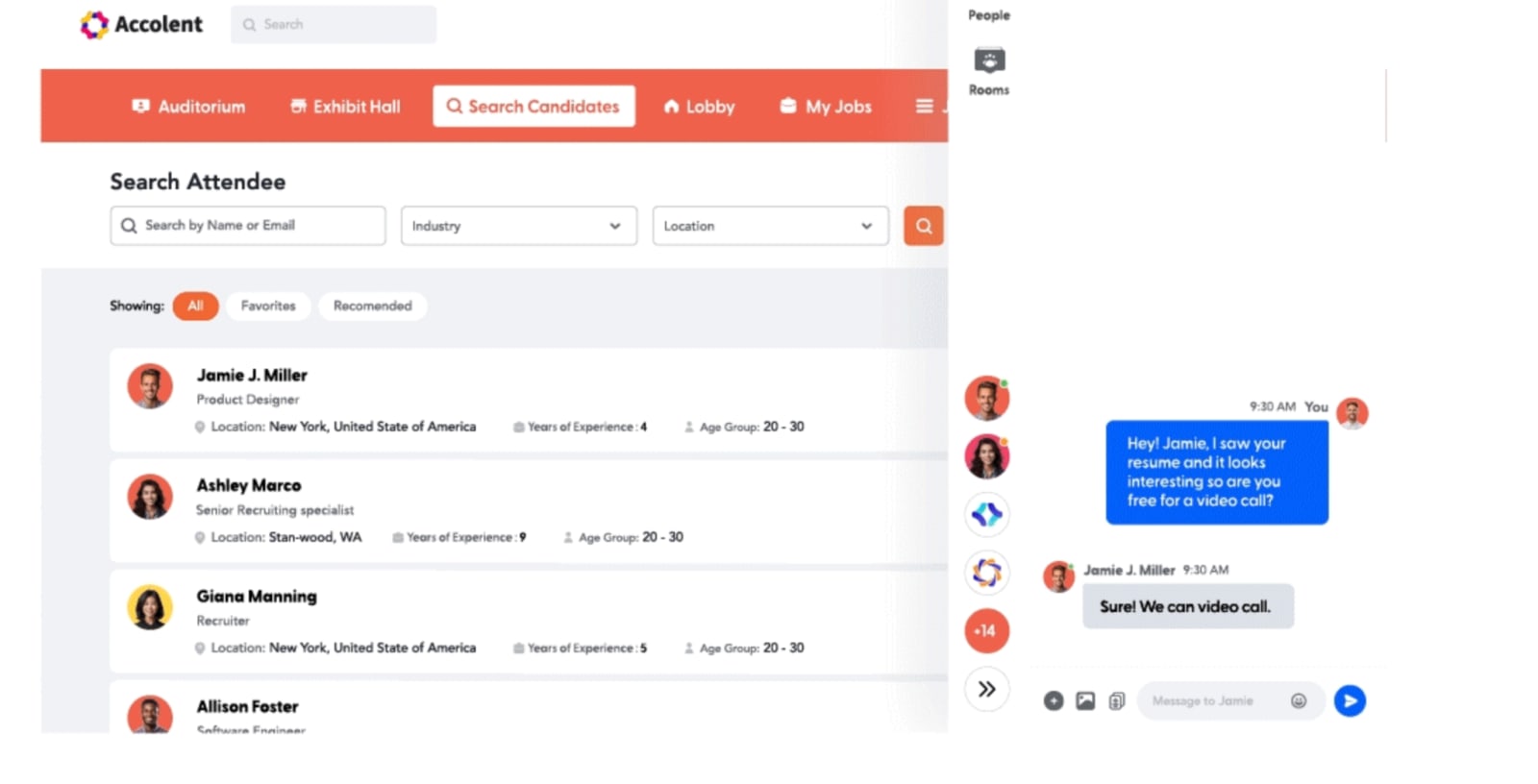
Features like recruiter chat, candidate matching, lead capture, and resume sharing help turn attendee activity into actual conversations and follow-up. That matters for career fairs and expos where the goal is to connect with the right people.
3. A project team in your corner
vFairs includes hands-on support to help bring the event together, which can be a relief when there are lots of sessions, exhibitors, and stakeholders involved. Instead of figuring out every moving part alone, your team has help getting the experience built and ready to go.
What customers say
“The ease of creating different websites for our different events. I'm not an operations person but ultimately we chose to work with vFairs because of the NetSuite integration. For me, the marketing features were simple and efficient. My experience was incredible thanks to Syed. He was very patient with me trying to understand different features and the many changes that we threw at daily…The backend left much to be desired. We worked with Stova last year and although their team was a nightmare, their backend was much easier and more robust.”
- Brittany B., Senior Marketing Manager
“Working with vFairs on our organization’s inaugural virtual Nurse Educator Conference was an outstanding experience from beginning to end. The platform was intuitive, reliable, and provided everything we needed to deliver a professional and engaging event for our attendees. A special thank you to our Project Manager, Abdul Subhan Azhar, who was exceptional throughout the entire process.”
- Jennifer H., Senior Manager, Sales Operations
Choose vFairs if:
- You run large virtual career fairs, university fairs, expos, or trade shows.
- You want a dedicated project team to help build and deliver the event.
- You need a highly visual digital venue.
Pricing:
vFairs doesn’t publish standard pricing, so you’ll need to talk to sales to get a real number. Your quote will depend on what you need, including attendee volume, extra sessions or booths, accessibility features, and managed services.
5. EventMobi: Best Bizzabo alternative for budget-conscious teams planning smaller events
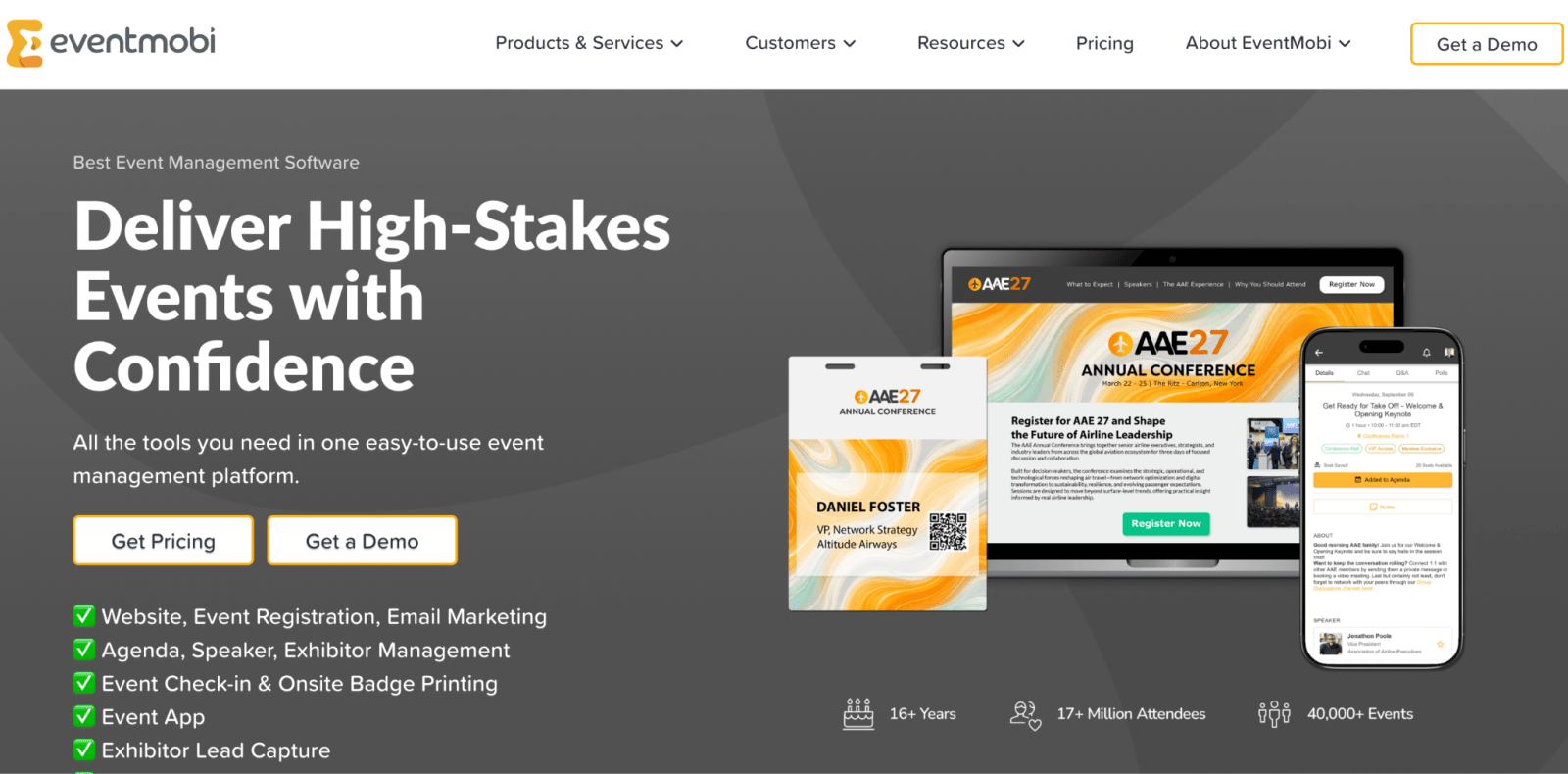
EventMobi offers a modular platform covering event websites, registration, email marketing, check-in, badge printing, mobile apps, lead capture, virtual experiences, networking, and reporting.
It sits in a nice middle ground: more capable than a basic registration tool, but not as heavy or time-consuming to learn as some enterprise tools.
EventMobi also has a lower barrier to entry than many Bizzabo alternatives, especially for smaller events. But since pricing scales with attendee volume, that advantage can shrink pretty quickly as your events get bigger.
| Pros ✅ | Cons ❌ |
| • Lower cost to entry with per-event and annual pricing options • User-friendly • Strong event management system | • Costs scale with attendee volume • Limited customization |
Features users love
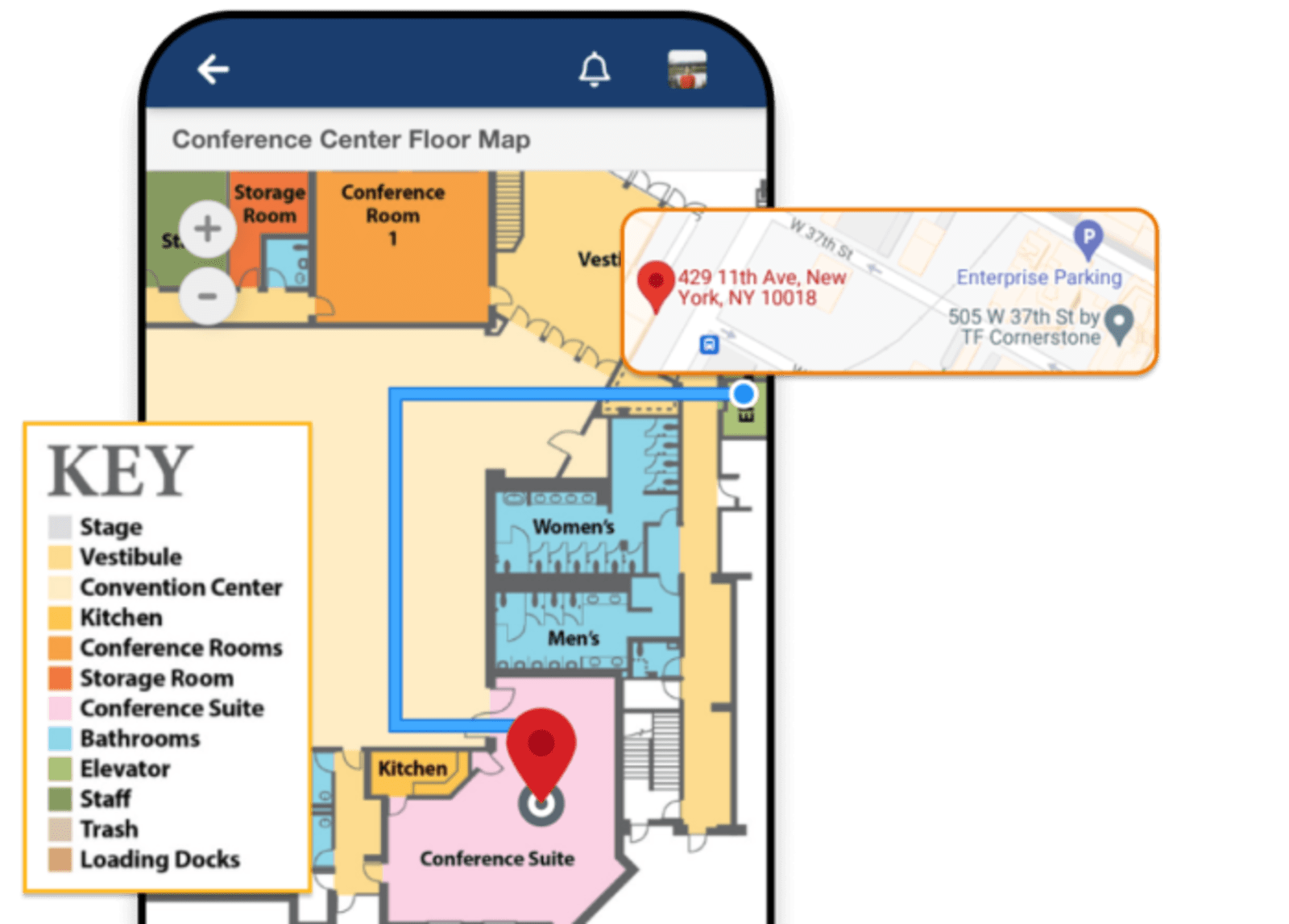
1. Mobile event app
EventMobi gives attendees one place to check their agenda, receive updates, network, answer polls, and find event information. It keeps the experience organized without forcing your team to build a custom app from scratch.
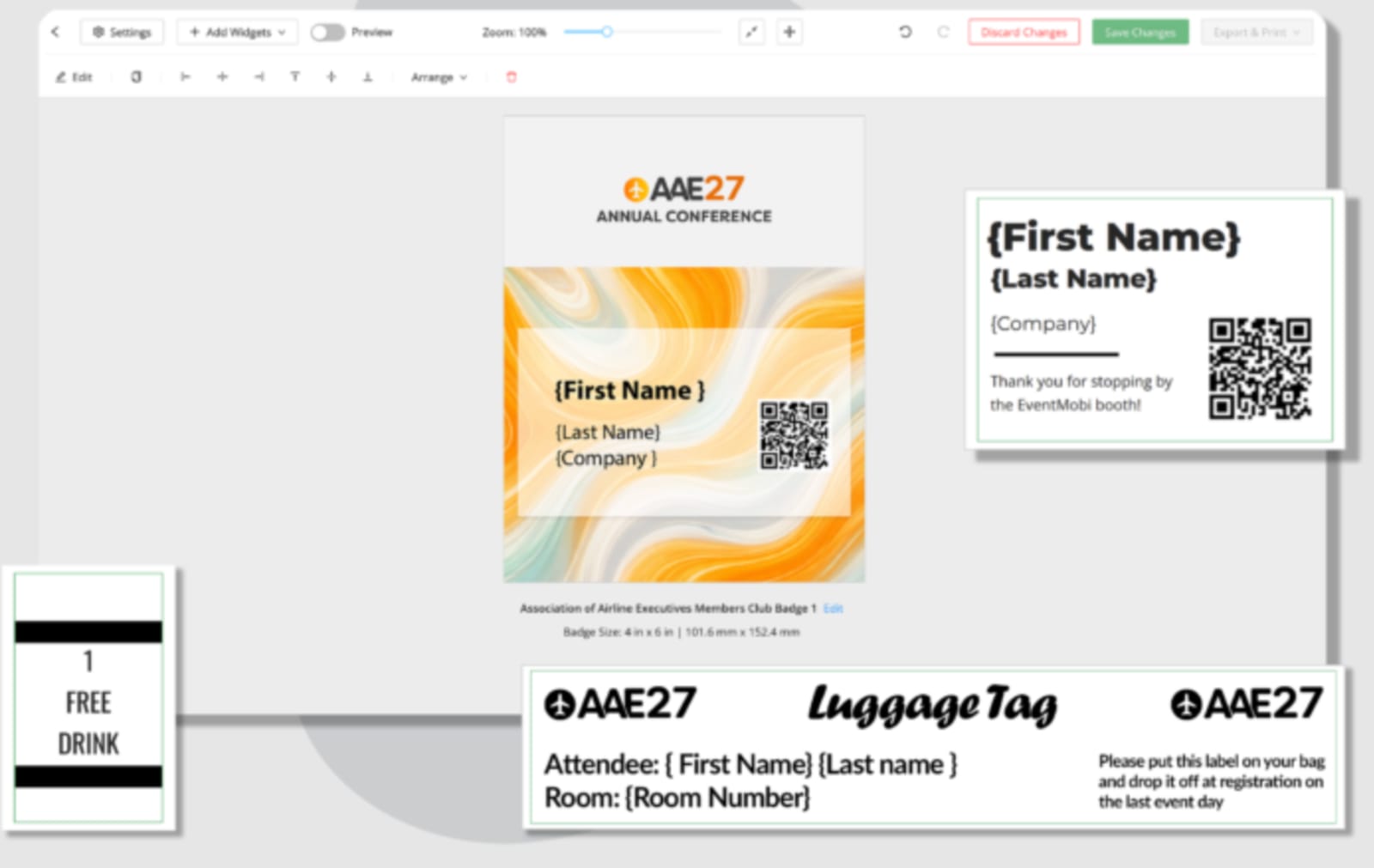
2. Onsite check-in and badge printing
Teams can manage attendee check-in, print badges, and handle last-minute changes from the same platform. That means shorter lines, fewer onsite headaches, and a better sense of who has actually arrived.
3. Modular event tools
EventMobi lets teams mix and match registration, websites, email, lead capture, virtual features, and reporting based on the event. It’s a good fit for lean teams that need more than a basic registration tool but don’t want to wrestle with a huge enterprise platform.
What customers say
“I love how easy EventMobi is to use, which greatly enhances the overall experience for both our team and attendees during conferences. This simplicity in usability allows for seamless engagement, enabling attendees to connect with each other and us more effectively than without the app. I particularly appreciate the introduction of new features every year, which keeps the platform fresh and aligned with our technological needs…I found that we had difficulty trying to customize the app with our own icon for attendees. The branding of the app remained EventMobi, which was not what we desired.”
- Kathy T.
"EventMobi’s ability to import sessions, speakers, attendees, sponsors, and personalized agendas significantly streamlined the event setup process. The centralized management system made it efficient to organize and structure content in advance of the conference. Additionally, the platform made it easy to update session details in real time and quickly communicate changes to attendees through push notifications. This flexibility was especially valuable for ensuring attendees had the most current information throughout the event.”
- Nicole L., Association Administrator
Choose EventMobi if:
- You run one or several small-to-mid-sized conferences.
- You need registration, an event app, check-in, and badging without enterprise overhead.
- You have a lean event team and a tighter budget.
Pricing:
EventMobi offers two ways to pay:
- Per event, starting at $3,500/event with pricing scaling based on the products you need and the size of your event.
- Per year, starting at $7,900/year with pricing scaling based on total unique attendees across all events.
6. Accelevents: Best Bizzabo alternative for hybrid events
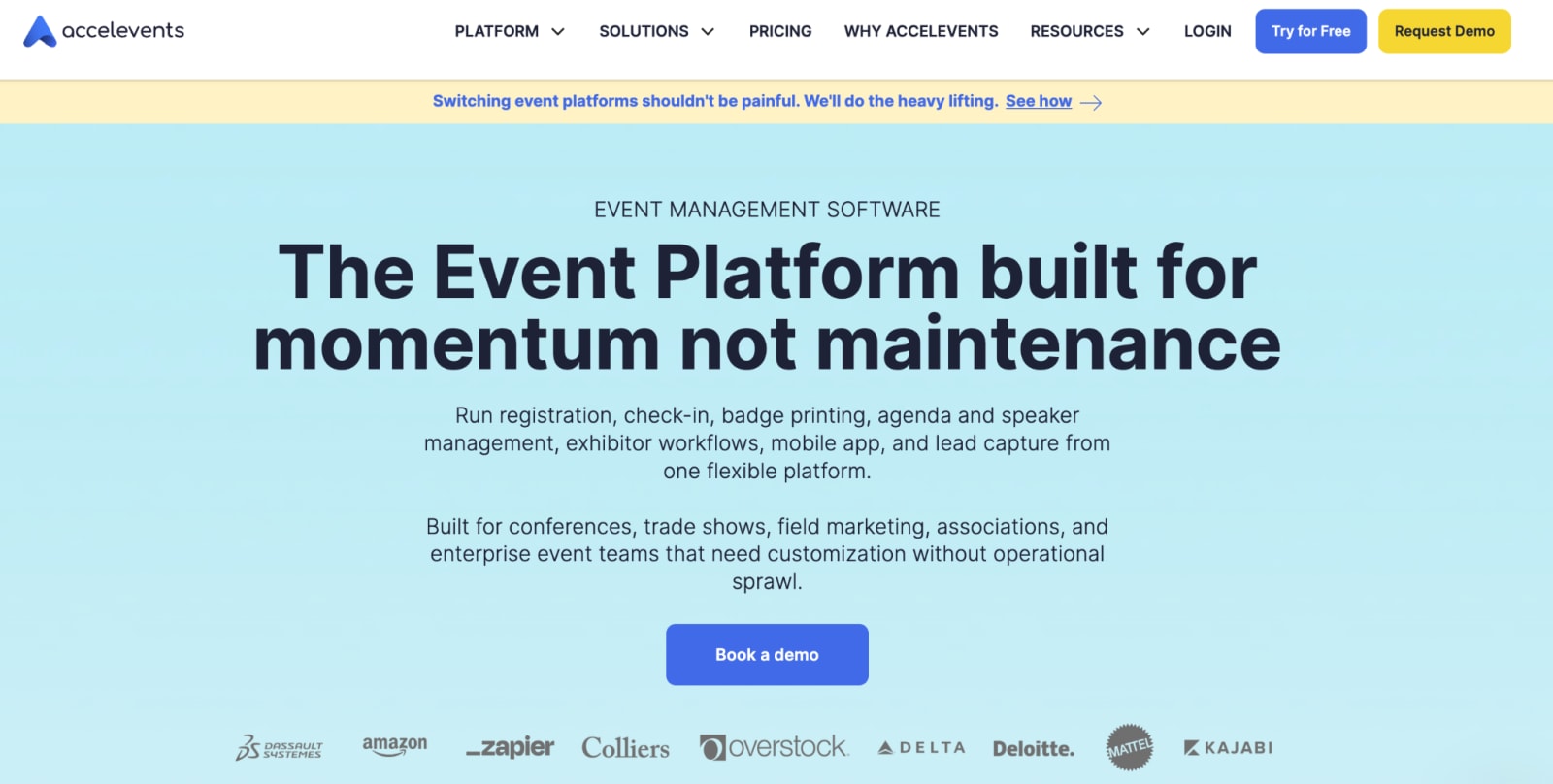
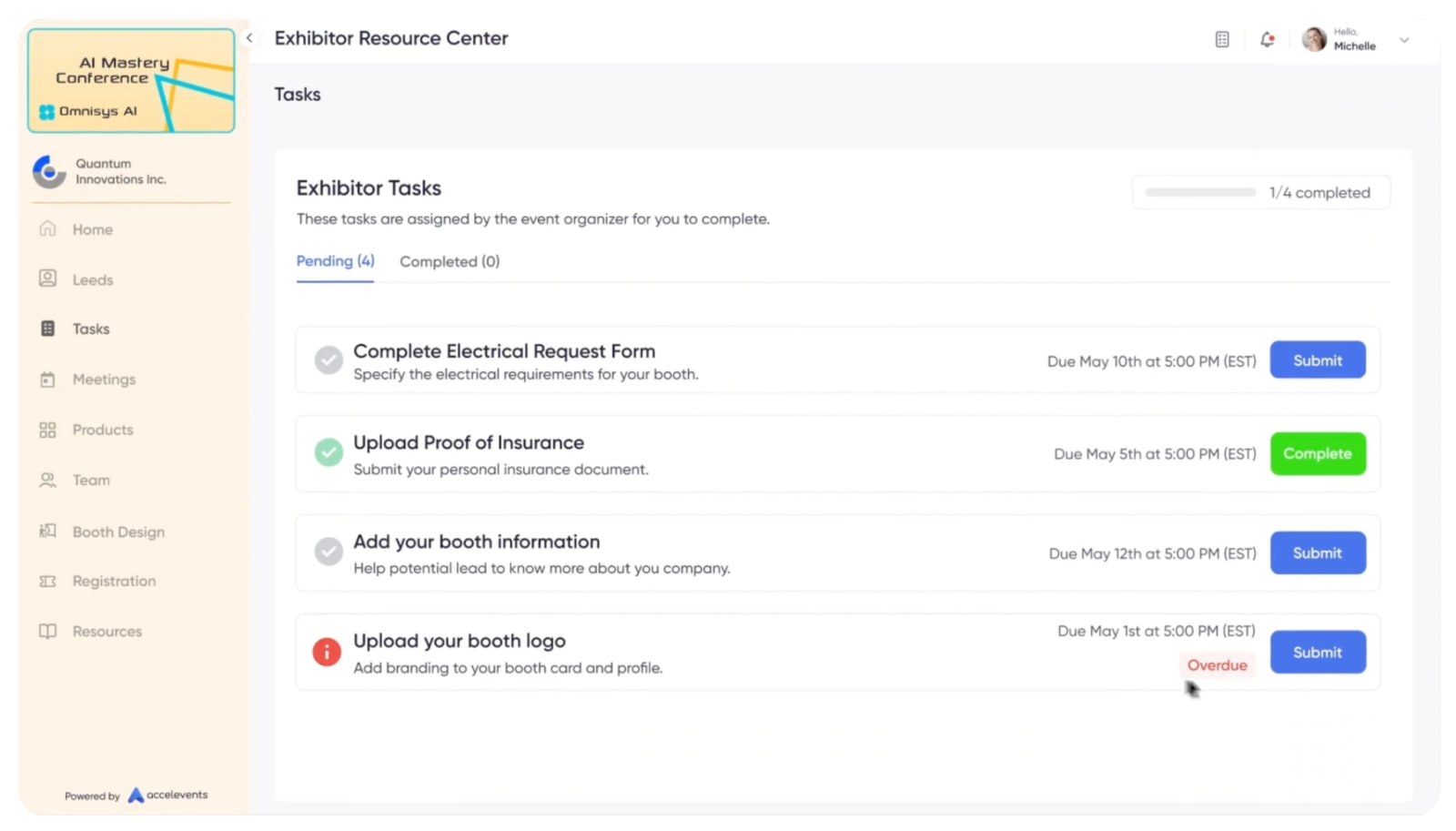
Accelevents is a good Bizzabo alternative for teams that want the virtual and in-person sides of an event to live in the same place. It handles registration, event websites, streaming, mobile apps, attendee engagement, onsite check-in, and badge printing, which means fewer tools to juggle and less data bouncing around between platforms.
That’s especially helpful for hybrid events, where remote attendees need more than a livestream and onsite attendees need more than a badge. The tradeoff is that the platform can take some getting used to, and teams with highly customized registration or reporting needs may start to feel the limits.
| Pros ✅ | Cons ❌ |
| • Strong native streaming and engagement features • Unlimited admin seats on all plans • Supports virtual, hybrid, and in-person events | • Limited reg customization • UI is not intuitive |
Features users love
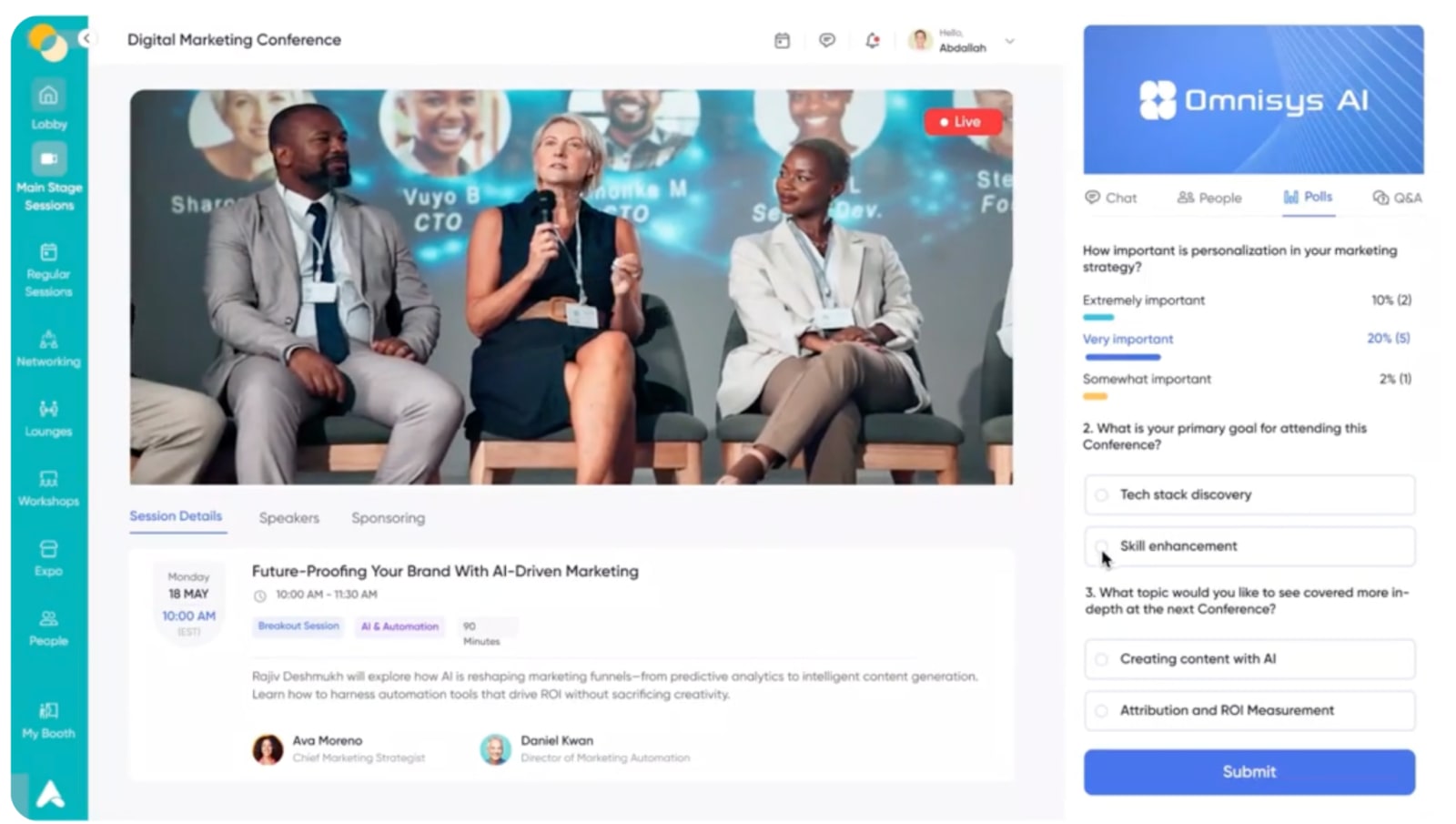
1. Built-in virtual and hybrid experiences
Accelevents gives teams a branded place to host live sessions, on-demand content, chat, polls, Q&A, and networking. That makes it easier to keep remote attendees involved instead of treating them like they’re watching from the overflow room.
2. Exhibitor and sponsor tools
Exhibitors can build profiles, share resources, book meetings, and collect leads inside the platform. It gives sponsors more ways to connect with attendees and gives organizers something more useful to report than logo impressions.
3. Onsite check-in and badging
Accelevents helps teams manage check-in, print badges, scan sessions, and capture leads from one platform. Because those tools sit alongside its virtual event features, hybrid teams can manage both experiences without running two completely separate productions.
What customers say
"I use Accelevents to manage and support our online and hybrid events more effectively. What I appreciate most is how it brings everything related to an event into one centralized platform, making it easier to manage communication with attendees and track participation. I particularly appreciate the event registration and attendee management features, which help us organize events smoothly and keep track of participants without needing multiple tools…Sometimes the platform navigation can feel a bit complex, especially when setting up events for the first time. It would also be helpful to have more customization options for event pages and reporting, so teams can tailor the experience and analyze event performance more easily.”
- Ashton E., Mid Market
“Accelevents made it very easy to manage end-to-end event operations from a single platform. The attendee registration and ticketing system was straightforward to set up, and the customizable event landing pages helped us maintain brand consistency. The virtual event features like live streaming, breakout rooms, and networking lounges worked smoothly and kept attendees engaged throughout the event.”
- Bibhishan D., QA Lead
Choose Accelevents if :
- Virtual or hybrid events remain central to your program.
- You need native streaming and digital engagement.
- Several team members need admin access.
Pricing:
Accelevents splits their pricing into four tiers:
- Professional, starting from $7,500 for one event
- Business, starting from $13,500 for unlimited events
- Enterprise (custom quote) for orgs running events across multiple teams or departments
- White Label (custom quote) for teams that want to remove Accelevents branding and use a branded app, custom URL, and email domain
Note: I found it odd that Accelevents doesn’t mention how many registrants are included with each plan on their pricing page. When digging further, I found a help article explaining that every paid plan comes with “Registrant Credits that can be used towards the Registrant Usage Fee that is charged to you.” That leads me to believe none of the plans include unlimited registrants.
So, which Bizzabo alternative is right for your team?
There is no universally perfect event platform. But when your event program includes multiple formats, different audiences, complicated registration paths, CRM integrations, onsite needs, and pressure to prove what all of it produced, Swoogo is built for that reality.
Flexible enough for the weird stuff. Intuitive enough that the weird stuff does not take three months to launch. And powerful enough to run a serious event program.
Book a Swoogo demo and bring us your most complicated registration flow. We genuinely want to see it. 👀