

You don’t want to be average, but the reality is that most events are built for the average attendee. And the average attendee doesn't exist.
Your audience has been quietly trained, every single day, by every other app on their phone. Netflix knows what they want to watch next. Amazon shows them the exact product they were thinking about yesterday. Then they show up to a conference and get the same agenda PDF as 4,000 other people. Sure, they have a badge with their name, but, eh.
That gap between what people are used to and what most events deliver is where loyalty quietly dies.
Event personalization is an end-to-end strategy that shapes the entire experience, from the second someone hits your registration page to the follow-up email they get 48 hours after the closing keynote. Here's how to actually do it.
What event personalization actually means (and why most teams get it wrong)
Personalization is a spectrum. Most event teams operate at the shallow end, drop someone's name into a few emails, and call it personalized. It isn't.
The real distinction is between surface personalization (cosmetic tweaks that don't change anything meaningful about the experience) and structural personalization (actually changing what people see, experience, and have access to based on who they are).
There are three rough levels:
- Level 1 — Cosmetic personalization. Name merge fields, a branded welcome email, or a "thanks for joining us" message that swaps in a first name. This is table stakes, and it’s also where many event programs stop.
- Level 2 — Conditional personalization. Different registration paths for different attendee types, agenda tracks by role, and content visibility based on who's logged in. The VIP sees the VIP experience, while the press contact sees the press kit. The general attendee doesn't see either.
- Level 3 — Dynamic and AI-assisted personalization. Session recommendations based on registration profile. Real-time attendee intelligence. Follow-up content tailored to what someone actually did at the event, not what you wish they did.
Most teams are stuck at Level 1. The goal of this post is to get you fluent in Level 2 and show you what Level 3 looks like in practice.
Personalization ideas across the full event lifecycle
Personalization is a series of decisions you make at every phase of the event lifecycle. Here's how to think about it across the three phases that matter most.
Before the event: registration and invitations
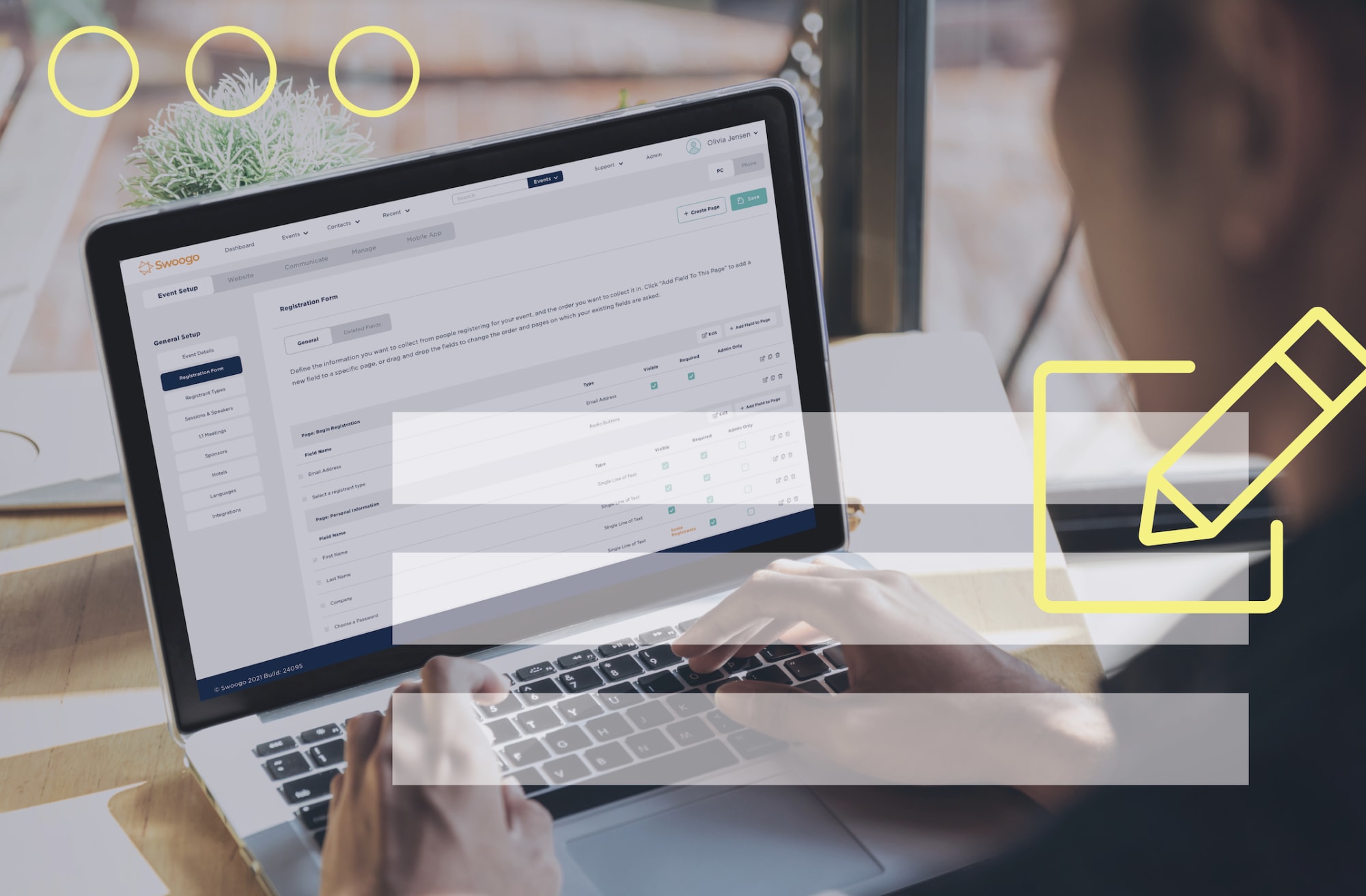
Event registration is the highest-leverage personalization moment you have. Everything downstream — including what someone sees on the event site, what emails they get, and what their agenda looks like — depends on what you capture here.
A few event personalization ideas worth stealing for this phase:
Direct links by attendee type
Route VIPs, speakers, press, and general attendees to tailored registration experiences from the very first click. Each link can carry preset registration types, attendee-specific discount codes, and hidden or visible content based on who's clicking.
A VIP shouldn't have to manually select "I'm a VIP,” for example, they should just see the VIP experience from the first click.
Conditional logic in registration
Show different fields, questions, and content based on earlier answers.
A CFO attending an executive roundtable doesn't need the same form a field marketer attending a workshop does. Ask each person what's relevant to them and skip the rest. The registration experience feels faster, and you collect cleaner data on the back end.
Check out how to use conditional logic in Swoogo:
Personalized website content using merge fields
If you're sending invitations through Swoogo, the event website itself can reflect what you already know about the visitor, including their:
- Role
- Assigned sessions
- Hotel blocks
The event site stops being a static brochure and starts being a personalized portal.
Remember: Registration is the first handshake. A personalized one signals that the event was built for them and not just for a crowd.
During the event: the agenda, wayfinding, and onsite experience
This is where personalization either pays off and creates some serious event magic or quietly falls apart. Onsite at your event is when your prep gets tested in front of real attendees.
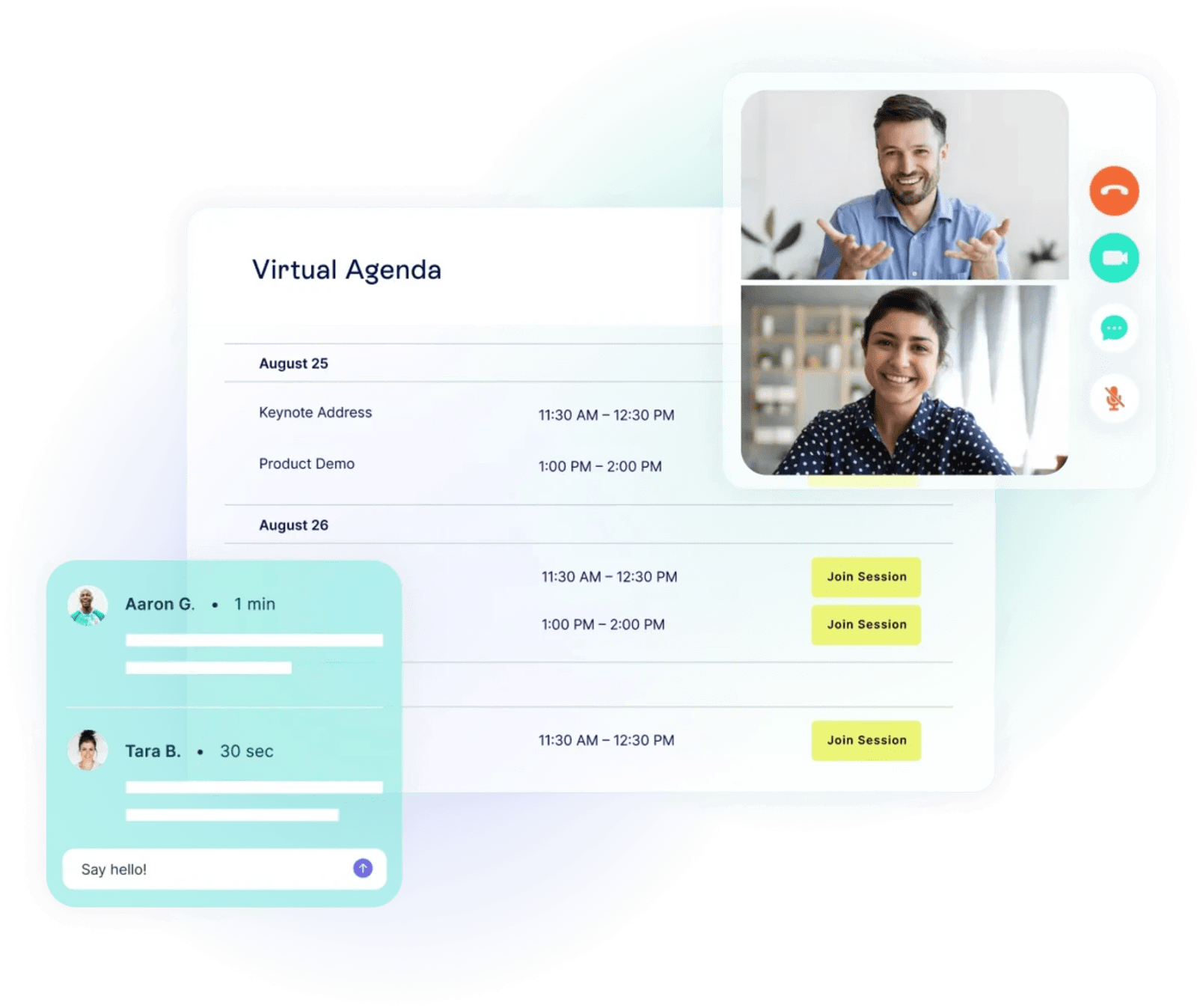
Personalized event agenda views
A "My Agenda" or "My Schedule" widget pulls each attendee's specific sessions into one clean view. This is not the same 40-session program PDF everyone else has to wade through. That way, attendees can see exactly what they signed up for, where it’s happening, and actually show up.
Agenda personalization by track
Assign tracks by registration type so attendees only see what's relevant to them. The marketing track for marketing attendees, the engineering track for the technical attendees, no scrolling past sessions that don't apply to them. The event agenda becomes a tool, not a maze.
“We created personalized registration paths where our attendees can submit all their information and also opt into specific programs at the event. For example, we might have a founders' session for startups and investors. So if someone fills out ‘startup’ when they’re registering, we can then use Swoogo’s conditional logic to add a question later in the registration that says, ‘Hey, we noticed you said your company is a startup—you might find this session for startups interesting.’ It helps us create a much more tailored experience.”
- Matt Baum, Senior Manager, Product & Operations at HLTH
Language preferences
Swoogo auto-detects an attendee's device language and serves the registration and event experience in their preferred language (and currently supports around 40 languages!). For global event teams, this is the kind of small detail that signals real care. It's the difference between "we're hosting an international event" and "we built this for a global audience."
Want more inspiration? Check out Swoogo’s 2025 Personalization Challenge winners to see who did it best.
After the event: follow-up that doesn't suck
The post-event email is where most personalization plans go to die. Everyone gets the same "thanks for coming!" message, the same generic survey, and the same on-demand link they'll never click.
This is the easiest place to do better:
- Send recap content based on the sessions someone actually attended
- Surface related on-demand sessions based on the tracks they followed
- Send sales follow-up only to attendees who hit a specific engagement threshold
- Trigger different nurture flows for VIPs, sponsors, and general attendees
- Send a post-event survey that gets you real feedback
The goal is to create emails that feel like they were written for the person opening them.
AI for event content personalization: what's possible now
Here's where the conversation has changed in the last 18 months. AI for event content personalization isn't theoretical anymore, it's something event teams are using right now to do things that used to require a dedicated analyst.
A few practical examples.
Conversational access to your event data
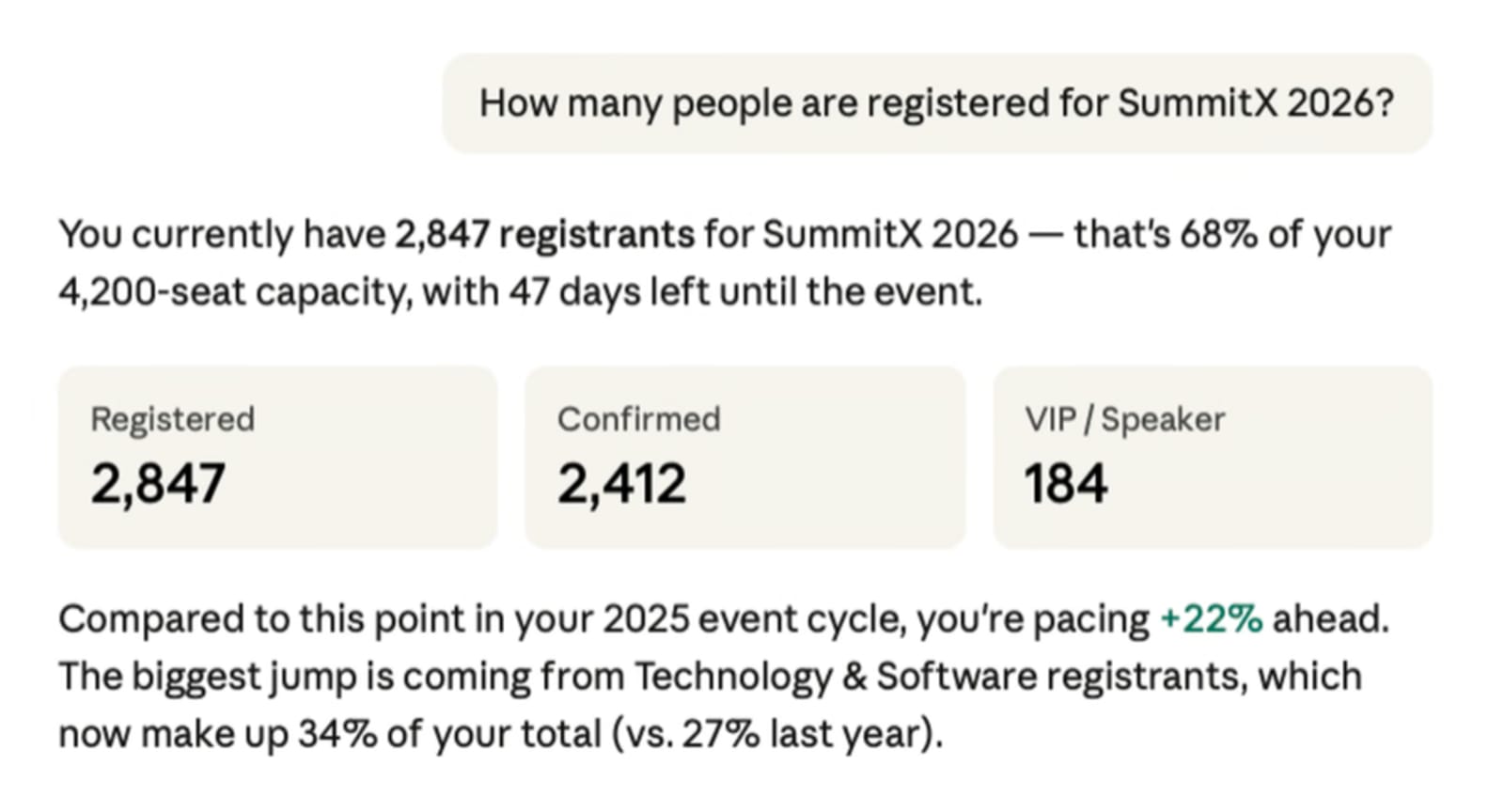
Swoogo's MCP server lets you connect your live event data to AI tools like Claude and ChatGPT, so instead of exporting a CSV and building yet another pivot table, you're asking real questions and getting real answers. Get answers to your burning questions in seconds:
- Which sessions are underperforming with our enterprise audience?
- Which target accounts haven't registered for our top three sessions?
- Are we on track to hit our ticket sales goal?
AI-powered session matching
Tools that connect to your event data can analyze registration profiles, past behavior, and stated preferences to recommend the sessions, speakers, or networking connections most likely to be relevant. The attendee gets a curated agenda. You get higher session attendance and better engagement scores.
Personalized post-event follow-up at scale
Generic recaps are out. With AI, you can generate session-specific content, related resources, and customized follow-up emails for each attendee segment. At a scale that would have taken a team of three a week to do manually.
A new era: Personalization used to mean knowing someone's name. Now it means knowing which session they're most likely to leave early from—and fixing that before the event starts.
Event personalization examples worth stealing
Strategy is one thing. Execution is another. Here are real event personalization examples from real event teams, each one solving a different piece of the personalization puzzle.
Loyalty pins by individual tenure
At Swoogo, we love to highlight customer loyalty every chance we get. At Uncon 2025, we handed out collector pins reflecting how long each individual had been a customer. Recognition was tied to the human, not the logo. Every pin handed out was different. Every recipient noticed.
A personalized swag station
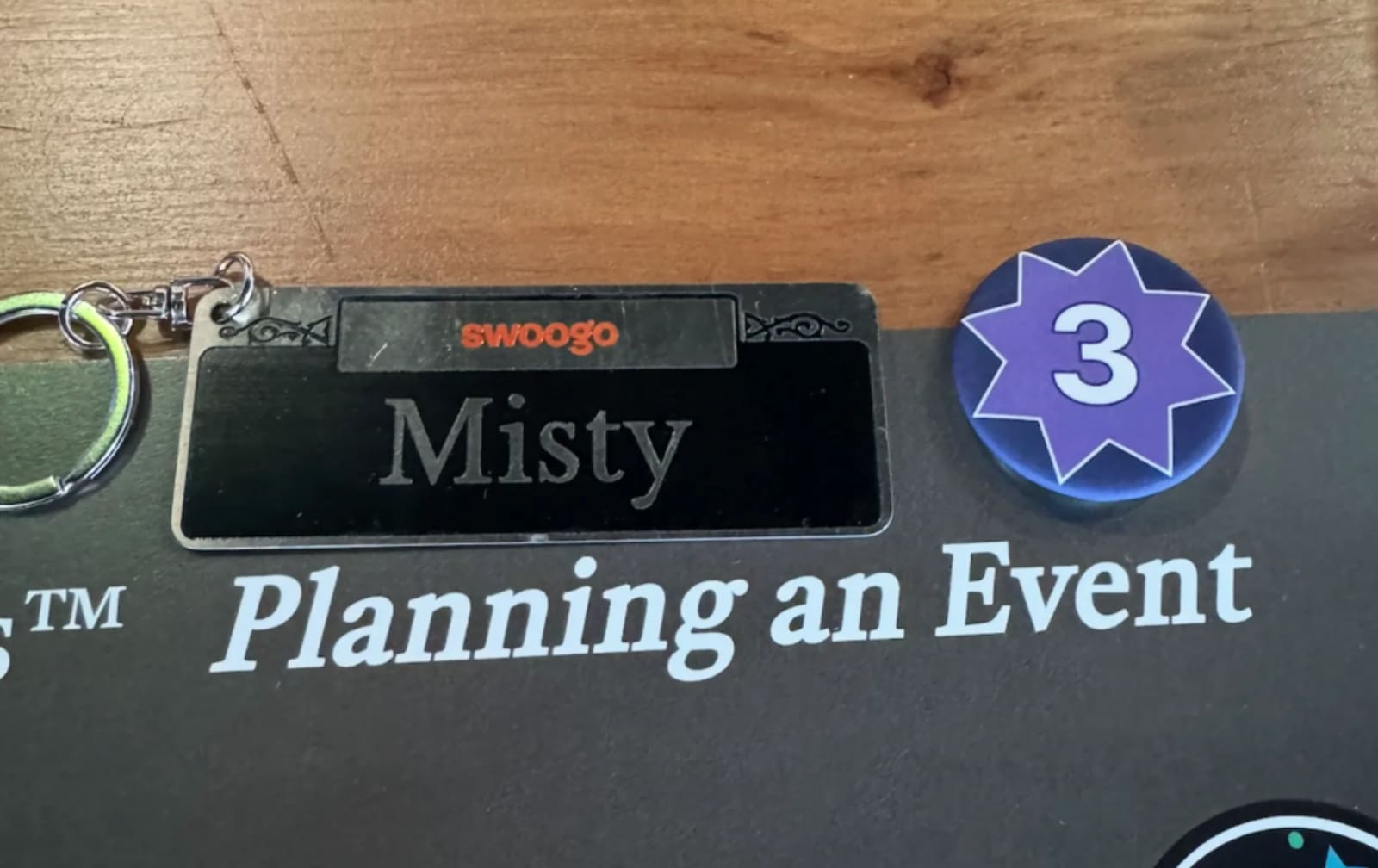
This is one of our favorite ideas you can steal from Swoogo’s annual user conference.
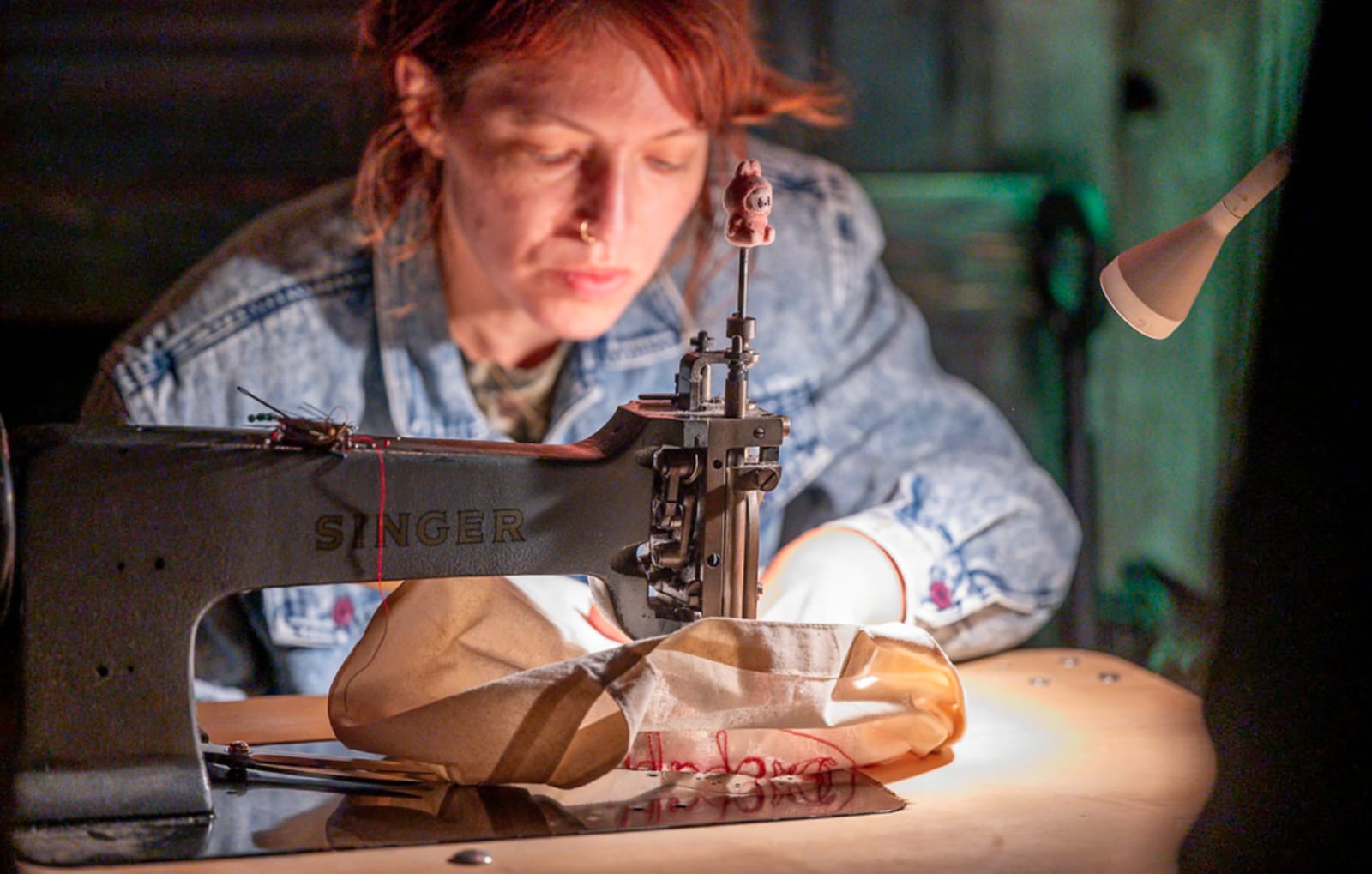
Instead of handing every attendee the same branded hoodie they'll never wear, one team set up an onsite station where attendees could bring their own items to be customized live. The results ranged from a custom portrait of someone's dog to a tote bag embroidered with the names of all eight of someone's grandchildren. Memorable. Specific. Aka: the opposite of generic.
Sponsor pages tailored to attendee fit
Instead of a single sponsor directory that all attendees see, one event surfaced different sponsors to different attendees based on their stated interests and industry. A retail attendee saw the retail-relevant sponsors first. A healthcare attendee saw the healthcare ones. Sponsors got more qualified leads, and attendees got fewer irrelevant pitches.
A quick personalization audit
If you're not sure where you stand, run your current event through this checklist:
- Registration form: Does it adapt based on who's filling it out?
- Confirmation email: Is it personalized beyond a first name?
- Event website: Does a VIP see the same thing as a general attendee?
- Event agenda: Is it curated for the individual, or is it a fire hose?
- Onsite experience: Do name badges, sessions, and access levels reflect attendee type?
- Post-event follow-up: Is it segmented, or is everyone getting the same email?
If you answered "no" or "the same for everyone" to more than two of these, you're sitting at Level 1. Good news: the fastest wins are usually your registration form, confirmation email, and event website.
Where event teams get stuck (and how to get unstuck)
Most event teams want to personalize more than they actually do. The blockers are operational, but knowing how to fix them can change the game fast. These are the biggest obstacles and how to address them.
Data fragmentation
Your attendee data lives in five places:
- Event platform
- CRM
- Marketing automation tool
- Spreadsheets
- Someone’s inbox
Real personalization requires that data to live in one place, or at least to flow cleanly between them. This is a systems problem before it's a content problem, and it's worth solving once instead of working around forever.
Swoogo handles this with native CRM and marketing automation integrations plus an open API, so attendee data flows where it needs to go without living in five places at once.
Setup overhead
Conditional logic, direct links, and segmented flows sound technical. They aren't, but they do require upfront planning.
The good news here is that it’s worth that planning, because the investment compounds. Build a personalized event template once in a platform like Swoogo, and every event you clone from it inherits the same logic. You're not starting from scratch… you're starting from sophisticated. 💁♀️
Not knowing where to begin
Wondering where to start?
The answer, almost always, is to start by personalizing event registration. It's the highest-leverage touchpoint in your entire event because everything downstream depends on the data you collect there. If you only fix one thing this year, fix registration.
How Swoogo helps you actually do this
Swoogo was built around the assumption that no two attendees should have the same experience. That's why the platform's personalization tools are foundational instead of a bolted-on afterthought.
A quick rundown of what we offer for event personalization in our event management software features:
- Conditional logic and direct links: Personalization infrastructure built into registration and beyond
- Merge fields across email and event websites: Surface personalization at scale
- My Agenda and My Schedule widgets: Attendee-facing personalization for the event agenda
- 40-language support: For event teams running global programs
- MCP server for AI-powered attendee intelligence: Level 3 personalization, powered by the AI tools your team already uses
- Event cloning: Build a personalized template once, replicate it across your entire event calendar
Personalization isn't a nice-to-have anymore. It's the difference between an event people talk about for a year and one they forget by the time they're back at their desks.
Curious what it looks like to build personalization into your event program from the ground up? Let's talk.
This post was originally published in August 2021, and has since been updated for freshness and accuracy.