

You already talk to Claude about everything else. Why not your events?
You use it to draft emails, summarize a 40-page PDF in 30 seconds, think through a tricky positioning problem, and rewrite that one Slack message six different ways. But the second you want to ask a real question about your events—who's registered, which sessions are filling up, how this year compares to last—you're jumping through tabs and piecing it together yourself.
What if Claude could just answer those questions directly from your live event data? No exports, no waiting on Ops to pull a report before EOD?
That's exactly what Swoogo's MCP server makes possible. And the setup takes less time than your coffee order. In this post, we’ll talk about how to connect Swoogo to Claude and what you can do with it once you do.
How to connect Swoogo to Claude
Before we get into what you can do with this, let's get you connected.
What you need before you start:
- A Swoogo account with API access enabled
- Your Swoogo API Key and API Secret (find them in My Profile > API Credentials)
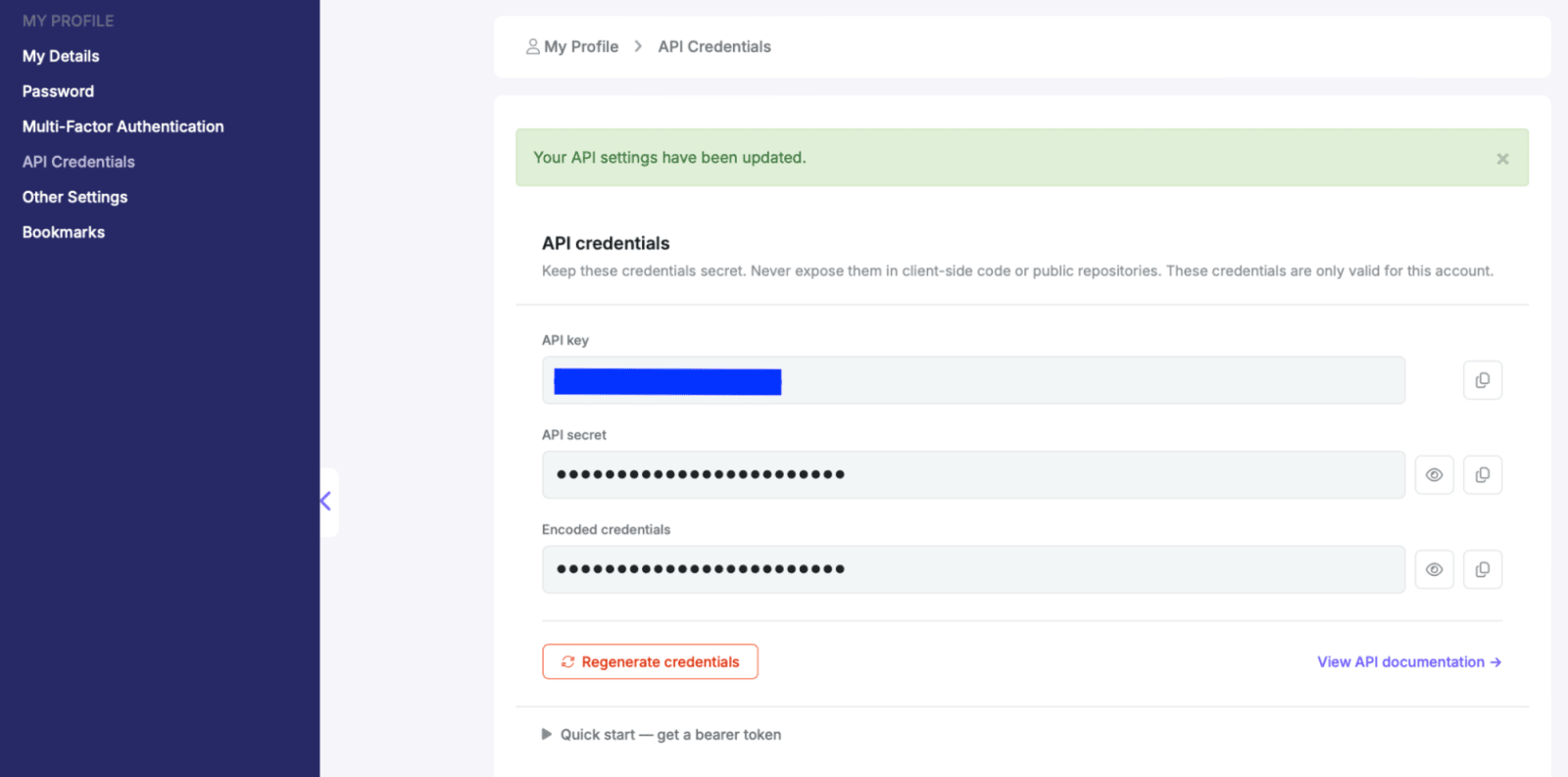
That's it. No engineering ticket and no vendor call required.
Step-by-step walkthrough:
Check out our video overview of how to connect your Swoogo Events to Claude 👇
Or follow these step-by-step instructions:
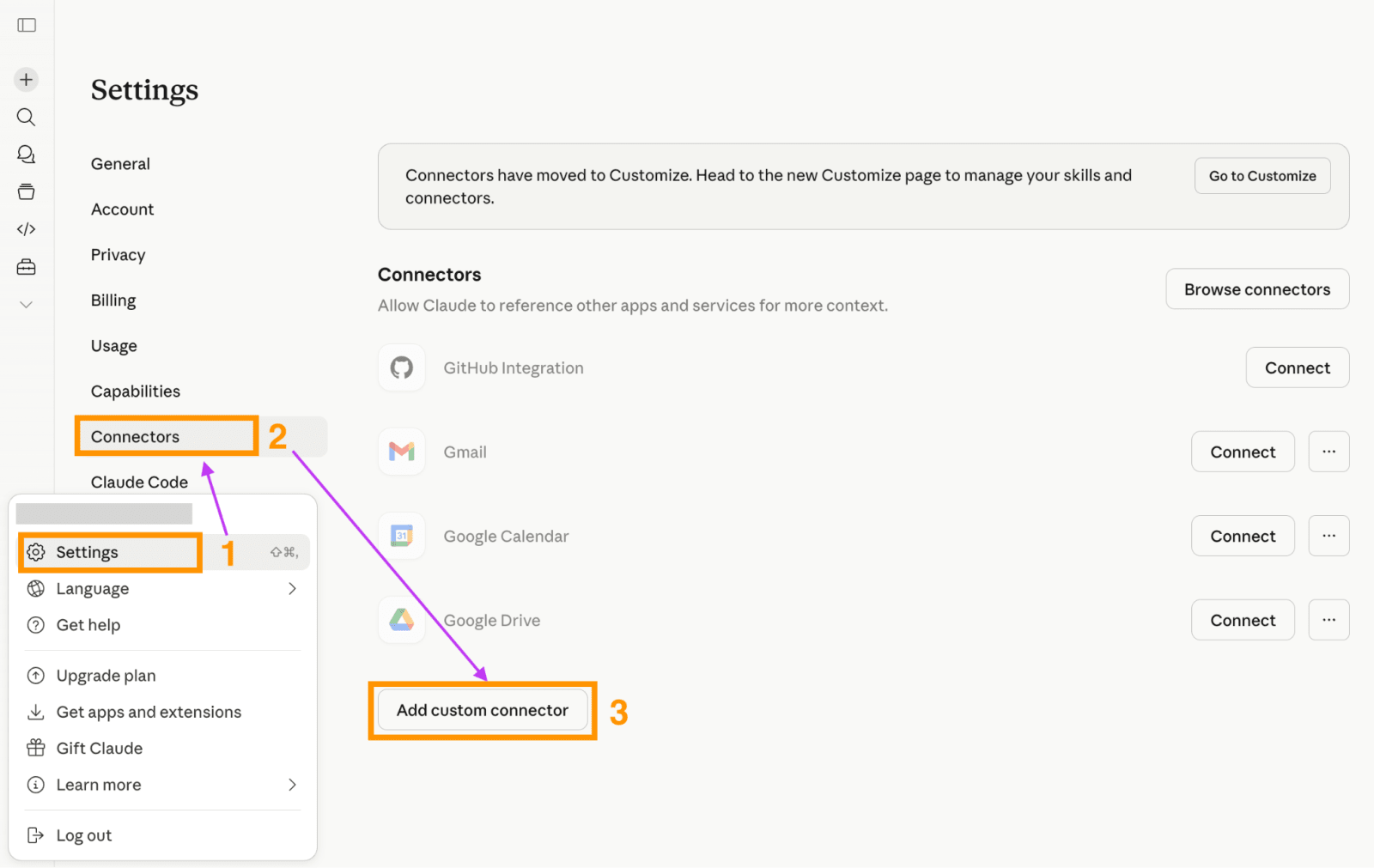
- Open Claude and find your “Settings” in the bottom right corner. Click on it.
- Click on “Connectors.”
- When you scroll down, you’ll see the option to “Add custom connector. Click on it.
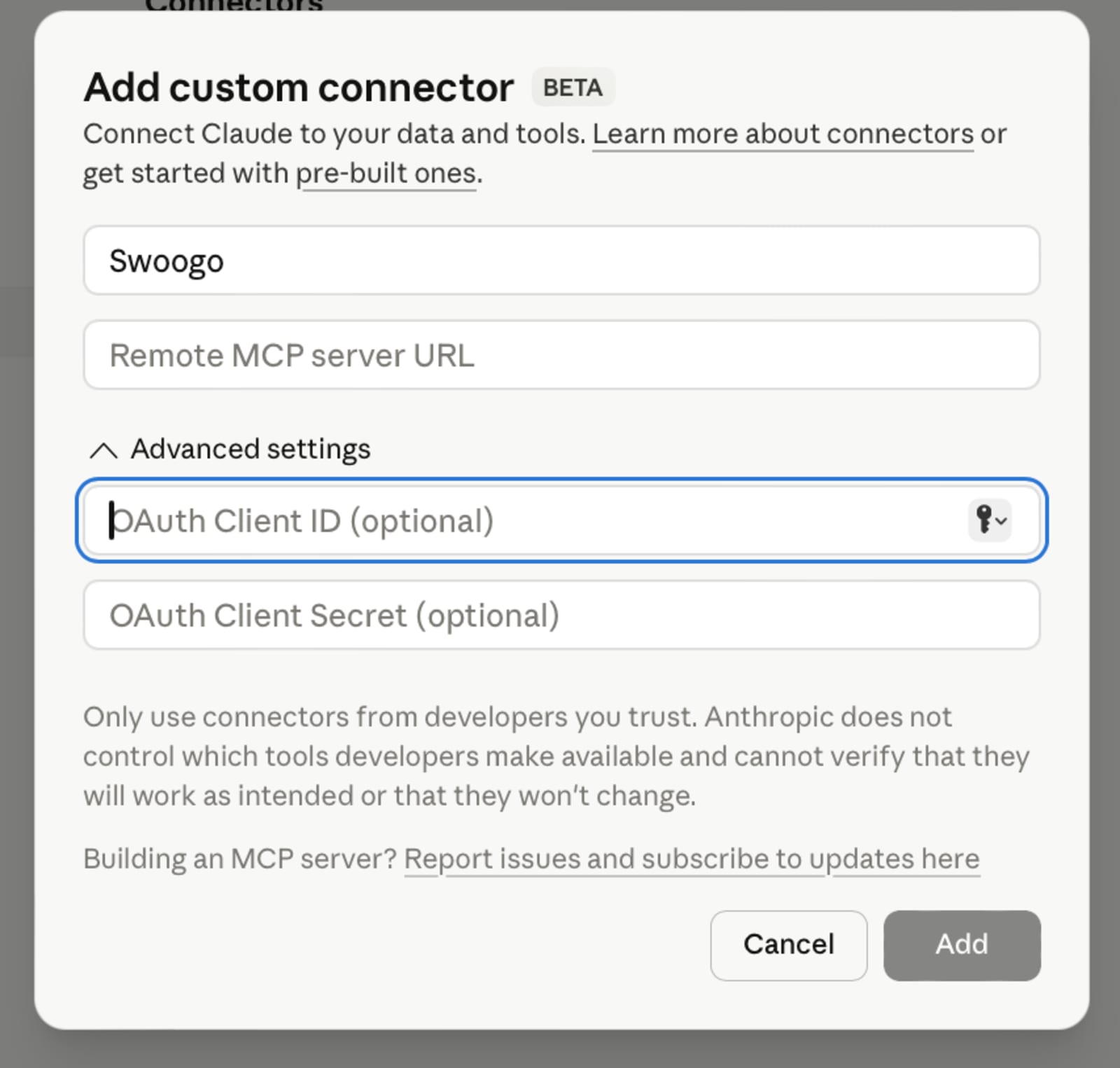
- Name the custom connector “Swoogo” and use the MCP server URL of https://mcp.swoogo.com
- Then, go back to the previous screen and find the new Swoogo connector. Click on it.
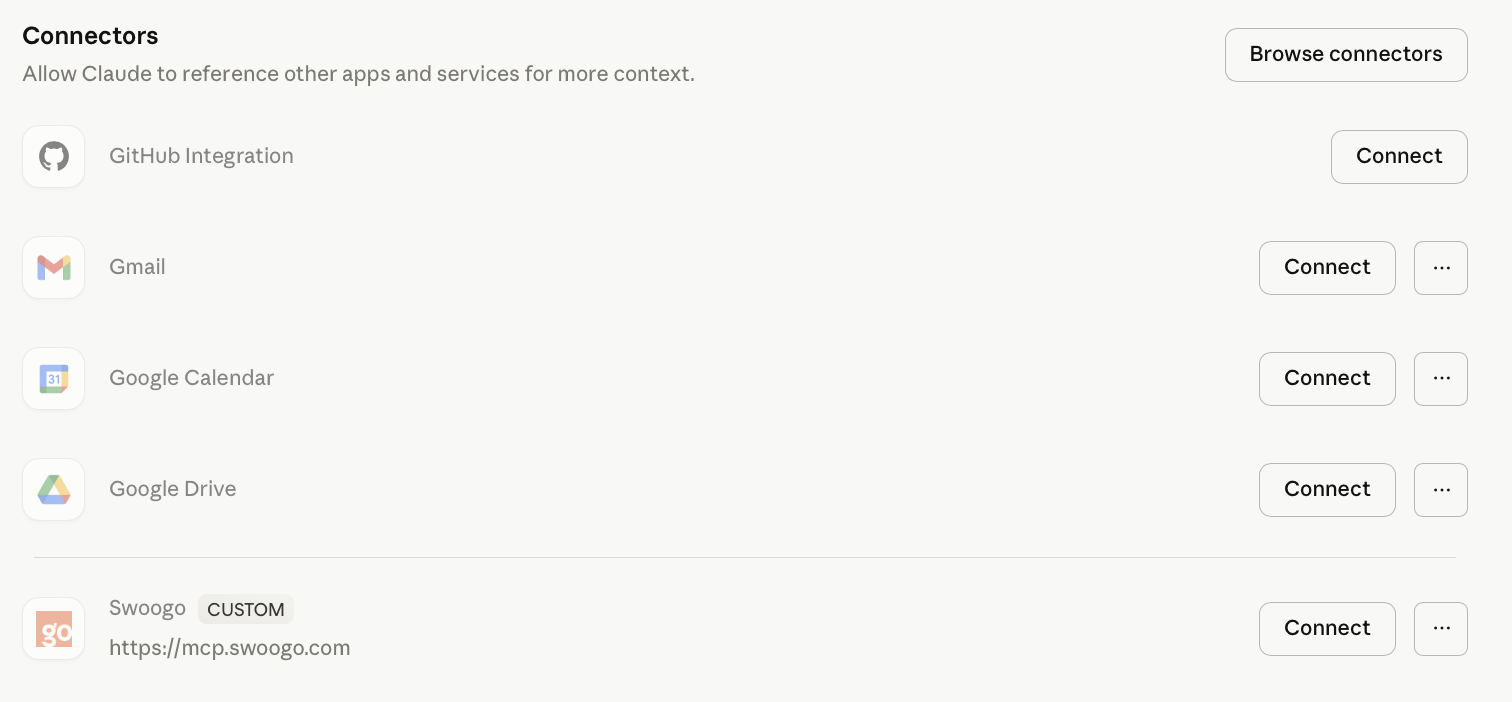
- Enter your API Key and API Secret when prompted.

- You can then authorize the credentials, and Swoogo will be connected to Claude.
- Start asking questions about your event data.
The whole setup takes five minutes tops, with no coding or engineering required.
One important note on security: The Swoogo MCP server provides read-only access. Claude can query and analyze your data, but any actual changes still happen inside Swoogo. Your data stays secure, since all connections are encrypted via HTTPS, and you can revoke API access anytime you want. It's a backstage pass, not the keys to the kingdom.
What’s actually happening under the hood
Here’s some quick context so you can understand what’s really happening.
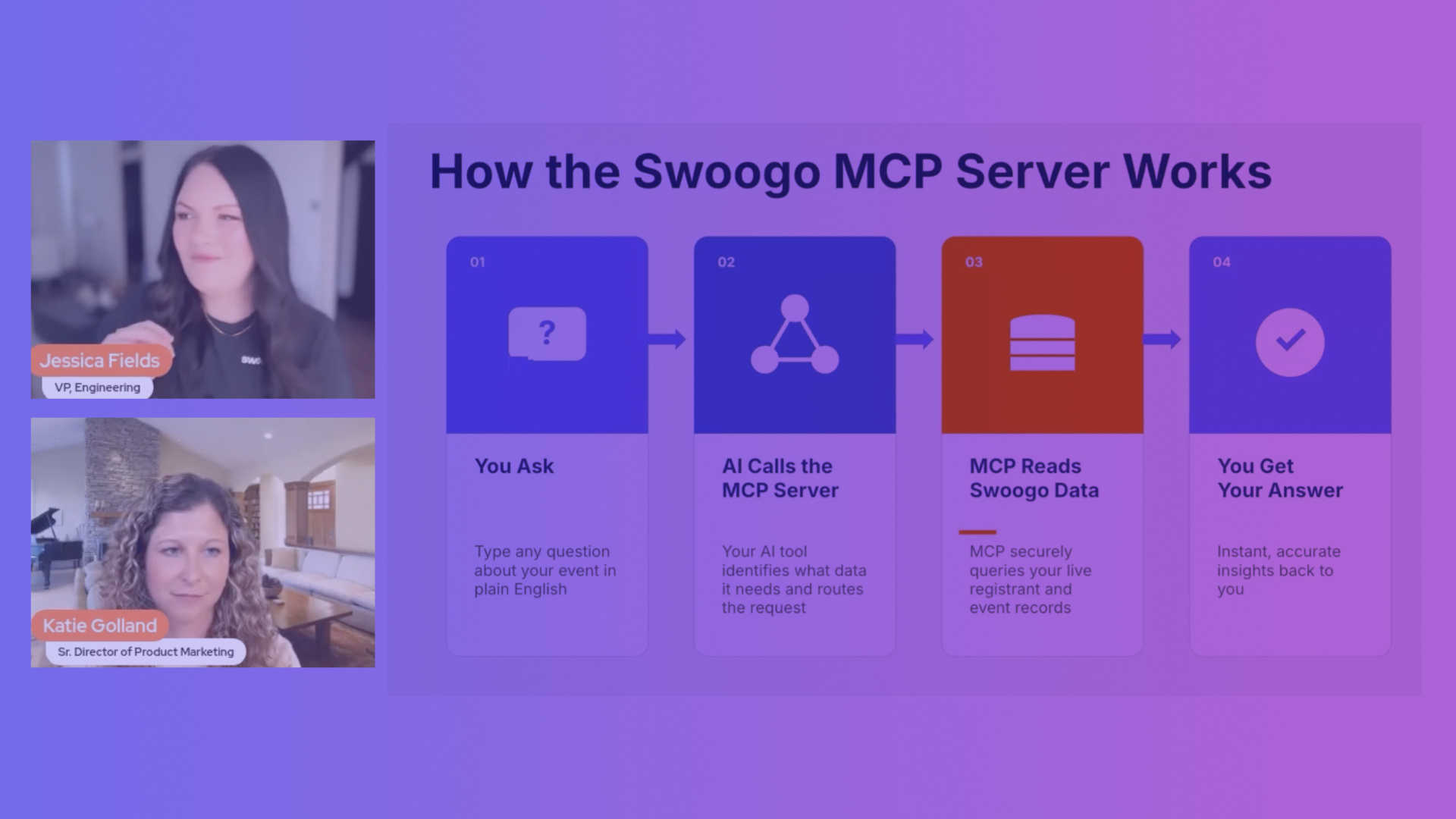
“MCP” stands for Model Context Protocol. It's an open standard that lets AI tools connect securely to external data sources in real time.
That means Claude is getting real data. When you ask Claude a question about your event, it's not guessing, and it’s not working from a static export you uploaded last Tuesday. It's reading your live Swoogo data, right now.
Because MCP is an open standard, this same connection works beyond just Claude. ChatGPT, Gemini, Cursor — as these tools adopt MCP, your Swoogo connection goes with you without needing to build any new integrations or getting locked in to a single builder.
And Swoogo is the first and only event management platform with a native MCP server. This means you don’t need any middleware or third-party connectors. You’ll never have to say "well, you could set it up with Zapier if you… " — just a direct line between your event data and the AI tools you're already using.
Think of it like giving Claude a backstage pass to your event data. It can see what's happening, ask smart questions, and surface insights...but it can't touch the soundboard.
Why you want your event data connected to Claude
The old way: Someone asks how event registration is trending. You open Swoogo. You navigate to the dashboard, run and export a report. Then, you open it in Excel, build a summary, and send it over. Twenty minutes (at least) are gone.
And let’s say your CMO wants a breakdown of registrants by company and job title by end of day. You pull the data, filter it, pivot table it, format it. You've now spent your morning on a question that could have taken 30 seconds, and it pulled you away from the actual work: finalizing your speaker lineup, chasing down a venue contract, prepping for the walkthrough.
Or maybe you want to compare this year's conference to last year's. That's two exports, manual column alignment, and a silent prayer that the field names didn't change between events.
And then there’s the new way: You ask Claude. Claude answers.
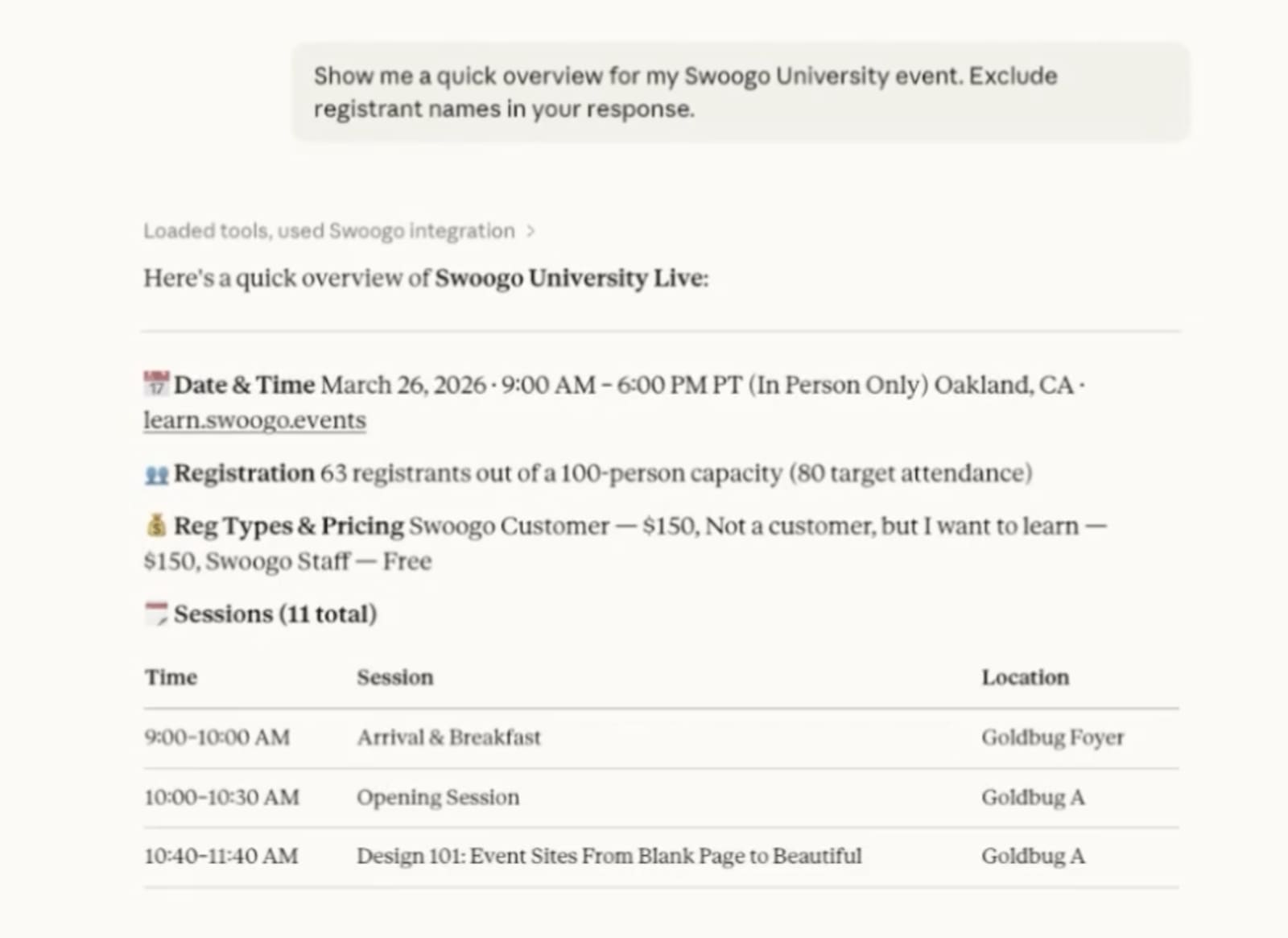
That's the whole thing. The data is live and the answers are nearly instant.
Your morning is yours again so you can focus on your always-on event strategy, but the best part isn't the speed. It's that you stop getting stuck between your team and the data.
5 things you can do with your event data connected to Claude
Alright, setup's done. Let's actually use this thing. Here are five real ways your event data gets more useful the second it's talking to Claude.
Get ready: it’s like event reporting, but instant.
1. Get instant registration snapshots
You're in a meeting, someone asks how registration is looking, and suddenly all eyes are on you. Instead of promising to "pull that number after the call," you can just ask Claude for a live count, a breakdown by company, or a list of VIPs who still haven't confirmed.
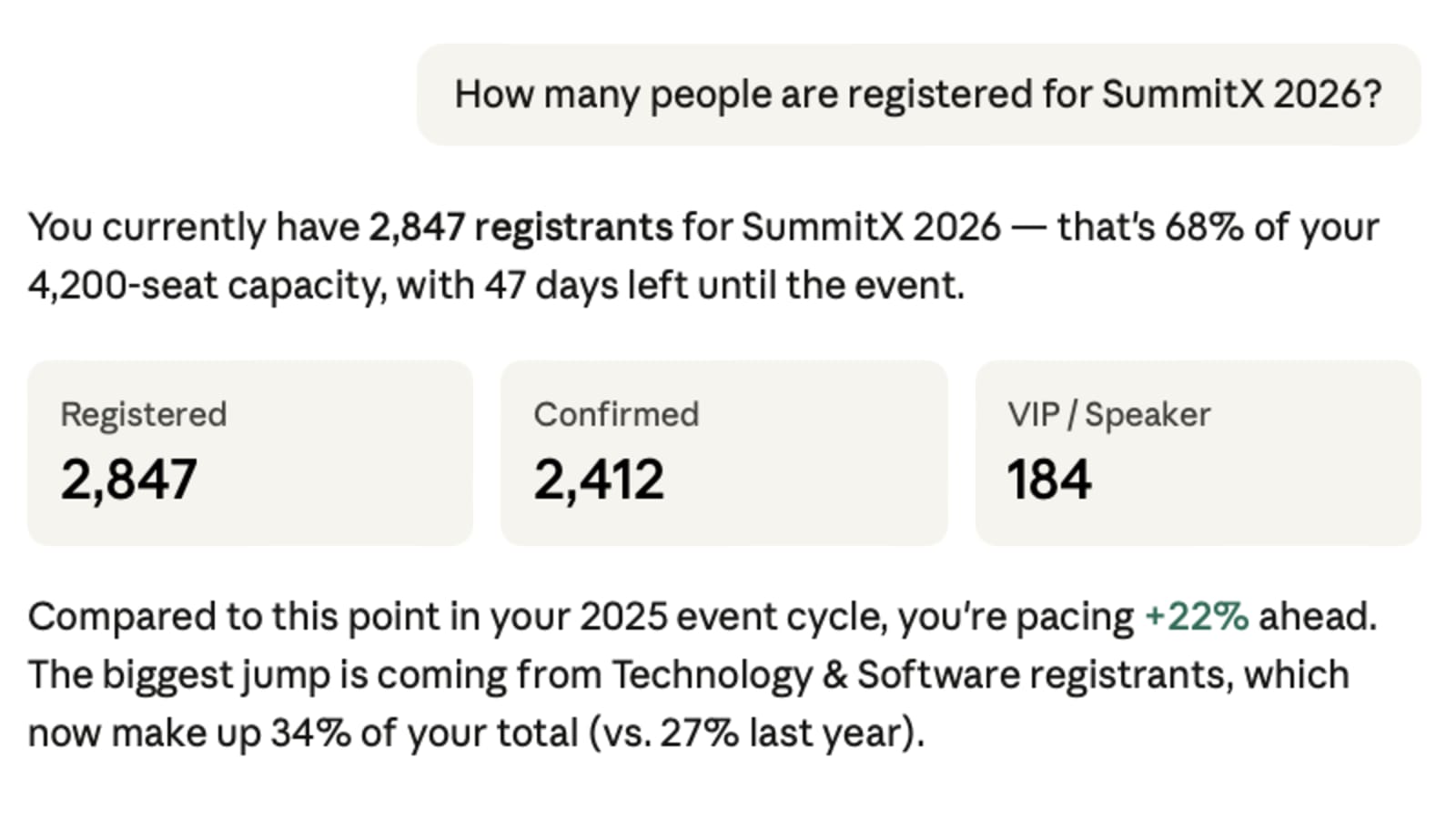
Try prompts like:
- "How many people are registered for [Event Name]?"
- "Show me all registrants from Fortune 500 companies."
- "Who registered in the last seven days?"
2. Analyze session performance before the event
Find out which sessions are filling up, which are lagging, and where you might need to open more capacity or throw some marketing muscle behind a session that's underperforming.
This is the kind of insight that used to live inside someone's head (or a Google Sheet no one updated). Now it's a question you can ask out loud.
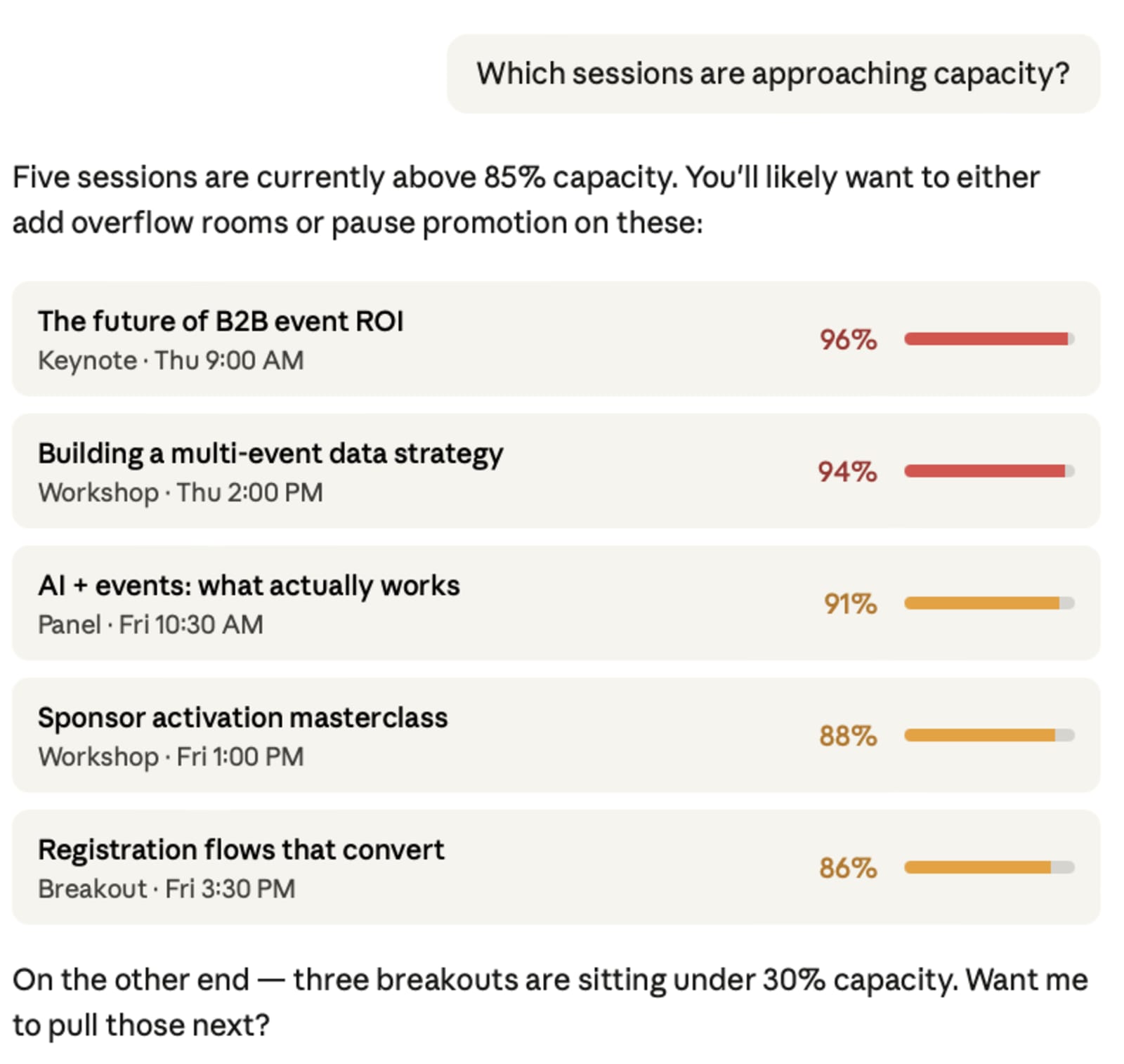
Try prompts like:
- "Which sessions are approaching capacity?"
- "Show me sessions with fewer than 20 registrants."
- "Compare session enrollment across all tracks."
3. Run year-over-year comparisons
If you're building toward proving event ROI, this is where it gets good. You finally have a way to talk about your events in the language your leadership team cares about.
Instead of manually aligning two exports and hoping the column headers match, ask Claude to compare registration trends, attendee data like demographics, or session popularity across events. It's the kind of analysis that usually takes a whole afternoon, but now can be done in a single prompt.
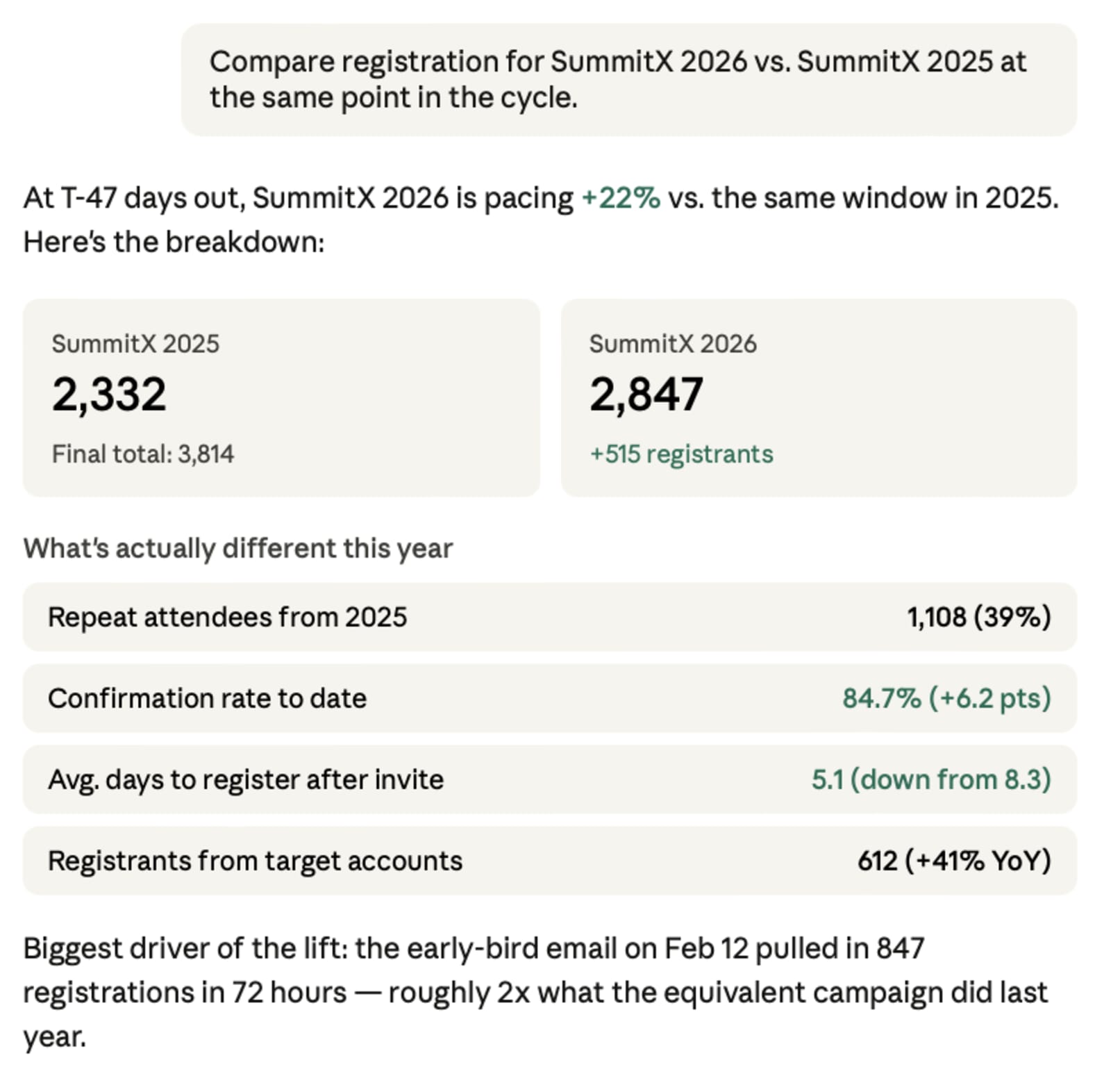
Try prompts like:
- "Compare registration numbers for [Event 2026] vs. [Event 2025]."
- "Which companies are repeat attendees across both years?"
- "How has our confirmation rate changed year over year?"
4. Prep stakeholder updates in seconds
Your CMO slacks you for a registration update. Your sales team wants to know who's coming from their target accounts. These are all important KPIs that can take time and energy to track down.
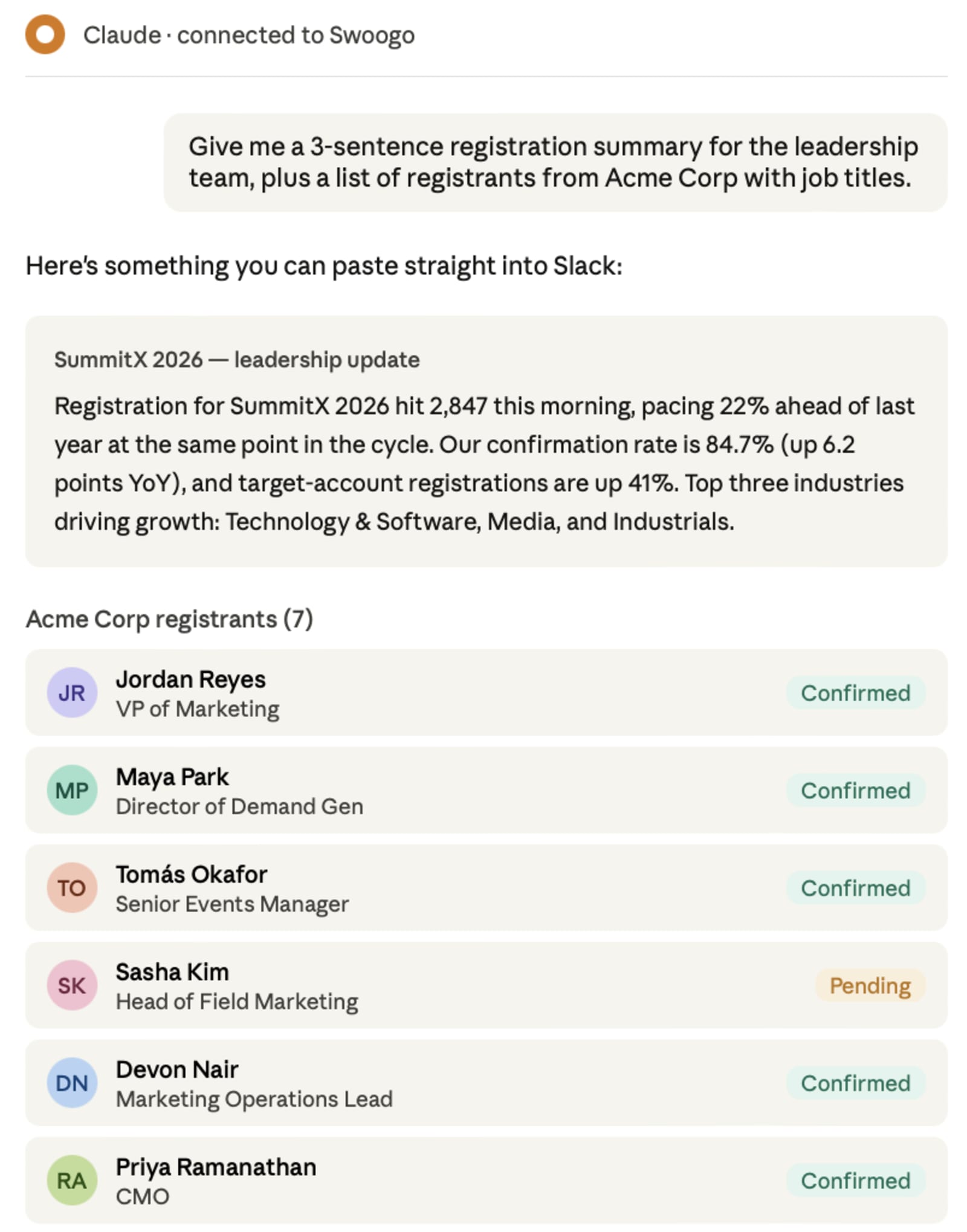
Instead of building another one-off report based on attendee data, ask Claude to summarize the data in whatever format you need. Then, all you need to do is paste it straight into Slack or an email.
Try prompts like:
- "Give me a three-sentence registration summary for the leadership team."
- "Asses audience data and list all registrants from [Target Account] with job titles."
- "What's our current confirmation rate vs. last year at this point?"
5. Build custom event sites with AI-powered tools
Here's where this gets wild.
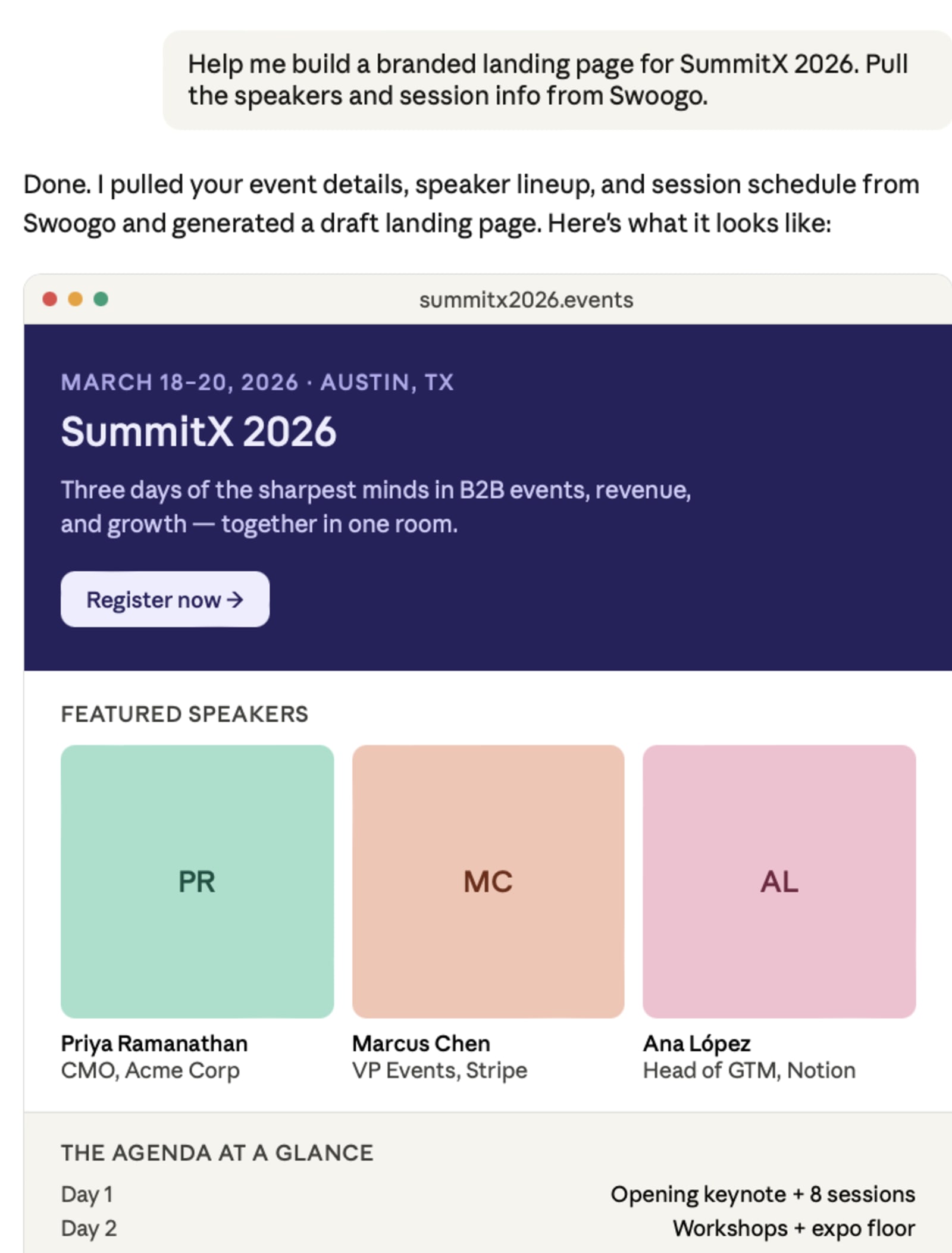
With tools like Replit or Cursor connected to Swoogo via MCP, you can describe the event experience you want, and the tool will build it. Think fully branded landing pages, custom registration flows, the whole deal. And it does it all with live data flowing back into Swoogo as your system of record.
Try prompts like:
- "Help me build a branded landing page for [Event Name]."
- "Generate a custom registration experience for our VIP track."
It gets better when you stack it
This is where things really start to compound. Stack Claude with access to other platforms like your CRM, sales platforms, and more:
- Pair Swoogo with your Salesforce data and ask Claude which attendees turned into actual sales.
- Layer in company data to segment registrants by industry, revenue band, or region.
- Connect multiple events and track repeat attendees, loyalty patterns, and engagement trends across your entire portfolio.
And because MCP is an open standard, Swoogo's compatibility expands automatically as more tools adopt it. You don't have to wait for a new integration to ship, because when the ecosystem grows, and your setup grows with it.
That's the whole point of building on open standards instead of locking you into a walled garden.
Get faster insights when you connect your Swoogo event data to Claude
Swoogo is the first and only event platform with a native MCP server. That means you're getting real event data that's built to work with the AI tools you already use. Claude is probably already open in another tab right now.
The Swoogo MCP server is available now with full access for all customers through Summer 2026.
Your event data is sitting there, and Claude is ready to help you analyze it. The only thing missing is the five-minute connection that makes them talk to each other. Set up Swoogo's MCP server and see what your data has been trying to tell you. Or, if you want to see it in action first, let’s talk.
WATCH NEXT