


For years, conditional logic had a reputation as a registration form trick.
The "do you want a t-shirt" question that only asks for your size if you say yes. That is still a great use of it, but it barely scratches the surface of what conditional logic can do, and most event teams are leaving the best parts unused.
Here's the short version. Conditional logic shows the right content to the right person based on what they tell you, and in Swoogo you can apply it across your registration forms, your emails, and your event website. This post walks through three levels, from the basics to the setup that makes your entire event feel built for each attendee. Jake covers the same ground in the companion video if you would rather watch than read.
What conditional logic actually is
Strip away the jargon and conditional logic is an if/then statement. If someone makes a selection, then they get shown something based on it. If they select "yes, I want a t-shirt," then they see a follow-up question asking for their size. If they select no, nothing happens and they keep moving.
That is the whole concept. The power comes from how far you can take it, and in Swoogo you can take it just about anywhere.

Level one: clean up your registration form
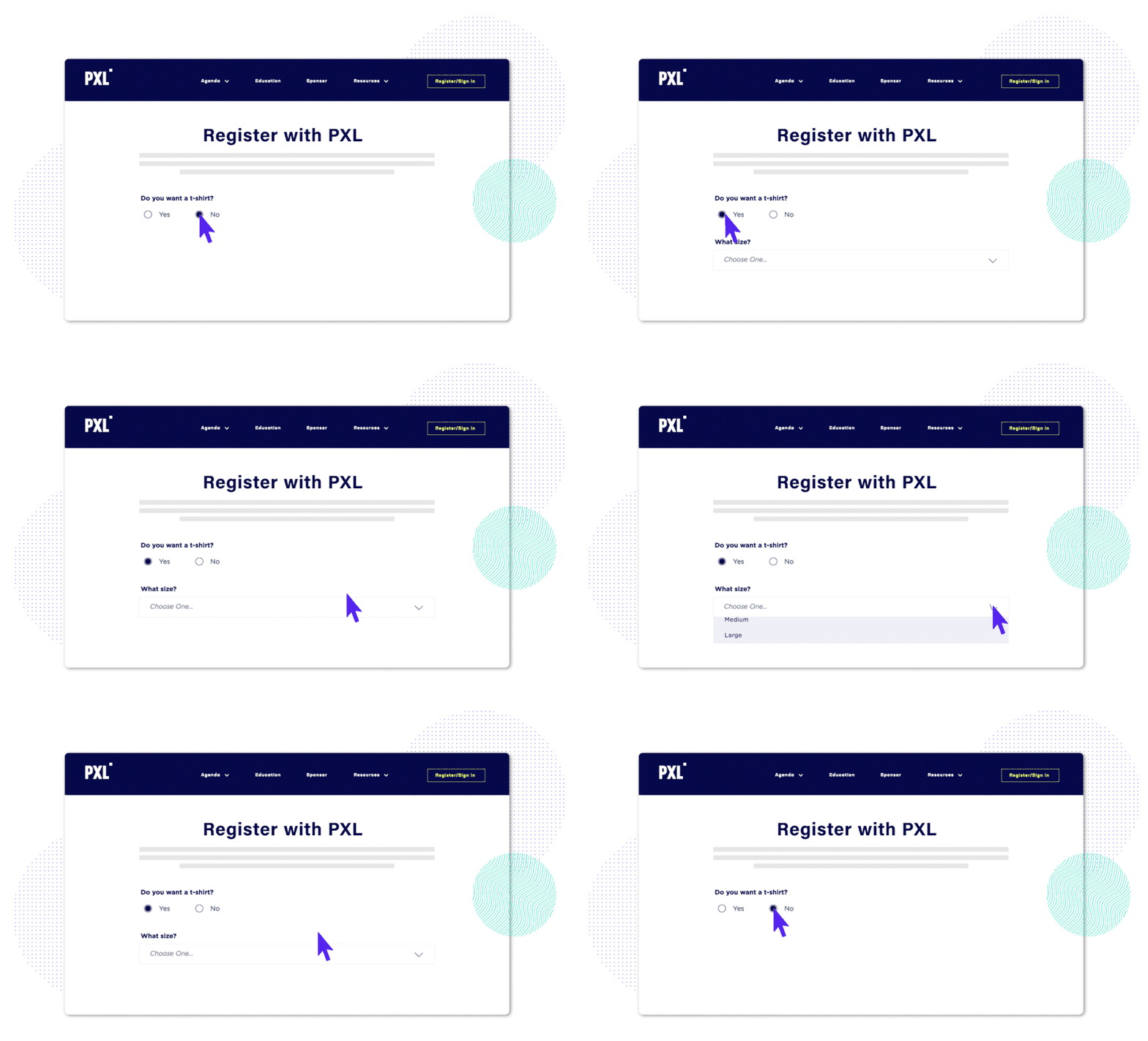
Start with the classic. Would you like a t-shirt, yes or no. If yes, then a follow-up asks for the size. If no, the question never appears.
Three clicks, and the people who do not want a t-shirt are not staring at a question that does not apply to them. Cleaner forms mean faster completion and fewer drop-offs.
This is also how you keep a long form from feeling long. Instead of one intimidating twenty-question form, you ask a few questions up front and let the answers decide what comes next.
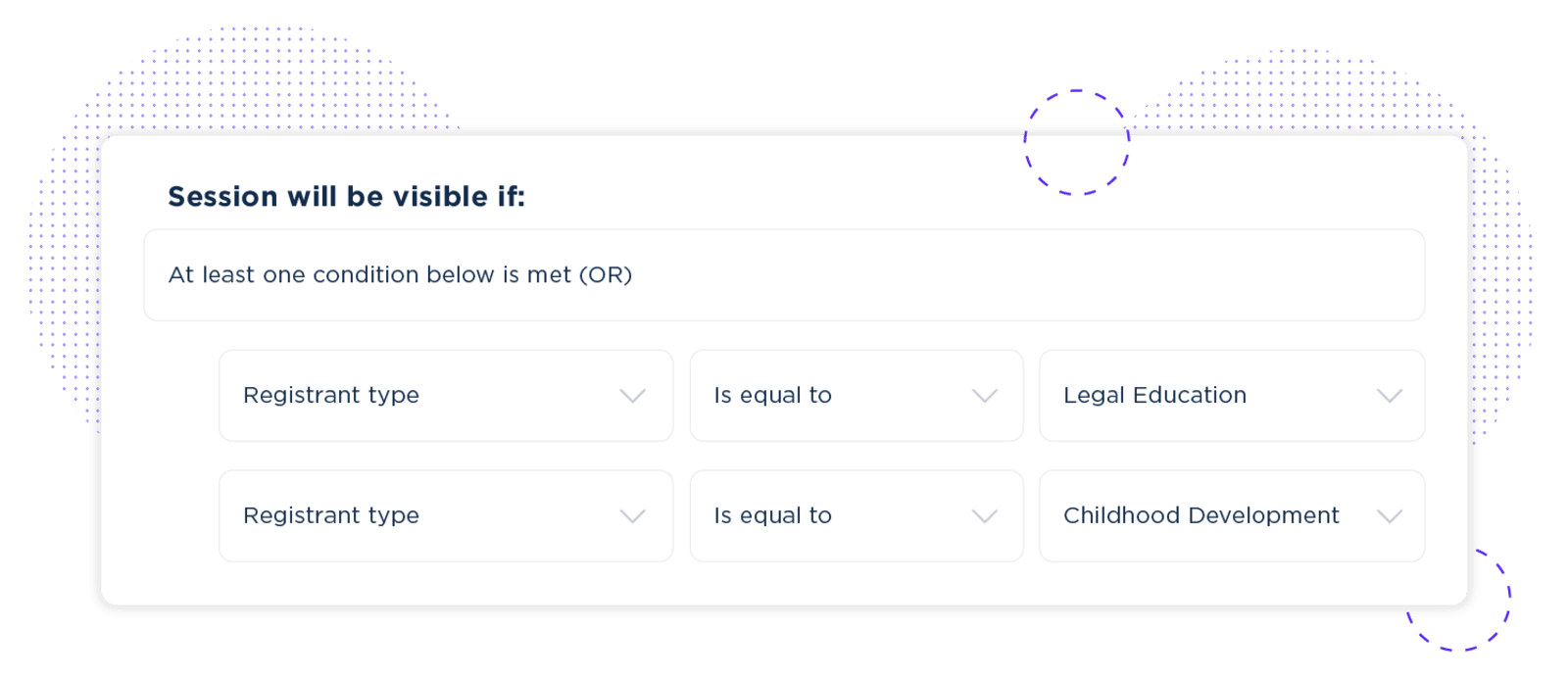
Track filtering is where this gets powerful. Say you are running a continuing education conference with legal, nursing, and child development tracks. Tag each session by track, then set each one to appear only for the matching registrant type. A legal attendee reaching the session selection step sees only the legal courses that fulfill their requirements. Less confusion for them, fewer support calls for you.
You can also combine conditions. If a single session counts for both legal and child development credit, set it to appear for the legal registrant type or the child development type. One session, two audiences, no duplicate setup.
The same approach shortens registration anywhere it makes sense. With print-at-home badges, only show the mailing address fields to people who ask for a badge shipped to them. Everyone else skips six lines they never needed to fill out.
Level two: personalize your email communications
Conditional logic is not limited to your registration site. You can use it in your emails too, and this is where a lot of teams find their first real time savings.
Picture a conference with three registrant types: attendees, sponsors, and speakers. They all need different information before the event. Speakers need tech check details. Sponsors need booth setup instructions. Attendees just need to know where to show up.
The old way is three separate email sends. The Swoogo way is one email with conditional content blocks. Speakers see their section, sponsors see theirs, attendees see theirs. One send, three personalized experiences, and no 11 p.m. panic about whether the right message reached the right group.
Level three: tailor your website experience
Same logic, applied to your event site. Your VIPs land on the page and see a widget with VIP lounge details. Standard attendees never see it. Speakers logging in get a speaker resource center in the navigation. Everyone else gets the standard page.
Depending on who is viewing, you can:
- Hide or reveal entire sections and widgets
- Swap headlines and images to match the audience
- Unlock gated content like resource centers or session replays
- Change navigation so each persona only sees what is relevant to them
Every visitor gets a version of the site built around them, and you never have to build a separate site for each audience to make that happen.
All that personalization is generating data worth using
Here's something easy to miss. Every conditional logic rule you set up is generating data. Who registered for what, who is attending which sessions, who selected which track. All of it lives in Swoogo.
If you already use Claude, ChatGPT, or other AI tools day to day, Swoogo's MCP server connects them directly to your live event data. Setup takes five minutes with no code required. Once connected, instead of building a report to find out which speakers need tech check setups, you ask your AI tool and get the answer back in seconds.
The takeaway: conditional logic structures your data, and the MCP server makes it instantly queryable in the tools you already work in.
Unlimited conditional logic on every Swoogo plan
None of this sits behind a tier. Swoogo includes unlimited conditional logic on every plan, with no upcharges and no asterisks.
Conditional logic stops you from forcing everyone through the same generic experience. When your platform lets you personalize forms, emails, and websites without writing a line of code, your team moves faster, your registrants finish what they started, and your events feel a whole lot more thoughtful.