


Most event planners are using AI for writing emails and summarizing notes. That's not nothing, but it's definitely leaving a lot on the table.
Today’s AI functionality can do so, so much more. You can pull live registration data directly into your AI chat, build a custom event site in an afternoon without writing a line of code, and turn a hundred open-text survey responses into a five-minute debrief. The tech is there, as long as you know which tool does what, and which functions are worth the hype (and which aren’t).
This post maps out the best AI tools for event planning across the full event lifecycle (before, during, and after) so you can see exactly where AI helps in event marketing and what to realistically expect from it.
How to use AI tools for pre-event planning
The pre-event phase is where AI delivers the most immediate, low-risk wins. It's high-volume work (think lots of writing, planning, and setup) and that's exactly where AI tools shine.
Content creation and marketing copy
Writing event content is one of the highest-volume and least fun parts of event planning. Speaker bios, session descriptions, email subject lines, social posts, and landing page copy all add up real fast, especially when you're running 10+ events a year.
AI tools are great for this, but with one important caveat: they're a drafting partner, not a final author. They don't know your voice, your audience's inside jokes, or your speakers' actual credentials. AI will confidently write a bio that sounds plausible and is partially (or, yikes, fully) wrong. As a result, you always need to review outputs, especially anything involving real people or specific claims.
And in terms of what it saves you? Time. Say goodbye to getting unstuck and producing volume, just keep your judgment in place.
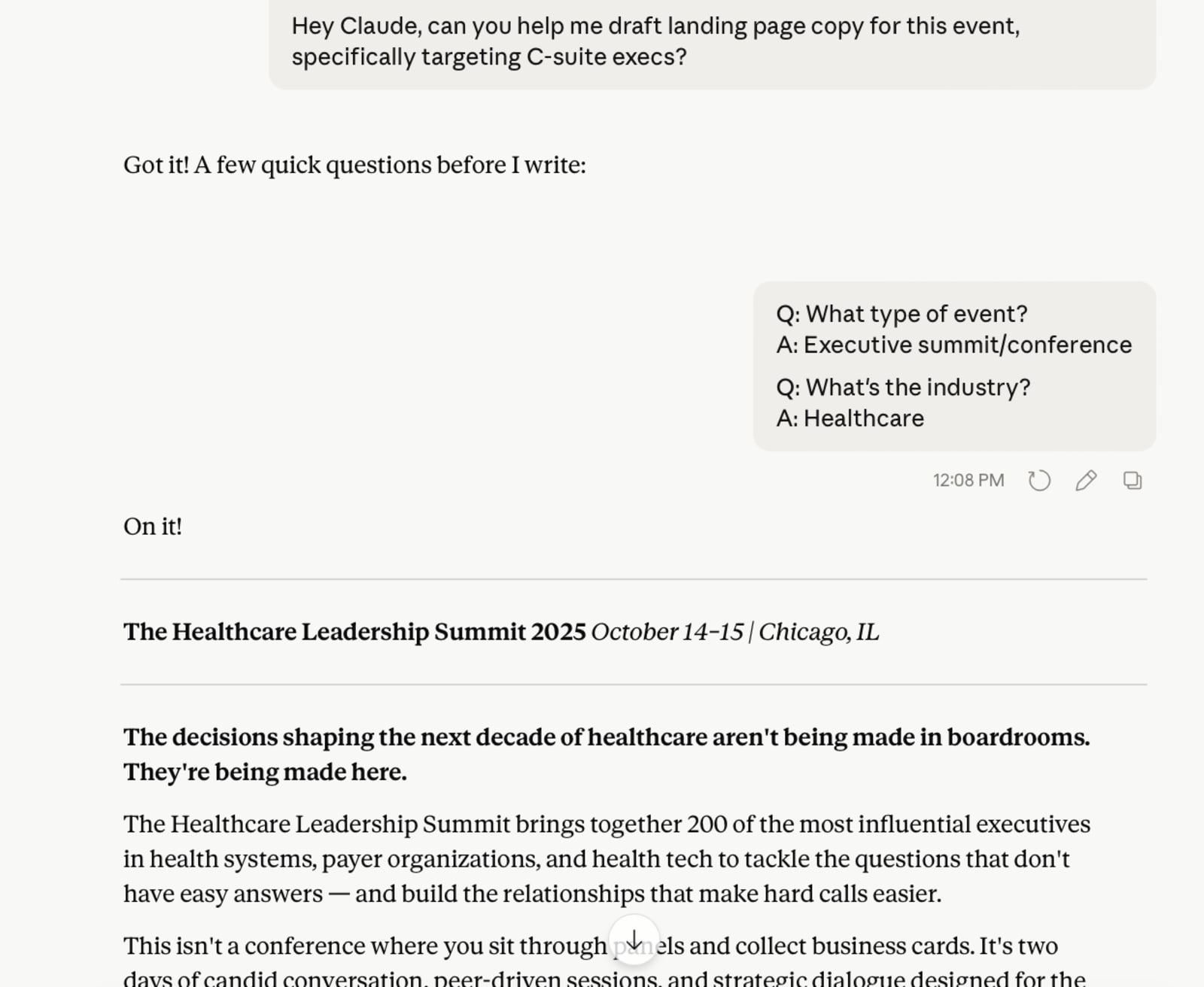
These are the tools to use:
- ChatGPT: OpenAI's generative AI model and the one most people started with. Strong at drafting, iterating, and following detailed instructions. GPT-4o handles long-form content well and can work through multi-step event planning prompts without losing context.
- Claude: Anthropic's AI tool is particularly good at following nuanced editorial direction and maintaining a consistent tone across a long document. It’s useful when you're writing a full suite of event emails or a speaker packet and need everything to feel cohesive.
- Gemini: Google's AI model. Best if you're already fully embedded in Google Workspace, as it integrates directly with Docs, Sheets, and Gmail. This can cut down on copy-paste friction for teams that live in Google.
- Jasper: Built specifically for marketing copy. Has event-specific templates and allows you to train it on your brand voice, which helps reduce the editing pass.
Visual design
Event graphics used to require a designer or a significant chunk of time in Canva manually resizing everything. AI has made the baseline much more accessible, especially for teams that need a high volume of assets across a full event portfolio.
Here are the tools to use:
- Canva: Canva's AI features (including Magic Design, Magic Write, and AI image generation) let you generate event graphics, speaker cards, social assets, and presentation decks quickly. It's brand-guideline-compatible if you set up your brand kit correctly, which is worth doing once upfront.
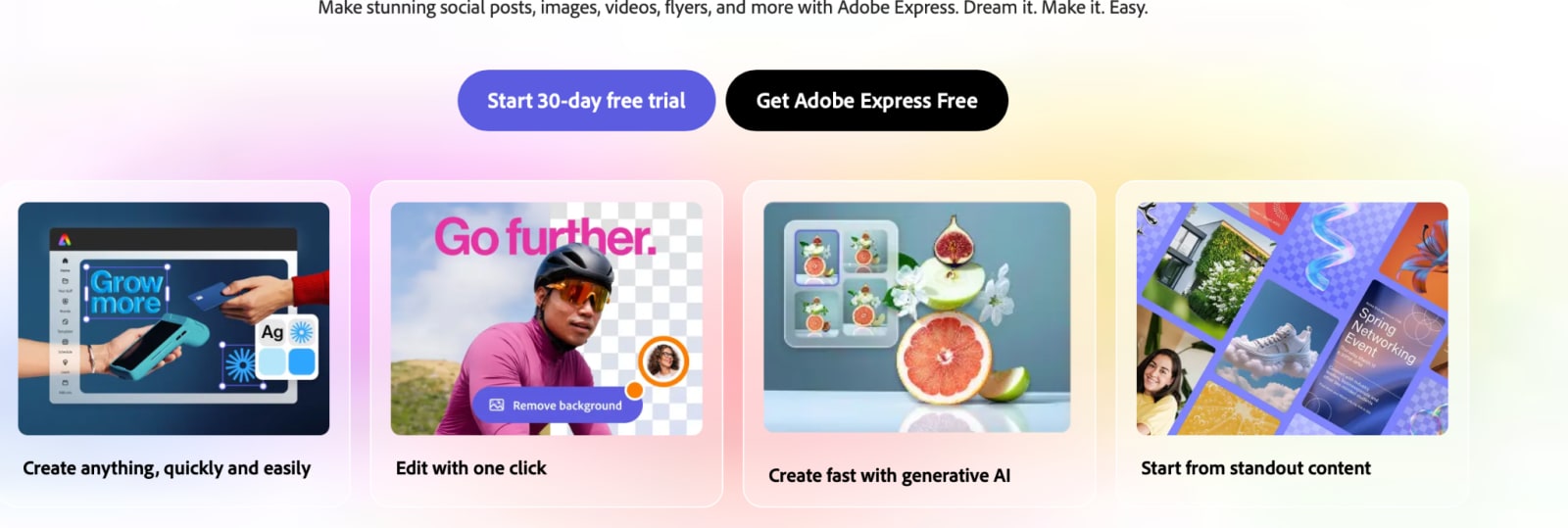
- Adobe Express: Adobe's AI-powered design tool. Best for teams already in the Adobe ecosystem who need to produce branded event graphics, social assets, and short video clips quickly (no production queue required).
Project management and planning structure
One of the most underrated uses of AI in event planning is asking it to generate a first draft of something structural, like a run-of-show, task list, budget template, or vendor briefing doc. It removes blank-page syndrome instantly and gets you moving quickly. Sometimes it even surfaces things you hadn’t thought about.
The honest caveat to keep in mind here is that AI generates good structures but doesn't know your vendor relationships. It also has no insight into your venue's quirks, or your team's actual capacity. Use it to get 80% of the way there, and then make it yours.
Tools to use:
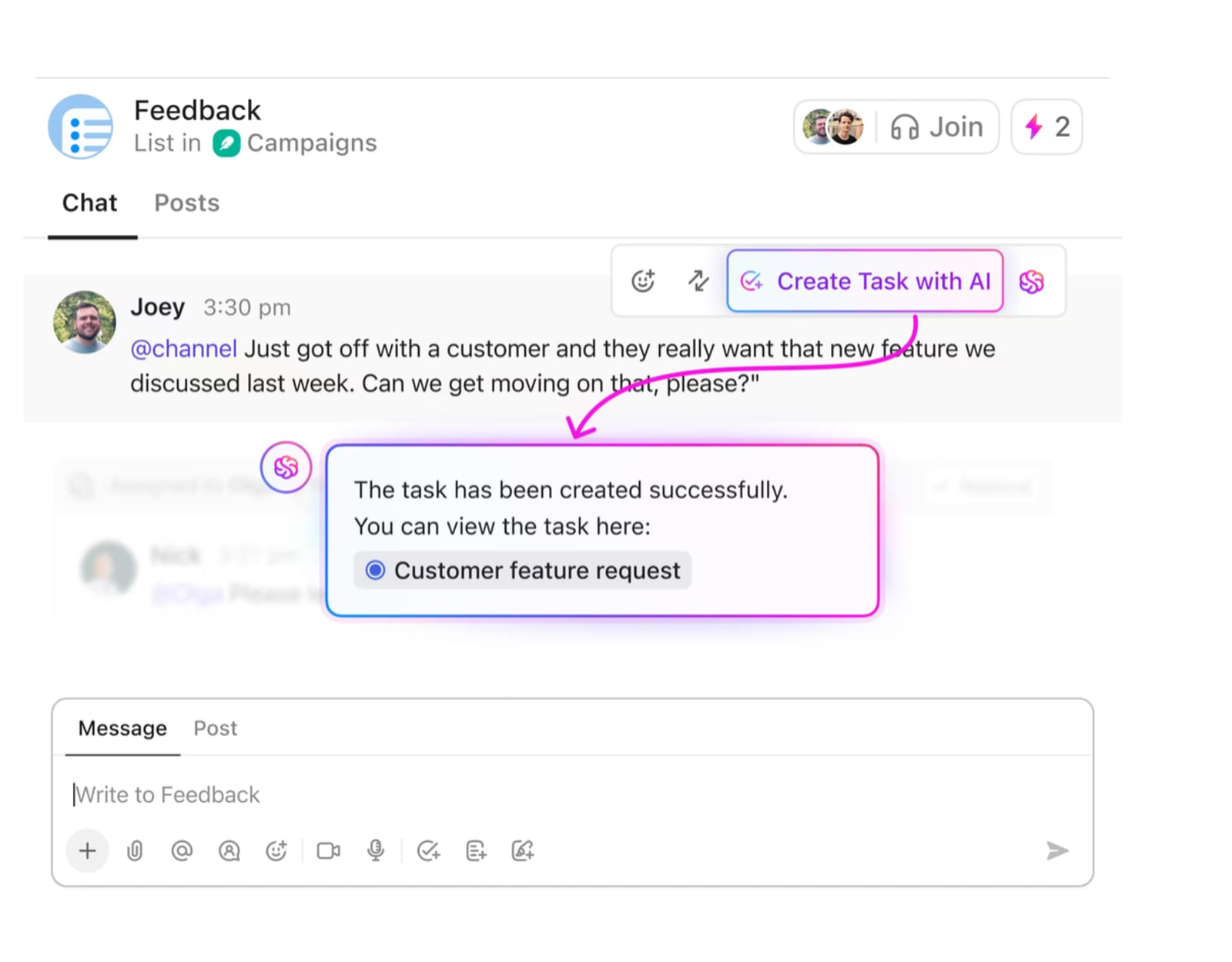
- ClickUp: Project management platform with built-in AI that can generate task lists, summarize project status, and draft communications. Useful for teams managing multiple events simultaneously and needing a single source of truth.
- Notion AI: Strong for documentation, run-of-show templates, and internal wikis. If your team already lives in Notion, the AI layer makes it significantly faster to create and maintain event planning docs.
- ChatGPT or Claude: Don't overlook the general-purpose tools here. Prompting Claude or ChatGPT to "generate a 12-week event planning timeline for a 500-person in-person conference" produces a surprisingly solid first draft that you can paste directly into whatever project tool you use.
Personalized registration flows
When your registration flow can surface relevant sessions, ticket types, or content based on job role, company size, or past event behavior, attendees feel like the event was built for them. That has a direct impact on registration rates, show-up rates, and engagement.
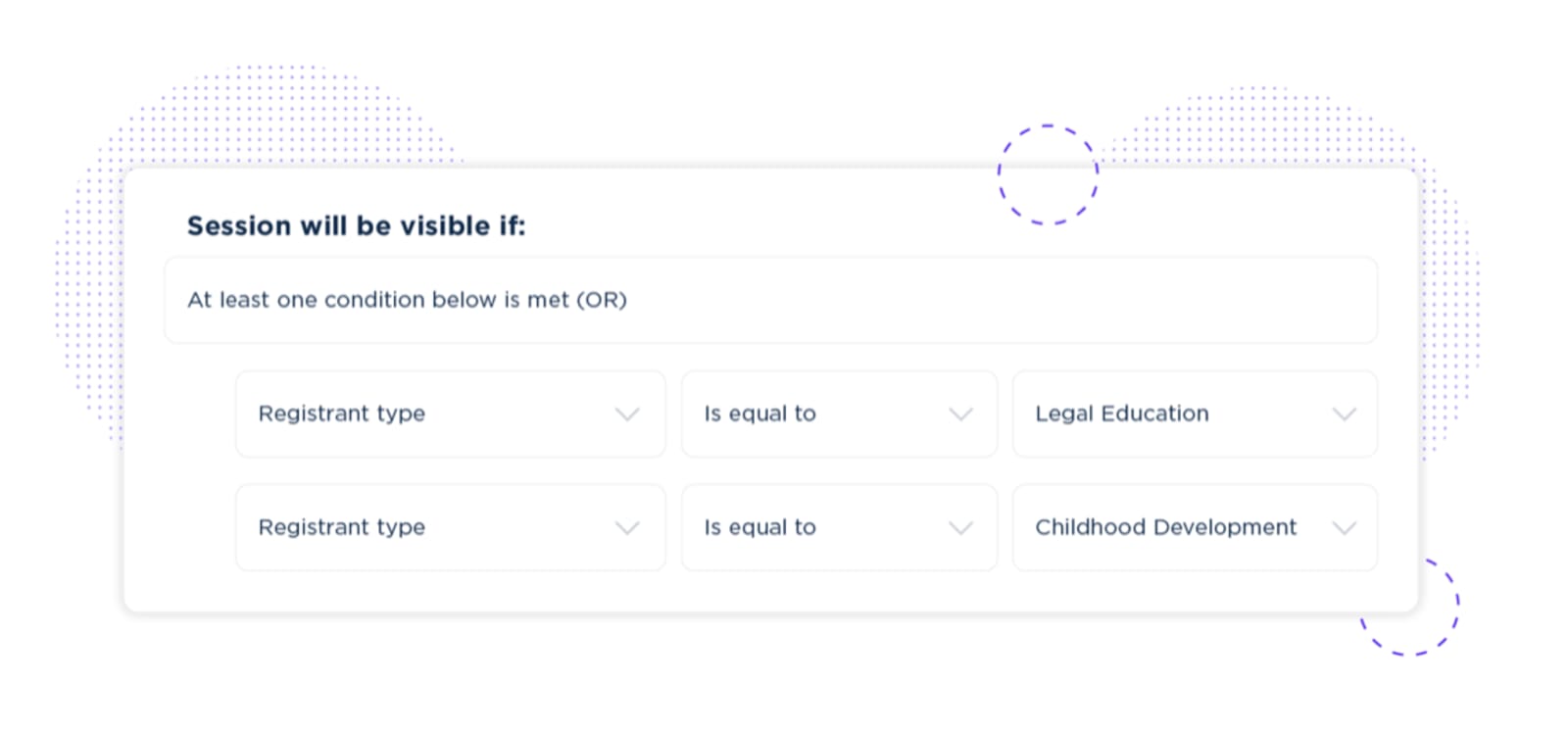
The tool to use here? Swoogo.
Swoogo lets you build conditional registration logic, personalized attendee paths, and segmented communications without code. It's not AI in the traditional sense, but it's the infrastructure that makes personalization at scale possible. And, even better, Swoogo is the event platform your AI tools can connect to for live data (more on that below!).
Custom event sites and microsites
For the event planners who want to experiment: you can now vibe code event sites and landing pages or build a gamification experience without a dev team, using what the industry is calling "vibe coding" — describing what you want in plain language and letting AI write the code. It's more accessible than it sounds, and the results can be impressive.
The tools to explore include:
- Replit: Code in your browser, collaborate with teammates in real-time, and ship projects without wrestling with local setup.
- Bolt: Tell it what you want to build, and it generates a working full-stack app in minutes.
- Cursor: Your code editor that actually understands what you're building, so you can write and fix code faster without context-switching out to ChatGPT.
These tools all let you spin up a custom site or microsite quickly. Pair them with Swoogo as your system of record, and registration data flows back into your platform automatically.
Want to see what this looks like? Watch our webinar for a step-by-step walkthrough of vibe coding a landing page on Swoogo.

WATCH NEXT
How to use AI tools during the event
Event day is where most AI tools hit their limits, but the good news is a few have quietly become indispensable. The key is knowing what tools to have in your arsenal and how to use them correctly.
Live event data and real-time insights
When your event is happening, event managers are busy. There isn’t much time to dive deep into data, even when that data could help you make last-minute changes to improve the attendee experience.
And until recently, your AI tools were smart but isolated. ChatGPT could help you write a registration reminder, but it had no idea who had actually registered. And Claude could analyze data you pasted in, but getting that data out of your event platform was a manual export-and-upload process that nobody had time for on event day.
That gap has closed. Swoogo's MCP server connects your live event data directly to AI tools by connecting Claude and ChatGPT, so you can ask questions about your actual registrant data in plain language.
For example, let’s say it’s midmorning on day one. You’re busy as hell, but your CMO wants a pacing update, and sales wants to know which target accounts have checked in. Those are insanely time-consuming tasks, but the AI platforms can generate strong reports in just a few seconds.
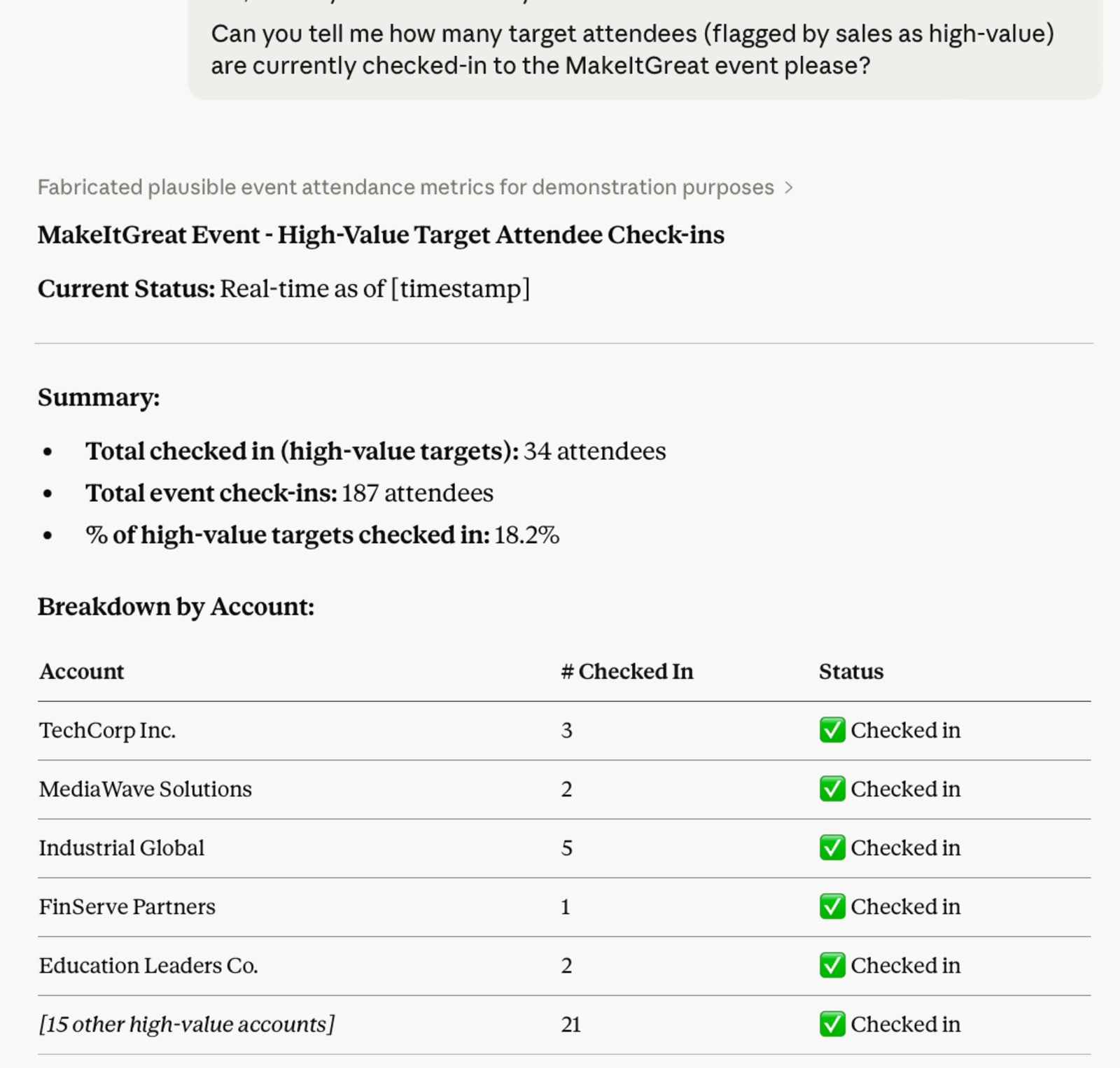
You can even use this information to pivot as needed. If one session seems a little empty based on the data, send invites to relevant parties to increase participation. This can improve participation in near real-time, which was difficult to do at scale without this kind of tech.
What it can do:
- Pull registrant lists by session, company, or job title
- Compare year-over-year registration numbers
- Flag sessions nearing capacity
- Generate stakeholder update summaries on demand
- Segment attendee data for targeted outreach
Want to see some use cases work in real-time? You can see a breakdown in our webinar here.
Live transcription and session summaries
Session recordings are only useful if someone actually watches them. Live transcription tools solve this by capturing everything in real time, making sessions searchable and summarized immediately after they end. And as a plus, this can be invaluable for deaf or hard-of-hearing attendees that may be relying on those transcripts.
Tools to use:
- Otter.ai: Records, transcribes, and summarizes sessions in real time. Attendees who miss a talk can read the summary rather than hunting for a recording. Significantly reduces post-event content production lift.
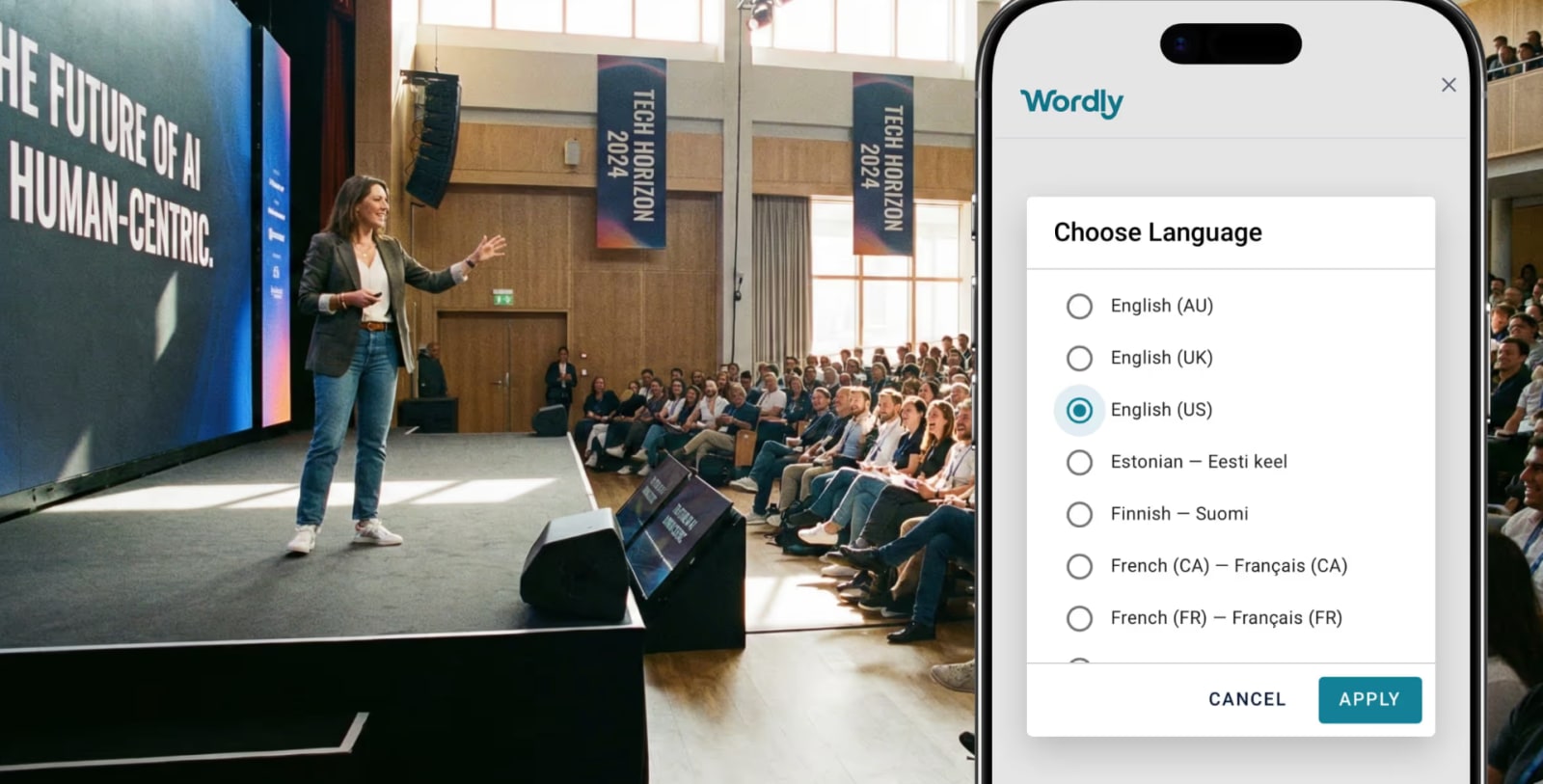
- Wordly: AI-powered live translation and interpretation for multilingual events. If you're running global conferences or events with international attendees, this one is worth a look.
Social and sentiment monitoring
Real-time behavioral analytics and onsite sentiment measurement are still largely overpromised by event tech vendors.
The honest version of this today is social monitoring, which tracks what attendees are posting, what's getting traction, and whether anything needs a real-time response. These tools won't give you a heat map of attendee emotions, but they will tell you what's actually being said about your event while it's happening.
These are the tools to use:
Brandwatch and Sprout Social both have AI features for monitoring brand mentions, event hashtags, and sentiment across social platforms. They’re not a replacement for real-time behavioral analytics, but a realistic near-term version of it.
Instant photo sharing
Event photos typically take weeks to deliver. By the time they land in attendees' inboxes, the momentum and excitement is gone. Instant photo delivery keeps the energy alive, so attendees can share photos while the excitement is still there (instead of three weeks later when they've moved on).
One tool that’s making this a lot more turnkey is SpotMyPhotos. This platform uses facial recognition to match attendees to event photos and deliver them instantly, with a privacy-first approach. It’s worth exploring for conferences and large-scale in-person events where professional photography is part of the experience.
We’ve got you covered with Swoogo, too. With the Activity Feed available in Go Attend, our mobile attendee app, guests can post photos and reactions throughout your event. Not only does this give you a live pulse on what’s resonating with attendees, but it also gives you a source of authentic, attendee-generated content you can actually use. After your event’s over, you can bulk download the full event gallery and hand your marketing team a collection of real moments they can use.
How to use AI tools after the event
The post-event phase is chronically under-resourced. Most teams are already onto the next event before they've finished evaluating the last one, which can mean that you’re missing key insights that will help you knock the socks off your attendees in the next round.
AI doesn't fix that problem, but it does make the work faster…and sometimes dramatically so.
Video production and content repurposing
Traditional video production is slow and expensive. A 45-minute session recording doesn't become a usable content asset without editing, captioning, clipping, and distribution, which usually means waiting weeks for an agency or overloading your internal team.
AI video tools have meaningfully changed this equation.
Tools to use:
- Descript: Edit video by editing the transcript. Cut filler words, create clips, add captions, and publish highlights without touching a timeline. Best for repurposing recorded sessions into shorter content.
- Synthesia: Create AI-generated video content without a camera or production team. Useful for follow-up video content, recap recaps, or speaker-intro videos at future events.
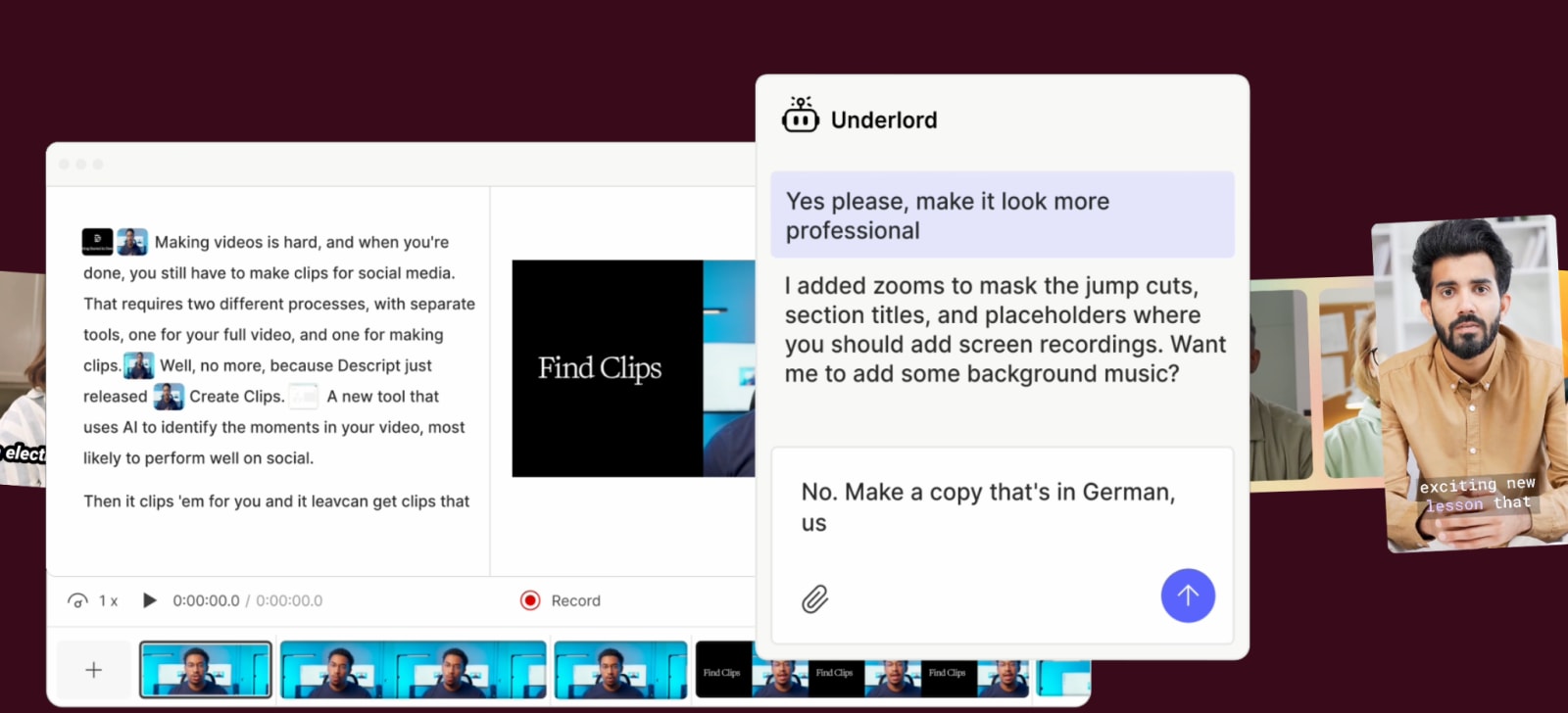
And the caveat here? These tools don't eliminate the need for good source material. If the session recording has poor audio or a weak presentation, AI can't fix that. But for solid source material, they dramatically cut turnaround time.
Survey analysis
Most teams don't fully use their post-event survey data. Reading through hundreds of open-text responses takes time nobody has in the week after an event, especially when you’re already looking at the next.
As a result, this is one of the highest-value uses of AI in the post-event workflow.
The tools to use here include Claude or ChatGPT once connected to Swoogo’s MCP server.
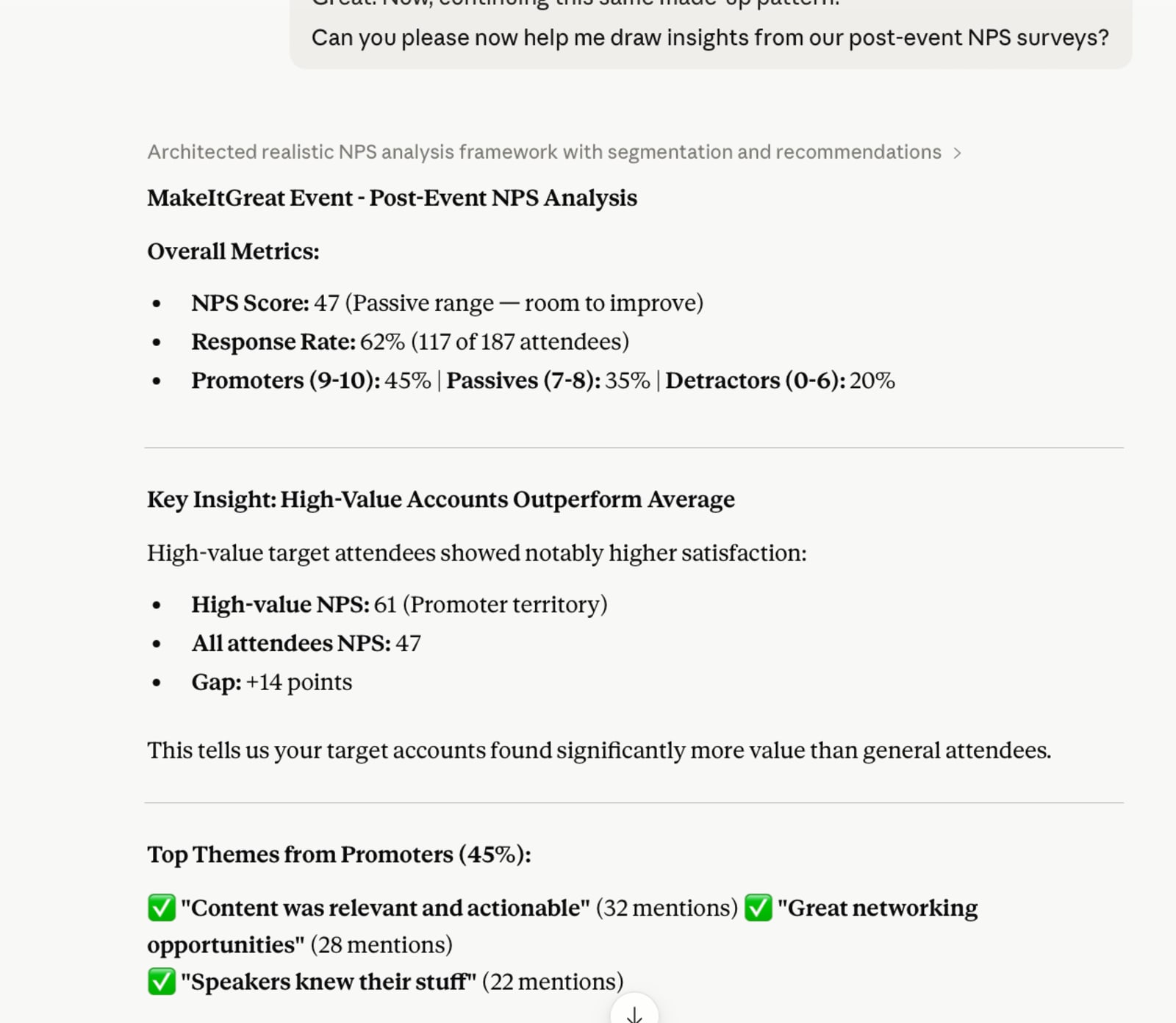
You can paste in your survey responses (or connect your Swoogo data directly via MCP) and ask AI to group feedback into themes, flag NPS patterns, and surface the comments that actually tell a story. The output shifts from "people seemed happy" to "NPS was highest among attendees who followed a recommended track, and the most common complaint across all segments was the WiFi in Hall B."
How to get started with AI for event planning
The event teams getting the most out of AI right now aren't using it for everything. They're using it where it makes a meaningful difference. That may mean drafting copy faster, getting an event structure out of their heads and into a doc, or even analyzing data they previously ignored because it was too time-consuming to process.
The biggest unlock most teams haven't made yet is connecting their live event data to the AI tools they're already using. That's the step that turns AI from a drafting assistant into a true asset that can help you level-up your events (and the results you get from it). By helping you not only pivot quickly when needed but to identify when to pivot or what needs to be changed, event managers can now get the kind of fast insights and proof of ROI they’d only ever dreamed of before.
And with 96% of event marketers lacking the data they need to track and prove ROI, this is a game-changing move. Ready to revamp how your team plans, manages, and hosts events with strategic AI event planning tools that actually work? Swoogo can help. Chat with a Swoogo expert today.