

It's Wednesday afternoon and your field marketing lead just dropped a not-so-quick request in Slack. They need a custom landing page for an ancillary event happening alongside next month's trade show. And they need it live by Friday.
Your dev team is heads down on something else and your designer is out until next week. The CMS is technically an option, but it's going to look like the CMS.
A year ago, this is the part where you'd start negotiating scope. But now, you can vibe code an event website using plain language. AI builds it, and you iterate until it's right. No coding required, and all your registration data can stay in your existing event management software thanks to Swoogo’s MCP server.
Here's how the whole thing works.
So, what’s vibe coding?
Vibe coding isn’t just for tech bros who are perhaps a touch too “all in” on AI. When used strategically, it can help event marketers move quickly without sacrificing quality, which is just a fact of life now.
Vibe coding is the process of building websites and apps with AI. You just describe what you want in natural language. And it’s a great way to start benefiting from AI for event marketing.
If you've used ChatGPT or Claude for writing or research, you already know the rhythm. This is the same conversational interface and back-and-forth, just pointed at building things instead of writing them. There are vibe coding-specific tools like Replit, Bolt, Cursor, or Claude.
They each have their own flavor, but the core idea is the same: you prompt, they build, you iterate.
A first prompt might look something like this:
"Using our attached brand guidelines, build me a single-page event landing page for a ping pong tournament with a registration form and a schedule section. Use a dark tech theme with neon accents."
You'll see a live preview within a couple of minutes, and you can keep refining, with instructions like "make the registration button bigger," "swap the navy for a deeper purple," and "add a sponsor strip at the bottom." Just keep making adjustments until it’s exactly what you want.
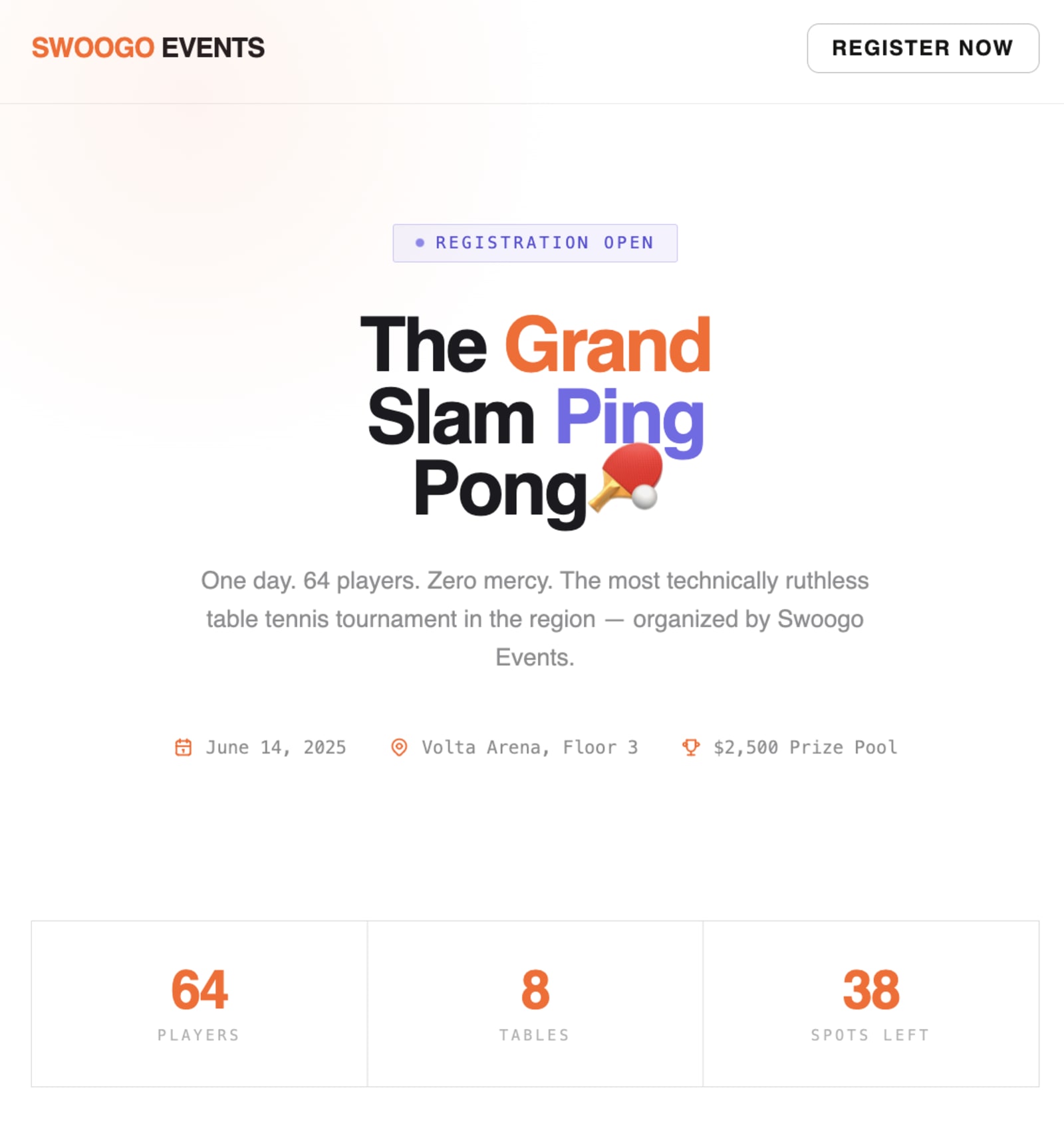
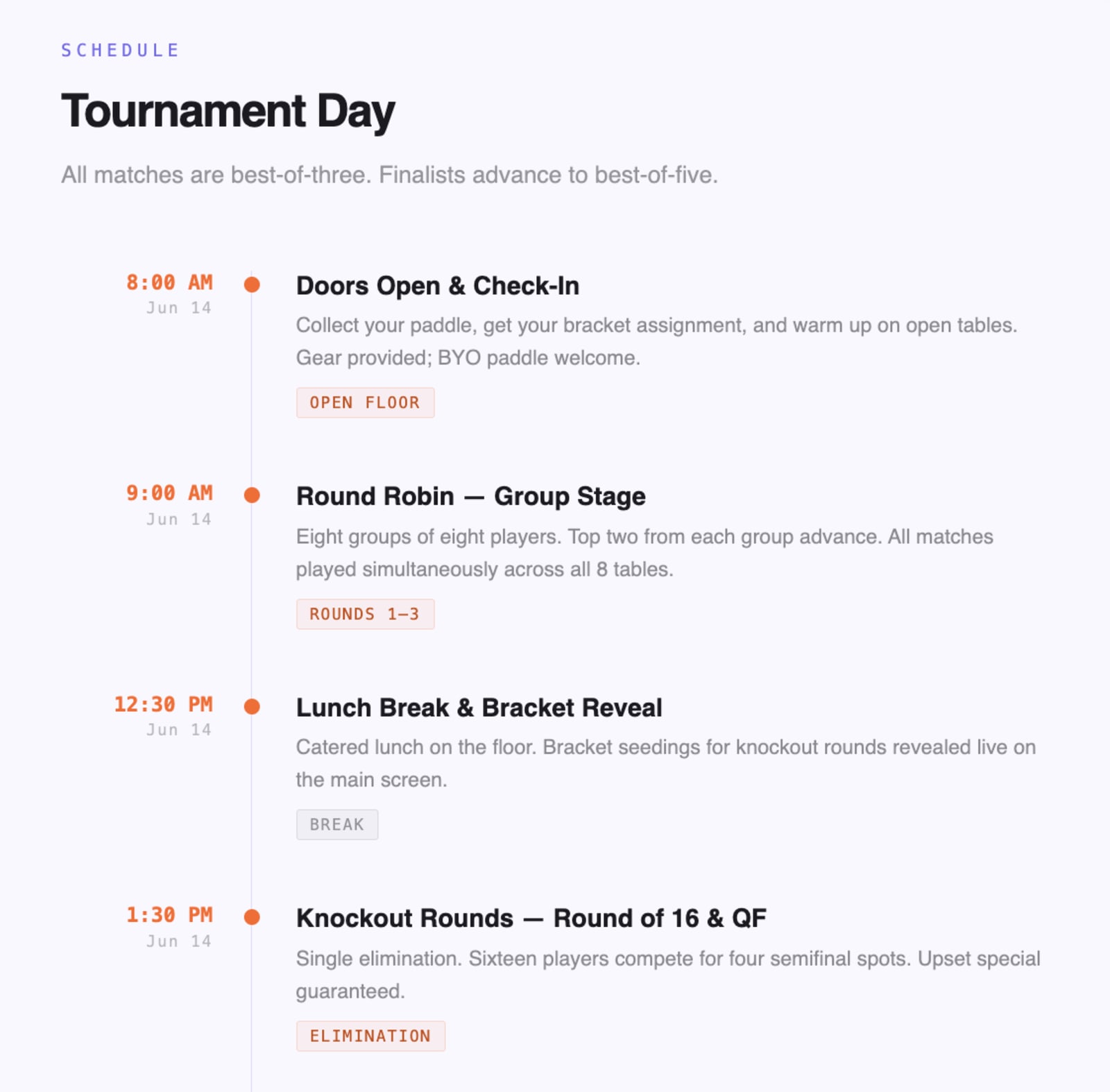
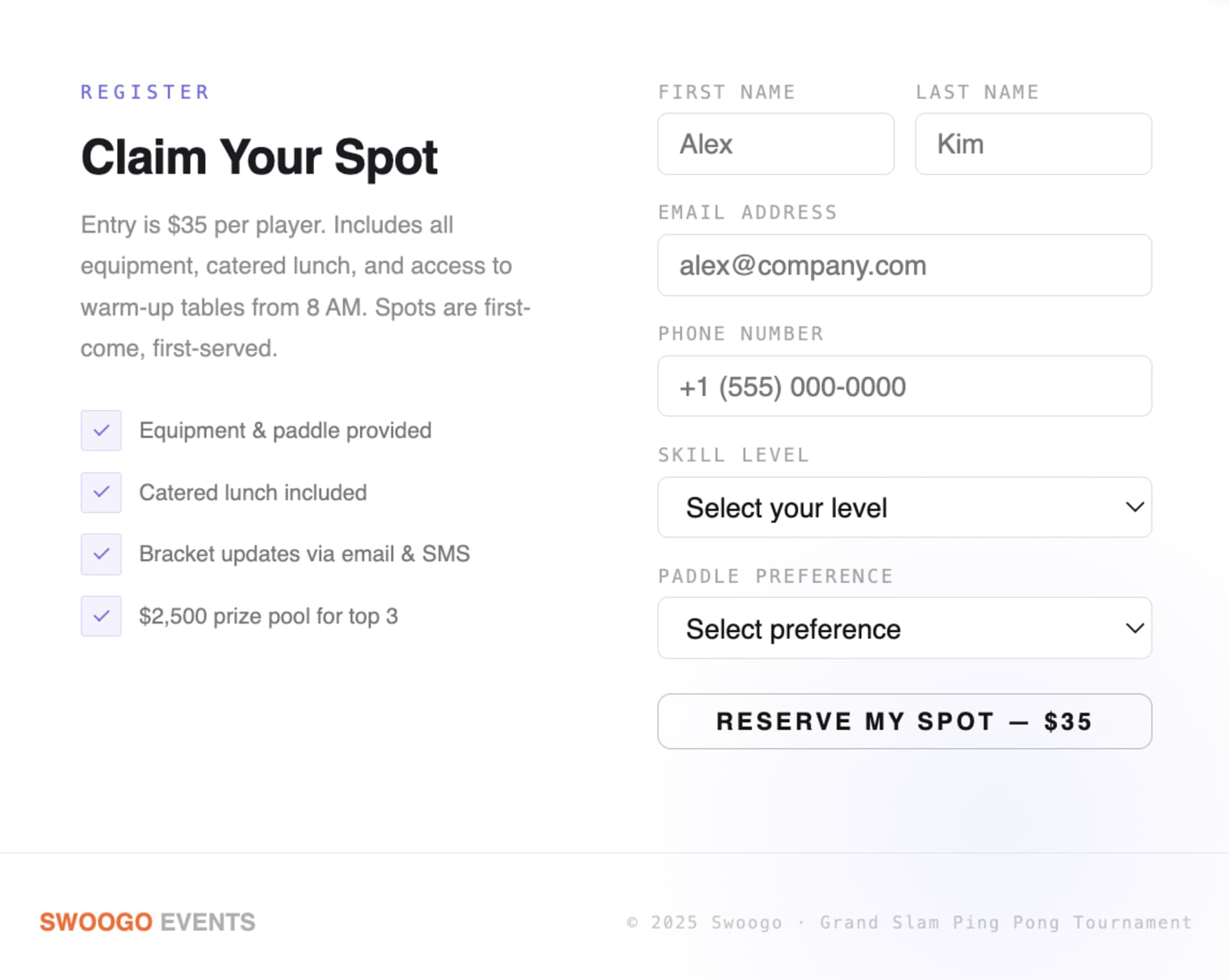
With just that first prompt and no refining, here’s the very first iteration of our new landing page:
Vibe coding in the wild: See what you can actually build
In theory, there are seemingly endless options for what you can do with vibe coding (though we’ll talk about when you should and shouldn’t use it in a minute). That said, here are two very real examples that cover most of what event teams want from vibe coding: a fast-turn landing page and a custom in-app experience.
Use case 1: A field marketing event site, live in under an hour
A planner needs a custom landing page for an ancillary event alongside a trade show. They want it fast, branded, and with a working registration form.
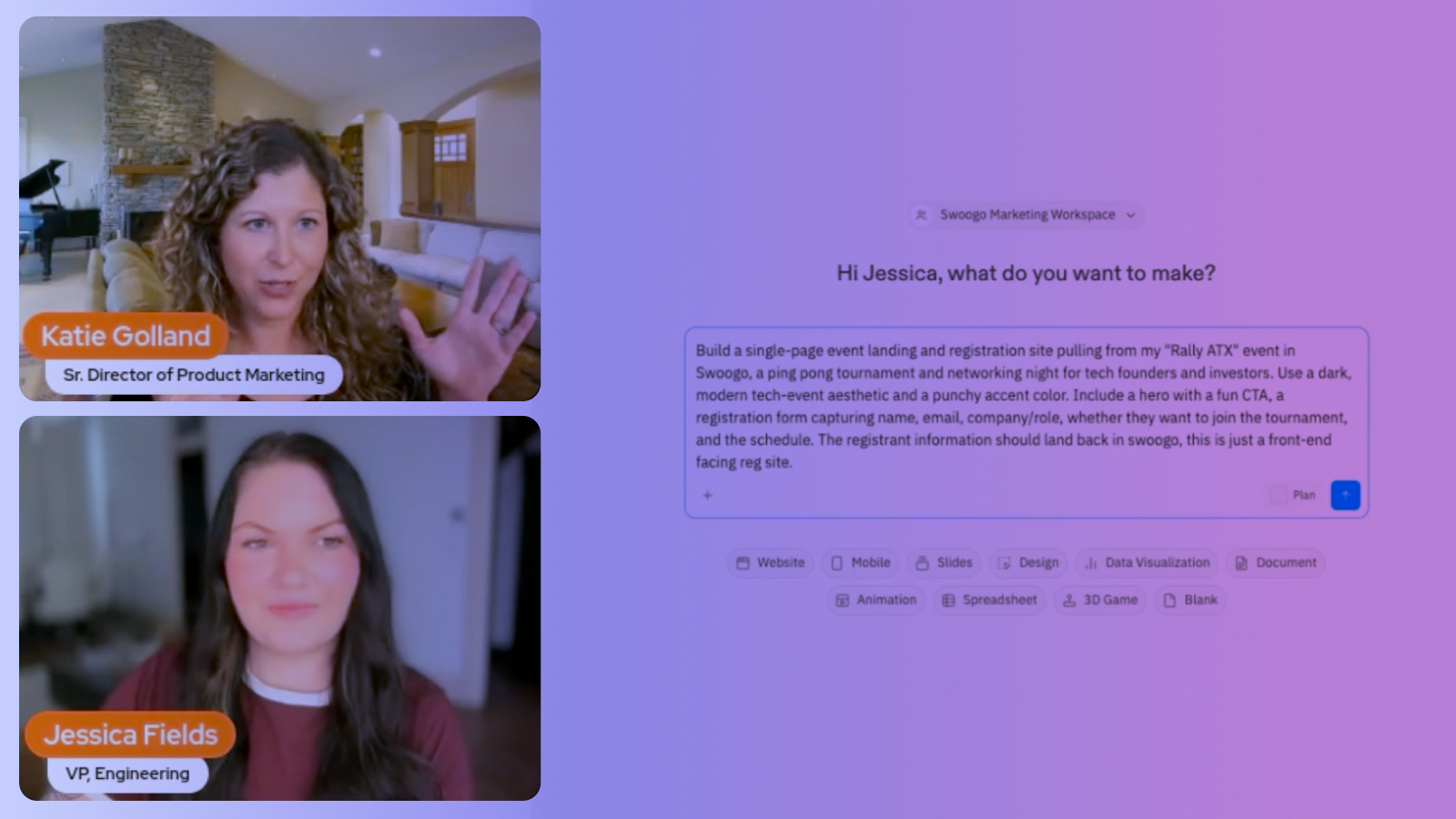
In a recent Swoogo webinar about vibe coding, the demo started with a bare-bones event called Rally ATX. Their landing page only had basic info, a couple of sessions, and one custom registration question: "Would you like to enter the ping pong tournament?" That's all that existed before the vibe coding kicked off.
From there, the planner opened Replit, connected the Swoogo MCP server, and wrote a single prompt describing the kind of landing page they wanted. They asked for a:
- Dark tech theme
- Punchy accent color
- Single page format
They also noted that this is just a front-end facing registration site, but that the registration data should go back to Swoogo.
Within a few minutes, the MCP pulled the registration fields, the agenda, and the event details directly from Swoogo. Replit returned a fully working landing page complete with a registration form wired to the right Swoogo event.
WATCH NOW
Here's an idea of the flow:
- Start with a bare-bones event in Swoogo. Rally ATX had basic event info, a couple of sessions, and one custom registration question: "Would you like to enter the ping pong tournament?" That's all that needed to be set up before the vibe coding started.
- Open Replit and connect the Swoogo MCP server. The MCP pulls in your registration form fields, agenda, and event details automatically. (The MCP Server URL is https://mcp.swoogo.com, for reference.)
- Prompt the build. Describe the site you want, down to the vibe, structure, and brand direction. Within minutes, you've got a working dark-tech-themed landing page with the right reg fields, a clear agenda, and correct details.
- Test the reg form before you publish. Register a fake attendee on the new site, then pop into Swoogo and see them sitting in the report. It works. (And if it doesn’t, you can make some tweaks!)
- Iterate on design. "Update the branding to match swoogo.events." Replit pulls the colors, typography, and styling from that URL and rebuilds the site in another minute or two. It’s the same data but a whole fresh new look.
- Publish. You’ll walk through a few simple steps and you’ll be good to go.
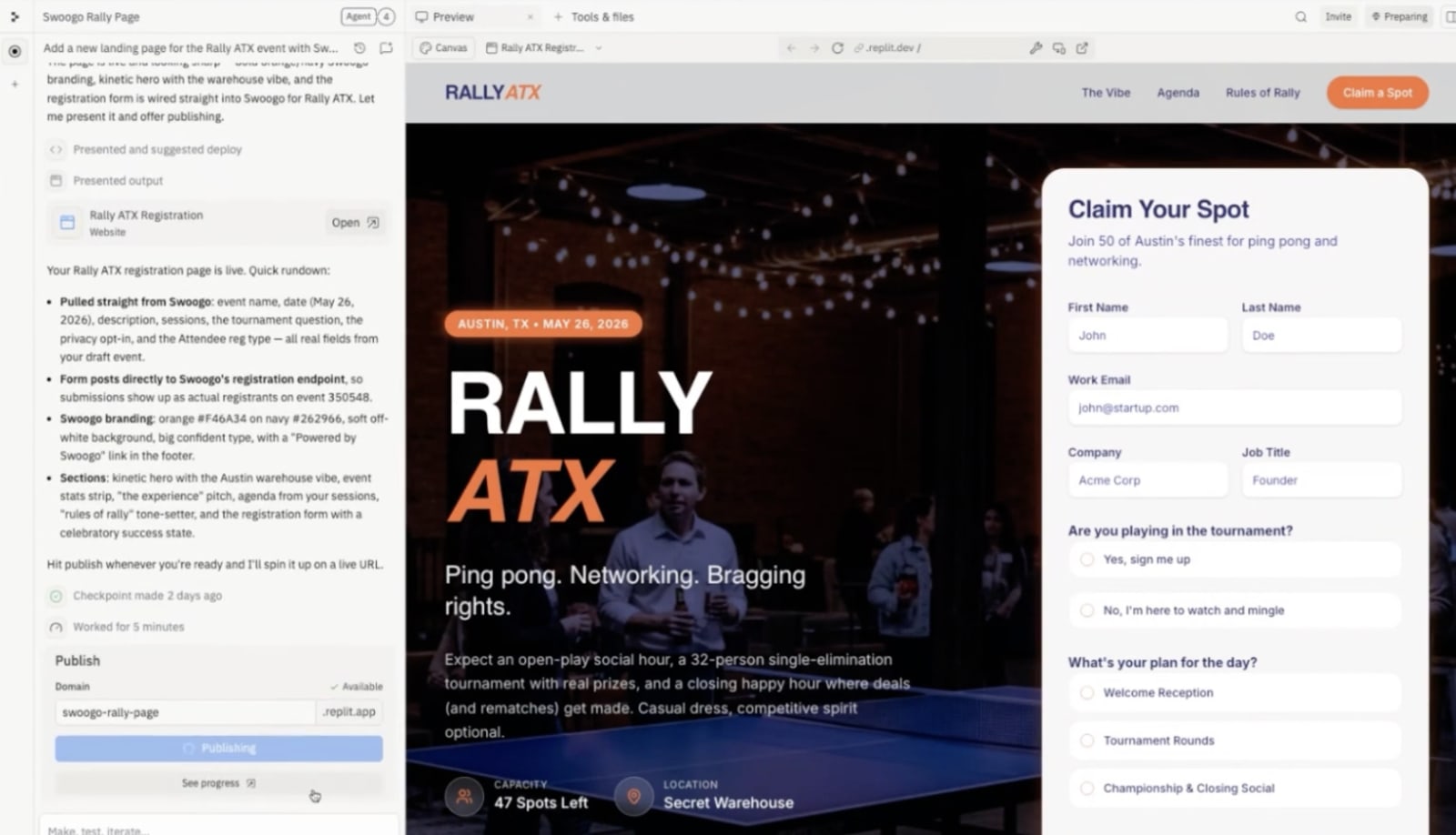
You now have a fully designed, branded, registration-ready event page, published in under an hour, with registration data flowing back into Swoogo automatically.
Pro Tip: If you’re feeling stuck, check out these event landing page examples for some inspiration.
Use case 2: How to put a leaderboard in your event app without filing a ticket
The second example from the same Swoogo webinar took vibe coding a step beyond landing pages. Swoogo's Go Attend attendee mobile app supports embedding custom web pages directly inside the attendee experience. That means anything you can vibe code can be dropped right into the app.
Our demo showed a passport-style gamification experience. Attendees collect stamps by visiting checkpoints, completing challenges as they move through the event, and watching a leaderboard track who's ahead in real time. There's even a built-in arcade game tucked inside for a zen-zone moment between sessions.
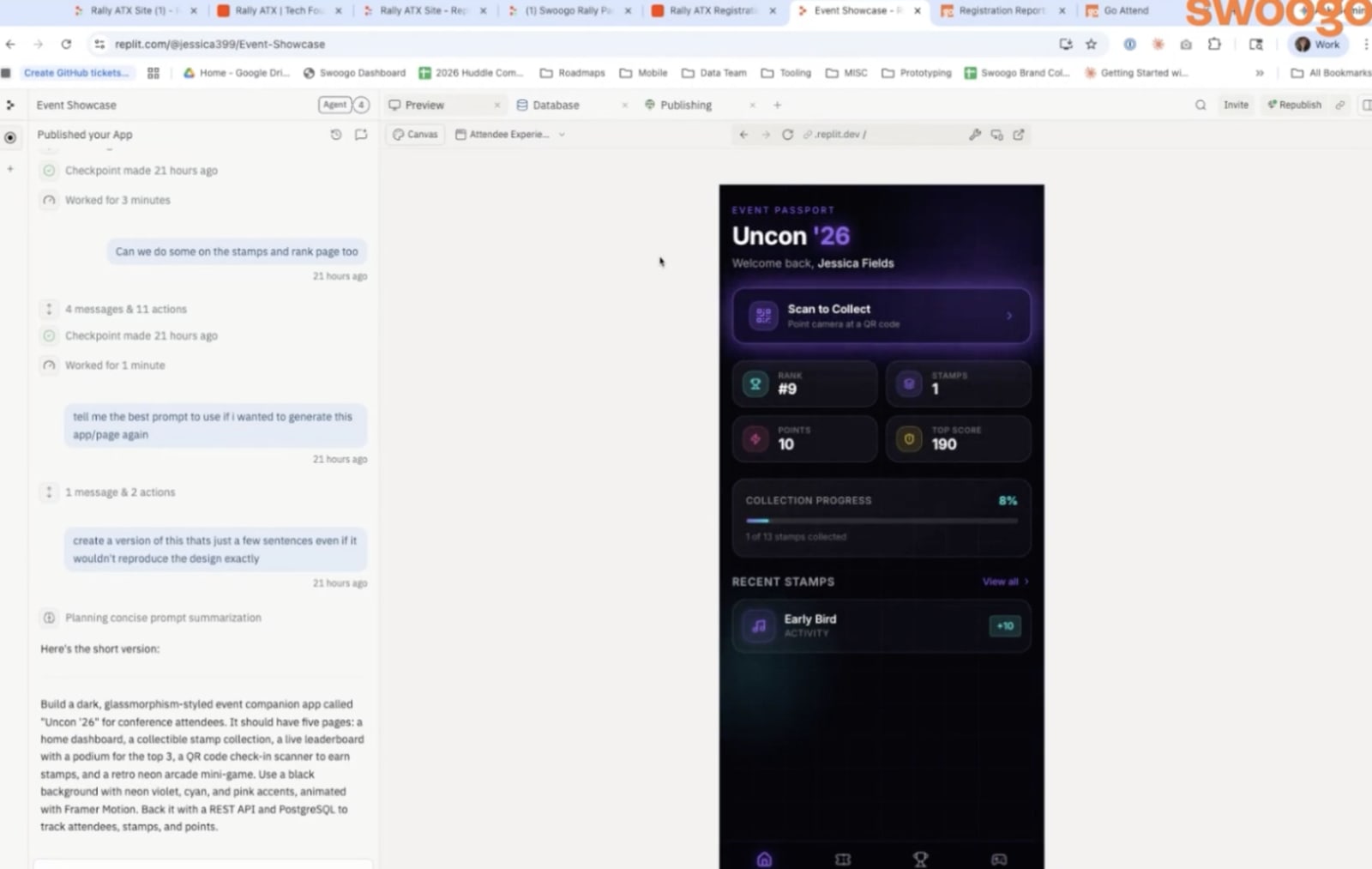
The build flow was the same as the landing page: prompt, iterate, publish. The output was a hosted URL. From there, the planner opened the Go Attend builder, added a new web page, dropped in the URL, and republished the app.
The result was a custom interactive experience living natively inside the event's mobile app, built without a single line of mobile development. The kind of thing that used to require a dev sprint now took an afternoon.
Pro Tip: Once you've iterated to something you like, ask the AI to give you back a clean prompt that would recreate it. You'll have a reusable starting point for next time instead of building from scratch.
When to use vibe coding for event marketing (and when you really shouldn’t)
Vibe coding is a real tool worth adding to your stack, but it's not the right call for every event. Here's where it actually shines.
It’s a great fit for:
- Simple, single-track events such as field marketing, partner events, or ancillary experiences
- Microsites where speed and custom design matter more than complex logic
- Mobile app pages and gamification experiences via Go Attend
- Teams without design or dev resources who need something live fast
You should probably avoid it for:
- Complex events with multi-track agendas, custom registration logic, or tiered attendee types
- Events where you need robust on-site tools, such as check-in, badge printing, or an attendee app
- Teams that need granular role-based access control over who can edit what
- Situations where your organization hasn't yet approved the AI tools you'd be using
How Swoogo fits in to the vibe coding experience
You can already build full event websites in Swoogo, but Swoogo still fits into the vibe coding experience.
We know that teams want to experiment. AI-built microsites are a great way to test new designs, try new formats, or stand up something visually unusual for a one-off event. Swoogo wants to support that instead of blocking it, knowing it can be an essential use of AI for event planning.
We also know the real risk of building outside your event platform is data fragmentation. If you vibe code a site and the registrations land in a Google Sheet (or, worse, an inbox), your attendee data is suddenly scattered across tools that don't talk to each other. Multiply that across a year of events and you've got a reporting nightmare.
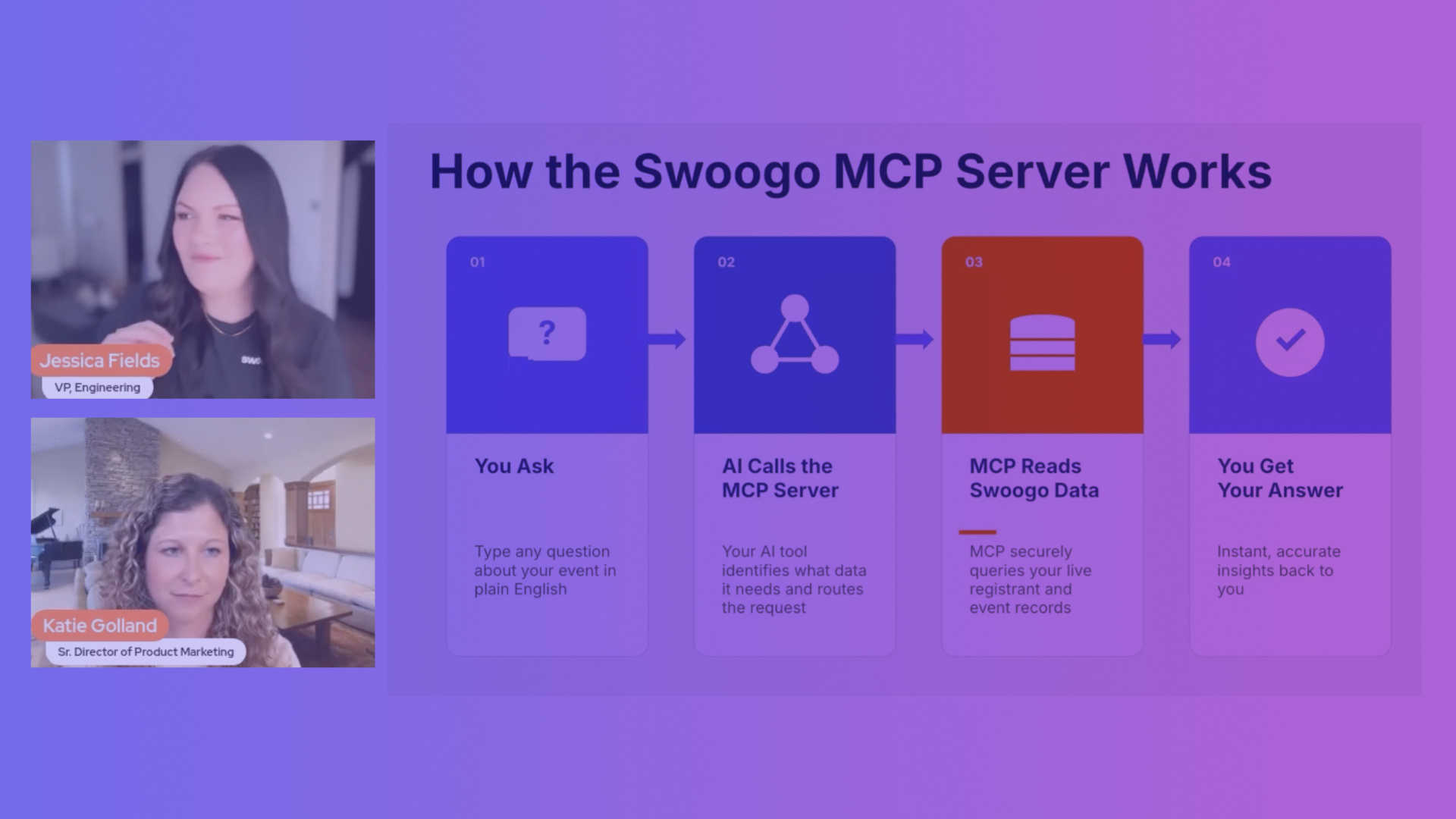
Fortunately, Swoogo’s MCP server can help with both. When you connect it to your vibe coding tool of choice, the connection works both ways. The tool pulls live event data from Swoogo — such as registration fields, agenda, session info, and even branding — so the site it builds is grounded in real data. And registrations from the new site push back to Swoogo as your system of record. It’s easier to experiment and still get all the data you need.
Swoogo is the first and only event management platform with a native MCP server. With no middleware, third-party connector, or (best of all!) engineering work required, this is a big deal for event marketers who may have lean budgets and who need to move fast.
You build wherever you want, while your data lives in one place.
Ready to get started? Let’s start vibe coding
If you're ready to try this, here's the short version:
- Check that your organization has approved the AI tool you want to use. Replit, Bolt, and Cursor are all common picks. If your company has an AI procurement process, do this first.
- Set up a bare-bones event in Swoogo. You don't need every event detail loaded into your new event, but you do need just enough for the AI tool to pull from. Think basic info, your registration fields, any agenda or session data you want on the site.
- Connect the Swoogo MCP server in your AI tool's settings. This is the bridge that lets the tool read your event data and push registrations back to Swoogo.
- Start with a focused first prompt. Describe the page you want, the event it's for, and your design direction. Resist the urge to build everything at once, because this can overwhelm the system and cause some downright chaos. Get a strong starting point, then iterate.
- Make adjustments and then publish. Prompt your way to a page you're proud of. Then ship it.
Remember, we recommend starting small, especially if you’re new to vibe coding. Choose something low-stakes where you can learn the workflow without a flagship event riding on it. Set up Swoogo's MCP server and try vibe coding your next field marketing site. Or if you'd rather see it in action first, book a demo.
WATCH NEXT