


The way people get things done is starting to look very different. Personal AI agents are new (and not everyone’s using one yet), but these assistants are already taking tasks off people’s plates, from research to travel to dinner reservations, which frees people to spend their time on what matters to them.
That shift was the theme in Swoogo CPTO Mike Olivieri’s peek into the future of events at Swoogo’s user conference, Uncon 2026. Mike shared what his own agent did in the 24 hours before his talk: it booked his flight and hotel, scheduled a dentist appointment, summarized a week of Slack and email, booked two Ubers, found him a window seat home, and flagged a $51 refund he hadn’t claimed.
I’ve experienced this firsthand. I recently started using a personal AI agent myself, and whenever I need help with something, I just send it a text. It’s found rental cars for my family trip, booked dinner reservations, watched my inbox for school reminders for my kids, and even recommended events near me that would be a good fit for a product marketing leader.
Your attendees are starting to do the same. They’re delegating their to-do lists to personal AI agents, and registering for your event is going to be one of the tasks they hand off.
Today it’s mostly early adopters, but within the next year or two, personal agents are likely to become the most common way people work and find information. A big part of the appeal is that many of these assistants work over text messages, so people can simply text one to help with whatever they need.
What event professionals need to know is that a site built only for human visitors may soon be hard for those agents to use, and attendees will gravitate toward the events that are easy for their agents to work with. At Swoogo, we're working to make that easy.
Here's how Mike laid it out.
Watch the full session 👀
First, what is an AI agent?
If you already use ChatGPT, Claude, or Gemini, you might wonder how a personal AI agent is different. Those tools are chatbots. You ask a question, you wait, you get an answer, and then the tool waits for your next question.
A personal AI agent is more proactive. It works for you while you're busy with something else. It knows what you care about, what's on your calendar, and what's in your inbox, and it takes action on your behalf, but only on the things you allow it to.
Under the hood, Mike describes an agent as a bot with access to a virtual computer in the cloud. That computer has a web browser and whatever tools you choose to connect: your calendar, your email, and, if you're willing to add a little risk to your life, a credit card.
These are new, but adoption is moving fast. Every major AI company has released one in the last couple of months. In fact, Meta’s Muse reportedly passed 10 million downloads in 40 days.
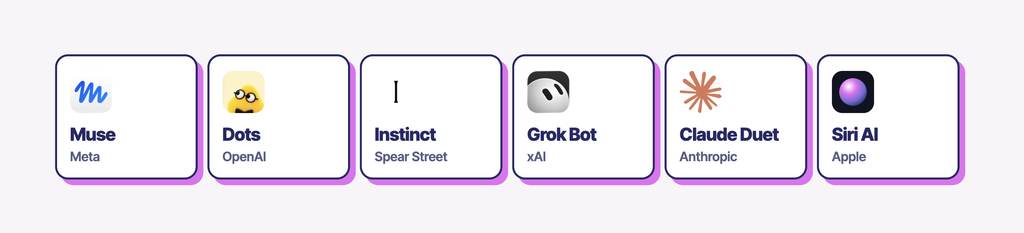
With numbers like that, your attendees are already using them.
Meet Maya
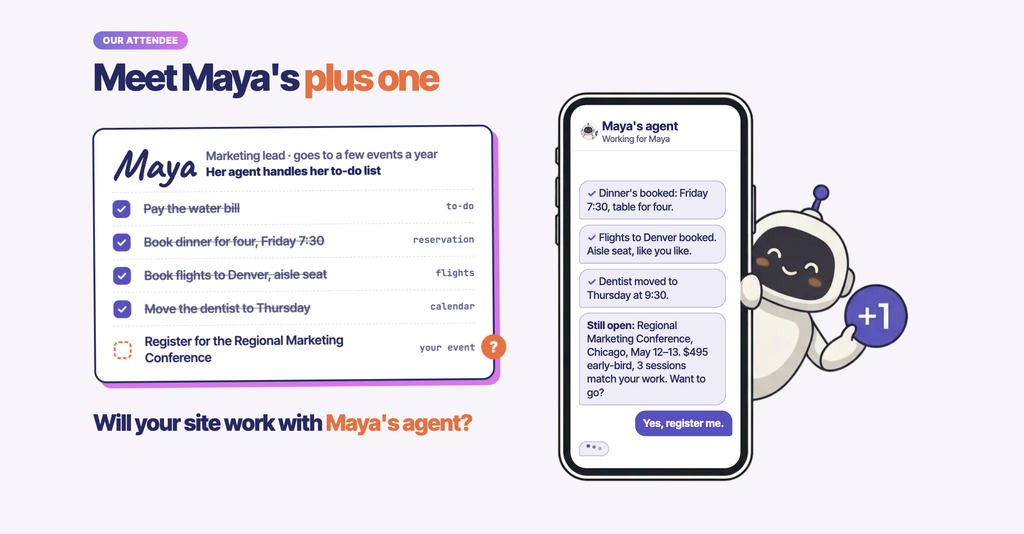
Consider Maya, an attendee who loves going to your events. She has a personal AI agent now, and she's using it to knock out the tasks that are on her to-do list but can be handed off to her assistant.
The question for event teams is whether Maya's agent can work with your event site.
If it can, registration just happens, and it feels like magic to Maya. If it can't, she may never register for your event at all.
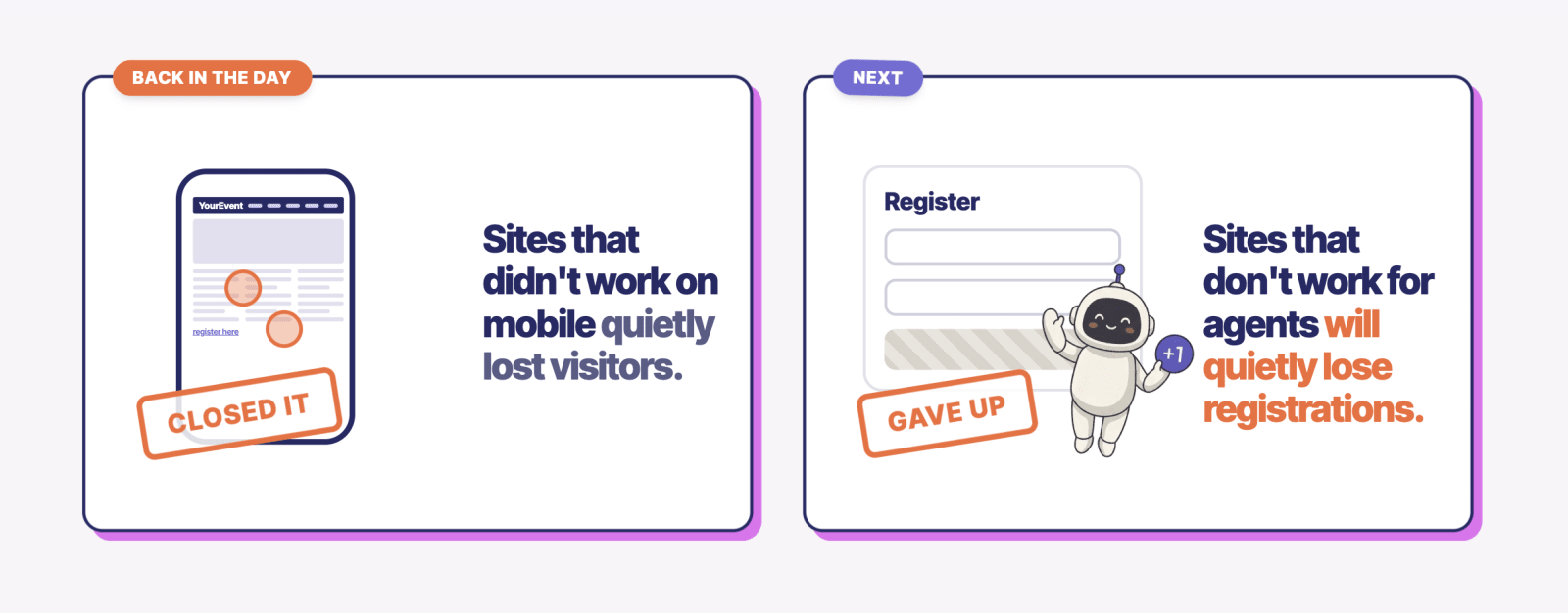
This pattern comes down to convenience. When phones arrived, Mike pointed out, websites that didn't work on mobile lost visitors, because people moved to the ones that did. He expects the same thing here.
If your event site doesn't work with agents, you'll start losing registrations.
Why websites weren't built for agents
For the last 20 years, we've built websites for humans, and we've gotten very good at it. Better design, more accessible forms, friendlier buttons.
But people don't actually want to visit websites. They want outcomes.
They want the task done and their time back. Websites are just the best tool we've had for getting information, much like paper was before them. It's naive to assume they'll be the way people do things forever.
That doesn't mean you stop designing for people. "I'm team human," Mike said. But you now need to build for their plus-ones as well, because a beautiful design can actually get in an AI agent's way. An agent doesn't care how a page looks. It needs to know which links to click, where registration lives, and what fields to fill out.
Mike pointed to an example from Cloudflare Connect, which put a human/machine toggle on its event site. The human side is the polished design you'd expect.
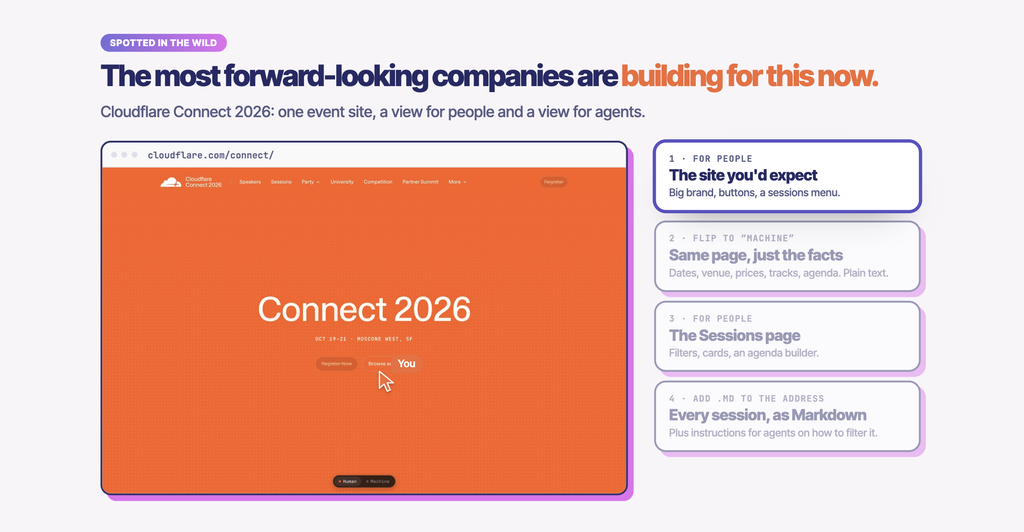
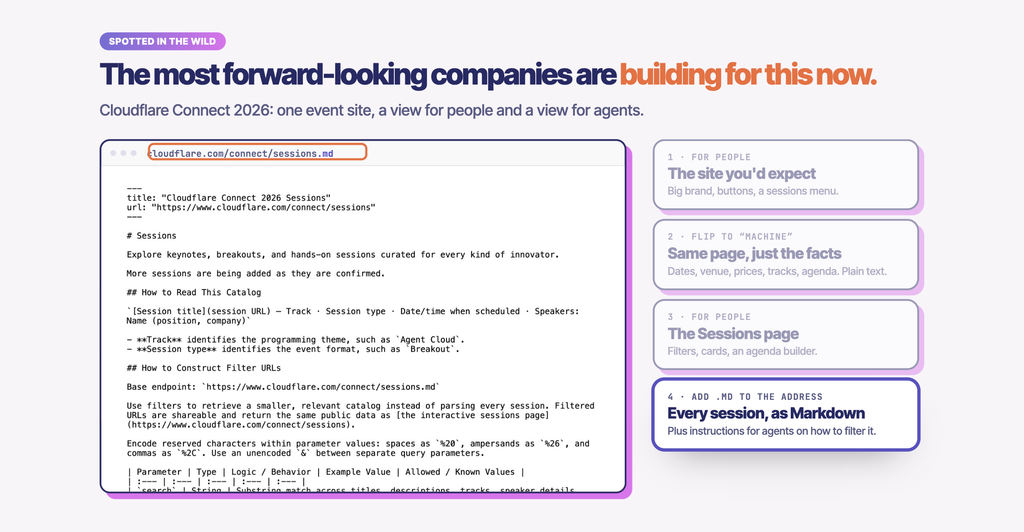
The machine side is a plain, text-based version that tells an agent exactly where to go and what to do.
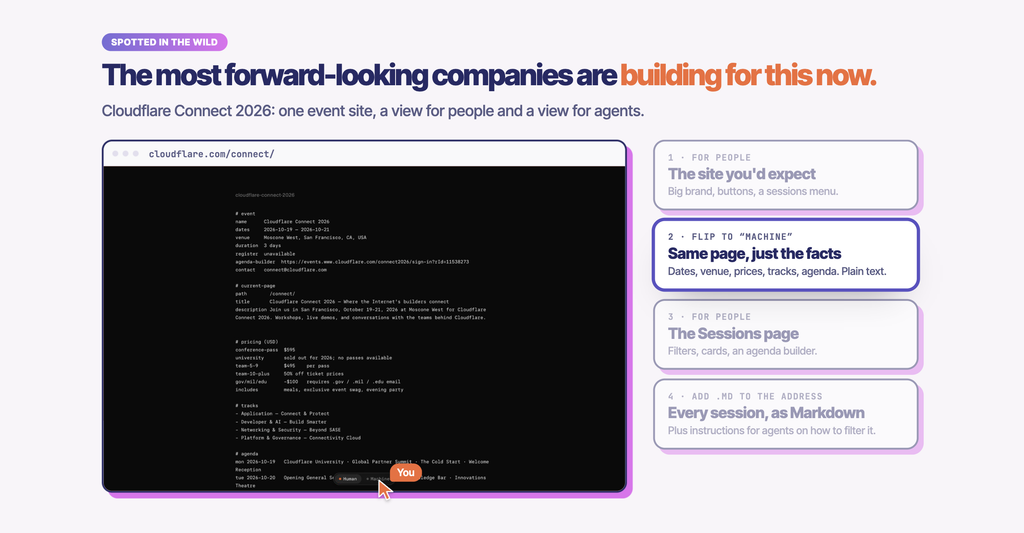
The same approach applies to something like an agenda, where a beautifully laid-out schedule is great for a person, but a simple text list is far easier for an agent to read.
Their personal AI agent + your event site = true personalization
Every event platform, Swoogo included, is adding AI. So why do personal agents matter on top of that?
Context.
The more someone uses their agent, the better it knows them. Mike's agent knows his calendar, his inbox, his contacts, what he's reading, that he likes a window seat, and that he isn't a vegetarian. It has seen every question he's asked it.
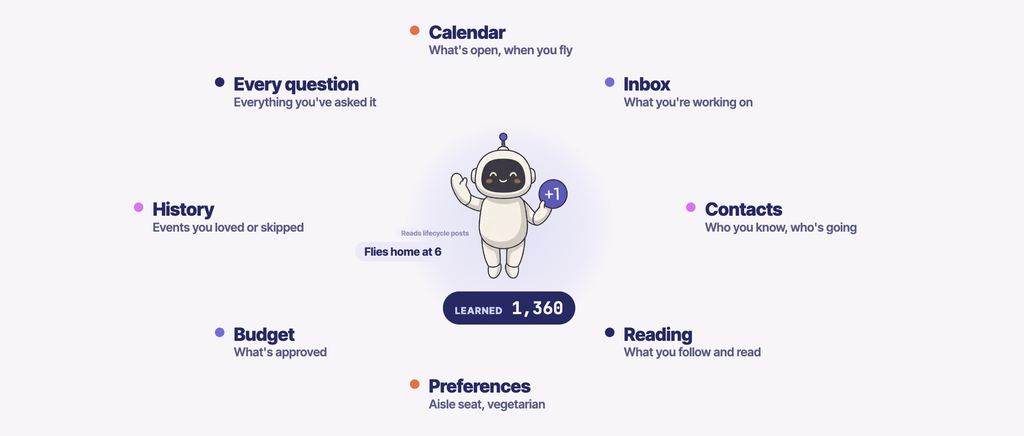
AI built into your event site, like an AI agenda builder, doesn't have that. It only knows what the attendee types in. If Maya says she's a marketing lead at Northwind Events, she gets a reasonable agenda, but a fairly generic one.
Now combine the two. Maya's agent knows what she's working on, which speakers she follows on LinkedIn, that she's vegetarian, and which similar events she attended this year. Your event site knows every session, speaker, time, and room, and which sessions are filling up. Put those together, and you can build an agenda that's actually personal to her.
There's a practical benefit too. At an event with 100 or 200 sessions, nobody reads every description or researches every speaker. An agent can. This is the path to real personalization.
What Swoogo is building
Swoogo's goal is to make supporting agents as simple as flipping a switch. In an event's settings, you can turn on a set of experimental features with no code and no developer. Here are a few.
Instructions for agents
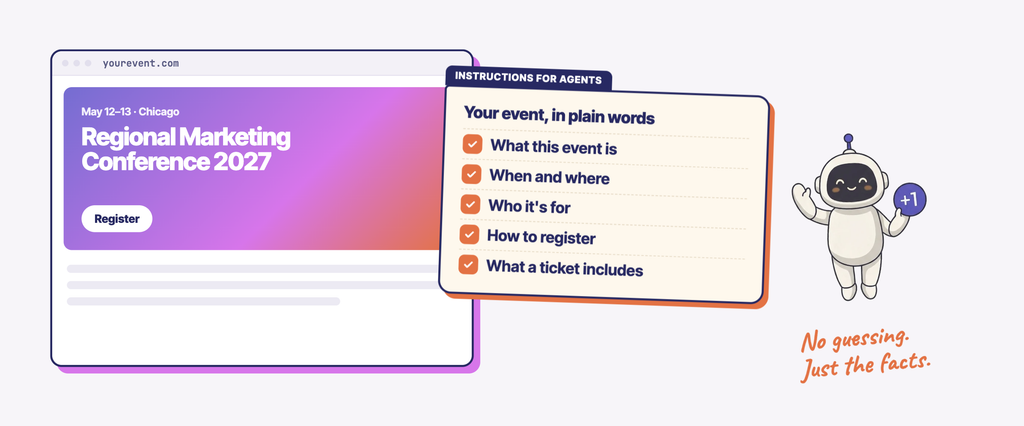
These are the text-based guides, like the machine side of the Cloudflare Connect site. When llms.txt is enabled, Swoogo looks at the context of your event and writes the instructions for you, so agents know how to navigate it.
This auto-generated text-based summary of your event includes details like what your event is about, when/where it's happening, ticket options/pricing, and how to register. Think of it as a quick reference guide to your event, without all the website navigation.
And you don't have to maintain it yourself. Swoogo generates the file from your existing event setup, so it stays current as your event details change.
Tools for agents (WebMCP)
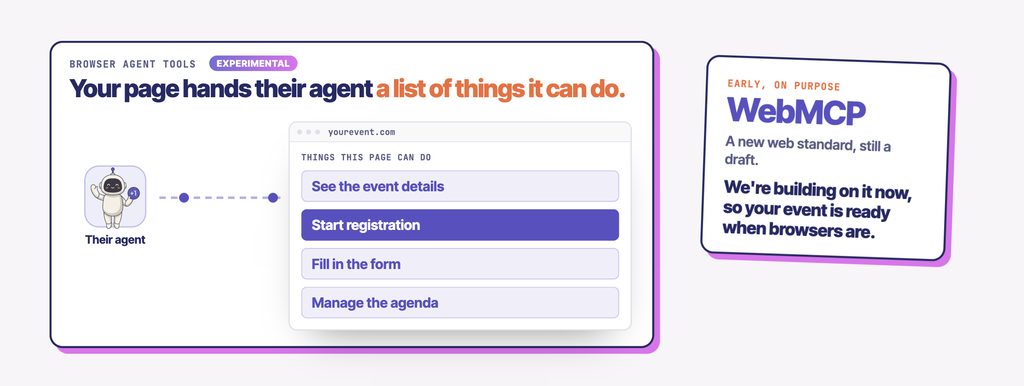
One challenge for agents today is that they have to guess and click around a site to find what they need. WebMCP is a new, emerging standard, being developed by Microsoft and Google, that lets a website offer agents built-in browser tools instead. Think of it as a menu of things the agent can ask the site to do, rather than a maze it has to figure out.
With Browser agent tools (WebMCP), Swoogo gives compatible AI agents a way to interact directly with your event website. Swoogo has released its first three WebMCP tools:
- Get event details
- Get session catalog
- Start registration
So when an agent is asked "tell me about this event," it can call the first tool directly instead of combing through every page. When it starts a registration, it fills out the form and then pauses so the human can review the information and click register.
The attendee stays in control throughout the process. They can see what's being entered, confirm before moving forward, and complete any payment themselves.
Swoogo agents that work with your agents
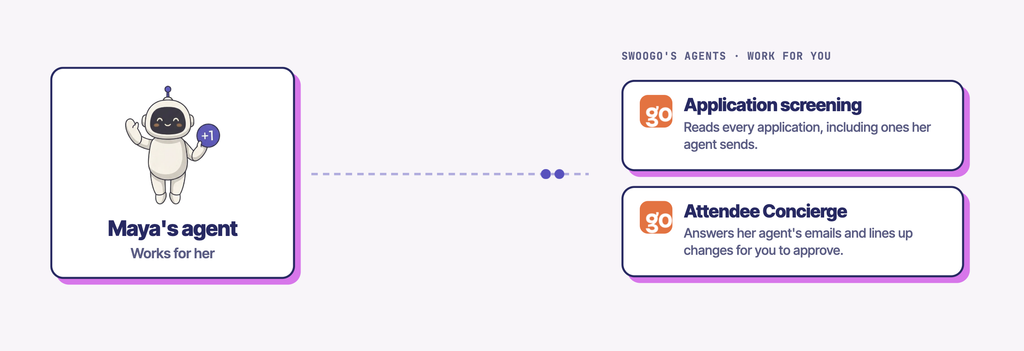
Swoogo also has two AI features in beta that are agentic themselves, and both can work with an attendee's personal agent:
- Apply to Attend screening. Your tool to host exclusive, gated, or private events where you control who gets in through the door. People apply to register for your event, and you set rules for which applicants to approve, reject, or put in review (e.g., you might want to approve only marketing leaders at companies above a certain size). The agent does a first pass on incoming applications, applies a recommendation, and puts them in a prioritized queue. Instead of manually reviewing a thousand applications, you work through the queue and click approve, reject, or hold.
- Attendee Concierge. This isn't just a chat box on a website. It has its own email inbox (SMS and WhatsApp are coming), which means a personal agent can contact it directly. Maya can tell her agent, "move me to this new session," and the request lands in Swoogo, where you're the final approver. For small things, like a misspelled last name or a title change, you can let the agent approve automatically.
Everything here is opt-in. You decide what agents are allowed to do on your event.
It’s all about your attendees
Your attendees are Maya. They want to come to your event, they’ve got a lot of other stuff going on, and they can procrastinate (who doesn’t?). Soon they'll have agents handling the tasks they avoid, including registration, agenda-planning, and schedule changes. If an agent can't work with your event, Maya may simply not show up.
Make it easy for Maya to show up.
Get started by trying an AI agent yourself. Hand it your own to-do list, and see what you think.
For more resources on AI for events, check out our AI for Events learning hub. And if you're ready to take your events to the next level, let’s chat!