

You did it! Months spent lining up speakers, building agendas, and convincing sponsors that, yes, their logo is visible enough—and now it’s finally showtime.
People are walking through the doors, coffee in hand, ready to be wowed. Their first impression? Not your killer keynote or trendy grazing table. It’s check-in.
When it’s smooth, the whole day feels easy. But when it’s clunky, even a great talk track can’t erase the memory of standing there while someone searched for your name FOR TEN WHOLE MINUTES.
Nail check-in and you’re not just managing event logistics—you’re setting the tone for every moment that comes after. With a little prep, the right tech, and a smart layout, check-in can actually add to the experience, rather than just be the necessary evil everyone has to suffer through first.
This guide breaks down everything we’ve learned (and everything we’ve watched go sideways) about on-site registration—from pre-event prep to floor design, team training, and all the small event check-in tips that make a huge difference. Let’s get into it.
Prioritize pre‑event preparation and communication
Smooth event check-in doesn’t start when the first badge prints. It starts way before anyone arrives.
The golden rule? The more you prep and communicate upfront, the fewer people will stand around wondering where to go or what to do.
Provide clear, pre-event communication with attendees
Tell people what to expect before they even open the venue doors.
Send a short, skimmable “Know Before You Go” pre-event email a few days out. Include:
- 📍 Where to go: Address, parking info, nearest public transit stops.
- ⏰ When to arrive: Doors open, busy times to avoid, and what happens if they’re late.
- 🎟️ What to bring: QR code, ID, etc.
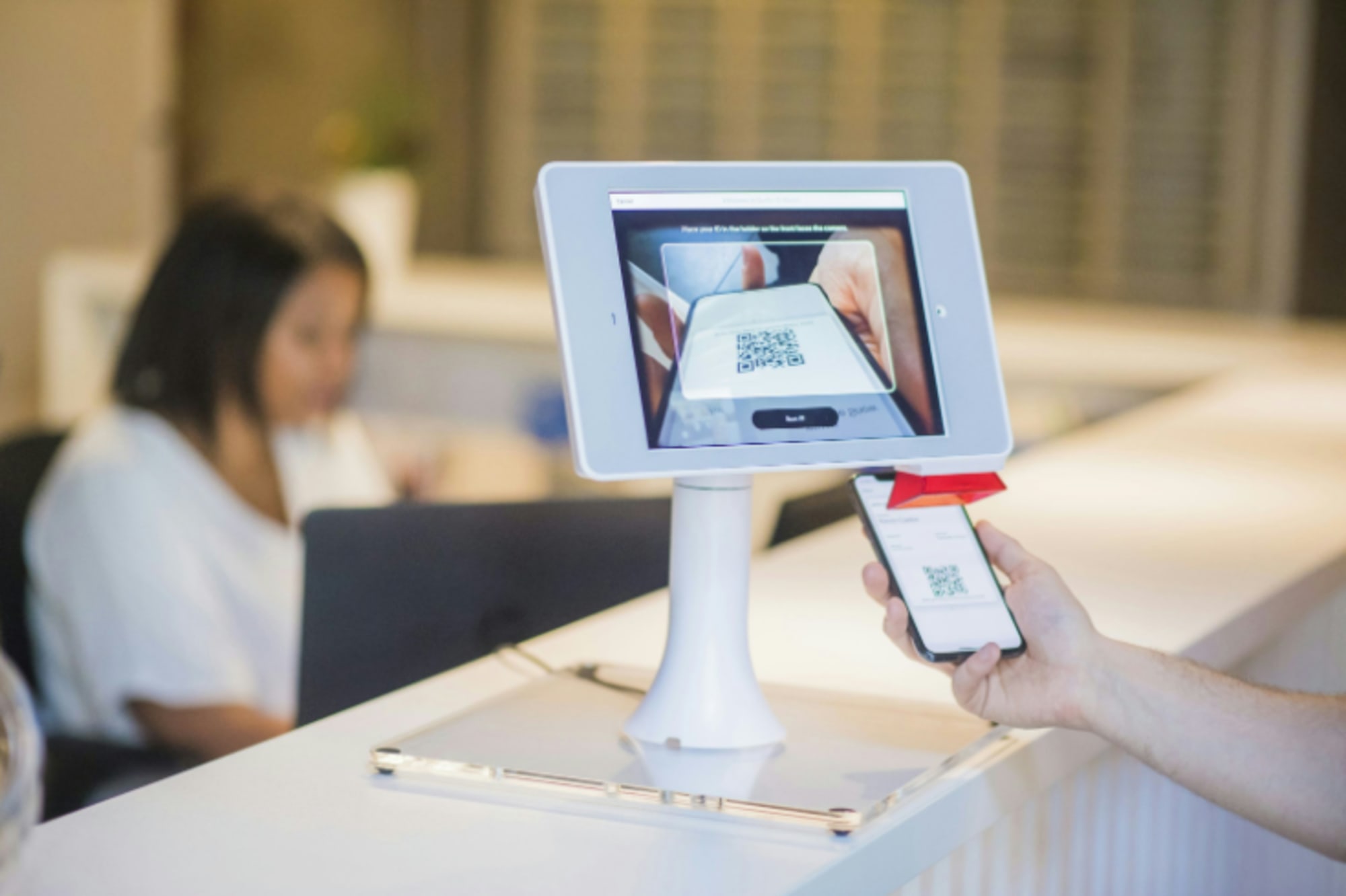
- 🚪 How it works: A quick one-liner, like, “Scan your QR code at the kiosk, grab your badge, and head straight to the main stage.” Essentially, do the opposite of “keep them guessing.”
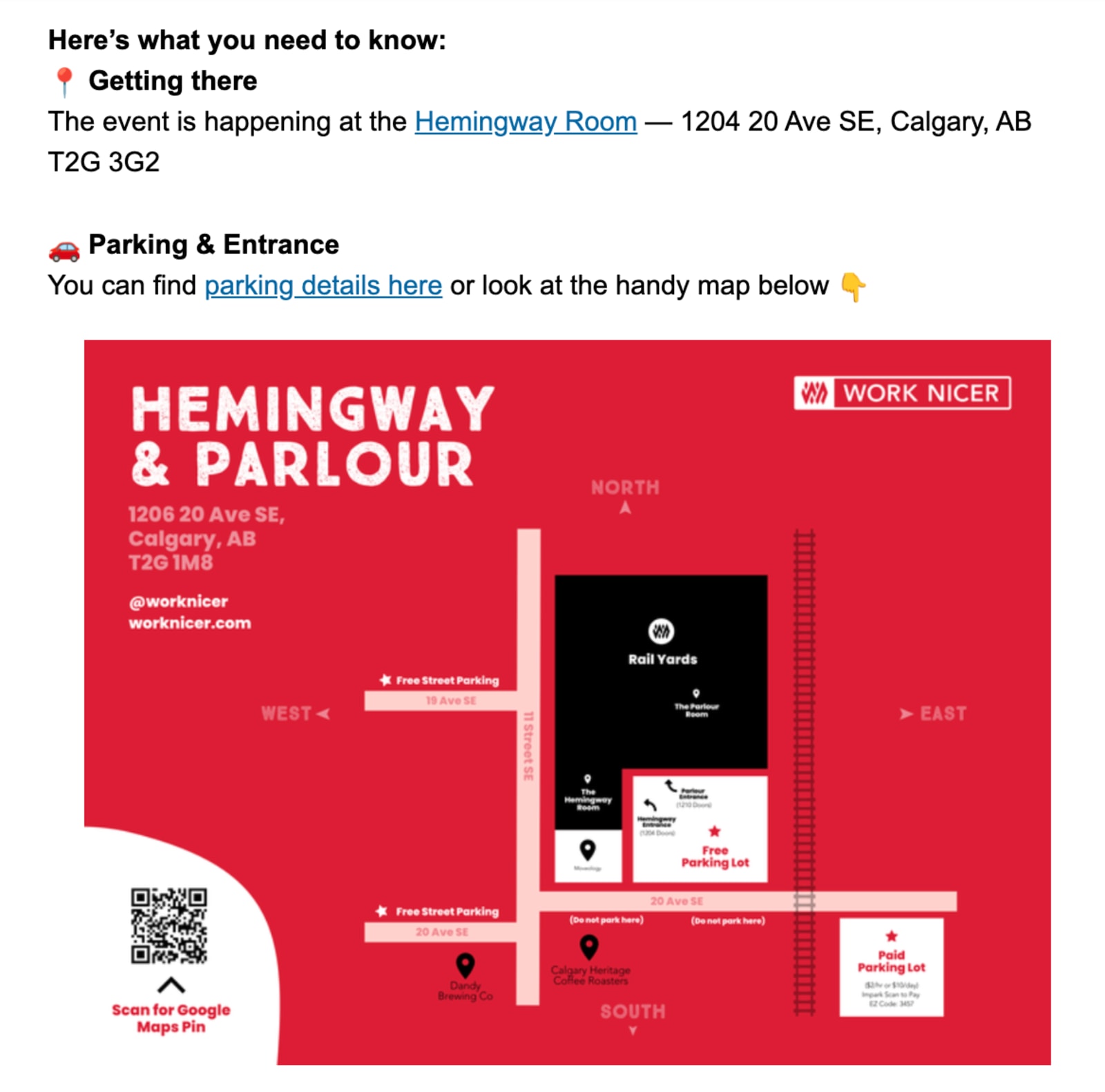
And if you really want to get fancy with it, include photos or a map in your event reminder email—one clear visual is worth 30 panicked “Where’s registration?” questions.
Encourage pre-event online registration to reduce on-site traffic
Get as many attendees as possible to sign up before the big day—it keeps your lobby calm and your team focused on actual humans and their event experience.
Here are a few ways to do it:
- Incentivize early sign-ups with perks, such as a discount, free drink ticket, priority check-in lane, or reserved seating.
- Use automated reminders to nudge people who started but didn’t finish registering.
- Keep the event registration form short: name, email, ticket type. Everything else can wait.
Use event registration software to collect extra details later through a quick post-reg survey that automatically updates each attendee’s existing info. Ask about things like dietary preferences, t-shirt sizes, or even favorite brands to help you personalize gifts or experiences without clogging up the initial form.
Automate check-in notifications and send real-time updates
Automations will come in clutch for event day. Set up what you can ahead of time, then plan a few real-time updates for the day of—they’ll take a little extra effort upfront but pay off big time.
What should you send and when?
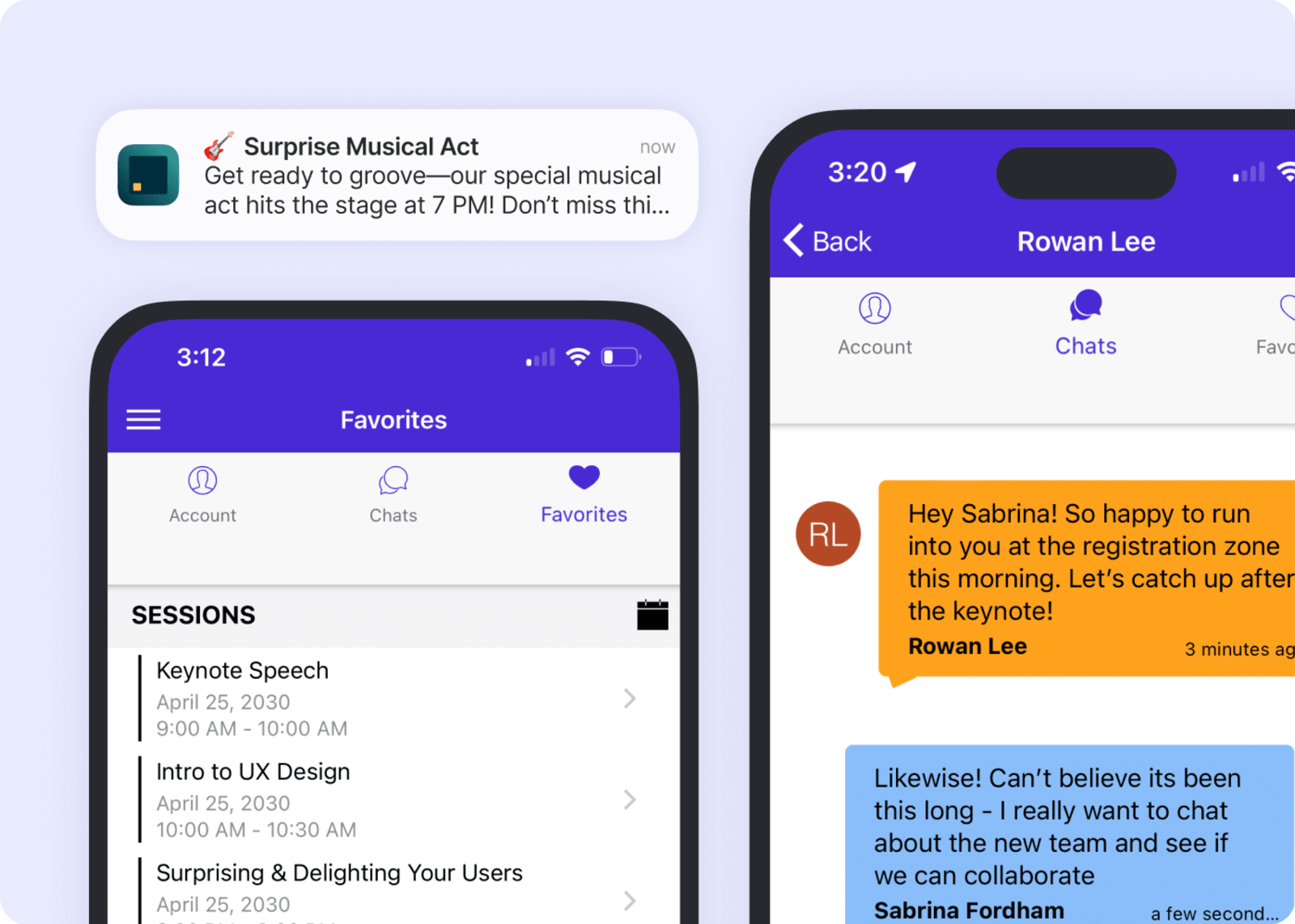
- Confirm their registration right after sign-up → You’re in!
- Day before → Here’s your QR code + best arrival window.
- Morning-of → Doors open at 8:30. VIP check-in is to the left.
- Real-time updates → Parking lot A is full—use B.
Choose your check-in style early
Decide early how you plan to set up registration for your event—staffed, self-serve, or hybrid. That choice sets the flow for everything else: people, signage, and tech.
- Staffed check-in—great for high-touch or first-time audiences, as well as complex credentialing. 🕵️🎫
- Self-serve kiosks—perfect for repeat attendees, tech-savvy crowds, and speed.
- Hybrid (our favorite!)—kiosks handle volume, humans handle smiles, support, and solutions.
Use technology and automation to make event check-in smooth
Good tech simply means fewer headaches. It keeps lines moving, data synced, and your team from quietly panicking behind the desk.
Automate, integrate, and keep data clean
The biggest time-waster on event day? Manual data entry. Spreadsheets. Exports. “Is this the latest version?” Slack messages. 🤮
Connecting your event registration system directly to your check-in devices keeps everything live, synced, and stress-free. If you use Swoogo, all of that happens automatically—your registration data, badge printing, and check-in updates stay perfectly aligned.
- No duplicate records.
- No missing attendees.
- No out-of-date info.
- No last-minute CSV drama.
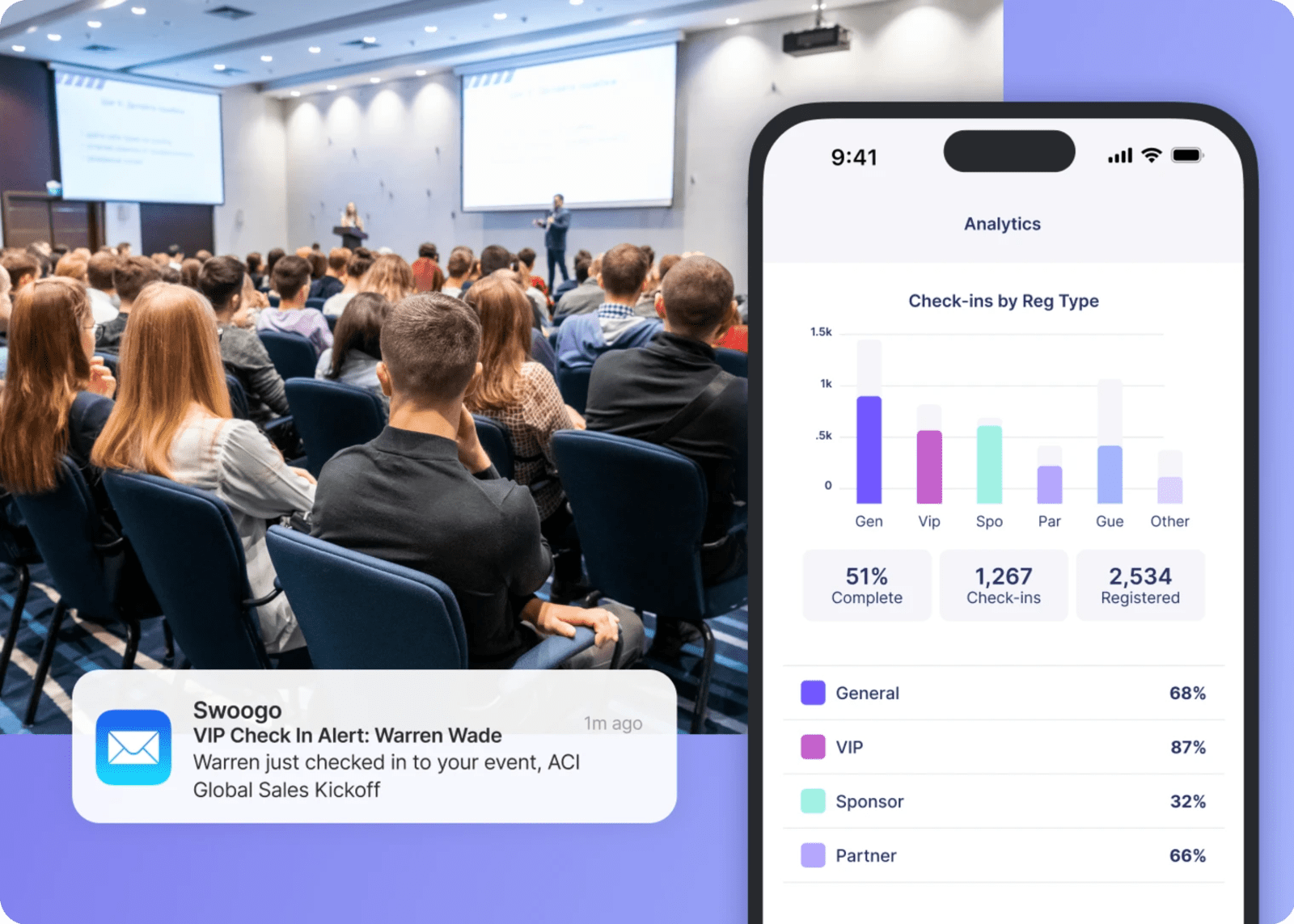
Real-time data means your check-in stats, attendee counts, and VIP arrivals are all accurate down to the second.
Speed things up with smart, self-serve tools
Technology should make check-in faster, not more complicated. The easiest wins:
QR codes. They’re fast, contactless, and everyone knows how to use them.
- Step 1 👉 Stick your attendees’ QR codes everywhere: in confirmation emails, calendar invites, event apps, and reminder messages. Your goal is to truly make it impossible for attendees to say, “I can’t find my code.”
- Step 2 👉 Set up a sign in your check-in line with instructions like “Get your QR code ready while you wait.” Even a few saved seconds per person add up fast.
- Step 3 👉 Always, ALWAYS have a backup lookup by name. Tech is great, but it’s not perfect. Scanners glitch, phones die, and Wi-Fi can ghost you quicker than a Tinder date.
On-demand badge printing. Skip the alphabetized tables (and the panic of missing badges). When you print on demand, attendees scan, confirm, and get a badge that’s accurate—even if they changed their title on the Uber ride over.
Keep printers behind check-in desks and kiosks (not on them!) to avoid pileup, and stock backups—one extra printer, two extra rolls, and a few label sheets.
Self-serve kiosks. Let people handle their own check-in—it’s faster for them and frees your team to focus on what matters: real hellos, not data entry. That’s how you turn a check-in chore into a warm welcome. 🤗
Take it mobile. An event check-in app lets your team scan QR codes, update info, and move the line from anywhere—doorways, hallways, and wherever else attendees tend to mysteriously gather.
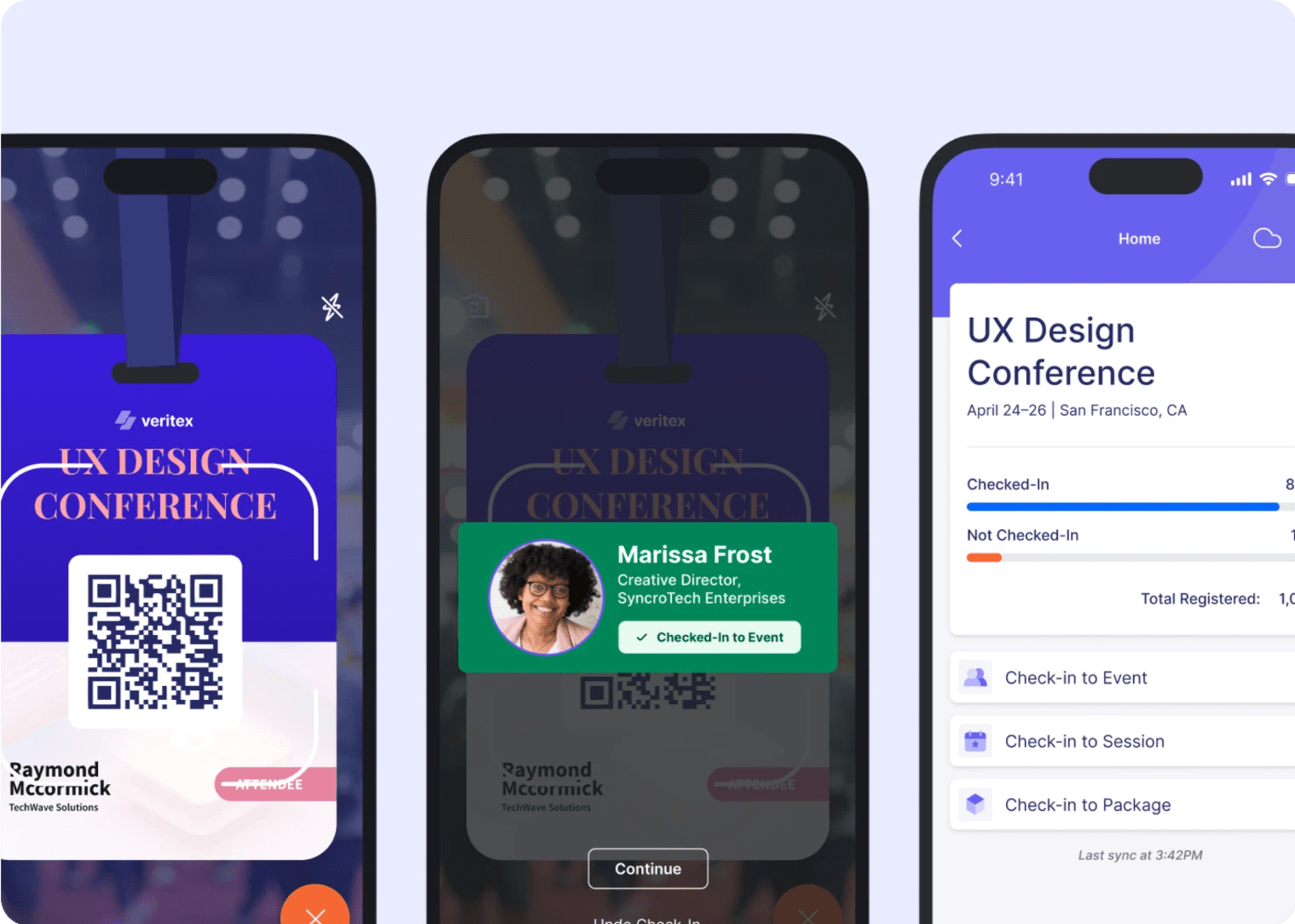
Create a user-friendly check-in interface
Whether it’s a tablet, kiosk, or laptop, your check-in screen should encapsulate a CoverGirl ad: easy, breezy, and beautiful. Keep your check-in UI as clean and friendly as possible.
- Big buttons. Short instructions. Clear “Next” cues.
- Minimal data entry—most info should be prefilled.
- Progress indicators (“Scan → Confirm → Print”).
- A clear “Need help?” option that alerts staff quietly.
Unless your event theme is “Chaos & Regret: A Live Experience,” have someone who’s never used your setup try it before the event. If they hesitate, that’s your cue to fix.
Pro event check-in tip: Set up a help desk station near, but not directly in, the main flow. Staff it with your sharpest troubleshooters and give them full access to fix issues without blocking the line.
Think through your flow design and physical setup
Even the best tech out there can’t fix a bad floor plan. Design for flow, not vibes. And then add the vibes.
Ensure smooth entry with a clear registration flow
Think clear lines, intuitive signage, and zero mystery.
- Use signs and floor decals: “Check-In This Way →” followed by “Scan Here,” “Help Desk,” and “VIP Fast Track.”
- Separate lines by ticket type or last name segments (A–L, M–Z) if that fits your audience size.
- Set up multiple check-in points and position them perpendicularly to the entrance so people can see their options right away.
- Add one friendly staffer (resting happy face preferred!) 10 feet before the line to help confused attendees before they clog things up.
Plan for last-minute changes and flexibility
- Backup gear: Extra scanners, printers, power strips, signs, and tape (the unsung hero!)
- Offline plan: Know how to check in manually if the Wi-Fi decides to peace out.
- Overflow plan: Space to extend lines plus a “holding lounge” if needed.
Design for hospitality—not just efficiency
Now it’s time to add those vibes we mentioned earlier. Efficiency gets people in. Hospitality keeps them happy.
- Ambience: Upbeat (not blaring) music. Natural light or warm lamps.
- Welcome touches: Water, coffee, or a small treat takes the edge off having to wait.
- Photo moment: A branded or playful backdrop gives early arrivals something to do—and makes sponsors happy!
And once attendees are checked in, don’t just leave them hanging. Post-check-in signage and friendly staff help reinforce that transition from logistics to experience—so instead of feeling as processed as a Kraft Single, they feel welcomed.
Consider staff and human factors
You can have flawless tech—but if your staff is frazzled, it shows. Here’s how to help your team do their best on event check-in day. 👇
Train your team before doors open
- Run a mock check-in the day before. Let everyone try the scanners and badge printers.
- Teach fast triage: Is this a standard check-in or a Help Desk issue?
- Give staff a cheat sheet: List common questions and quick answers that saved the day at past events.
Make your staff visible and available
- Branded T-shirts or lanyards = instant authority 😎
- Have someone roaming the line answering questions before people reach the kiosk
- Set up an easy visual cue—like a small flag or raised hand—so people know which kiosk is open and who’s ready to help.
Prep contingency staff
People get sick. Flights get cancelled. That’s why you staff for chaos, not calm—even when calm’s the goal.
- Cross-train staff so anyone can step into any role if needed.
- Keep a short bench of cross-trained floaters. 🛟
- Empower one ops lead to make snap calls when things get weird.
Segment and prioritize attendees
Some attendees just need a badge and a coffee. Others need a personal welcome and a fast lane. Plan for both, and your check-in suddenly feels less like crowd control and more like hospitality.
Set up fast-track lanes or special queues
Friends don’t let friends stand in one giant, soul-crushing queue.
- A few short lines will always beat one long, snaking line of sighing, fidgeting attendees. It’s faster, it looks better, and it makes everyone feel like things are actually under control.
- Use colored badges or lanyards for quick, visual verification of who goes where.
- Keep your signs friendly: “Fast Track (Pre-Registered)” sounds way better than “NO WALK-INS.” 😬
- Segment attendees in whatever way makes the most sense for your crowd—by ticket type, last name, session start time, or VIP status—to spread the load evenly.
And speaking of VIP status…
Handle VIPs like VIPs
If they’re sponsors, speakers, or key prospects, they’re not just attendees—they’re very important people! So they’ll need a bit more time, effort, and attention.
- Give them their own line or check-in point.
- Send an alert when they arrive so your sales or leadership team can say hi and start building the connections that move your event objectives forward.
- Have a staffer who knows their names (and faces). Yes—much like our friend Andy did for Miranda Priestly at that charity gala.

Data collection and on-site updates
Check-in isn’t just about getting people through the door—it’s a perfect moment to capture (or correct) the details that make the rest of your event run smoother. The trick is knowing what to ask, when to ask it, and when you’re overdoing it.
Capture what matters right now—nothing more
One of our go-to event check-in tips? Don’t overcomplicate it. Keep check-in questions short, relevant, and timely. Confirm the essentials (name, company, role) and move on.
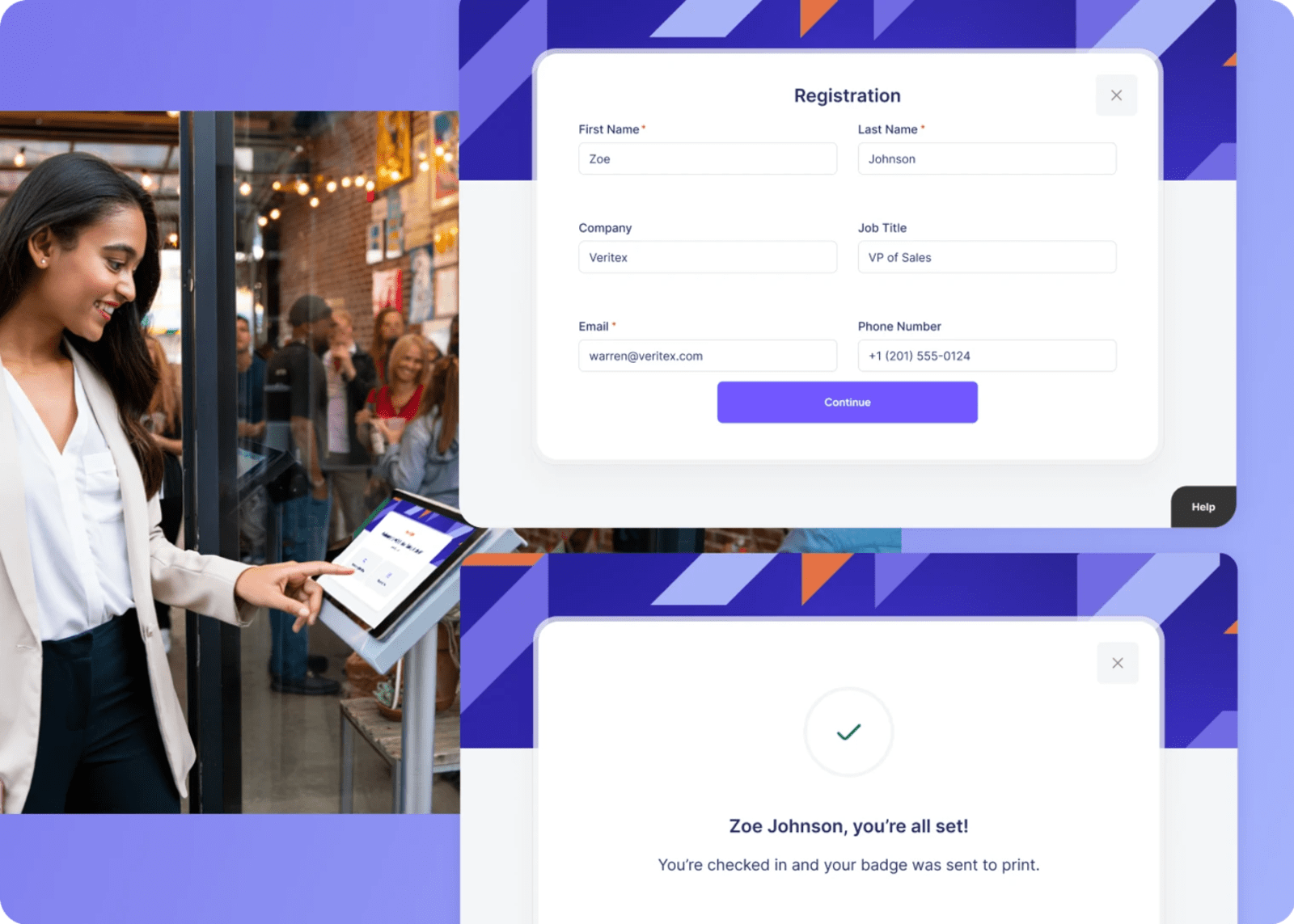
If you need more info, save it for later! Ask for things like media consent or dietary details on-site only if they impact the event that day—otherwise, send a quick follow-up question once people are settled in.
Later that day, send a little personal check-in, even if you don’t technically need more info. A simple “Glad you made it! Anything we can do better tomorrow?” or a fun “What’s your favorite color?” helps you tailor day-two touches or VIP gifts.
Update attendee info in real-time
Information changes fast. Someone switches companies, gets promoted, or realizes their badge says “Micheal.” 🙃
Real-time editing keeps your data clean and makes your guests feel seen and accommodated.
Allow walk-in registration for free events
For free or open events, let people register on the spot! Just don’t make your pre-registered guests wait behind them—unless your favorite pastime is watching patience evaporate in real time.
Bring it all together with Swoogo
At the end of the day, attendees don’t remember the fancy signs or the fifteen-step lighting sequence—they remember how it felt to walk in. Easy. Smooth. Welcoming. Organized.
And that same ease you want for your guests? That’s exactly what we want for you.
Swoogo takes the stress and uncertainty out of event check-in, so your team can focus on people instead of problems.
With Swoogo, you can:
- Set up self-service check-in with quick, contactless scanning—so lines move fast and your team can actually say hello.
- Get instant alerts when VIPs, speakers, or sponsors arrive so no one slips by unnoticed.
- Add check-in questions for real-time details (like media consent or dietary confirmations) without slowing things down.
- Allow walk-in registration for free events without blocking your main flow.
- Automate emails post-reg to collect personalization gold once the rush is over.
- Run a real Help Desk with live access to modify registration info and reprint badges on the spot.
Ready to finally create a check-in that says “welcome,” not “wait”? You’ve done the hard part—now just open the doors and watch it work. 👀