

If you’ve ever built an event registration form that somehow turned into a 37-question monster… welcome. You’re among friends. 🤗
Chances are, something about registration has started driving you a little crazy. Maybe your attendees keep dropping off halfway through, and you’re not sure why (hint: it might be the form). Maybe you’ve been tasked with finding new event registration software. Or maybe your current tool technically works, but every time you open it, you feel a small sense of dread.
Whatever brought you here, this guide is here to help.
We’re breaking down the best event registration platforms on the market—what they do well, where they struggle, and which kinds of event teams tend to get the most value from each one.
👀 Quick disclaimer: Swoogo is event registration software! Which is exactly why we feel equipped to write this guide—our team spends every day thinking about what makes a registration platform actually work for event teams. This is our honest take on where we shine, where other platforms shine, and which types of event programs each tool fits best.
Buying guide: How we rate the tools
To compare each platform, we looked at the questions that actually come up when teams are trying to launch an event. 👇
- Ease of use: Could a marketer build and launch an event without needing a developer or submitting three support tickets? How fast can you get a registration page live for a small or mid-sized event?
- Customization & branding: How much control do you have over your event pages, emails, and registration flow? Can you tailor the experience for different attendees without rebuilding everything from scratch?
- Feature depth: Real events are messy. Attendees need different ticket types, approval workflows, group registrations, session selections, and pricing tiers. Does the tool handle that complexity gracefully, or does it start falling apart?
- Integrations: Does your registration data actually connect to the rest of your stack? Think CRM and marketing automation (Salesforce, HubSpot), payment tools, APIs, and Zapier.
- Scalability: Can the platform handle your full event program, from smaller field events to larger conferences? Does it work across in-person, virtual, and hybrid events?
- Support: When registration breaks (yikes) the night before launch (double yikes), can you speak to a real human who can help?
- Pricing transparency: Can you predict costs before finance starts asking uncomfortable questions? Or do fees start stacking up with every reg?
✨Bonus ✨ Does it help you create event magic? Meaning: does it handle the behind-the-scenes work so you can focus on the moments attendees actually remember?
How to choose the best event registration platform for your team
Before you jump into the comparisons, there’s just one more thing you have to do: get crystal clear on what your team and events truly need. 🔮
- Clarify your event types and formats: Are these public ticketed events? Invite-only customer conferences? Internal summits? Remember: different event types need very different reg capabilities.
- Define your registration complexity: Is your registration process just a name and email? Or do you need things like conditional logic, approvals, group registration, or multiple attendee roles? If different groups need different paths, you’ll want a platform that can handle that without turning your form into chaos and misery.
- Map the attendee journey: Registration is just the starting line. Think confirmations, reminders, session selection, post-reg updates, and even check-in on event morning. The best tools make that whole journey feel smooth and not like 10 separate systems duct-taped together.
- List your must-have integrations: Where does your attendee data need to go after someone registers? CRM, marketing automation, payments, reporting—whatever your stack looks like, your registration platform should plug into it without manual exports.
- Consider your team’s reality: Some platforms assume you’ve got developers and platform admins standing by. Others are built so marketers and event teams can run things themselves. Be honest about how your team actually works; you’ll thank yourself when it’s go time.
Event registration tools: Comparisons
Most event platforms can technically “do registration.” But the difference between them shows up fast—when you’re building forms, managing attendees, or trying to launch registration before lunch.
Here’s a quick breakdown before we get into the details of each tool:
| Platform | G2 rating | Best for | Time to implement | Easy to use | Strong customer support | All-in-one tool | Pricing |
| Swoogo | 4.9/5 | Scaling event teams who need flexibility | 1 month | ✅ | ✅ | ✅ | Flat, predictable |
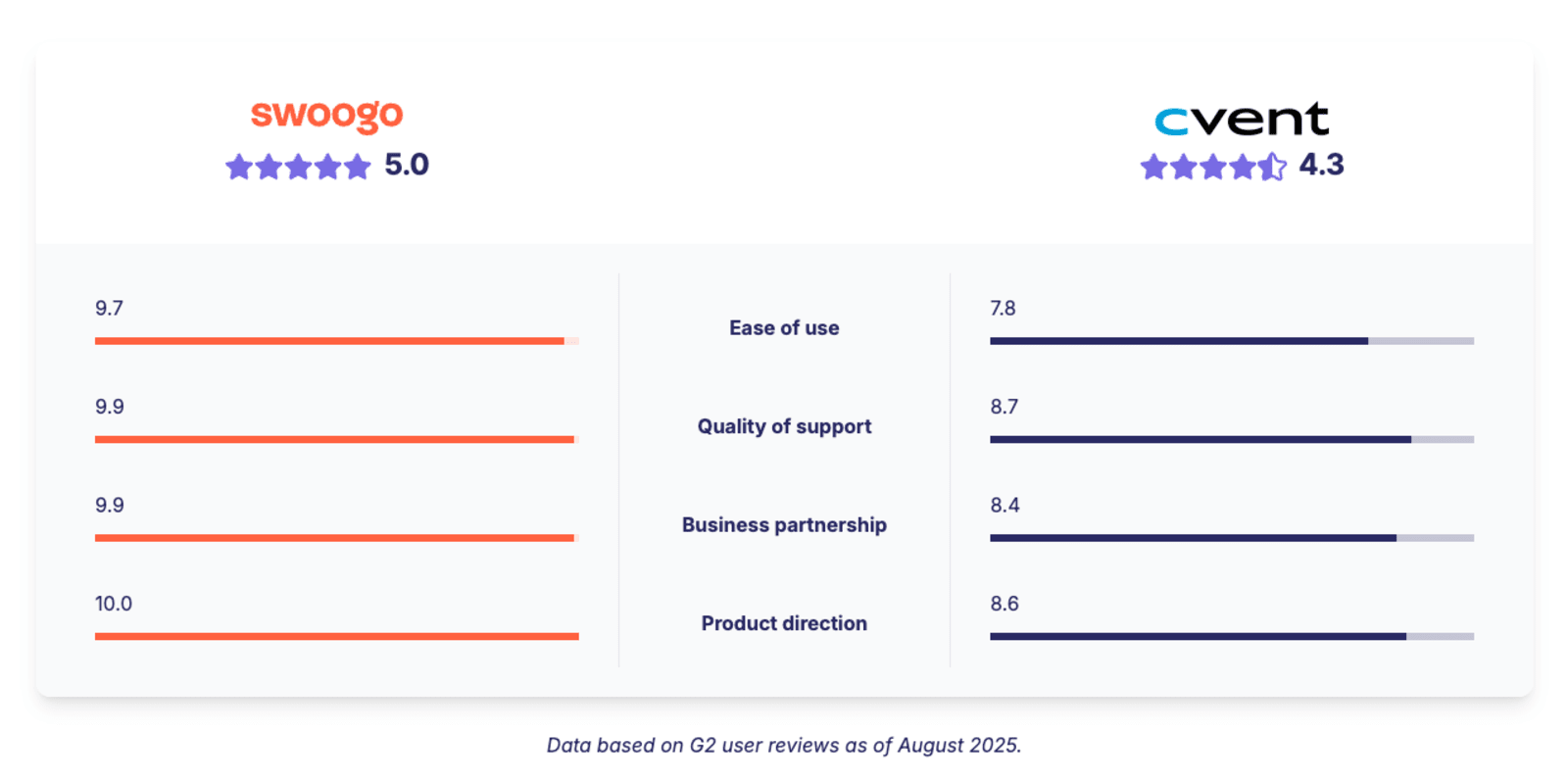
| Cvent | 4.3/5 | Legacy enterprise orgs | 3 months | ❌ | ✅ | ✅ | Custom quote only |
| Bizzabo | 4.3/5 | Digital-first brand experiences | Not listed | ✅ | ✅ | ✅ | Flat, predictable |
| RainFocus | 4.6/5 | Flagship enterprise events | 3 months | ❌ | ✅ | ✅ | Custom quote only |
| Stova | 4.2/5 | Traditional in-person conferences | 2 months | ✅ | ✅ | ✅ | Flat fee for small events / Per reg + fee for larger |
| Eventbrite | 4.4/5 | Public ticketed events | <1 month | ✅ | ❌ | ❌ | Per ticket fees |
| Whova | 4.8/5 | Event networking apps | 2 months | ✅ | ✅ | ✅ | Custom quote only |
1. Swoogo: Best for flexible, scaling event programs
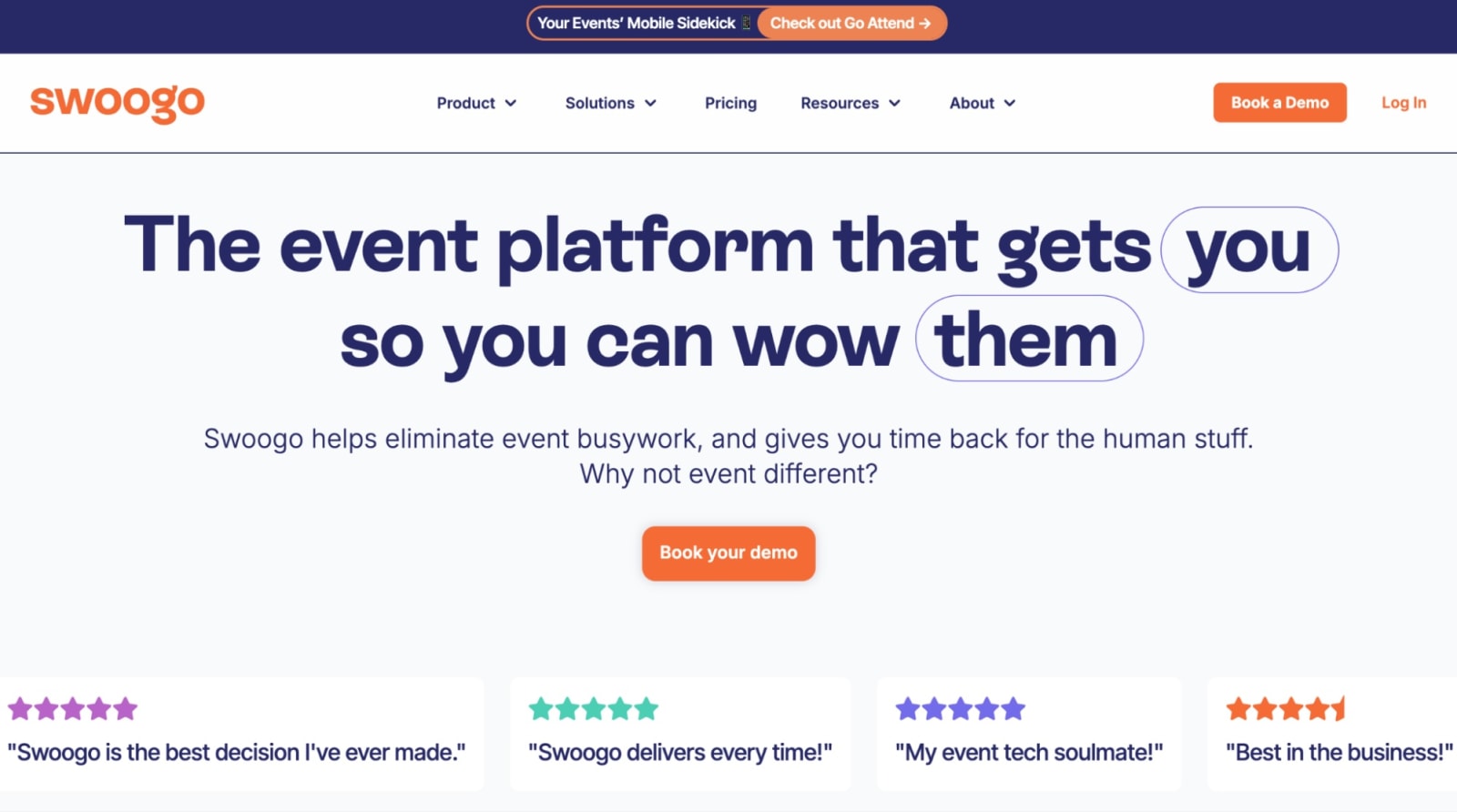
Swoogo is an event registration platform built to help teams run everything from small field events to multi-track hybrid conferences, all without unnecessary busywork or awkward workarounds.
If your events involve multiple attendee types, approval workflows, session selection, or different registration experiences for different audiences, this is where Swoogo shines. It handles complex registration without locking you into rigid templates.
You can build dynamic registration flows using conditional logic and role-based paths, so attendees automatically see the right questions, pricing, sessions, and communications—no developer or professional services needed.
Another big advantage is Swoogo’s event registration pricing. Instead of charging per registrant, pricing is flat and predictable. So if an event takes off, you’re celebrating the turnout, not bracing for the invoice. 😬
Features users love:
- Full control over the registration experience: Tailor reg paths, agendas, and communication flows for different audiences with unlimited conditional logic.
- Easy setup: Launch branded registration pages quickly with out-of-the-box event themes, drag-and-drop widgets, quick event duplication, and full HTML, CSS, and Javascript control.
- Unlimited events and registrants on flat pricing: User-based pricing means you can scale attendee volume without worrying about per-reg fees.
- Reliable onsite tools: Fast check-in apps, on-demand badge printing, and self-service kiosks keep even complex, multi-tiered events running smoothly onsite.
- Strong support: Onboarding, an account manager, and an in-house support team for all customers.
| Pros ✅ | Cons ❌ |
|---|---|
| • Flat, user-based pricing with no per-registrant fees • Powerful registration customization and personalization logic • Easy to clone and scale events • Clean, connected event data across your entire program | • No native room block management |
What can Swoogo do?
If you’re running multiple events a year, juggling different tools gets old fast. You need one platform that handles registration, marketing, onsite, and reporting in one place. That’s where Swoogo shines!
Flexible registration paths for different audiences
Not every attendee should go through the same registration flow. Speakers, sponsors, VIPs, partners, and general attendees all have different needs, and Swoogo makes it easy to create personalized paths for each group.
Using conditional logic, you can show different questions, sessions, or pricing based on what someone selects during registration.
You can manage invite lists, handle waitlists, route attendees to the right experience, and tailor messaging for different audiences. Then automate invitations, confirmations, reminders, and calendar holds so once registration opens, the rest runs itself.
And once you’ve built a flow that works, you can templatize it for future events so your team can launch faster instead of rebuilding everything from scratch.
Onsite tools that keep the lines moving
Registration doesn’t end once someone clicks “Submit.”
Swoogo includes onsite tools like:
- Mobile check-in apps
- Self-service kiosks
- On-demand badge printing
So when hundreds of attendees arrive at once, event check-in takes seconds instead of turning into a long line. QR-based check-in lets people scan and go, while on-demand badge printing makes it easy to handle last-minute registrations, upgrades, or spelling fixes without logistical chaos.
Clear data from registration to results
Registration data shouldn’t just live in a spreadsheet. It should help marketing prove impact, sales follow up faster, and your team plan smarter events.
That’s exactly what Swoogo does: it connects registration, engagement, and attendance data into one clear view of your event program.
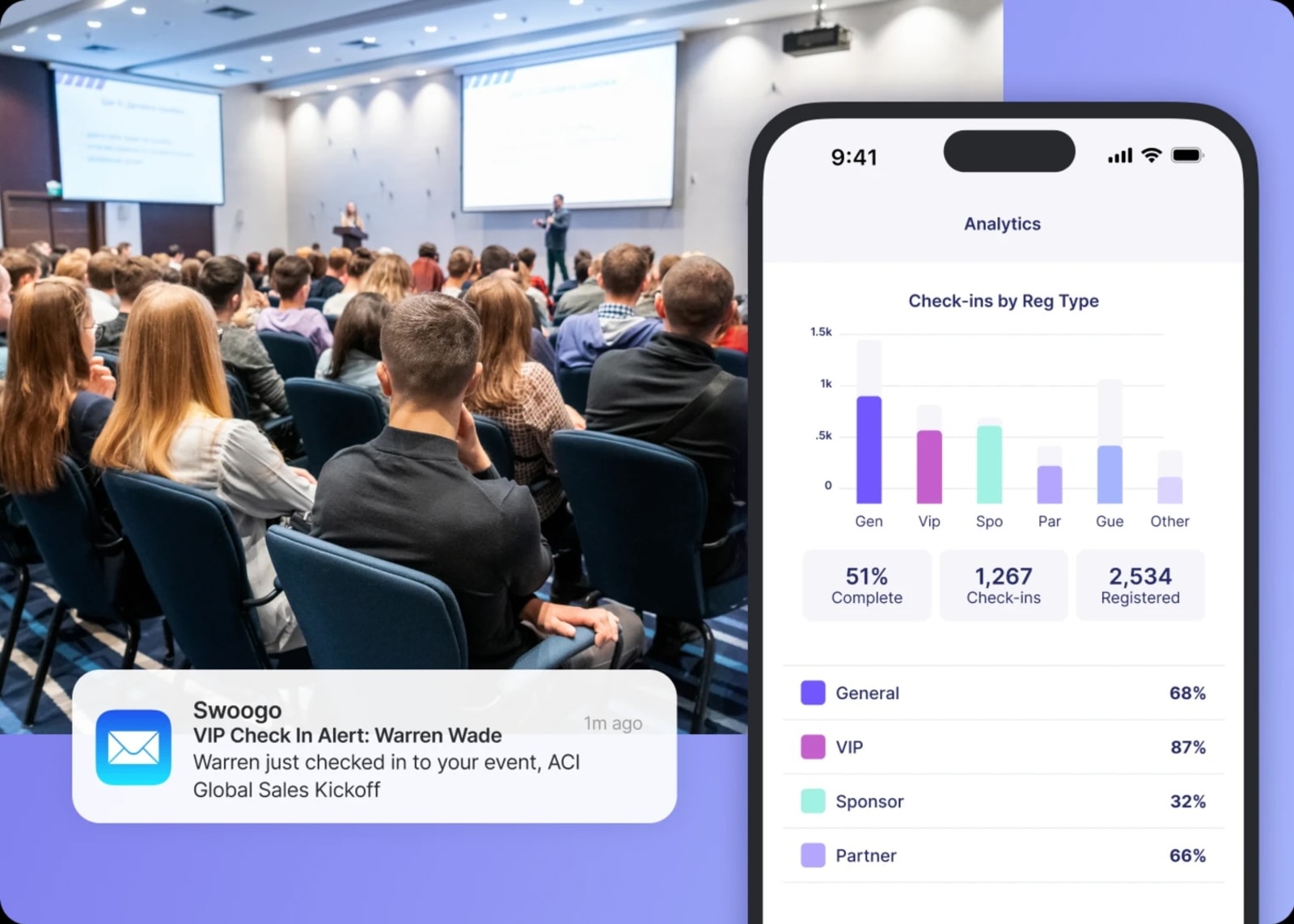
- Real-time data: When someone checks in, your CRM updates instantly, so your team knows exactly who showed up and when.
- Full attendee journey visibility: See how people move from first click to registration to onsite engagement.
- Operational insights onsite: Track check-in flow, see when VIPs arrive, and catch bottlenecks before they become problems.
- Cross-event reporting: Compare events over time, spot patterns in attendance and engagement, and improve future experiences.
What users say about Swoogo
“I really like Swoogo's ability to use conditional logic and visibility settings during registration. Being able to control exactly what different audiences see and when they see it has made it so much easier to build a clean, intentional registration flow. Additionally, their customer service has been stellar. Anytime that I've needed help, I can put in a ticket, and I'm contacted quickly. They follow through until my question is resolved, and are even willing to jump on a call with me to walk through more complex situations. This level of customer service is much better than what I'm used to, and I truly feel like they're a partner in making sure our events are great and that we have a good experience using their product.”
- Sarah J., Vice President of Events
“Before using Swoogo, I used and demoed dozens of other LMS and Event Platforms, including EventMobi, Bizzabo, Memberclicks LMS, Brushfire, and more. Even after switching to Swoogo I've continued to demo other systems, and I haven't seen one that comes anywhere close to what Swoogo offers.”
- Gabe Seavello, Director of Production, Audio Visual Productions
Pricing
Swoogo offers two plans:
- Professional: Flat fee of $11,800 per year for unlimited events and unlimited registrations.
- Enterprise: Everything in Professional, plus advanced enterprise tools, with custom pricing.
There are also optional add-ons—such as additional custom domains, Go Onsite Pro, and a mobile event app—so you can tailor the platform to fit your needs.
Use Swoogo if:
- You run multiple events a year and want a platform that scales with your program.
- Your events require flexible registration paths and role-based attendee experiences.
- Clean event data and CRM integrations (Salesforce, HubSpot, Marketo) are important to your team.
- You want predictable pricing without per-reg fees eating into your budget.
- You need powerful event tech that your team can actually use without relying on developers or professional services.
2. Eventbrite: Best for public, ticketed events
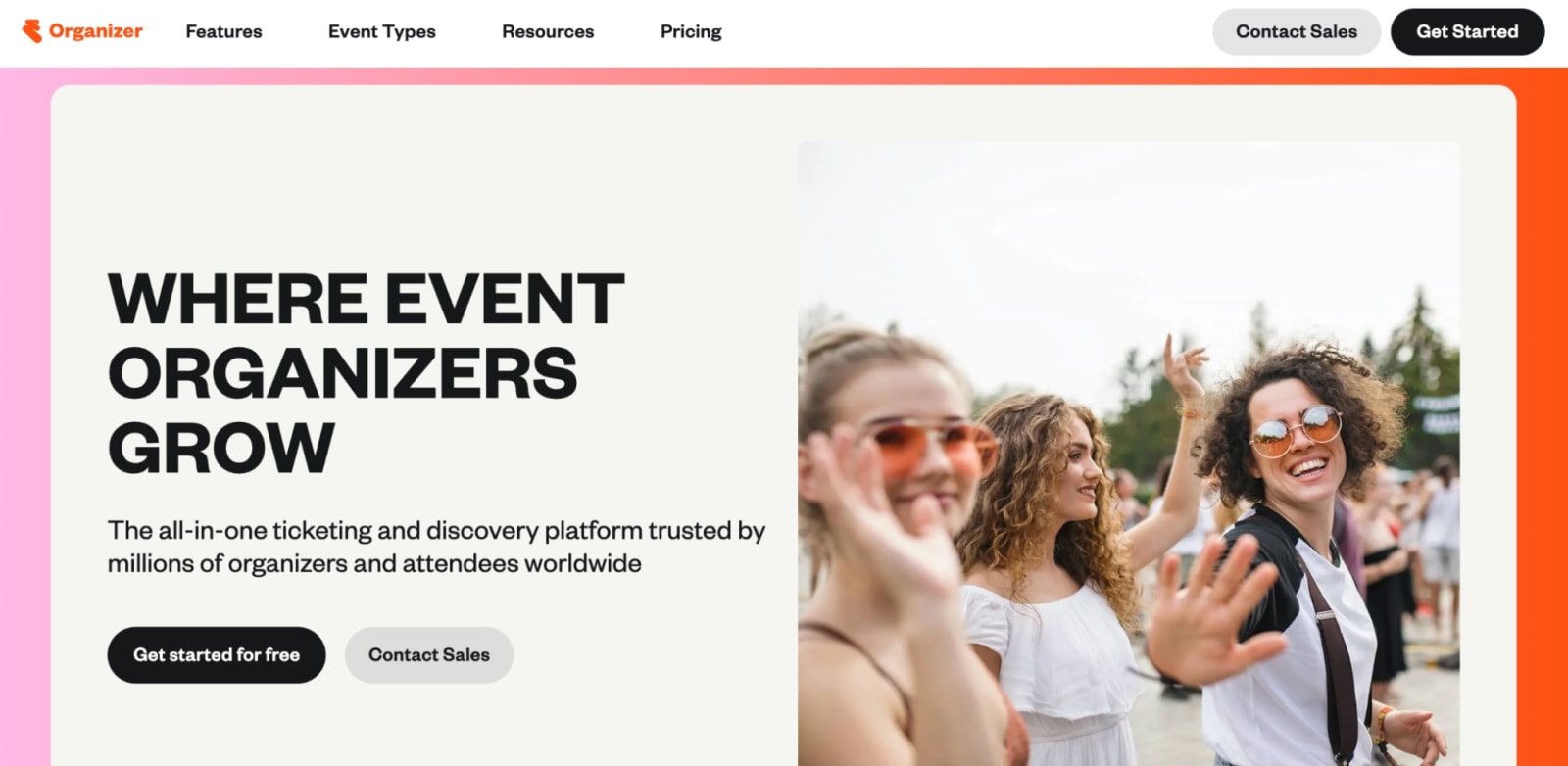
Eventbrite is probably the most recognizable event registration platform on this list. If you’ve ever signed up for a local workshop, concert, or networking event, there’s a good chance it was on Eventbrite.
The platform is built for public, ticketed events. You can create an event, publish a registration page, and start selling tickets within minutes. It also includes a built-in event marketplace, helping people discover your event while browsing the platform.
Where Eventbrite starts to feel limiting is when events get more complex. Compared to other event registration tools, it offers fewer options for conditional registration paths, approvals, and CRM integrations.
Pricing works differently than most platforms. Instead of a subscription, Eventbrite charges per ticket sold—which can add up quickly for larger events.
Features users love
- Fast event setup: You can create an event, publish the registration page, and start selling tickets in minutes.
- Built-in discovery marketplace: Reach people already browsing Eventbrite, and boost visibility with sponsored placements across search and the app.
- No upfront subscription costs: Pay only when tickets are sold, making it easy to get started.
- Ticketing and payments: Offer paid, free, or donation tickets with embedded checkout and quick payouts.
- Event email marketing tools: Promote events with customizable templates, audience segmentation, and reporting tied to ticket sales.
| Pros ✅ | Cons ❌ |
|---|---|
| • Strong ticketing and promotion features • No upfront subscription cost • Built-in event discovery marketplace • Quick and easy to launch events | • Per-ticket fees add up quickly • Not built for complex events • Limited customization for registration workflows • Fewer CRM and marketing integrations |
What users say about Eventbrite
“What I like best about Eventbrite is how simple and efficient it makes event creation and management. The platform is very user-friendly, even for first-time users, and it allows me to manage registrations, ticketing, and attendee communication all in one place. The analytics and attendee insights are especially helpful for understanding engagement and improving future events. Overall, it saves a lot of time and makes event execution smooth and organized. Sometimes the platform feels a bit slow when handling larger attendee lists, and the service fees can be slightly high for smaller events. Apart from that, the overall experience is good.”
- Muzammil G., Graphic Designer
“It's a platform that is very user-friendly and reliable, which people already know and trust. It is easy to use and to integrate with other apps, like with WordPress. This one, for instance, allows you to publish your events, manage the ticket sales and promote them from your company's website. I have noticed an increasing number of people reporting false events listed there lately, so the audience needs to be more cautious, especially with paid events. This might affect how people trust this platform in the future. I never needed customer support, but heard from colleagues that this is something they could improve.”
- Verified User in Higher Education
Pricing
Unlike the other event registration platforms on this list, you can publish events on Eventbrite for free! There are no fees for free events. For paid events, Eventbrite charges a 3.7% + $1.79 service fee per ticket, plus a 2.9% payment processing fee per order.
Eventbrite also offers a paid add-on called Eventbrite Pro, which expands the platform’s marketing capabilities and allows you to send up to 10,000 promotional event emails per day.
Use Eventbrite if:
- You run public, ticketed events like workshops, concerts, or community gatherings.
- You want to launch event registration quickly with minimal setup.
- Reaching new attendees through a built-in event marketplace is important to you.
- Your registration needs are fairly simple and don’t require complex workflows.
- Paying per ticket makes more sense than committing to a subscription.
3. Cvent: Best for enterprise teams that need a deep feature set
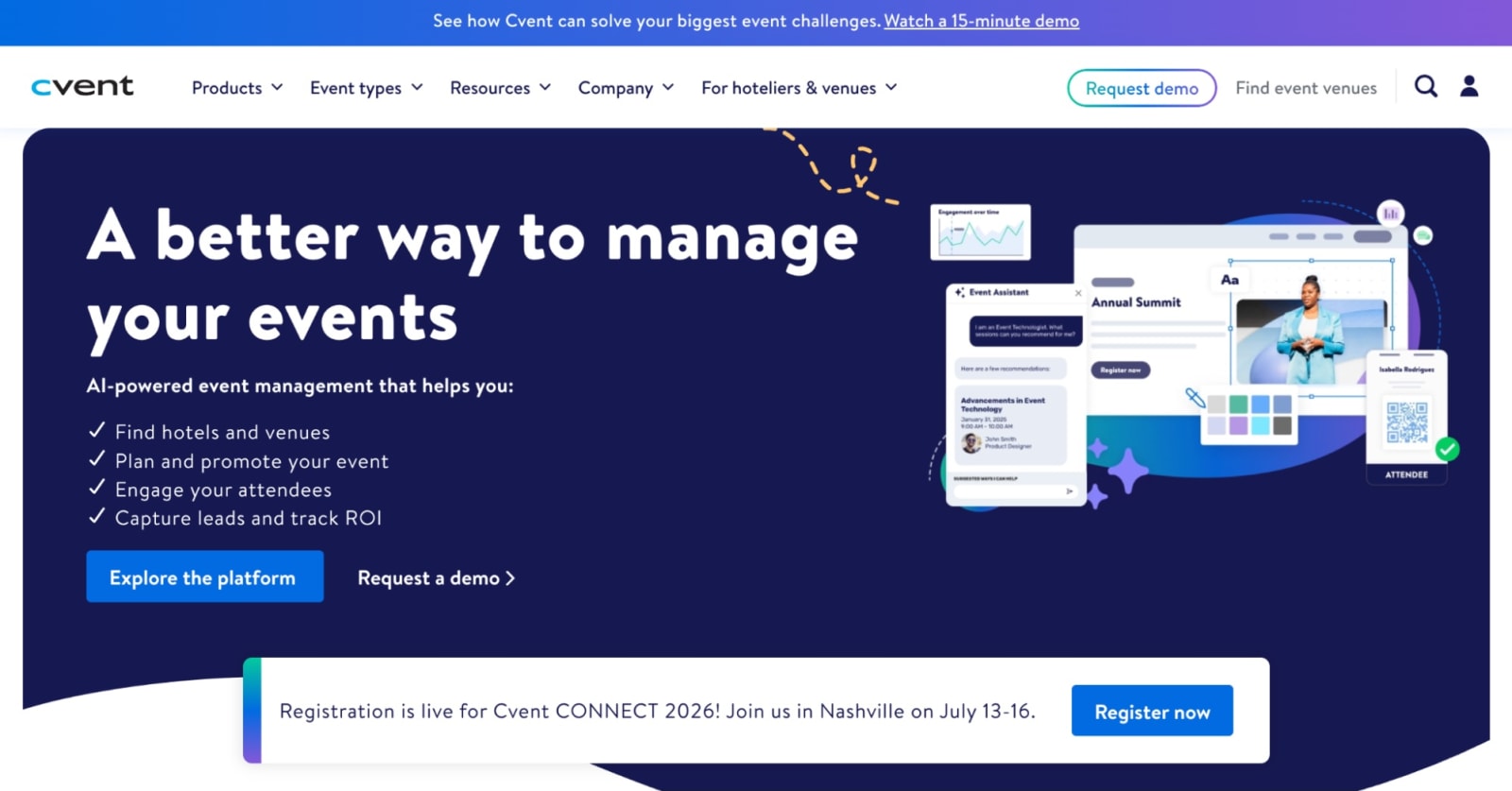
Cvent is one of the longest-running event platforms out there. It’s built for large organizations running complex events—think big conferences, global programs, and lots of stakeholders. Its event registration software can handle multiple attendee types, layered approvals, and pretty detailed reporting.
But here’s the tradeoff: that power comes with complexity. Many teams find that setting up online event registration in Cvent takes time. Simple changes sometimes require digging through settings, training, or leaning on professional services.
If your events are massive and structured, that investment might make sense. If you’re trying to move quickly, it can feel a bit heavy. For example, if you’re comparing Cvent to Swoogo, implementation timelines tell the story: about three months for Cvent versus one month for Swoogo.
Features users love
- Registration builder: A powerful registration system that supports multiple attendee types, approvals, and complex event workflows.
- Global scalability: Built to support large, complex international events across multiple teams, regions, and stakeholders.
- CventIQ: AI-powered tools for content creation, attendee recommendations, and automated event insights.
- Supplier network: Access to a venue marketplace with 340,000+ hotels and destinations around the world.
- Advanced reporting and analytics: Detailed cross-event reporting to help enterprise teams track event performance at scale.
| Pros ✅ | Cons ❌ |
|---|---|
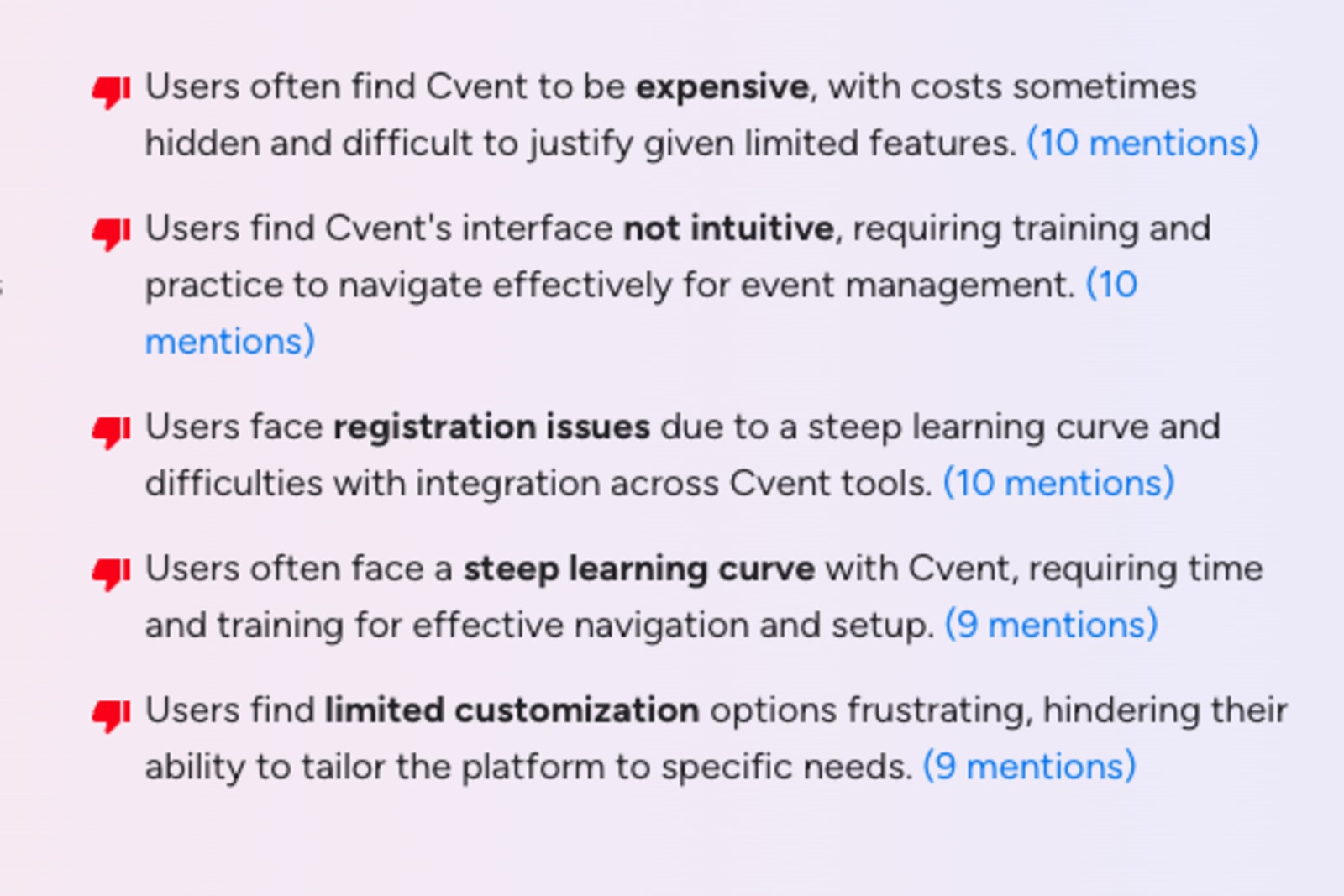
| • Detailed event registration workflows for large events • Very robust feature set • 24/7 support and global scalability | • Steep learning curve • Expensive and complex • Limited flexibility with integrations |
What users say about Cvent
“Cvent Event Management is an incredibly efficient platform that streamlines every aspect of event planning. Its comprehensive suite of tools meets all my business needs, from registration to reporting, saving time while improving accuracy. The intuitive interface and reliable customer support make managing events simple, professional, and highly effective every step of the way.
The downsides are the cost - it can be a pricey tool for smaller companies who may not have a large registration software budget, and the fact that the features change quite a bit meaning there can be a learning curve that's often changing when new things are implemented.”
- Allison B., Corporate Events Specialist
“I’d say the biggest downside is that it can feel a bit complex at first. There’s a learning curve, and some parts aren’t as intuitive as they could be. It can also get pricey depending on the features you need.”
- Karolina R., Director of Communications and Operations
Pricing
Cvent doesn’t publish standard pricing on its website. They offer custom-quoted Professional and Enterprise plans, and many features and services are priced as add-ons.
That makes it tough to know what you’ll actually pay upfront. A quick look at G2 reviews shows that pricing comes up often, with many users describing Cvent as “expensive.”
Use Cvent if:
- You run large, complex conferences with thousands of attendees.
- Having a long-established enterprise platform matters more than ease of setup.
- You have dedicated admins or a budget for professional services.
- You’re comfortable paying more in exchange for a very deep feature set.
4. Bizzabo: Best for polished event presentation
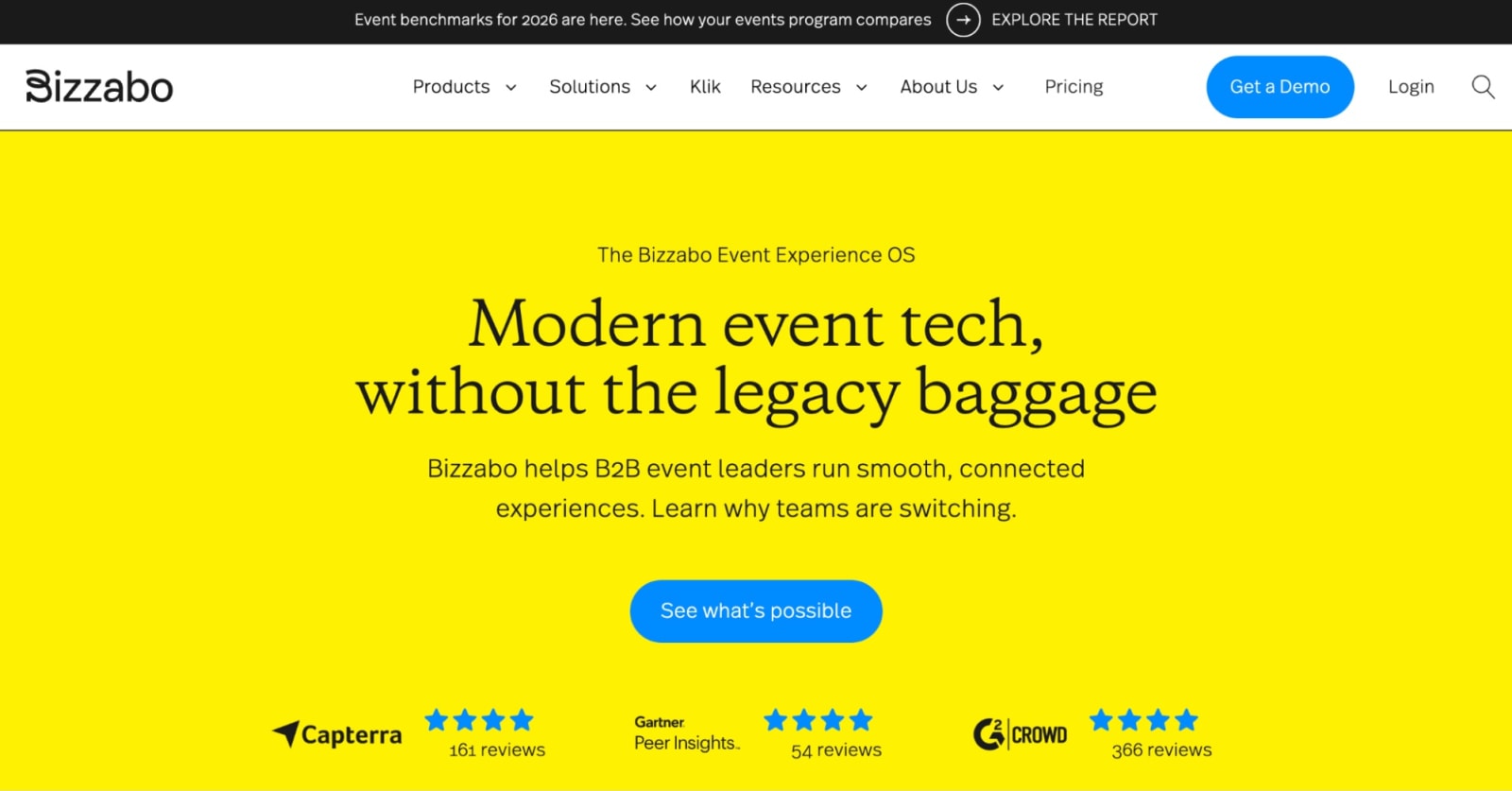
Bizzabo is known for making events look good. Its event registration platform combines registration pages, event websites, marketing tools, and a mobile app, all with a strong focus on design and attendee experience.
If your team cares a lot about branding and presentation (and many marketing teams do!), Bizzabo makes it easier to create a smooth online event registration experience that feels polished from the moment someone lands on the page.
If you’re comparing Bizzabo to tools like Swoogo, the biggest difference often comes down to flexibility. Some teams find that once registration workflows get complex—multiple attendee paths, approvals, or detailed conditional logic—the platform can feel a bit limiting compared to more customizable tools.
Features users love
- Beautiful event websites and registration pages: Easy-to-build pages that look polished and on-brand.
- Klik SmartBadge: Bluetooth-enabled badges that let attendees connect and exchange contact details with a tap.
- Room block management: Attendees can book their own hotel rooms while your team tracks availability and pickup in one place.
- Mobile app for engagement: Agendas, push notifications, messaging, and live interaction features keep attendees involved during your event.
- Event marketing tools and analytics: Built-in campaigns and dashboards to track performance.
| Pros ✅ | Cons ❌ |
|---|---|
| • Great attendee-facing design • Strong engagement and networking tools • Good for marketing-led events | • Less flexible for complex registration logic • May require Professional Services help |
What users say about Bizzabo
“I really appreciate how Bizzabo makes event planning simple and efficient with its dedicated templates in the system. It allows me to duplicate or recreate similar events along with the necessary communications, making the setup quicker. This efficiency gives me the ability to put on more events in a shorter timeframe. Another aspect I like is the chat support, which is usually quick to respond compared to other systems I've used. … Also, setting up Bizzabo was pretty straightforward with good training, making it easy for me and my team to use. I think perhaps Bizzabo's dynamic registration could evolve to stay up to date with other systems that are evolving.”
- Madison S.
“I think what could be improved is some features that I have to make a person through the chat edit specific things. It would be nice if I could have that feature to do so, so I don't have to rely on somebody to make those mass edits for me.”
- Samantha S.
Pricing
Bizzabo’s Event Experience OS plan starts at $17,999 per year.
Additional features—such as Klik SmartBadge—are priced separately and require a custom quote. There are also several premium add-ons available, including CRM integrations, networking tools, a speaker portal, API access, and advanced branding options.
Use Bizzabo if:
- Attendee experience and visual polish are top priorities for your events.
- Your registration workflows don’t require heavy customization.
- You run fewer, high-impact events rather than a large portfolio of events each year.
- Your events rely heavily on networking and engagement.
5. RainFocus: Best for enterprises that run a few flagship events yearly
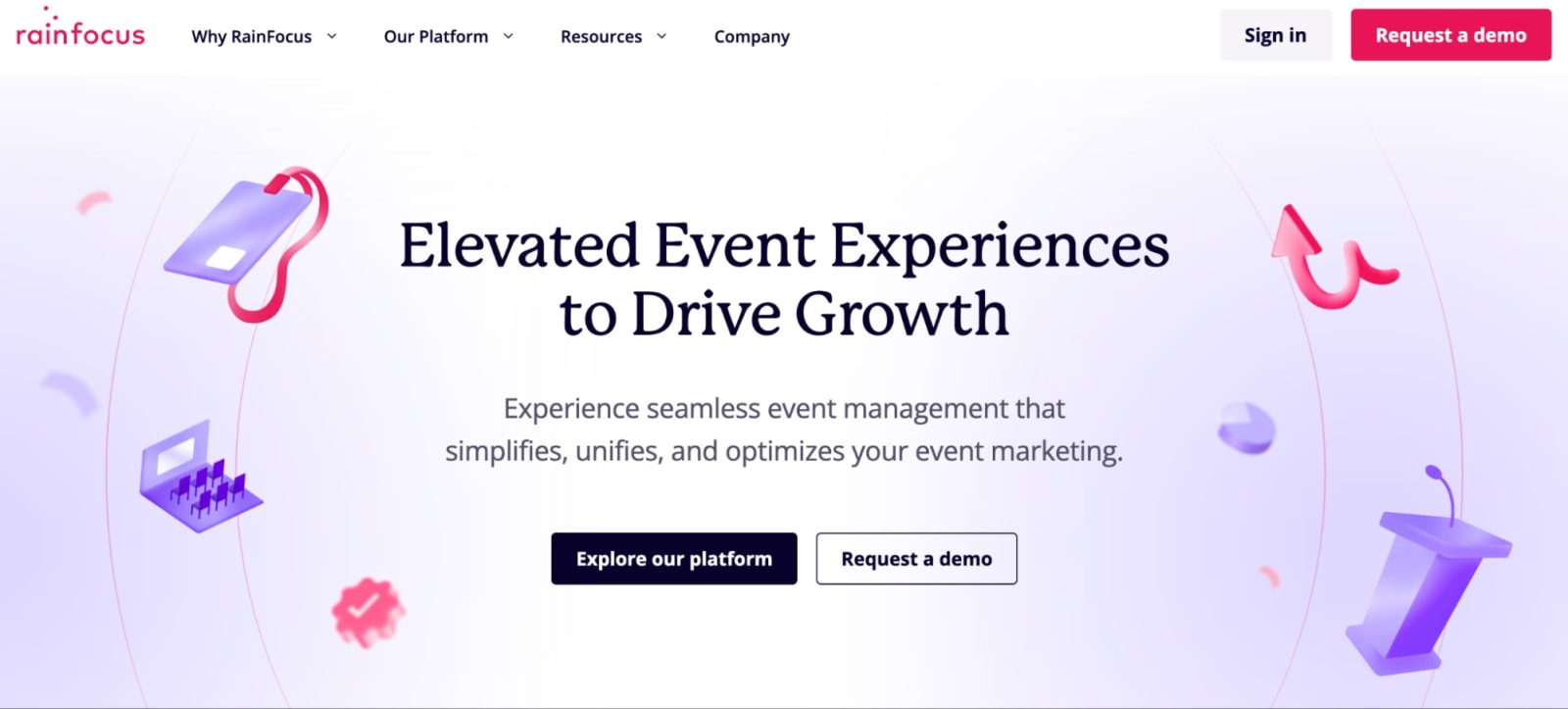
RainFocus is built for big events. Like…really big events. Think major user conferences, global partner events, or company events with thousands of attendees and lots of moving parts.
The platform gives teams a ton of control over event registration workflows. You can build layered attendee journeys, complex approval paths, and detailed access rules for sessions or content. For organizations running large conferences, that flexibility can be a big advantage.
The flip side? Setup takes time.
RainFocus is powerful but it’s not exactly plug-and-play. Many teams rely on internal admins or technical resources to manage it, especially when events get complicated.
Features users love
- Flexible workflow setup: Create custom registration paths and workflows that support complex, multi-layered events.
- Enterprise-grade data management: Handle high volumes of attendee and event data across major conferences and flagship programs.
- Powerful integrations: Designed to connect with the complex tech stacks many enterprise teams rely on.
- Dedicated customer success teams: Hands-on onboarding and customer success support to help large organizations get up and running.
| Pros ✅ | Cons ❌ |
|---|---|
| • Strong enterprise support • Extremely flexible for complex conferences • Flexible API and integration framework | • Heavy setup • Not ideal for quick event launches • Requires internal expertise |
What users say about RainFocus
“This is a comprehensive event management platform that covers every aspect you could need. From the essential features available in each module to the straightforward process of connecting integrations and the on-site capabilities, everything is designed to support running a successful event. The training for certification needed work, but glad to hear it's being updated. The RF Help resource center needs to be kept up to date with the constant upgrades and new features of the platform.”
- Clayton S., Systems Manager
“Very helpful staff—always asking for feedback, frequent featured product releases and enhancement priority meetings, friendly account team. Nav is easy to use and back-end is pretty user friendly. I love that I can create attendee specific content to make the portal experience more diverse and ensure the journeys are specific based on attendee type. I would appreciate having more options for custom work that don't involve such lengthy lead times. Additionally, I think RF could benefit from enhancing their QA process.”
- Verified User in Computer Software
Pricing
RainFocus doesn’t list pricing publicly—you’ll need to reach out for a quote. I couldn’t even track down a pricing page on their site. 😯
Use RainFocus if:
- You run one or two massive flagship conferences with thousands of attendees.
- Your events require highly customized registration paths and complex attendee journeys.
- Your org needs deep integrations with a large enterprise tech stack.
- You have the internal resources or technical team to manage a configuration-heavy tool.
- Long setup timelines are ok if it means getting powerful customization options.
6. Stova: Best for handling traditional in-person conference logistics
Stova focuses on the operational side of events—registration, check-in, badge printing, and all the logistics that come with large conferences.
The platform was formed by combining several legacy event tech tools (MeetingPlay, Aventri, and eventcore), so it’s especially well suited for conferences with structured agendas, sponsors, and exhibitors.
Registration connects directly with onsite tools like badge printing and check-in, helping everything stay in sync during the event.
That said, compared to newer event registration platforms, some users find the interface a bit dated and the customization options somewhat rigid.
Features users love
- Flexible ticketing and payment tools: Support multiple ticket types, pricing tiers, discounts, and payment processing for different attendee groups.
- Onsite event management: Handle registration, badge printing, and attendee check-in.
- Exhibitor and sponsor management: Manage booth assignments, sponsorship packages, and exhibitor logistics in one place.
- Structured event workflows: Create clear registration paths and approval processes to keep large conferences running smoothly.
- Multi-language support: Offer reg and event experiences in multiple languages for an international crowd.
| Pros ✅ | Cons ❌ |
|---|---|
| • Tier-based pricing with options for smaller events/teams • Well suited for multi-session or multi-track events • Solid onsite management and check-in tools • Enterprise-ready workflows | • Rigid conditional logic, especially when comparing Stova vs. Swoogo • Interface can feel dated and clunky • Majority of plans charge per reg on top of the monthly price |
What users say about Stova
“Once you understand it, it is user-friendly and whenever I have questions, customer support is very helpful. There are some clunky things with some of the modules. I think the app could use a revamp and more options (i.e. I would love to be able to change font size and have more flexibility with use).”
- Meg G., Senior Meeting and Event Manager
“I've been using Stova for my event management role for around 5 years now, we host around 1000 events per year at different times and locations across Australia. The features within the system are vast, it really can do almost everything you need it to do - I'm sure there are still a lot of functions that I'm not aware of. The main functions we use it for customer registrations, reminder emails, checking in attendees, post-event surveys and reporting…At first it is quite complex to use and can take a while to set up all the templates, but once the templates are in place cloning is fairly simple. We have had to create our own SOPs for users. It can be hard to understand what functions are available, usually we identify a need then talk to the support team to find out how to do what we need to do, as it's difficult to figure things out on our own. The platform is a little dated.”
- Shea H., Senior Manager Strategic Projects
Pricing
Stova offers four product packages:
- Starter: $4,995 flat fee (for small or simpler events)
- Core: $1.995 + per reg fee starting at $3.00
- Pro: $5,995 + per reg fee starting at $4.50
- Enterprise: $12,995 + per reg fee starting at $5.60
Outside of the Starter package, pricing will depend heavily on event size.
Use Stova if:
- You run large, logistics-heavy in-person conferences.
- Your team prefers established platforms designed specifically for conferences.
- Your event program is fairly consistent from year to year.
- Per-registration pricing works for your event size and budget.
7. Whova: Best for driving attendee engagement
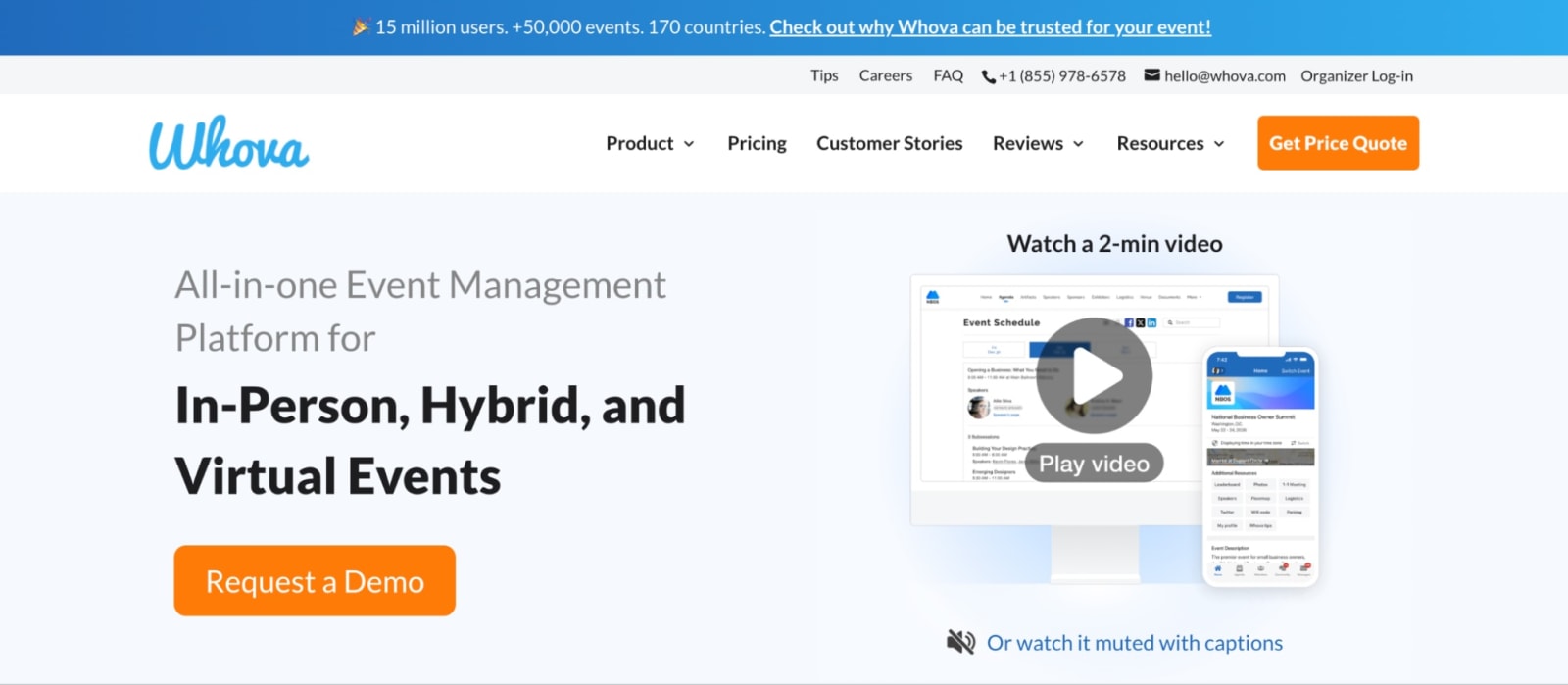
Whova is best known for its attendee engagement and networking features. The platform combines online event registration with a mobile event app that includes attendee profiles, messaging, discussion boards, and gamification tools.
For conferences where networking is a major goal, this can make a big difference. Attendees can start connecting before the event begins, and those conversations can continue throughout the event.
Where Whova can feel a bit limited is behind the scenes. Compared to more flexible event software, its customization options for complex registration workflows aren’t quite as deep.
Features users love
- Built-in attendee networking: Profiles, messaging, discussion boards, and meet-up coordination make it simple for attendees to connect with each other.
- Interactive mobile event app: A built-in app keeps schedules, announcements, and networking features in one convenient place.
- Gamification and engagement features: Leaderboards, challenges, and interactive activities that keep people participating during sessions.
- Agenda and speaker tools: Clear, easy-to-follow schedules with real-time updates for sessions and speakers.
- Hybrid and digital event capabilities: Live streaming and virtual participation options for attendees to join your events.
| Pros ✅ | Cons ❌ |
|---|---|
| • Strong attendee networking, engagement, and messaging tools • Easy-to-use mobile event app • Built-in gamification features | • Limited control over advanced registration rules • Branding options feel somewhat templated • App notifications can get overwhelming/distracting for users |
What users say about Whova
“Whova is fairly intuitive and easy to navigate, which makes a big difference during busy events. I especially appreciate that each session has a dedicated place for Q&A, note-taking, and chatting with other attendees. Having all event documents in one place is very convenient, and the event guide helps keep everything organized. When I get a notification about a reply or reaction, it doesn’t take me directly to that specific response, which would be a helpful feature. Also, communities, topics, and polls can feel a little jumbled, so a clearer layout in that area would improve the experience.”
- Shannon S., Clinical Education Coordinator
“Having all of the attendees in one place and searchable by key tags such as interests or job titles. Huge benefit for speakers to be able to market themselves to a target audience. The amount of notifications made it difficult to know when a notification was from someone trying to make contact or just an announcement from the app developer or a “canned” message from the event directors. It became difficult to navigate person to person discussions.”
- Brian G., Owner
Pricing
Whova doesn’t publish full pricing details, but it does mention a 3.0% + $0.99 fee per ticket—so per-ticket charges are likely part of the pricing model.
Use Whova if:
- Your main goal is getting attendees to connect and interact before, during, and after the event.
- Your event format is fairly straightforward and doesn’t require complex registration workflows.
- A strong mobile event app is central to your attendee experience.
So, which event registration platform should you pick?
At the end of the day, the “best” event registration platform depends on what your events actually look like!
Every platform has its lane. Some make simple ticketing easy. Others are built for massive conferences with layers of approvals and complex event logistics. And some lean heavily into networking and attendee engagement.
But if your team is juggling multiple events, different attendee types and reg paths, session choices, approvals, and CRM integrations, registration stops being a simple form. It becomes the backbone of your whole event program.
That’s where a platform like Swoogo comes in. It’s made for teams that need flexible registration, reliable data, and workflows that scale.
Because the right event registration software shouldn’t slow you down. It should make running great events a whole lot easier.
FAQs on Event Registration Platforms
What is an event registration platform?
An event registration platform is software that helps organizers and event teams create registration pages, collect attendee information, manage ticket sales, and track sign-ups. Many platforms also include features for event marketing, check-in, onsite tools, reporting, and integrations with CRM or marketing systems.
What features should event registration software include?
A strong event registration platform should make it easy to capture attendee information, personalize the signup experience, and connect that data to the rest of your event program.
Key features typically include:
- Customizable registration forms that match your event and branding
- Conditional logic to personalize questions and registration paths
- Multiple attendee types and ticket options (VIP, speakers, sponsors, etc.)
- Payment processing and pricing controls for paid events
- Session or agenda selection
- Automated confirmation and reminder emails
- Waitlists and invite list management
- CRM and marketing automation integrations
- Real-time reporting on registrations and attendance
Many platforms also include onsite check-in tools, badge printing, and engagement features for managing the full attendee experience!
How much do event registration tools cost?
It depends on how the platform charges for registrations.
Some tools (like Eventbrite) are free to publish events and just take a cut of every ticket sold. Others charge an annual platform fee and may still add per-registration costs (like Stova), payment processing fees, add-ons, or professional services.
Tools like Cvent and RainFocus use custom pricing, which means you’ll need to request a quote or book a demo to understand the full cost.
Other platforms take a flat pricing approach. For example, Swoogo charges $11,800 per year and includes unlimited events and registrations, so when an event takes off, your costs don’t suddenly spike with every new attendee.