


Speaking at an event is nerve wracking for most people. Even the pros who've done it a hundred times still get sweaty palms backstage. And when speakers are stressed? That energy can transfer to the audience, to you, and to your event's overall vibe.
The good news is that most speaker stress comes from the unknown. Will my slides work? Where do I go when I arrive? Is there water on stage? (Please, for the love of all that is holy, put water on stage.)
Nobody wants an event management crisis. Not your speakers, not you, and certainly not your audience. And that’s enough to make you and your speakers break out into a cold sweat.
As an event organizer, you have the power to eliminate 90% of that anxiety before your speakers ever step foot in the venue. The secret recipe isn't complicated: clear communication, thoughtful preparation, and treating your speakers like the humans they are.
This comprehensive checklist walks you through everything you need to do from the moment a speaker says "yes" to the moment they walk off stage feeling like a rockstar. Because when your speakers succeed, your event succeeds. And that's kind of the whole point.
Start strong: Get speakers visible and excited
You've done the hard part. You pitched (or you were pitched in your call for speakers) and you got the official "YES" from your speakers.
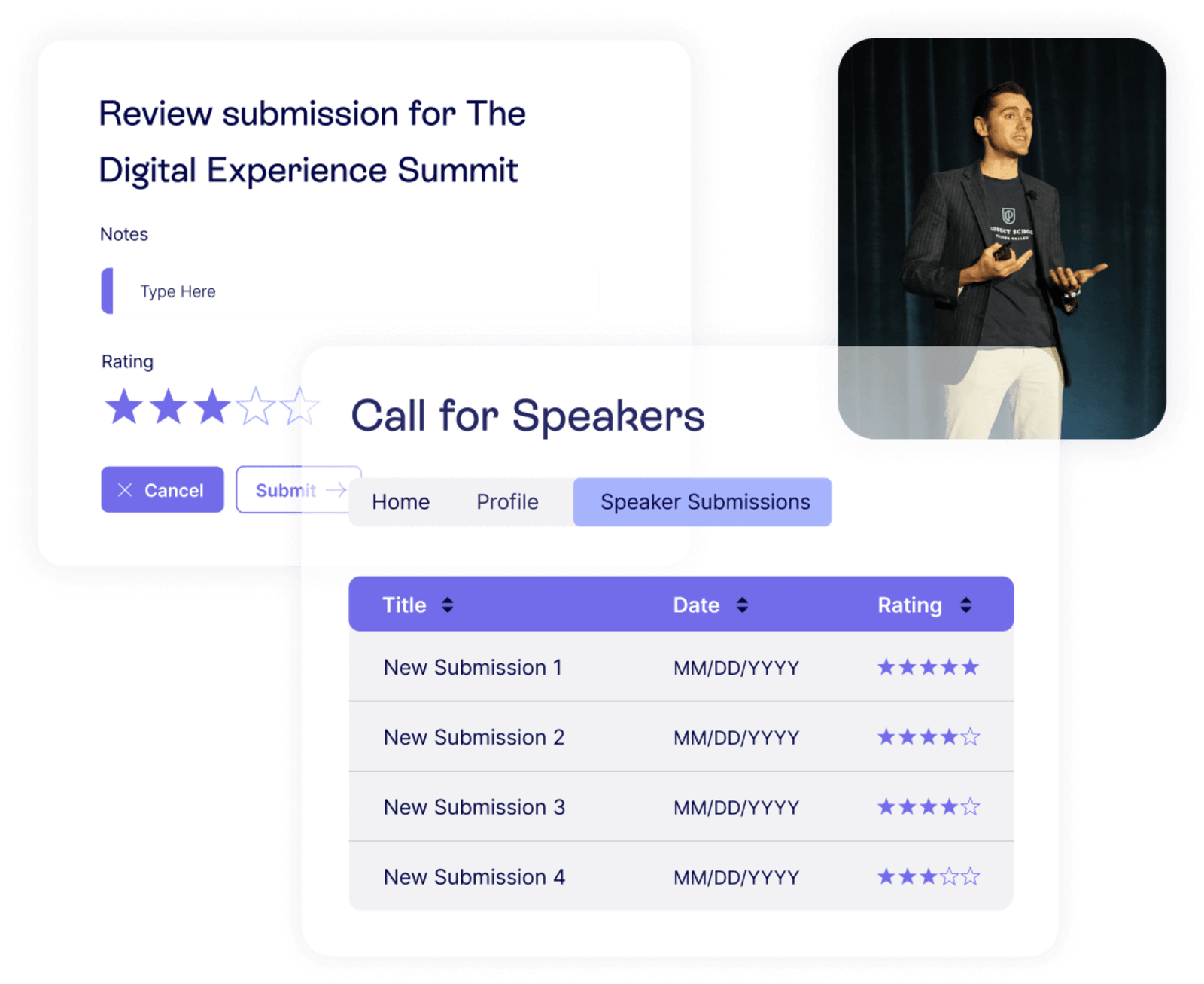
Now it's time to make it official and get everyone hyped.
There's something magical about seeing your own face on an event website. For speakers, it's validation that this is really happening. For your attendees, it's a reason to buy a ticket or clear their calendar, so never underestimate the promotional power of a good speaker announcement.
But before you can blast their headshot across your marketing channels, you need to gather the basics. This is where a lot of event teams lose time chasing down information in fragmented email threads. (Sound familiar?)
You want to confirm these details about the session:
- A final, approved session title
- Presentation format, such as a keynote, panel, fireside chat, workshop, or breakout session
- Co-presenters or moderators, if applicable
And you’ll want to collect these assets:
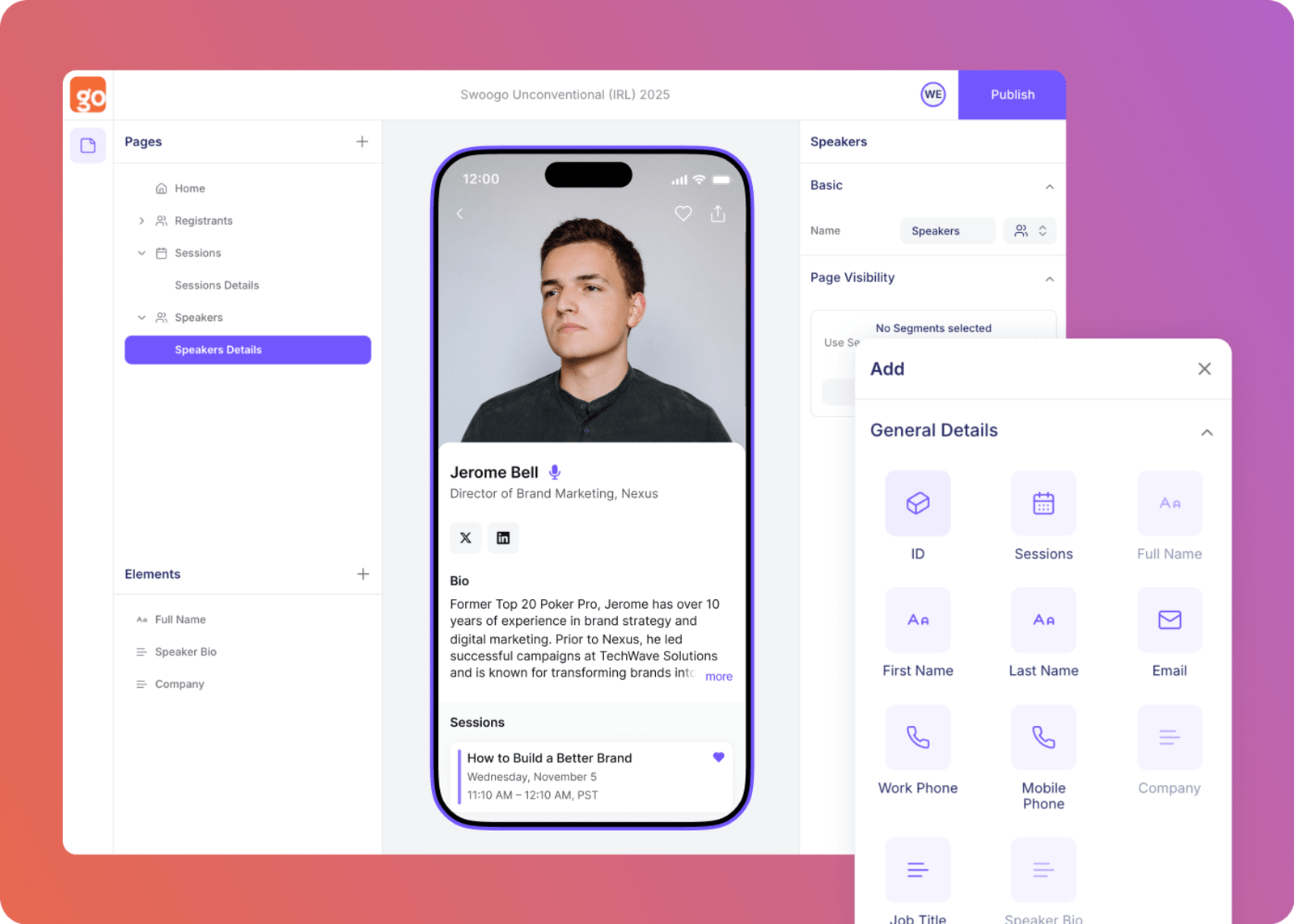
- Professional headshot
- Bio in their own words, ideally 100-150 words
- Presentation description or abstract for the agenda
- Social handles so you can tag them in promotions
- Any relevant links like their company website, book, or LinkedIn
A call for speakers tool can make this collection process painless. Instead of endless back-and-forth emails (blerg), speakers submit everything in one place, and you get a nice, organized dashboard instead of an inbox full of attachments named "headshot_final_v3_REAL.jpg."
Define what success looks like: Set the stage for speakers
You've got their bio and headshot. Now it's time to give conference speakers what they need to actually prepare a killer presentation. This is where the top event teams separate themselves from everyone else with the right event management best practices— including setting your speakers up for success.
Your speakers want to do a great job. They really do. But they can't read your mind about what "great" looks like for your specific event. Help them out by giving them what they need to know about your event culture, audience, and any logical data so they can deliver rocking presentations.
Set behavioral and content expectations
Nobody wants to be the speaker who accidentally says something inappropriate or goes 20 minutes over time. Save everyone the awkwardness by being upfront about expectations.
Start by sending your code of conduct early. This isn't just a formality. It sets the tone for the kind of event you're running and gives speakers clear guardrails. Most will appreciate the clarity.
Then, create speaker guidelines that answer the obvious questions:
- What format should presentations be in? PowerPoint, Google Slides, Keynote, PDF?
- How long is their slot, and how much time should be reserved for Q&A?
- When is the final deadline for submitting slides?
- What's the process if they need to make last-minute changes?
- Are there topics or language to avoid?
Finally, ask about accessibility needs. Does your speaker need a stool on stage? Large font on confidence monitors? ASL interpretation? Asking proactively shows you care and prevents day-of scrambles.
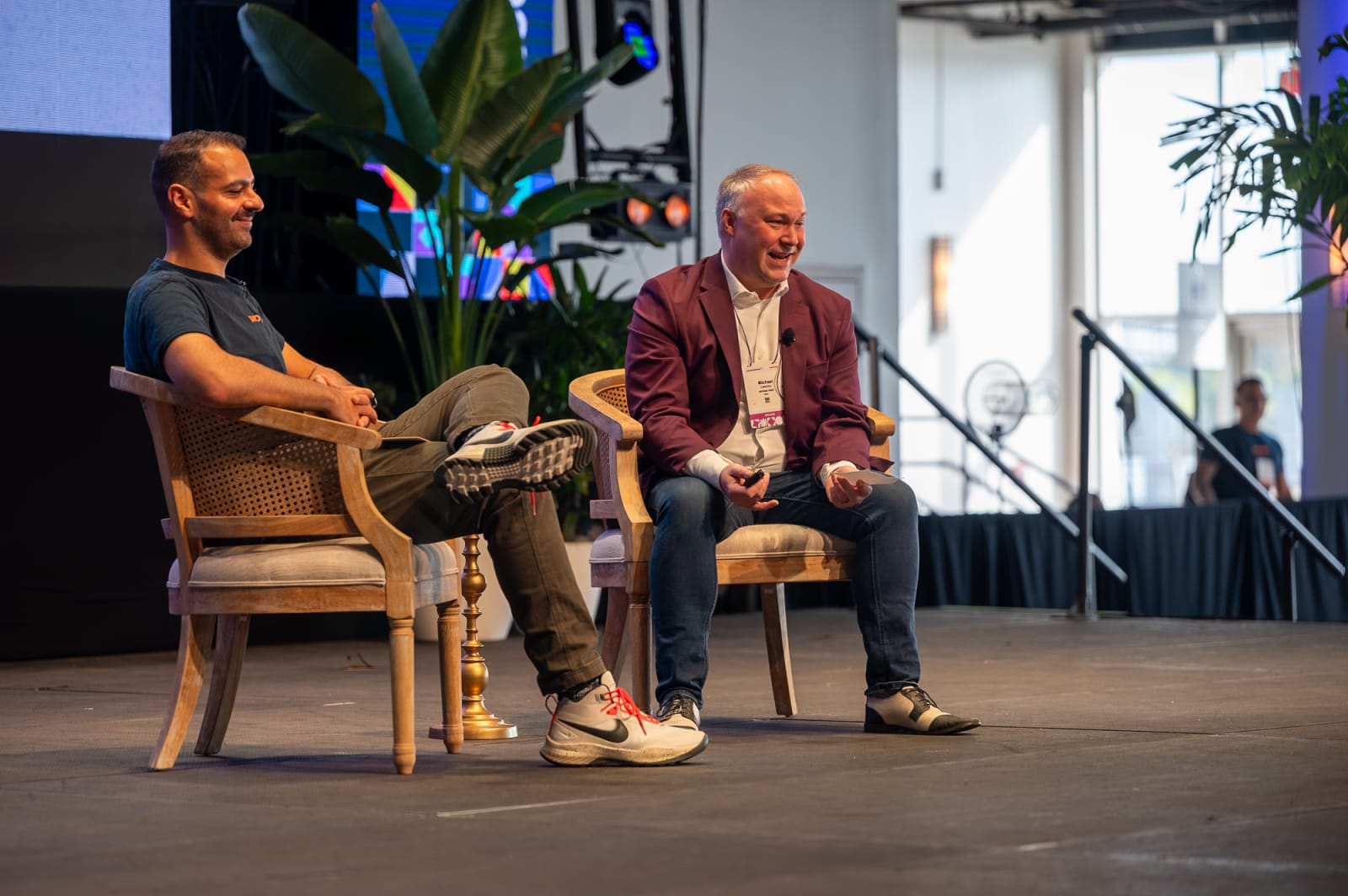
Help speakers tailor their content
Generic presentations are forgettable presentations. The best speakers customize their content for the room, but they can only do that if you give them the intel.
Share audience insights like:
- Company size breakdown (startups vs. enterprise)
- Seniority levels (practitioners vs. directors vs. C-suite)
- Industries represented
- Common challenges or interests based on registration data
If you've run this event before, historical data is gold. What topics got the best ratings last year? What questions came up most during Q&A? This kind of context helps speakers hit the mark instead of guessing.
For newer events, pull from your current registration demographics. Even basic information like "70% of attendees are in marketing roles at companies with 500+ employees" helps speakers calibrate their examples and language.
Align on technical requirements
AV surprises are the enemy of a great session, so get ahead of them in advance to ensure smooth sailing.
Ask speakers these questions:
- Do you have videos in your presentation? (These almost always need pre-testing.)
- Any special software demos or live internet requirements?
- Do you have a preferred mic type: Handheld, lavalier, or headset?
- Do you need to walk around the stage or do you prefer to stay at a podium?
Then, tell speakers what you'll provide:
- Confidence monitors (and whether they show notes or just slides)
- Clicker or presentation remote
- A laptop (or if you have a “bring your own” policy)
- Stage setup, which might include a podium, stool, or walking space
- Timer visibility so they can pace themselves
The more specific you are now, the fewer panicked texts you'll get at 7 AM on event day.
Create touchpoints as the event approaches
Speakers are human at the end of the day… And they’re likely busy ones, too.
That means that sometimes you’ll need to be chasing them for bios, headshots, talk titles… and the big kahuna: presentations. Regular check-ins are great to prep beforehand (and they’re easy to reuse for future events too!)
3-4 weeks before your event
This is your "let's get serious" checkpoint. The event is close enough to feel real but far enough to course-correct if needed.
Send a friendly reminder that covers:
- Presentation submission deadline (and consequences if they miss it, like not being included in the printed program)
- Encouragement to rehearse multiple times and time themselves
- A reminder to leave room for Q&A within their allotted slot
- Tips for testing any demos, videos, or interactive elements ahead of time
Logistics to confirm:
- Travel arrangements, including ensuring that their flights and hotels are booke and checking to see if they need help?
- Speaker dinner or networking events, including details about time, location, and the option to send in important information like allergies or dietary restrictions
- Any pre-event activities they should know about
This is also a great time to introduce speakers to each other if they're on a panel together. A quick email intro or shared Slack channel can help them coordinate and build rapport before the big day.
1-2 weeks before your event
Now we're in the home stretch. This is when event preparation gets real and details matter.
Start by requesting final presentation files. Even if you allow day-of tweaks, having a backup version prevents disasters. Upload everything to a shared drive so your AV team can pre-load and test.
You also want to send the full conference schedule so speakers can plan which other sessions to attend. They're often attendees, too, and they'll appreciate knowing what else is happening.
Next, share speaker orientation and tech check details:
- Date and time options for tech checks, and a deadline for when they need to book their slot
- Location for orientation and tech checks, including room name, building, and floor
- What they'll test, including slides, audio, video playback, and confidence monitors
- How long it takes (usually 15-20 minutes)
Finally, remind speakers to do the following:
- Download the event app and update their speaker profile
- Review venue information, including parking, nearby hotels, and restaurant recommendations
- RSVP to the speaker dinner if they haven't already
Day before the event
Everything is about to get chaotic. Make this communication crystal clear and impossible to miss.
Confirm tech check attendance. If someone hasn't shown up for their scheduled slot, track them down. This is your last chance to catch issues.
Encourage speakers to visit their presentation room and get comfortable with the layout. Where's the podium? Where's the audience? Where's the exit? Familiarity breeds confidence.
Send a "day-of details" email that includes:
- Their tech check time (again, make it easy to find)
- Their speaking time and room location
- Green room location, if applicable
- Where to pick up any speaker gifts or swag
- Your phone number for emergencies
Put all of this information in the event app too, so speakers can access it without digging through their inbox while standing in the venue lobby.
Successful speakers = successful events
When speakers feel prepared, informed, and supported, it shows. They bring energy to the stage, engage the audience, and make your event look good.
And here's the bonus: speakers talk to each other. A great speaker experience turns into referrals and repeat presenters for future events. A terrible one turns into industry whispers about how disorganized your event was. (We've all heard those stories.)
The checklist above might seem like a lot, but most of it is reusable. Create templates for your speaker communications, build a submission portal that collects everything upfront, and document your process so it gets smoother every year.
Speaking of making things smoother: if you're still managing speaker logistics through scattered emails and spreadsheets, there's a better way. Swoogo's call for speakers feature centralizes submissions, tracks speaker status, and keeps all those bios and headshots organized in one place. Less chasing, more time for the work that actually matters.
Because at the end of the day, your job isn't to be a professional email-sender; it's to create events that people remember. And that starts with giving your speakers everything they need to shine.