

Live events are beautiful. Live events are powerful. Live events are also a minor miracle held together by the sheer will of your sleep-deprived team (and maybe some duct tape, too).
If you’ve ever run an in-person or hybrid event, you already know this to be true: great events don’t just need a strong agenda. They need the planning and infrastructure that makes it possible for everyone to do their jobs without friction, from the keynote speaker to the check-in staff.
That’s the real work of an event pro. You’re not just managing logistics. You’re designing systems, anticipating needs, and quietly making sure no one has to ask, “Wait…who handles this?” while 2,000 people openly stare at a registration desk. 😱
This guide is all about the behind-the-scenes event planning tips that make everyone’s job easier—for your team, your partners, and future you. These strategies reduce chaos, give you the confidence boost you deserve, and help you walk into event day feeling prepared instead of braced for impact. Let’s get into it.
Make the whole team smarter (and bus-proof)
There’s a classic ops question: If any team member got hit by a bus, could the event still run?
A bit morbid, yes. But also highly effective and clarifying!
If the answer is “absolutely not,” that’s your signal that you need better documentation and prep. A bus isn’t coming (fingers crossed 🤞), but the entire weight of the event still can’t live on one person’s shoulders.
Know-before-you-go (KBYG) calls for staff
These calls don’t need to be long. They just need to be useful.
An effective KBYG call for staff covers:
- What’s happening
- When it’s happening
- Who owns which decisions
- Who to go to when something goes sideways
Record the call. Share the notes with every team member who’s attending the event. When everyone starts the day with the same context, you eliminate a huge chunk of day-of confusion before it ever shows up.
Use a clear event brief template
Don’t worry, you don’t need to start working on a 40-page manifesto.
You just need one solid event brief template that covers:
- Key dates and timelines
- Roles and responsibilities
- Contact info and escalation paths
If someone joins late or gets pulled in last minute, this doc should get them 80% of the way there.
Executive one-pager for VIPs
Executives yearn for context. You can quote me on that.
Instead of forcing them into yet another meeting in a day already packed with meetings (no bueno), prep a short, focused one-pager for them to:
- Know who they’re meeting
- Understand why it matters
- Have talking points ready

“To make life easier for our executive team onsite, we made sure leadership knew which VIP attendees and at-risk accounts would be there to tee up conversations. When execs could quickly breeze through a one-pager beforehand, it made them ready for truly meaningful talks.”Caroline Kite, Enterprise ABM Manager, Swoogo
Prepared execs = better conversations = better ROI. Check and mate.
Clear staffing docs
Everyone should know:
- What they’re responsible for: From monitoring social posts to keeping speakers calm, cool, and collected, make sure everyone knows their role.
- Where they need to be: Whether it’s at the registration desk or roaming the tradeshow floor, clarify where each team member is expected to be.
- Who has the authority to make calls: If something goes sideways or a question comes up that can’t be answered on the spot, who’s the go-to for escalation?
Remember, ambiguity is the enemy of calm. Slay it. 🤺
Plan strong staffing and flow management
When attendees feel lost, ignored, or stuck, it doesn’t matter how good your content is. Their experience is already off the rails.
That’s why staffing and flow matter so much. Here’s what you need to consider 👇
Queue control
Lines feel longer when:
- No one explains what’s happening, or there’s a lack of signage
- People aren’t sure they’re in the right place
- The line doesn’t visibly move
The fix starts before doors open. One piece of smart event check-in advice: stop treating check-in like a single funnel! People move faster (and feel better) when they’re guided into smaller, intentional flows.
A few small tweaks go a long way:
- Break the line up. Fast tracks for pre-registered attendees, VIPs, or session groups keep things moving.
- Use visual shortcuts. Colored badges or lanyards answer “Where do I go?” before anyone has to ask.
- Write signs like a human. “Fast Track: Pre-Registered” beats a rule-heavy sign every time.
- Segment with purpose. Ticket type, last name, arrival time—whatever spreads the load and avoids pileups!
That’s exactly what dedicated queue managers are there to support. They:
- Answer questions proactively
- Redirect people before frustration builds
- Spot (and act on) issues early
Psst…this is one of the most effective event-planning tips for reducing stress on both attendees and staff. It only takes a few frustrating moments to put someone in a negative headspace, and you don’t want that to be their first experience at your event.
People-movers at decision points
Any place where attendees have to choose a direction is a risk point.
You don’t want them pausing like they’re in a Robert Frost poem, weighing two roads diverged in a yellow wood while a gigantic line forms behind them.
To avoid this annoying (albeit poetic) moment, place trained staff at:
- Venue entrances
- Info desks
- Session transitions
When someone greets you and points you the right way without you even having to ask, you relax. That’s how you want your attendees to feel.
Roaming food and beverage support
Food areas are dynamic. Supplies run out (aww). Trash piles up (eww). Bottlenecks form (ugh).
Roaming food and beverage support allows you to:
- Refill before stations run dry
- Clear congestion early
- Keep spaces usable without complaints
All before any of the reactions in parentheses come to life.
Proactive visibility
Staff should be easy to spot and feel confident jumping in. If attendees can’t tell who works there, or staff feel hesitant to help, small issues escalate fast.
In plain terms:
- Be approachable
- Make eye contact
- Look like you’re ready to help before anyone has to ask
- Smile!
But visibility isn’t just about body language. It’s also about knowing what’s happening in the moment. When staff are guessing, they hang back. When they have context, they step in.
Shared, real-time visibility into things like arrivals, check-in volume, or session traffic makes a big difference. It gives teams the confidence to act early instead of waiting for something to break.
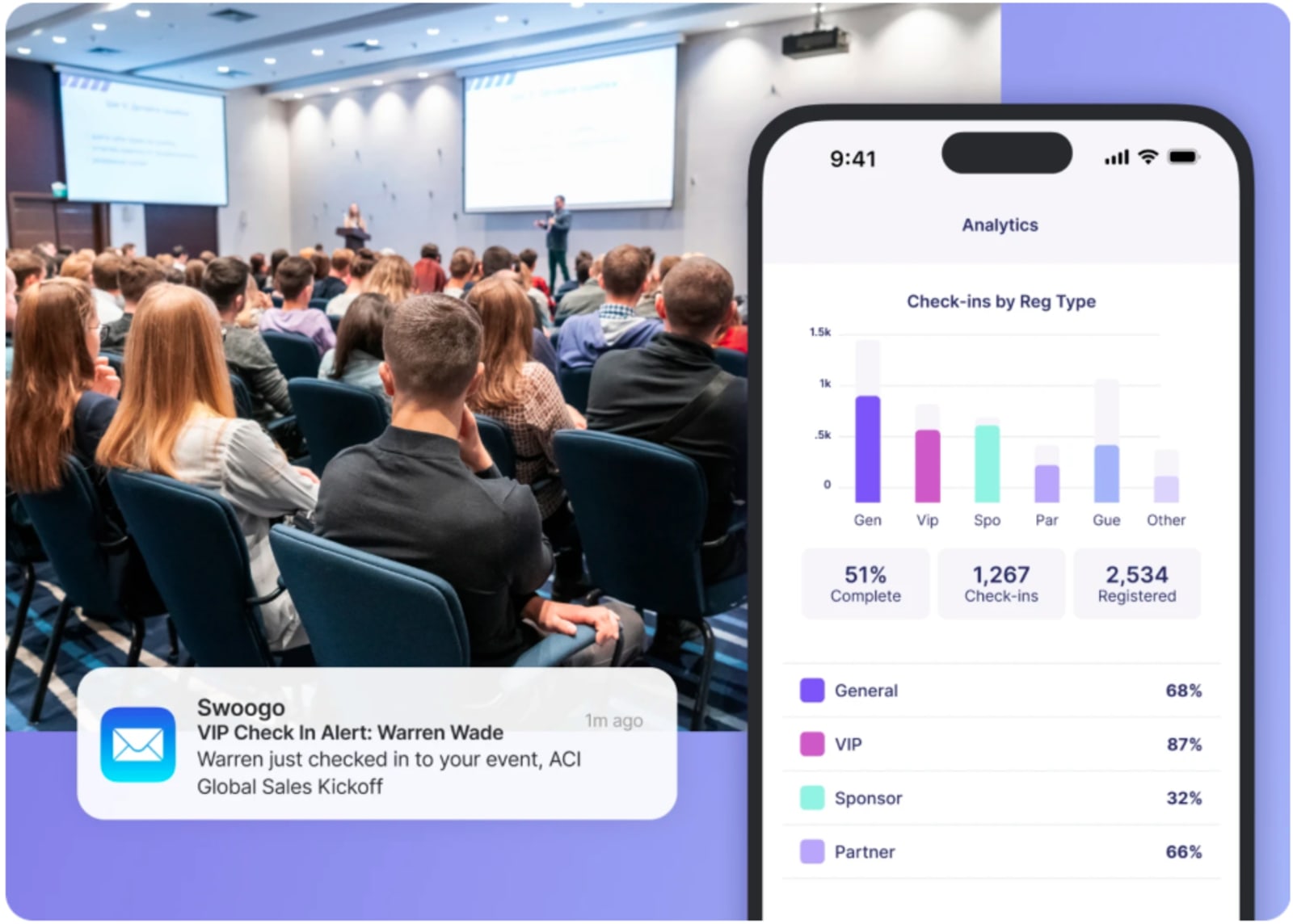
That’s where tools like Swoogo’s Go Onsite Pro quietly earn their keep. When staff can see VIP arrivals, speaker check-ins, or attendance shifts as they happen, they help rather than hesitate, because they already know what’s going on.
Automate what you can in advance
If you’re frantically sending emails at midnight the week before your event, we need to talk.
Tedious manual work is where stress and mistakes sneak in, especially as event day gets closer.
Remember, automation isn’t about removing the human touch. It’s about protecting it, and making sure your team has both the time and headspace to focus on what truly makes event magic: hospitality, connection, and clarity.
Communications worth automating
- Registration confirmations: This is the first email your target audience actually cares about. Automate it so attendees immediately know they’re registered, what happens next, and where to go for details.
- Event reminder emails: Well-timed reminders reduce no-shows, smooth arrival patterns, and cut down on day-of questions like “What time does this start?”
- Pre-event emails: Smooth event check-in doesn’t start when the first badge prints; it starts before anyone sets foot in the venue. Automate a clear, skimmable email that spells out where to go, when to arrive, what to bring, and how check-in works.
- Post-event surveys: Send these automatically while the experience is still fresh! Once people are back in their inboxes and Slack messages, that feedback window closes real fast.
Know the venue like the back of your hand
Surprises are great for birthdays. Not so much for large-scale events. Part of making everyone’s job easier during the event means putting in the work and studying your venue before. Here are a few ways to do that.
Do a venue walk-through
So you’ve chosen the perfect venue, now you have to get to know it. Intimately.
Before you decide what goes where, do a full venue walkthrough, either virtual or IRL. It helps make event planning easier, letting you visualize traffic flow, spot bottlenecks early, and place signage where people actually need it.
The result isn’t just faster check-in lines, but an event that moves more smoothly from arrival to teardown.
Ask the venue the real questions
This is where you stop talking aesthetics and start talking operations and event management because this is what separates a calm event day from a mildly unhinged one.
Venue Checklist
7 critical areas to lock down with your venue before event day.
Staffing & Support
- Confirm onsite staff schedule — AV, security, janitorial, F&B
- Identify your main venue point of contact for event day
- Establish protocol for requesting overflow support (trash, cleaning, chairs)
Load-in / Load-out
- Confirm load-in & load-out hours and any time restrictions
- Map vendor/staff parking and unloading access points
- Check elevator & freight access if not on ground level
Wi-Fi & Connectivity
- Verify bandwidth capacity and max simultaneous devices
- Confirm backup plan if primary Wi-Fi goes down
- Request a separate network for staff and speakers
AV Setup
- Clarify what AV is included vs. what requires third-party vendors
- Schedule tech checks and speaker rehearsal windows
Room Setups & Flow
- Identify likely bottleneck areas and plan mitigations in advance
- Map attendee flow between sessions, breaks, and common areas
Safety & Emergencies
- Review protocol for medical or safety emergencies
- Confirm who handles crowd control and evacuation procedures
- Locate all exits and emergency equipment (AED, first-aid, extinguishers)
07 — Event Day Walkthrough
Walk through the full timeline and confirm every access window.
Place clear, intuitive signage
One of the most overlooked event-planning tips is also one of the simplest: tell people where to go like you actually want them to get there.
Use large, high-contrast signs and floor decals with plain language. No acronyms, no clever wording that only makes sense if you planned the event. Think:
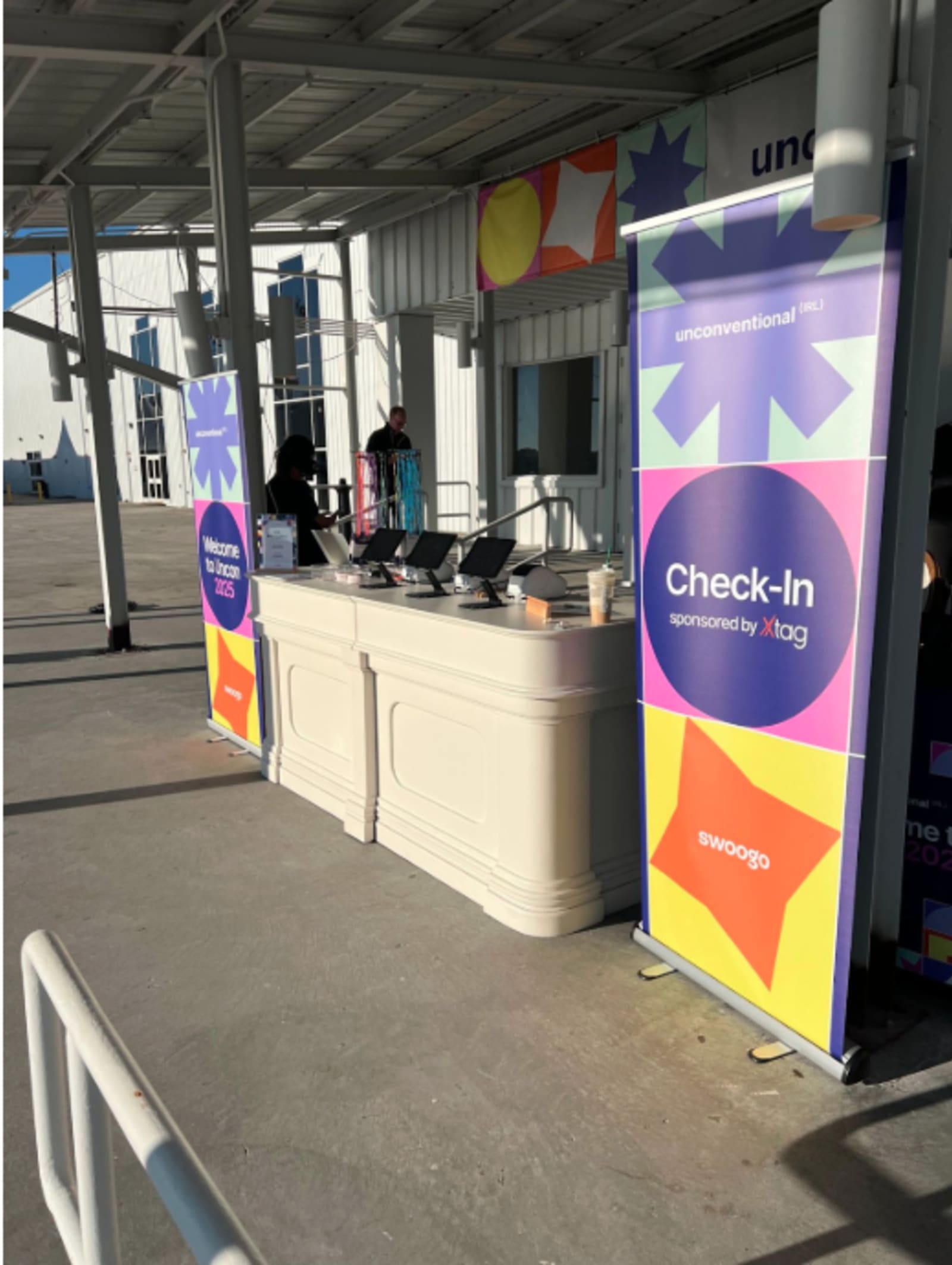
- Check-In This Way →
- Scan Here
- Help Desk
- VIP Fast Track
And once people are checked in, don’t just leave them standing there clutching a badge and awkwardly looking around.
Post–check-in signage (plus a friendly human pointing the way) helps shift your lovely attendees from logistics mode into experience mode.
Make communication ridiculously easy
Pick one primary channel for day-of communication and stick to it. This can be Slack, WhatsApp, walkie-talkies—whatever makes sense for your team—but make sure it’s a channel that people respond to. And fast.
Once you’ve chosen it, set clear expectations so comms doesn’t turn into noise:
- What qualifies as urgent (and what doesn’t): Not everything needs to be escalated. Define what does, like safety issues, AV failures, VIP arrivals*, or anything that blocks attendee flow.
- Who to contact for what issues: Spell out ownership. AV questions shouldn’t bounce between three people while a room fills up.
- How to escalate in real time: Create fast feedback loops so small issues don’t become big ones. That might mean tagging a specific role, using a dedicated “urgent” channel, or having a clear backup contact if the first person doesn’t respond.
*This is also where the right tech earns its keep! With Swoogo, instant alerts let your team know when VIPs, speakers, or sponsors arrive…without clogging up communication channels or assigning someone to “watch the door” like you’re planning a heist.
Plan for real life, not just the agenda
Agendas are aspirational. Real life is low batteries, long lines, and people who desperately need a quiet place to decompress.
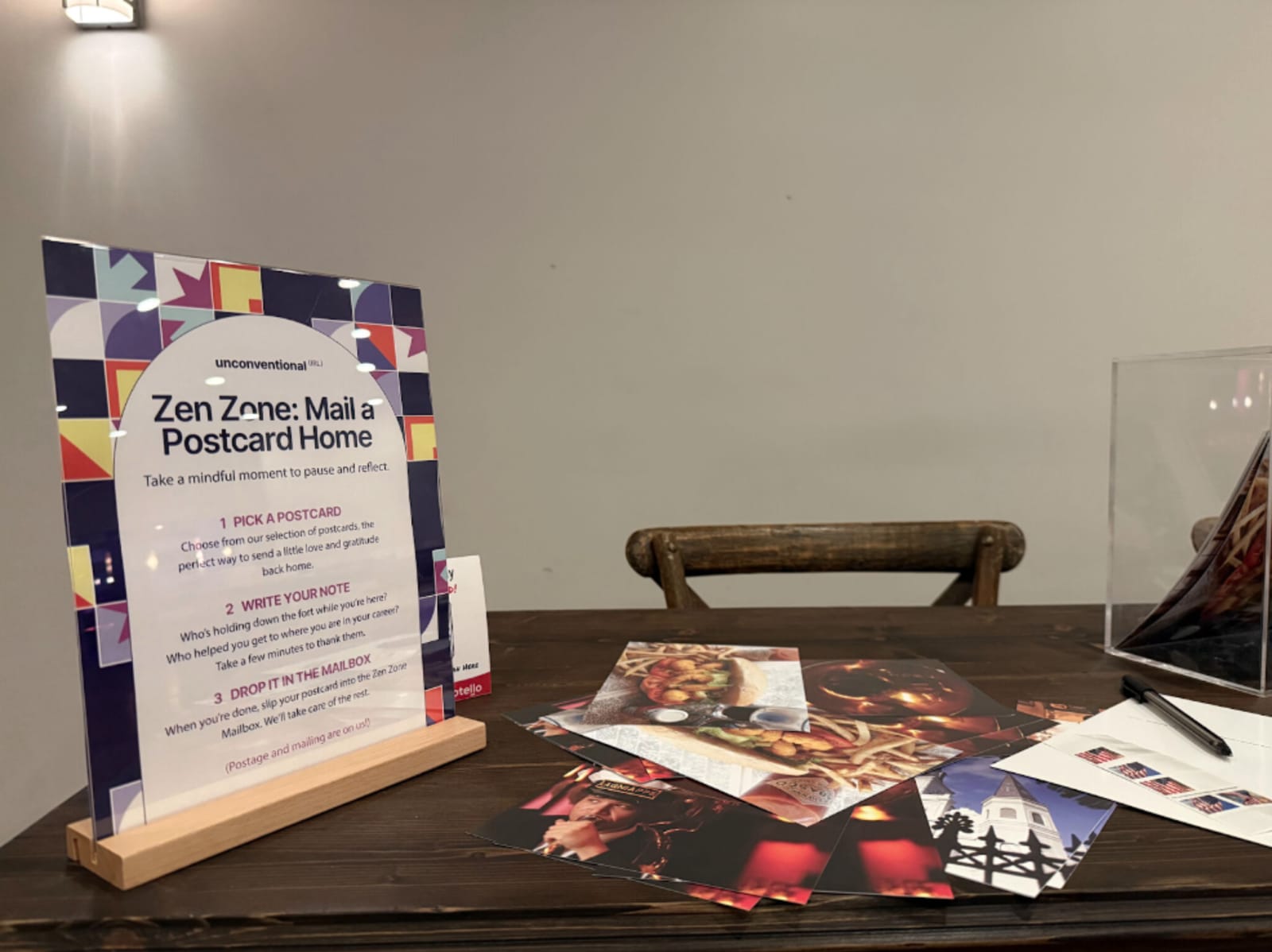
Prep charging stations and quiet zones
Help staff and attendees recharge, literally and mentally.
Charging stations aren’t a “nice-to-have.” They’re operational infrastructure. When phones die, everything slows down; QR codes stop scanning, schedules disappear, lead capture stalls, and Slack messages to the team go unanswered.
Quiet zones matter just as much. They make events better for everyone…not just for the social butterflies, but also the socially anxious aardvarks (hi, it’s me 👋) who just need a moment to sit down and exist without small talk.
Pro Tip: Label these areas clearly. A quiet zone that feels “off limits” defeats the entire purpose.
Built-in downtime (for staff too)
Real talk: your team isn’t immune to burnout just because they have lanyards that say STAFF.
Build downtime intentionally into:
- Staffing schedules
- Session transitions
- Long expo hall blocks
Teams that don’t pause aren’t happy campers, and they won’t have the energy to bring that human sparkle every event needs.
Easy access to food and water
This is human survival 101, and yet it still somehow ranks below “Do we have enough outlets?”
Make sure:
- Water is visible and plentiful
- Food isn’t locked behind long lines or awkward timing
- Booth staff aren’t surviving on mints and hope
Hunger turns small inconveniences into big frustrations. Snickers knows it. We know it. You’re not you when you’re hungry.
Food may not fix everything, but it fixes way more than you’d think.
Be proactive about post-event insights
The event doesn’t end when the doors close. It ends when you’ve figured out what actually worked, and what you never want to do that way again. 😬
Schedule debriefs before the event starts
Don’t wait until everyone’s back in their inboxes and half the details are gone.
Pre-schedule debrief calls with your core team so feedback is captured while it’s still fresh and specific, not fuzzy and polite.
Focus less on what went “great” and more on:
- Where things felt clunky
- What required unnecessary workarounds
- What almost broke
Those are the insights that will turn into the best future event planning help.
Ask your staff what attendees can’t tell you
Your support crew sees everything attendees don’t: the confusing workflows, the bottlenecks, the moments where better information would’ve saved time (or sanity).
Just like you send a post-event survey to attendees, create one for everyone involved behind the scenes—marketing, ops, on-site staff, vendors, even execs. Ask what helped them do their jobs and what got in the way.
Make sure to use that post-event reporting into a genuinely useful decision-making tool.
Infrastructure is the experience
None of this is about adding more work to your plate. It’s about removing the friction that makes events harder than they need to be.
That’s precisely where Swoogo comes in: helping teams anticipate needs, automate the busywork, and stay aligned before, during, and after the event.
- Registration, reminders, and follow-ups run quietly in the background, so your team can focus on the work that actually needs a human.
- With Go Onsite, staff know who’s arriving and what’s happening in real time, so lines move, VIPs get noticed, and no one’s left guessing.
- Go Attend keeps schedules, updates, and badges in one place, so people know where to go and what’s next without stopping staff for directions.
- When everything lives in one system, post-event insights are easier to pull and actually useful for improving the next one.
When the right systems are in place, your team is calm, present, and actually enjoying the event they worked so hard to pull off.
That’s how events run smoother. Not by luck, but because you did the darn thing. 💁
This post was originally published in September 2024, and has since been updated for freshness and accuracy.