
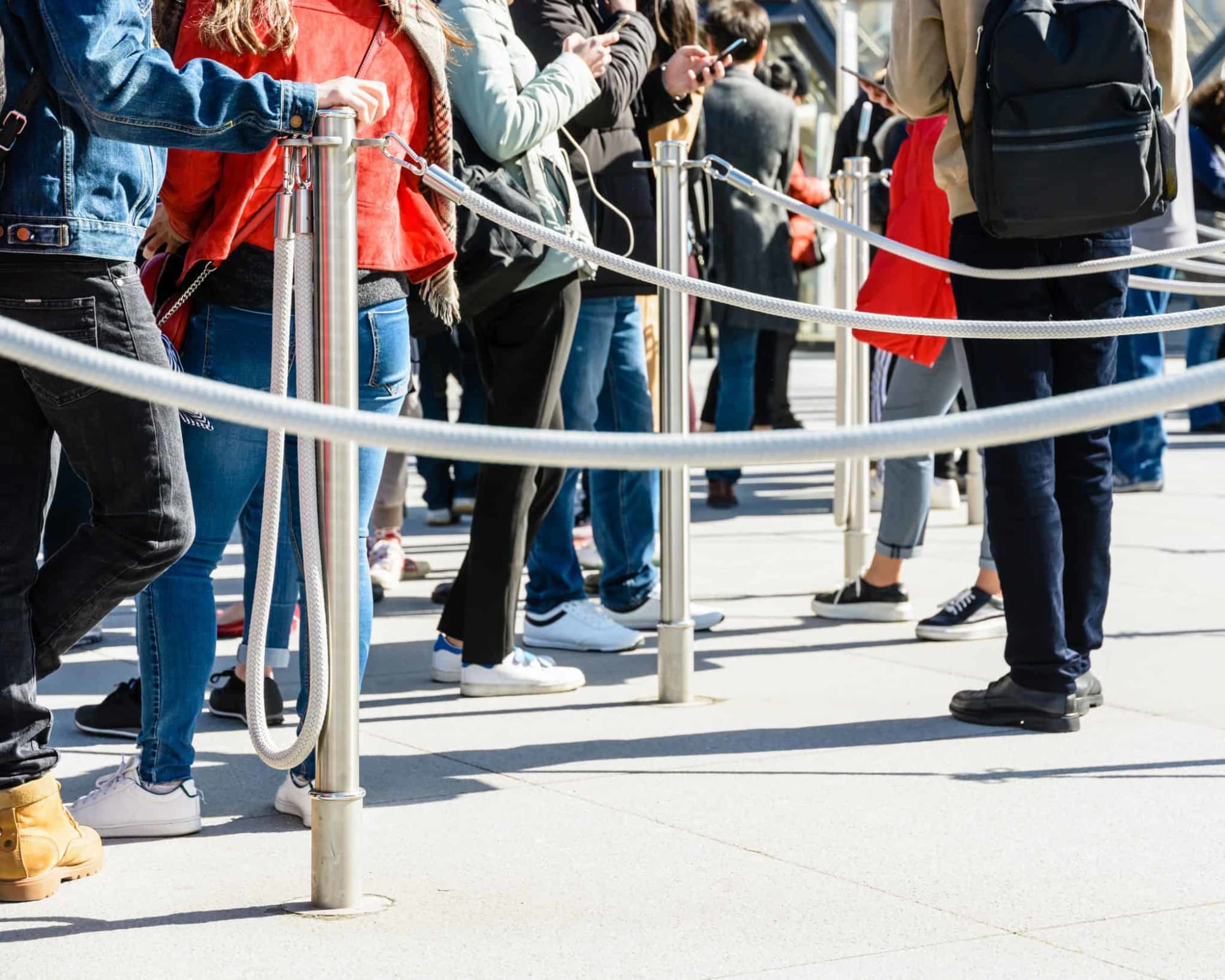

The first real impression of your event isn’t the keynote.
It’s the knot forming in the stomach of the person at the end of your check-in line.
When the line curls around the escalators, your staff looks like they’re defusing a bomb, and attendees start texting their coworkers “line is insane”—the Sunday scaries come prematurely.
Slow check-in doesn't just annoy people. It drags down NPS, delays your opening content, hurts sponsor impressions, and makes your team look under-prepared (even when you absolutely weren’t).
But here’s the part most people miss: this is totally fixable. And you don’t need heroics to do it; all it takes is a smarter workflow, a cleaner layout, and tools that take the heavy lifting off your team’s shoulders.
When those pieces click, the check-in experience goes from “please let this be over” to one of the strongest levers you can pull to start your event off right.
This guide breaks down exactly how to speed up your event check-in process before, during, and after the event, with steal-this-today tactics you can use for conferences, field events, summits, and anything else with a badge and a line. Let’s get into it.
Why fast check-in lines matter
The door is an attendees' first real interaction with your brand. It’s actually you—in person—in this day and age! What a treat.
Which is exactly why any friction at this stage throws everything off. One rough check-in experience can make your entire event feel disorganized, even if the rest of the day runs like a well-oiled machine.
Fast check-in isn’t just a nice-to-have. It affects:
1. Revenue + pipeline: If people are stuck in line, they’re not at the opening session, not walking the expo floor, and not meeting your sales team while they’re still caffeinated and have a full social battery.
And if you consider the statistic that in-person events are the #1 source for buyers to discover a new product or service, those lost minutes matter. A lot.
2. Sponsor satisfaction: Sponsors always notice how check-in goes. Smooth = quiet confidence. Chaotic = “We’ll need to review the budget for next year…”
3. Attendee emotions: People remember how you made them feel in the first five minutes. Calm, guided, and welcomed sets a very different tone than rushed, confused, and already sweating through their branded hoodie.
4. Cognitive load: Attendees walk in and immediately face 40 micro-decisions: Where do I go? Is that line for me? Do I need my ID? Why are there six signs that all say different things?
Clear, intentional check-in dramatically reduces that burden, leaving their minds free to get excited and start making real connections.
Laying the groundwork before your attendees arrive
For the love of all that is good, do not try to fix check-in at 8:45 a.m. on event day.

At that point, the train is moving, the people are arriving, and your only option is survival.
Great check-in starts way earlier.
Use registration data to design your check-in flow
Hey, remember all that beautiful event registration data you collected? It’s not just numbers. It’s your blueprint.
Use it to:
- Predict headcount (including the inevitable walk-ins)
- Decide whether you need separate lines for VIPs, speakers, sponsors, or said walk-ins
- Staff appropriately—because a 500-person B2B summit does not need the same setup as a 5,000-person expo
Arrival patterns vary wildly by event type. Kickoffs? Expect a stampede 15–30 minutes before the first session. Expos? Prepare for waves throughout the morning.
If you follow only one event check-in best practice, make it this: design for the actual humans you’re hosting, and you’ll be well on your way to success.
Set clear expectations in your pre-event comms
If you want attendees to show up ready, you have to show them what “ready” looks like.
Send an easily skimmable, pre-event email covering the basics:
- Where to go: Everything from the address, parking info, and nearest public transit stops to the venue entrance, floor, and check-in lane
- When to go: Doors open, historically busy windows, what to do if they’re late
- What to bring: QR code, ID if needed, positive attitude (JK…kinda)
- How it works: Even a quick sentence like, “Scan your QR code at the kiosk, grab your badge and coffee, and head to the main stage.”
And for VIP and speakers? Give them their own logistics email. They’ll love the royal treatment. And it’ll prevent them from standing in the wrong line, sighing loudly.
👉 Check out some more speaker management tips 👈
Use QR codes and mobile tickets
Every attendee should have a scannable ticket—whether email, wallet pass, or mobile event app.
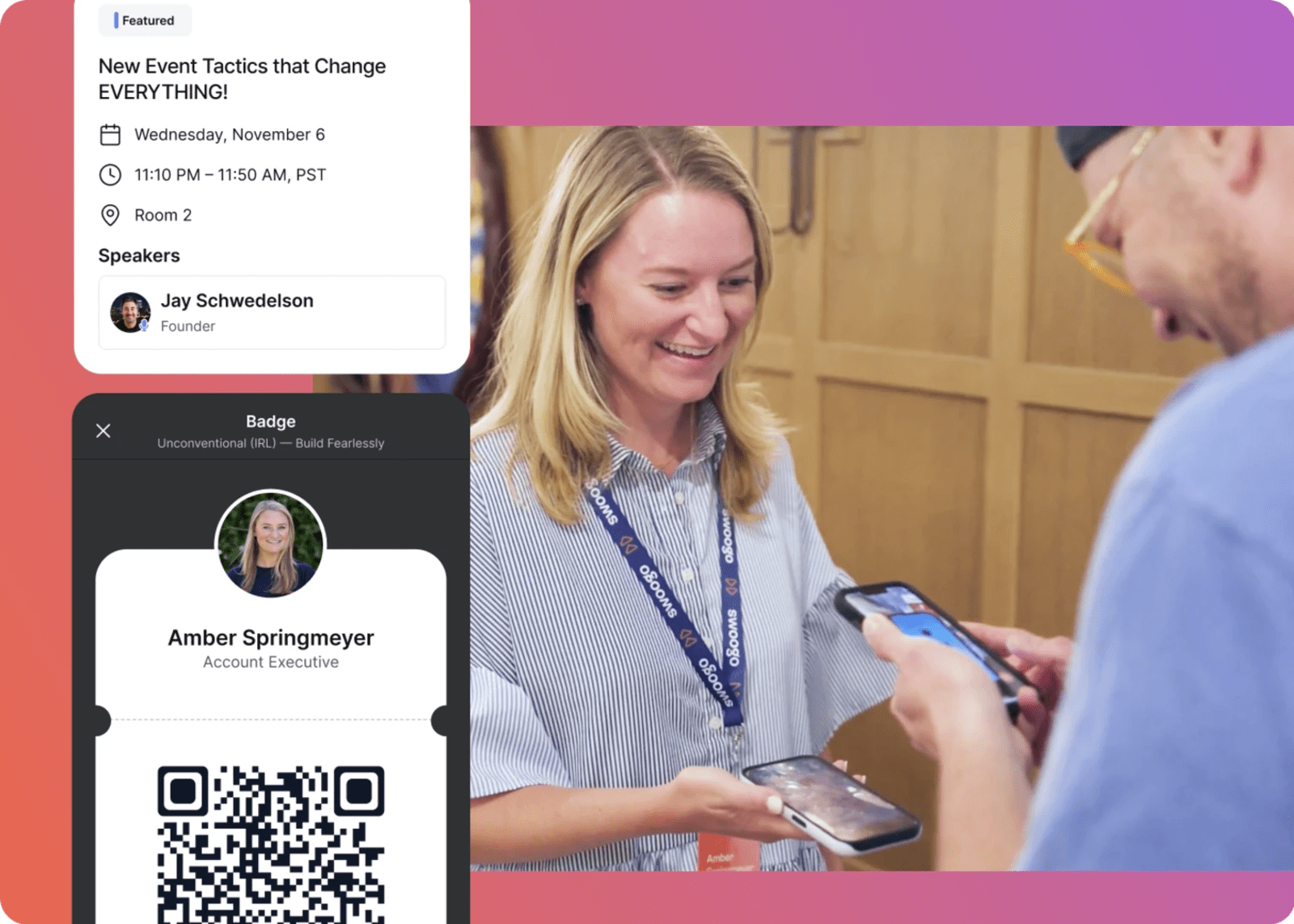
No more searching a list. No more “How do you spell your last name?” No more awkward “Sorry, could you repeat that?” after you somehow didn’t catch it for the third time. 😬
And stick the QR code everywhere—confirmation texts, event reminder emails, calendar invites. day-of push notifications, and in an easy-to-find spot in your event app.
Make it bold. Make it aggressively unmissable. Basically: if they can’t find it, that’s on purpose.
Design a check-in area that actually flows
Bad check-in layouts are the #1 cause of event-day pain. (We may not have run a study on this, but we feel it in our bones.)
Separate check-in from your help desk
If your main line is blocked because three people forgot to register, the issue is not the people. It’s the layout.
Give edge cases their own space. Create a dedicated Help Desk off to the side for:
- Missing registrations
- Name changes
- Payment issues
- Badge reprints
Staff it with your most knowledgeable human—someone who can make decisions on the fly without frantically texting a manager.
Use clearly marked, role-based lines
Avoid the One Giant Line of Despair.™ Separate your traffic by:
- Pre-registered (scan-and-go)
- Walk-ins
- VIPs/speakers
- Different ticket tiers
Split traffic however makes sense for your event, but seriously…split it.
To direct people, use large, high-contrast signs and floor decals with plain language. No confusing acronyms or wording.
✅ Think: “Check in-here”
❌ Not: “Attendee Processing Queue” (please no)
Add one friendly staffer about 10 feet before the line. Their sole purpose: intercept confused faces before confusion becomes congestion.
Design the entire flow, not just the check-in desk
Check-in isn’t a table. It’s a journey: Entry → Queue → Check-in → Badge pick-up → Where to next
Walk through it step by step:
Where do people queue? Set up multiple check-in points and angle them so attendees can see their options the moment they walk in. Clarity = confidence = movement.
Where do badges print? Put your printers behind or beside the check-in desks so staff can reach them easily, but attendees aren’t crowding around them. No printer should ever sit in the middle of your walkway like it’s auditioning to be part of an obstacle course.
Keep backups and extras of everything—scanners, printers, badges, paper, power strips, lanyards, signage—because one malfunctioning printer (or missing item) should not be allowed to derail an entire morning.
Where do lanyards and swag go? Not immediately after the scanner. Free stuff attracts instant traffic, so push it farther into the space. Same with photo ops: keep them away from check-in so people can enjoy their moment without a line of attendees staring at them with judgy faces.
Where do people go next? Think beyond the scan. Use giant arrows, floor decals, or “This way →” humans to move people confidently into the event.
Put your event tech to work
Congrats! You’ve reached the moment when you can finally burn that infamous FINAL_final_REAL_final_IMEANIT(1).xlsx spreadsheet.
Get an event check-in app that automates everything
You need a check-in tool that actually pulls its weight—not one that moonlights as your unwanted part-time job.
Here is a list of what your event check-in app should do for you:
- Scan QR codes instantly
- Pull up attendee records by name in under a second
- Work offline (venues notoriously lie about how good their Wi-Fi is)
- Sync in real-time once reconnected
- Push attendance data to CRM or MAP
- Truly work on any device
- Allow quick edits for name/company errors
If your current tool requires eight taps, manual syncing, or some light black magic, it’s slowing you down.
Psst…Swoogo does all these things. Just sayin’ 👀
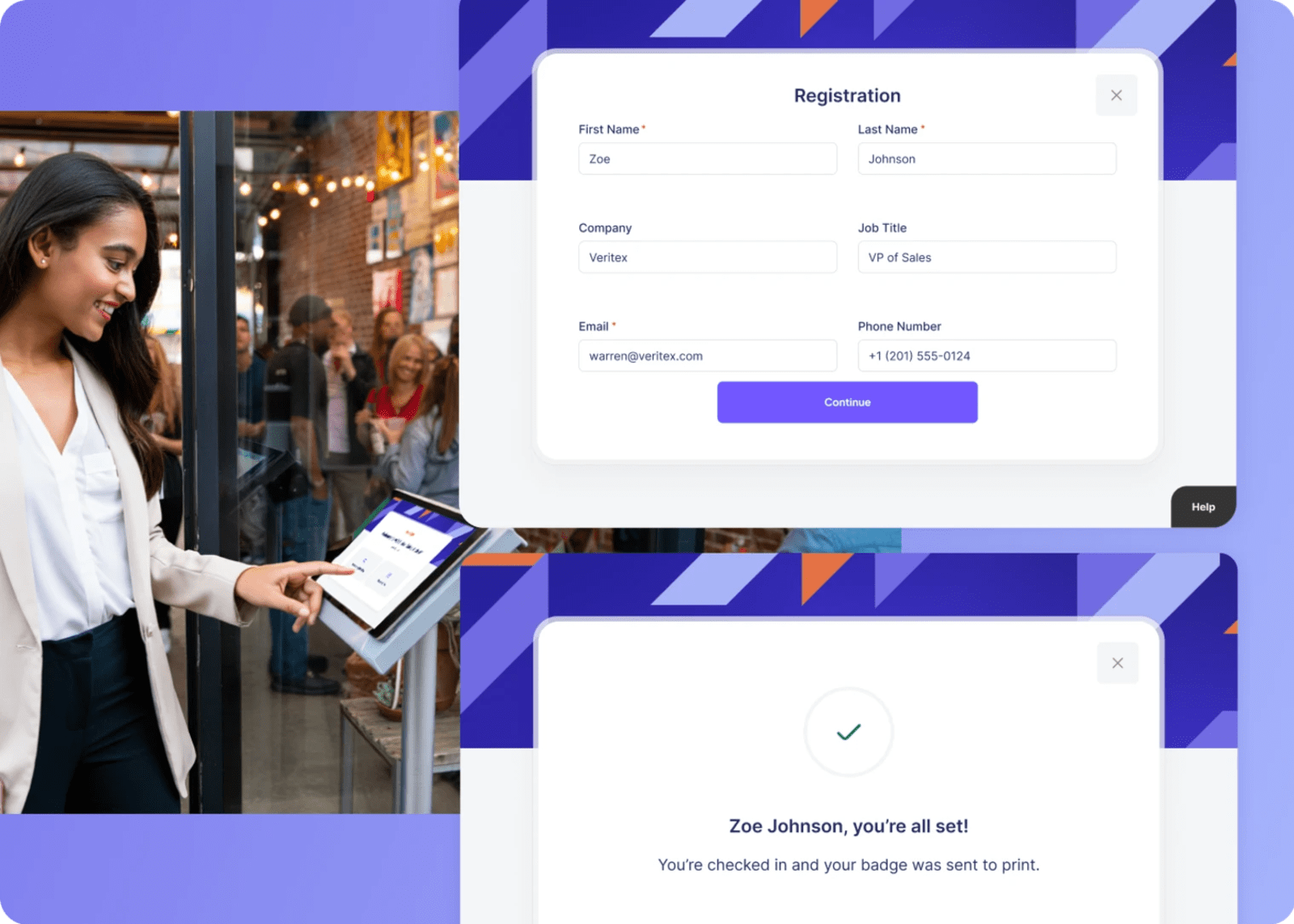
Add self-service kiosks for scan-and-go
Kiosks shine during peak surges and are truly the backbone of a fast event check-in process. They:
- Move people through quickly
- Reduce your staffing needs
- Let people help themselves
- Keep your team available for real hospitality, connection, and service—not stuck scanning badges or turning into the human version of a spreadsheet VLOOKUP 🤖
Place event check-in kiosks:
- Front and center
- Visible the moment people walk in
- With clearly split lines so attendees self-organize
Make badge printing fast and on demand
Say it with me: No more pre-printing 3,000 badges and alphabetizing them at 11 PM the night before.
Pre-printing always calls forth the four horsemen:
- Someone’s name is spelled wrong
- Their company changed
- They swapped ticket types
- Or the worst one, they just flat out didn’t show up
On-demand printing solves all of this:
- No sorting
- No leftover badge graveyard
- No frantic reprints
And look, we’re not just making this up. Reddit users (arguably the toughest crowd on Earth) agree. As our new internet buddy/event pro Butter360 said:
“I run reg tech at lots of events…on demand badge printing is by far the most efficient method in my experience.”
Hard to argue with someone who wrote that while prepping for a 4,000-person event the next day. Validation? ✅
And when a badge does need a last-minute fix? No problem. Your staff actually has the time and the tech to handle it quickly and calmly.
Staff, train, and triage like a pro
We love tech (obvi), but even the best event check-in software needs great humans (hi, that’s you) running the show.
Train event staff on the ideal check-in flow
Our best advice? Run a quick “mock-morning.” It’s a few minutes that’ll save you from a few hours of chaos.
Walk the team through:
- Where to stand
- How lines should move
- What to say/ask for first (“Welcome! Have your QR code ready.”)
- How to handle common hiccups
- Where to send walk-ins vs. VIPs
- When to escalate to the Help Desk
Give everyone:
- A simple script
- A map of the layout
- A clear “If X happens, do Y” escalation path
And yes, drawing on those painful high school drama class memories, do a bit of acting with a practice scan and mock on-site registration.
Put your calmest person in charge
Ksssshhhhh. Check-in control to all stations: we’ve got 3,000 inbound attendees requesting landing clearance. Maintain spacing and redirect overflow to the kiosks. Ksssshhhhh. 📻
Every check-in needs an air-traffic controller—someone who watches everything:
- The line
- The kiosks
- The surge times
- The staff bottlenecks
- The VIP arrivals
This person:
- Doesn’t scan
- Doesn’t check in
- Doesn’t troubleshoot badges
They manage flow. And flow determines speed. Which is everything during check in.
Use real-time data to keep lines short
Event data isn’t just for recaps and post-mortems! It’s for RIGHT NOW—use it.
Monitor check-in dashboards when doors open
When doors open, someone on your team should have the check-in dashboard up like it’s mission control. Cause it lowkey is.
If you’re using a tool like Swoogo’s Go Onsite Pro, this is where those live dashboards earn their keep by showing you:
- Which stations are moving slow
- When the surge hits
- Whether a certain segment (like VIPS or sponsors) is arriving in a herd
Then use that data to adjust in real time, reassigning staff to offload wait times and opening more kiosks as needed.
Set up alerts for high-value attendees
Sales shouldn’t find out that their top customer attended your event because a coworker said, “Oh yeah, I think I saw them at lunch.”
Set up alerts so your team gets a ping when:
- Sponsors check in
- C-suite leaders arrive
- Top accounts enter
- Speakers hit the building
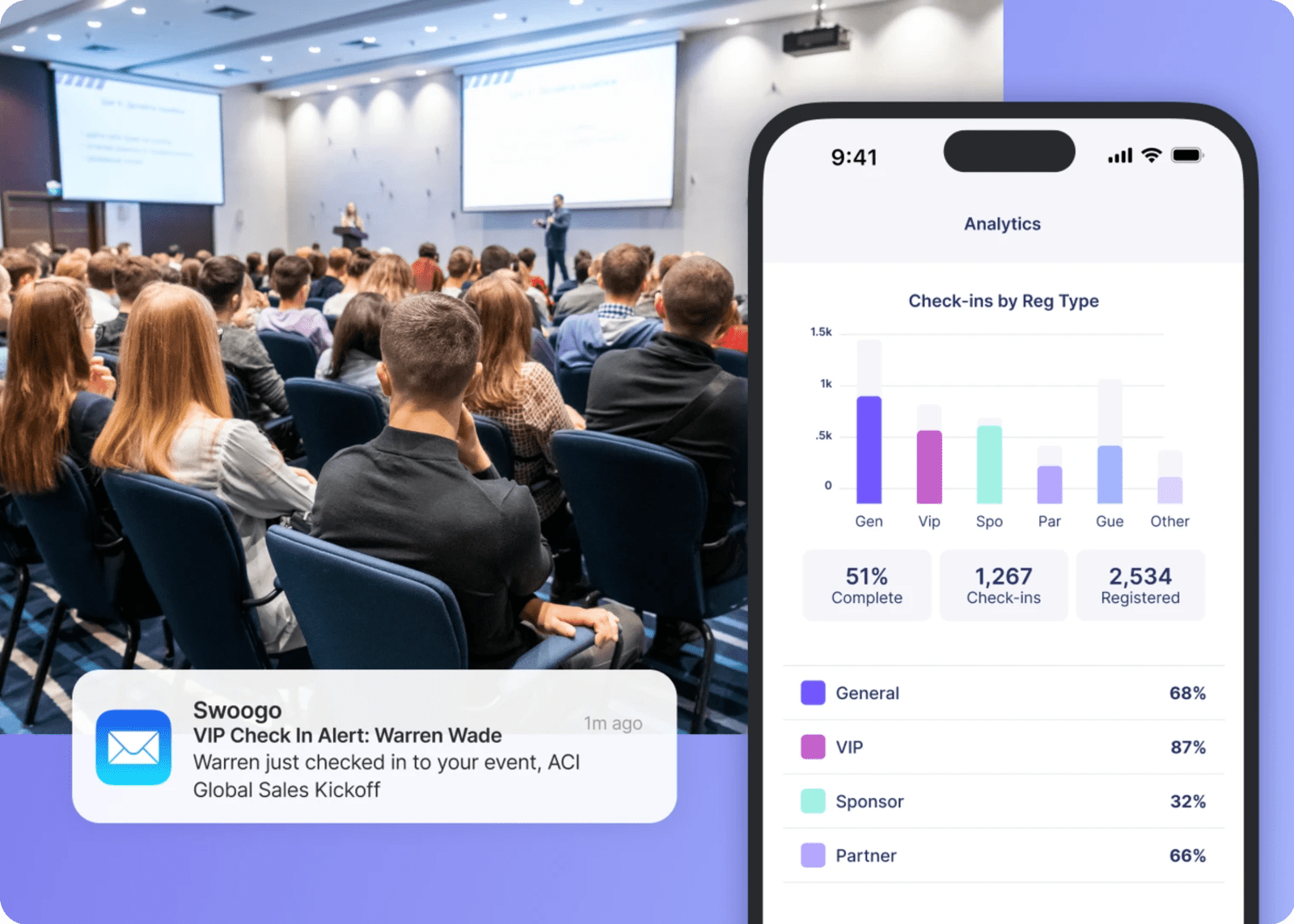
The right person can greet them, nurture them, and whisk them away for a (hopefully 🤞) tasty coffee.
Learnings and takeaways after the event
After every in-person event you’ve got a goldmine of useful data, so it’s time to start digging into all of it.
Analyze check-in data (not just reg counts)
Look for:
- Actual arrival windows
- Peak times (by 15-minute blocks)
- Average processing time
- Walk-in volume
- Help Desk load
- Segment trends (Did VIPs show up early? Were sponsors fashionably late? 😎)
These insights help you:
- Adjust staffing
- Decide how many kiosks you need
- Improve signage
- Plan VIP routes
- Predict volume for future events
Survey attendees about the event check-in experience
Ask simple, specific questions:
- “How easy was check-in?” (quick click on a scale of 1–5)
- “What could have made it smoother?” (open-text response)
Don’t overthink this. People will tell you where your bottlenecks were.
Turn learnings into a playbook for future events
Document everything:
- What worked
- What didn’t
- What you’d change
- What you’d never do again (cutting coffee service at 10 AM, we’re looking at you)
Build a reusable SOP so every roadshow, kickoff, and summit gets better by default. Trust us, your future self will thank you. Repeatedly.
Run lightning-fast check-ins with Swoogo
Let’s rewind for a sec. ⏪ You just learned how to design for flow, prep before doors open, train your team, lean on tech, and use real-time data to keep lines moving.
The whole point? A check-in that feels smooth, intentional, and human. Without the chaos, last-minute panic, and whisper arguments over name lists.
And this is exactly where Swoogo shines. Not to replace your team, but to make everything you just learned doable, scalable, and repeatable—event after event.
Here’s how Swoogo helps you pull it off:
- Scalability and control: Instead of reinventing the wheel every time, build and clone reg + check-in flows tailored to your segments—VIPs, sponsors, partners, whoever needs their own lane. Keep every field event, summit, and roadshow consistent without duct-taping tools together.
- Go Onsite and Go Onsite Pro: Turn tablets into branded, genuinely fast self-check-in kiosks. Let walk-ins register without detonating your main line. Print badges on demand. And with 20 included user licenses, your whole team can actually jump in—not just one person with “admin access.”
- Data and insights: Send check-in data straight to your CRM, MAP, and dashboards so sales knows exactly who arrived (and when). Get alerts when your VIPs roll in. Spot bottlenecks before they turn into a capital-P Problem.
- Predictable partnership: Our user-based pricing means you can scale attendee volume without surprise fees. Plus, you’ll get an in-house support team who understands what “doors open in 15 minutes” really means—and shows up for you when you need it most.
If you’re tired of starting every event with a line that tests the limits of human patience, it’s time to put registration and onsite under one roof.
See how Swoogo + Go Onsite can help you run check-in that’s fast, calm, and—dare we say it—actually kind of fun. 🎉