Product Updates

Here are all of the updates from May 2025

May 29, 2025

Reporting Enhancements
Event Data + Insights
swoogo reporting menu

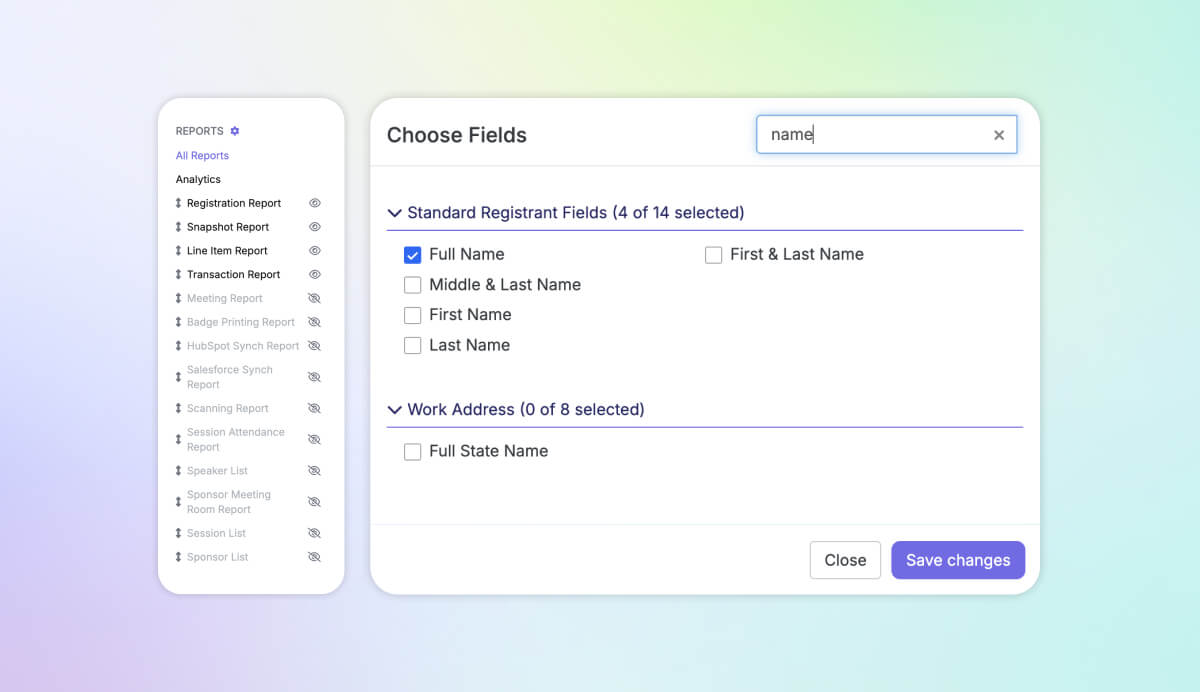
Tidy Up Your Reports Menu

Drowning in reports? Declutter the reports sidebar menu with new settings that let you hide unused standard reports or bring the most important ones to the top of the list. These preferences are saved per event and per user, so you can configure them exactly as you want without affecting anyone else on your account.

Search Report Fields with Ease

When you’re getting into the nitty gritty of building reports, speed things up with our new field search feature. If you already know what you're looking for, just start typing in the search bar to quickly find & select the fields you need—no more endless scrolling.
Read up on reporting →

🔗 Copy link • Copied!
May 9, 2025

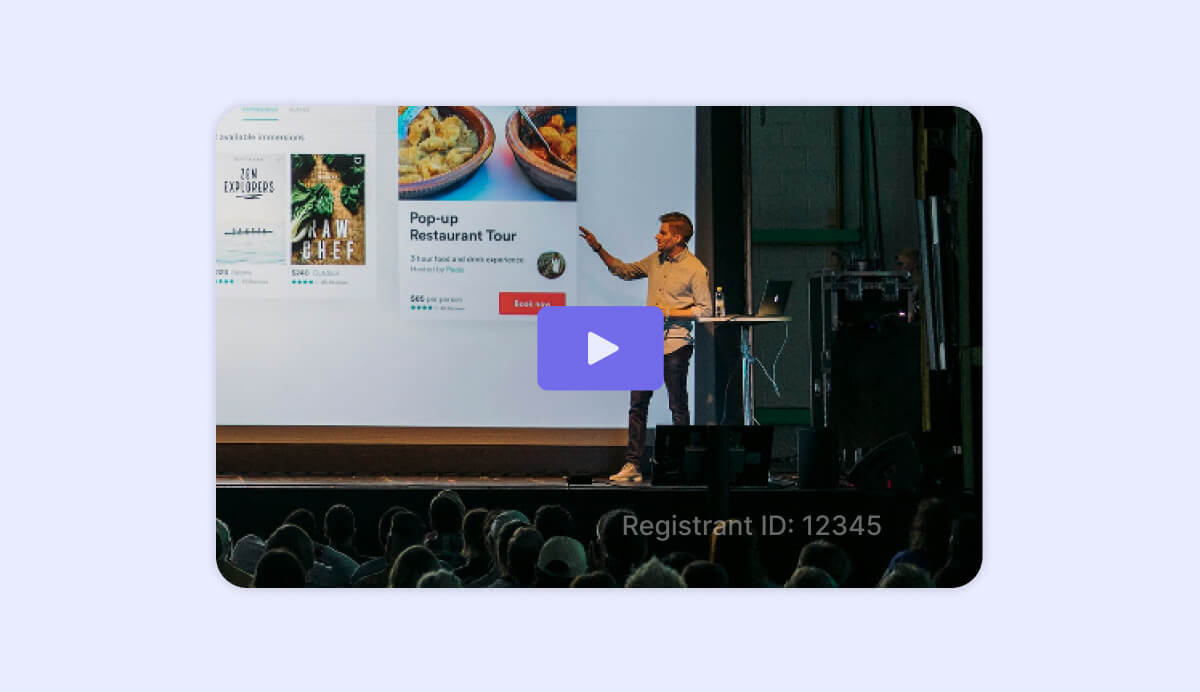
Video Watermarks

Event Websites
watermarks over video content on swoogo

Introducing video watermarks! Your team invests countless hours creating standout event content, from compelling registration sites to impactful talk tracks. If you’re publishing videos一live or on-demand一intended exclusively for your attendees, the watermark feature can help protect your content. This new setting gives you an option to overlay a registrant’s ID directly onto the video, making it easy to discourage unwanted redistribution. 🔐

Check out video watermarks ->

🔗 Copy link • Copied!
May 6, 2025

Passkey Integration Update

Integrations
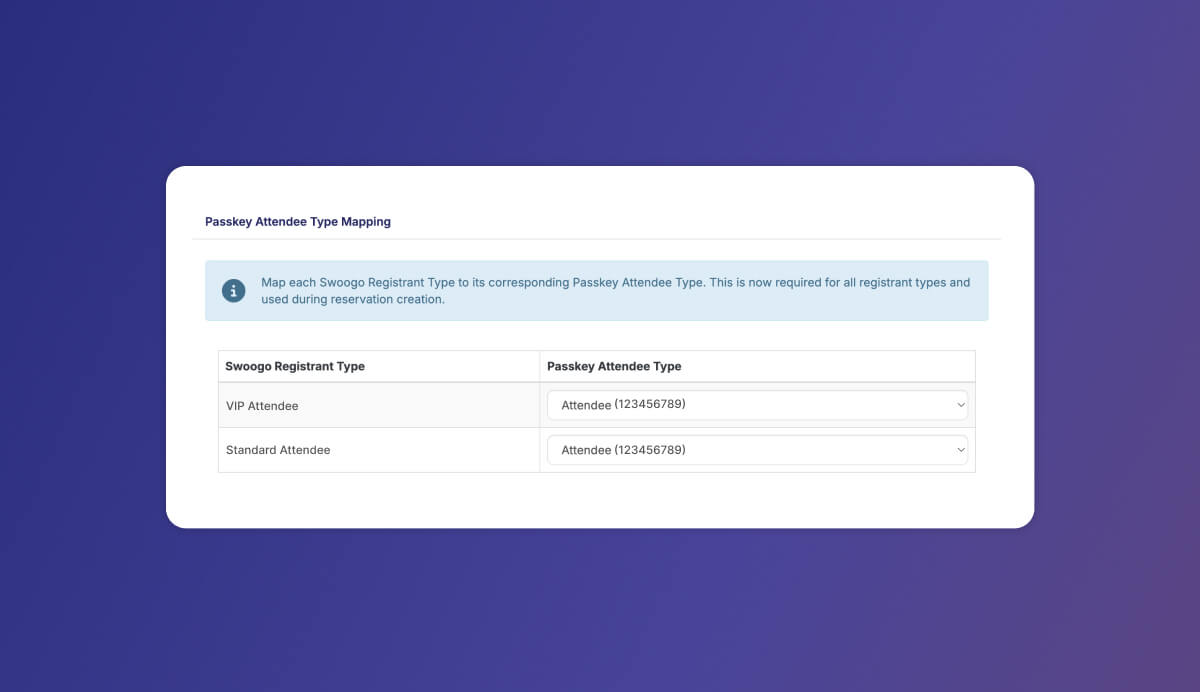
swoogo + passkey integration mapping attendee field IDs

To stay aligned with recent changes from Passkey, we’ve updated our integration to include the new required fields for Attendee Type IDs. This ensures full compatibility and keeps the Swoogo + PassKey sync running seamlessly. 

If you're using the integration today, or plan to use it in the future, make sure to map each of your Swoogo registrant types with the corresponding Passkey Attendee Type IDs!

Learn more about the Swoogo + Passkey integration ->

🔗 Copy link • Copied!
May 5, 2025

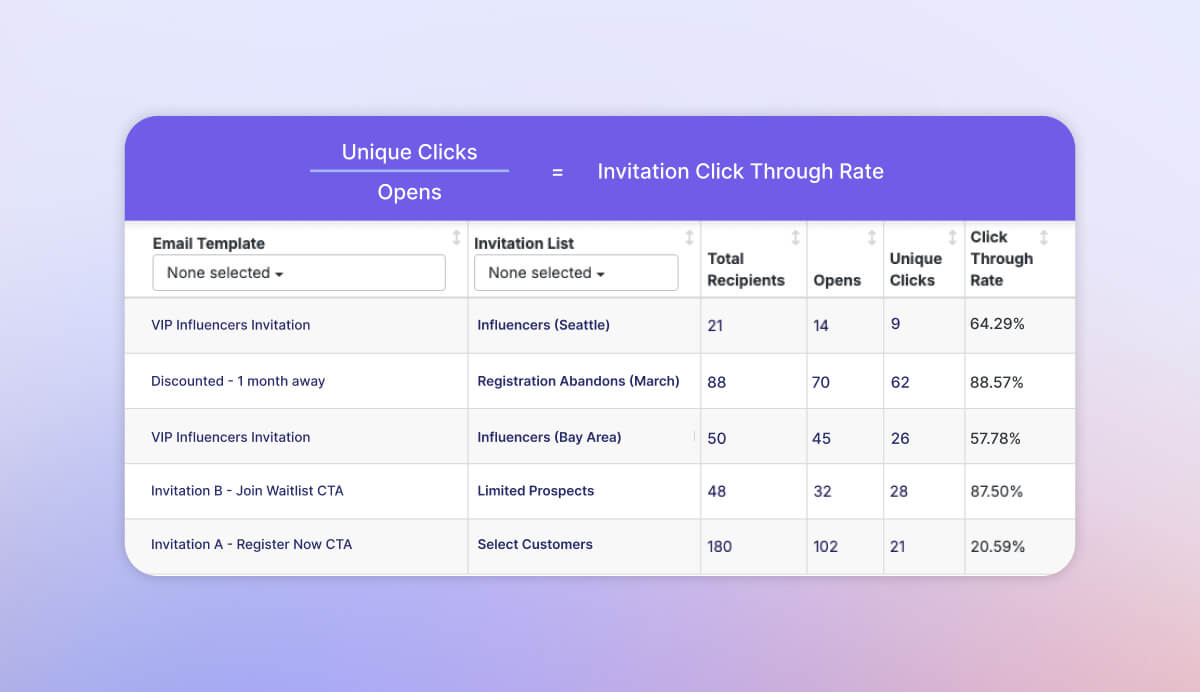
Invitation Click Through Rate

Event Data + Insights
Invitation Email Metrics and Click Through Rate

Leverage Click Through Rate (CTR) – a newly launched metric to help you understand how your invitation emails are performing. CTR calculates the percentage of people who clicked on a link in your email out of those who opened it. You can access this data today by visiting Communicate > Reports & adding a CTR column.

Dive into invitation email reports ->

🔗 Copy link • Copied!
More Product Updates →